
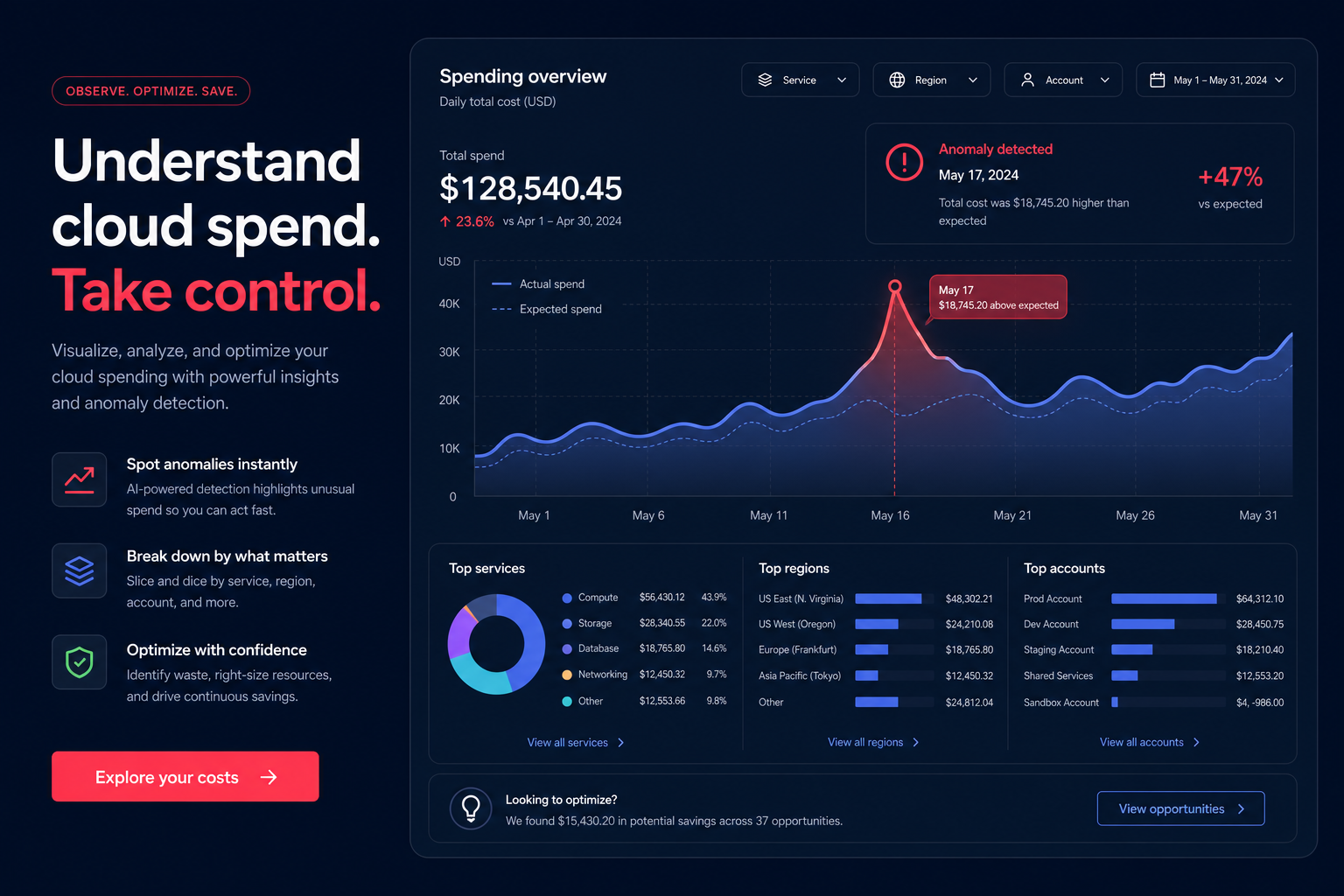
Opening your AWS bill only to find a figure that defies your team’s actual output can be frustrating. For many businesses, cloud costs grow faster than the value they deliver, often because of a lack of visibility into where the money is actually going. Mastering AWS Cost Explorer is the first step toward reclaiming that wasted spend and transforming your cloud infrastructure into a precision-engineered asset.
Visualizing spending trends and anomalies
AWS Cost Explorer serves as the central command center for AWS cloud cost exploration, allowing you to visualize and manage your usage data through interactive graphs and tables. To start identifying savings, you must first establish a baseline. The tool provides up to 13 months of historical data by default, but you can expand this to 38 months if your organization requires deeper year-over-year analysis for long-term budgeting.
By filtering your data by dimensions such as Service, Region, or Linked Account, you can isolate exactly which parts of your infrastructure drive your costs. Grouping by “Usage Type” often reveals high costs in data transfer or specific instance families that your team might have overlooked. If you notice a sudden spike, you can switch your granularity from monthly to daily or even hourly – available for the past 14 days – to identify cloud waste on AWS associated with specific deployments, automated jobs, or accidental resource launches.
Uncovering rightsizing recommendations
One of the most powerful features within the management console is the AWS Cost Explorer recommendations engine. This feature integrates directly with AWS Compute Optimizer to suggest more efficient resource allocations based on actual performance. The machine-learning-driven engine analyzes your workload configurations and historical utilization over the previous 14 days to identify mismatches between provisioned and required capacity.
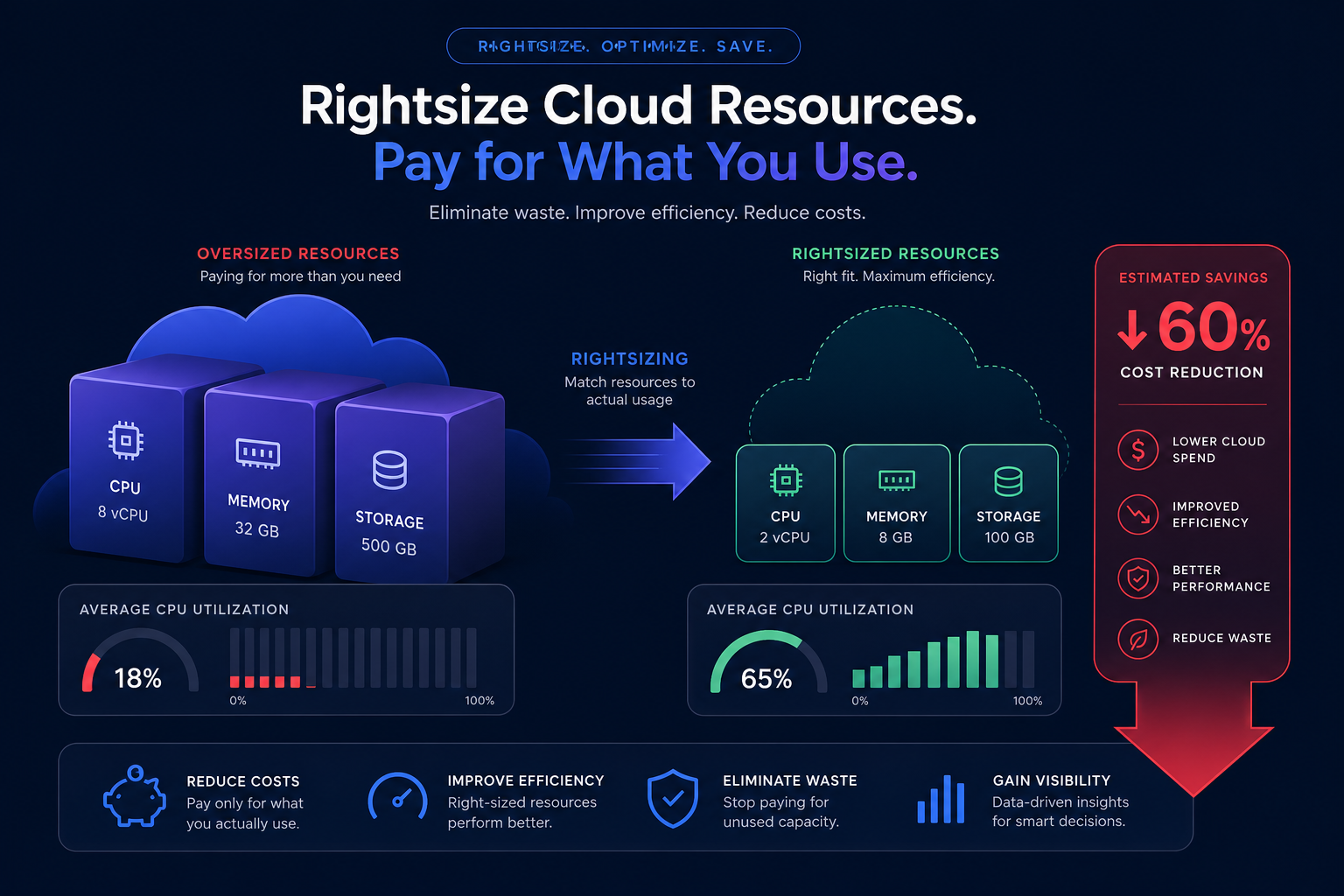
AWS classifies your resources into specific categories to help you prioritize your optimization efforts:
- Idle resources: These are instances with a maximum CPU utilization of less than 1% over the evaluation period. These resources perform no meaningful work and are prime candidates for immediate termination.
- Underutilized resources: These instances typically run between 1% and 40% CPU utilization. In these cases, Cost Explorer simulates how the workload would perform on smaller or different instance types and presents up to three downsizing options.
Cloud resource rightsizing extends beyond simple EC2 adjustments. The tool also incorporates Amazon EBS metrics, such as bandwidth and IOPS, to identify instances that may be bottlenecked. By following these recommendations, you can often reduce compute spend by 20% or more. Note that after you enable rightsizing recommendations, it can take up to 24 hours for AWS to generate the initial data set for your environment.
Evaluating commitment coverage and rate optimization
Visibility into your On-Demand spend is only half the battle. To maximize efficiency, you must analyze your Reserved Instance (RI) and Savings Plans coverage. AWS Cost Explorer provides dedicated reports that detail your utilization – how much of your committed capacity you actually use – and your coverage, which shows how much of your total usage receives a discount.
While AWS offers steep discounts of up to 72% for long-term commitments, blind purchasing can lead to significant waste if your usage fluctuates. This is where AWS Rate Optimization becomes critical. If your RI utilization drops below 85%, you are likely paying for capacity that does not exist, effectively erasing the financial benefit of the discount. By using the forecasting feature, you can project your costs for up to 12 months, allowing you to plan commitments that align with your actual growth trajectory rather than just historical peaks.
Distinguishing between analysis and governance
It is important to understand that Cost Explorer is primarily an analytical tool rather than a preventative one. While it tells you what happened in the past, it does not stop a developer from accidentally launching a high-cost instance that exceeds your budget. For proactive control, you need to understand the relationship between AWS Cost Explorer vs AWS Budgets.
You should use Cost Explorer to perform deep-dive audits and review AWS Compute Optimizer recommendations, but you must also set up AWS Budgets to alert you when spending hits specific thresholds. This combination ensures that your manual optimization efforts are not undone by future usage spikes or unmonitored deployments.
Moving from visibility to automated action
The primary limitation of AWS Cost Explorer is that it provides visibility but requires manual effort to execute changes. Identifying an underutilized instance is helpful, but most engineering teams lack the bandwidth to manually downsize hundreds of resources or constantly trade Convertible RIs to match shifting workloads. This manual gap often results in realized savings being much lower than the identified potential.
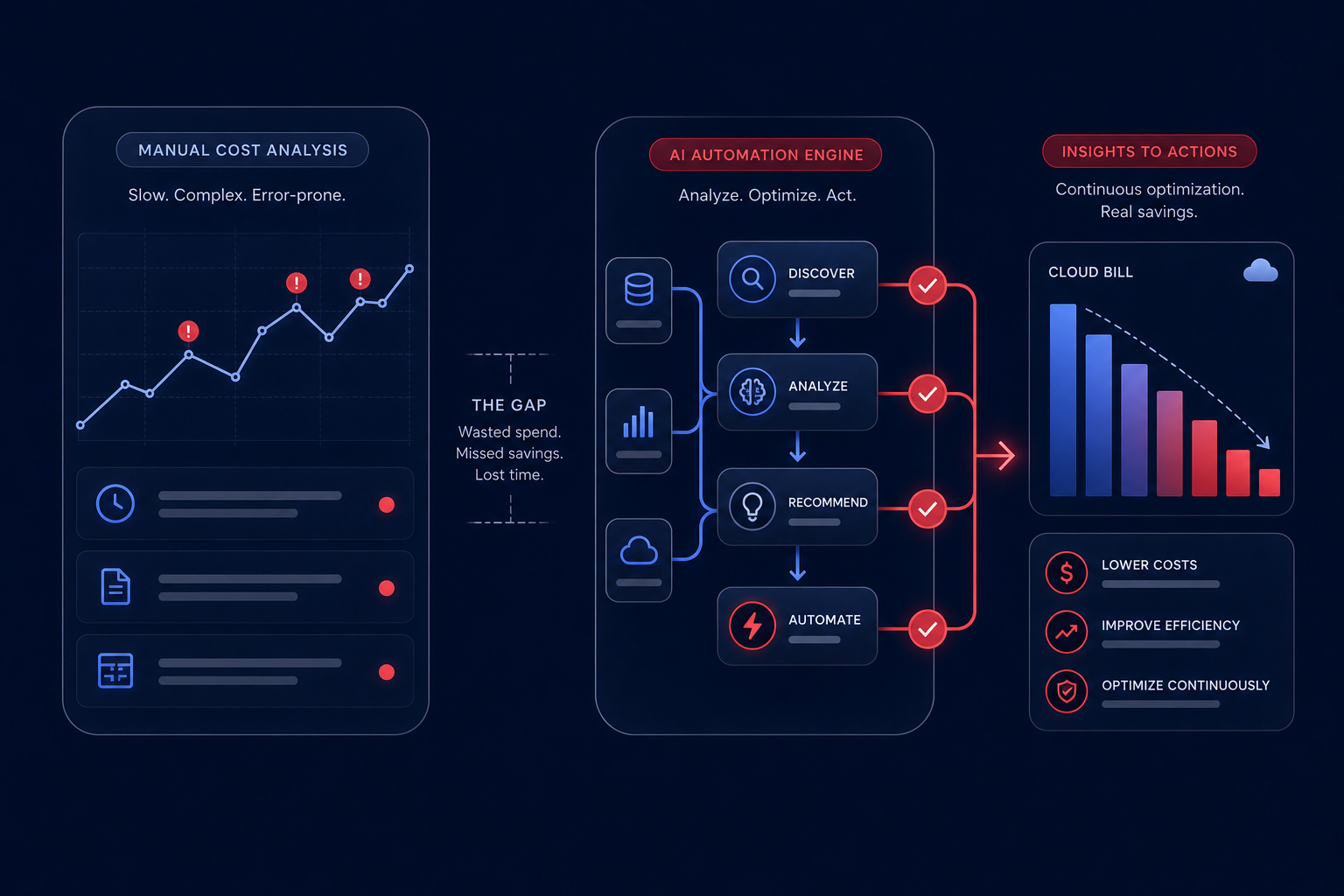
Hykell bridges this gap by turning insights into outcomes. Our platform operates on autopilot, using AI-driven strategies to optimize your AWS bill by up to 40% without requiring a single line of code change or active DevOps effort. We manage the complex mix of Savings Plans, Reserved Instances, and rightsizing continuously to ensure you always achieve the highest possible Effective Savings Rate (ESR).
If you are ready to see how much you could save without the manual grind of spreadsheet analysis, use our cost savings calculator to uncover your potential. At Hykell, we only take a slice of what you save – if you do not save, you do not pay. Contact us today to start your risk-free cost audit and move your cloud infrastructure toward peak efficiency.

