
Is your AWS bill doubling every time you aim for another “nine” of availability? Designing for resilience doesn’t require a blank check. By understanding AWS performance SLAs and specific architectural tradeoffs, you can achieve 99.99% uptime without exhausting your annual cloud budget.
Prioritize multi-AZ over multi-Region redundancy
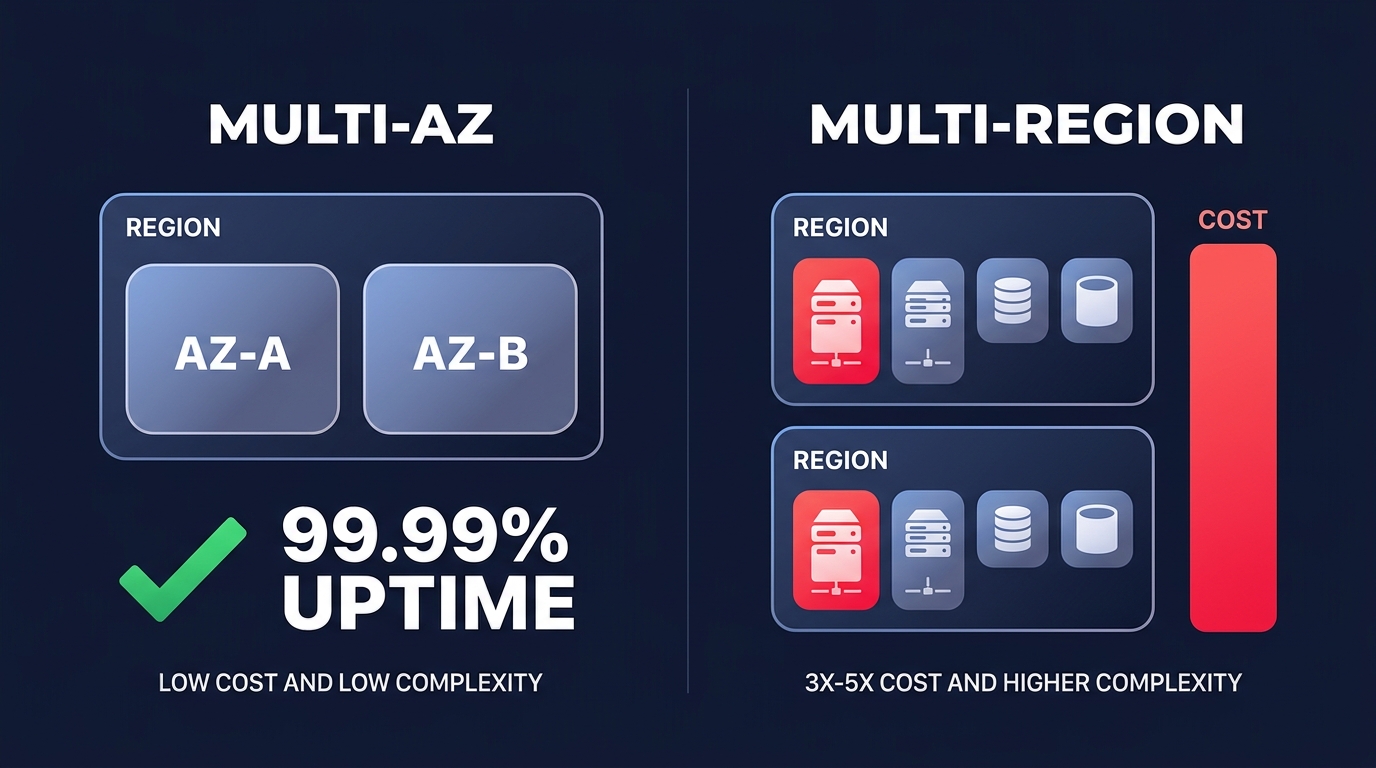
The most common mistake technical managers make is jumping to a multi-Region architecture too early. According to the AWS Well-Architected Framework, a multi-AZ (Availability Zone) setup is sufficient for 99.99% availability, which equates to only about 4.32 minutes of downtime per month. This level of reliability is suitable for the vast majority of production workloads.
Moving from a multi-AZ setup to a multi-Region “active-active” architecture typically increases your costs by 3x to 5x. This spike is driven by duplicated compute resources and the significant AWS egress costs associated with cross-region data replication. Unless your business faces specific compliance requirements or loses millions of dollars for every hour of localized downtime, focusing on a robust multi-AZ strategy with automated failover provides a much higher return on investment.
Mitigate the redundancy tax on compute and data
In a standard highly available setup, you run instances in at least two Availability Zones, which effectively doubles your compute footprint. However, you do not always need identical, high-performance instances sitting idle in a standby state. You can optimize this “redundancy tax” by using more flexible capacity models and storage configurations.
Leverage spot instances for secondary capacity
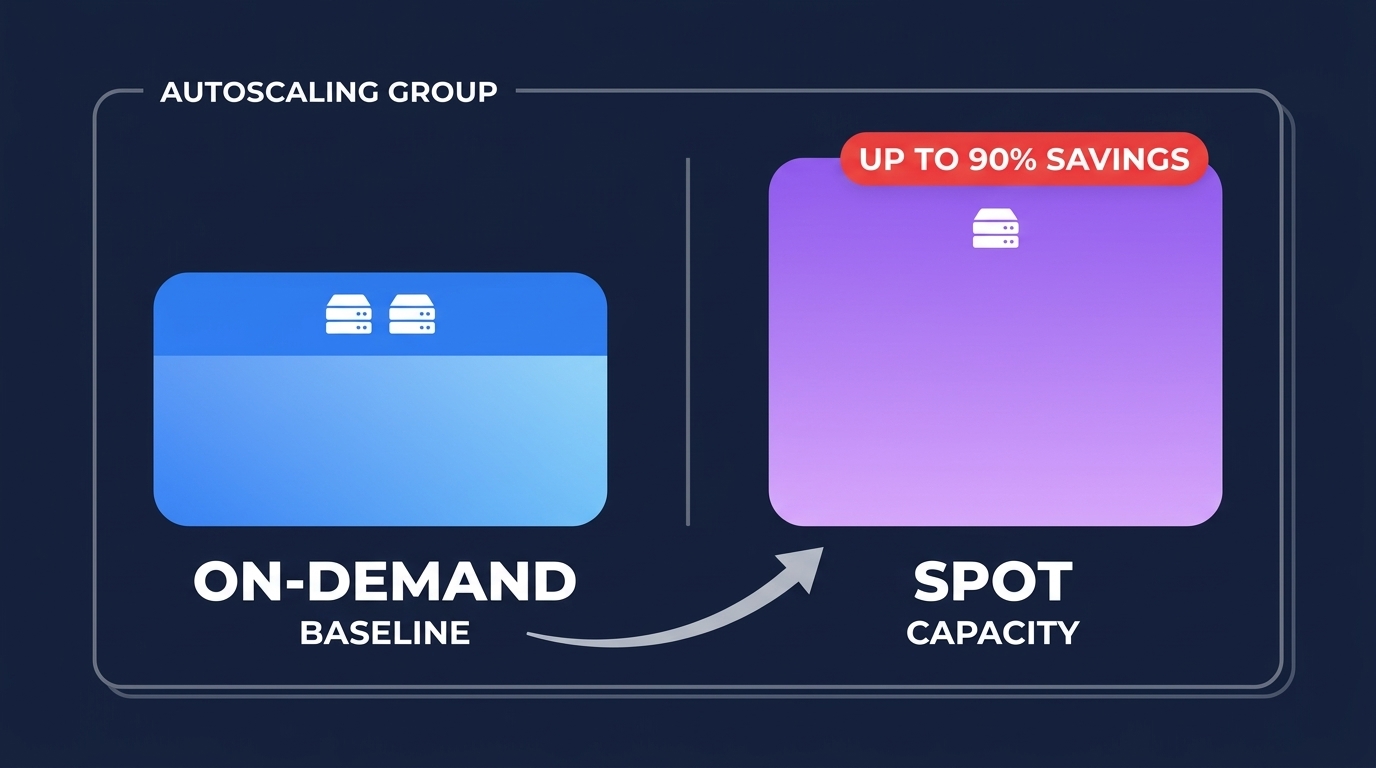
For web tiers and microservices, you can mix On-Demand and Spot Instances within your Auto Scaling Groups. By using AWS spot instances automation for stable workloads, you can save up to 90% on the cost of your redundancy buffer. In this pattern, your baseline On-Demand instances keep the service running while the Auto Scaling Group provisions a replacement if a Spot Instance is reclaimed by AWS.
Right-size your RDS Multi-AZ deployments
Database redundancy follows a similar cost-doubling pattern. An RDS Multi-AZ deployment provides synchronous replication and automatic failover, but it costs approximately twice as much as a single-AZ instance in US East regions. To manage this cost, you should avoid over-provisioning the primary instance and instead use AWS RDS read replica performance to scale horizontal read traffic. In non-production environments, you can often eliminate the standby cost entirely by using a single-AZ instance backed by frequent automated snapshots for disaster recovery.
Eliminate hidden cross-AZ and networking fees
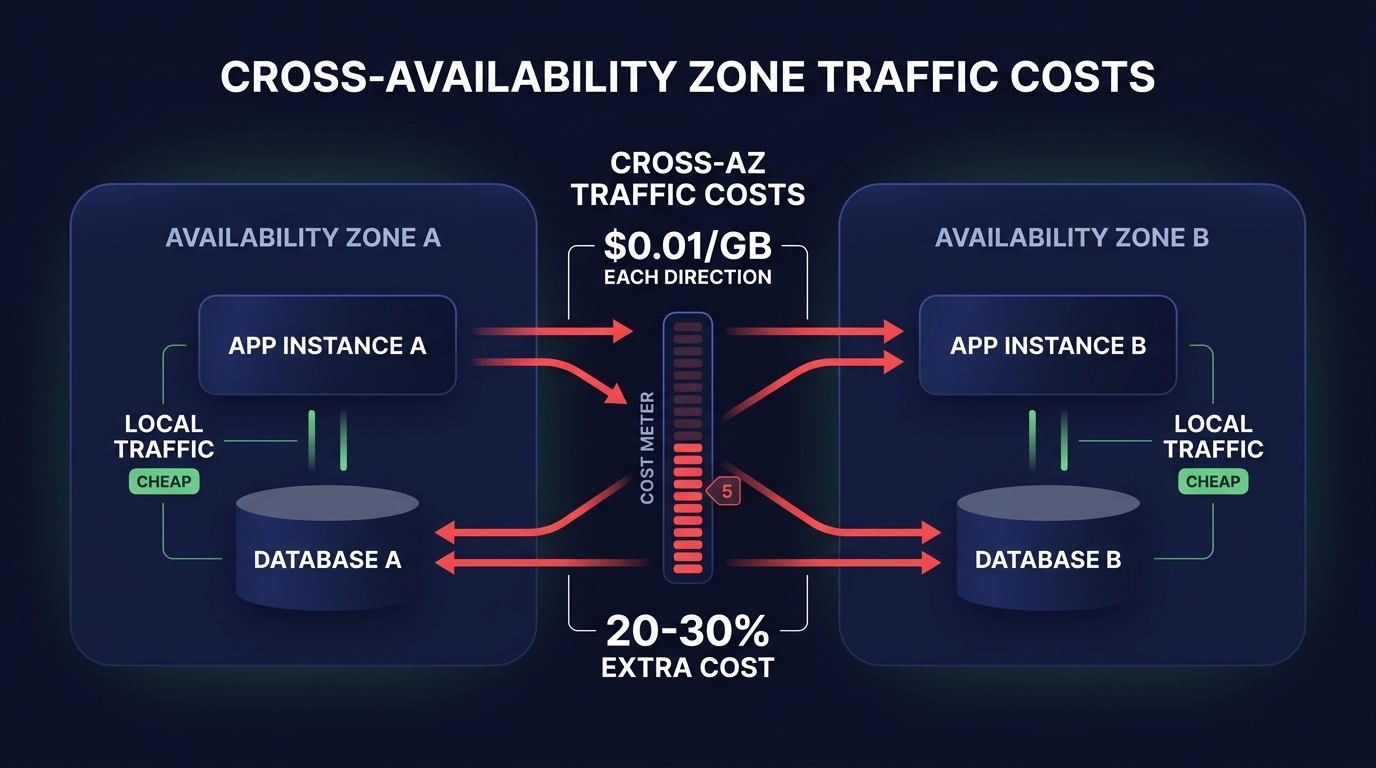
High availability introduces architectural complexity that often manifests as “EC2-Other” charges on your monthly bill. Data transferred between Availability Zones costs $0.01/GB in each direction. If your application is “chatty” across zones, these fees can quietly grow to represent 20–30% of your total cloud spend. Keeping traffic local to the Availability Zone whenever possible is the most effective way to curb these costs.
Optimizing NAT gateways and endpoints
The placement of your networking components is critical to staying on budget. You can implement AWS NAT gateway cost optimization strategies, such as deploying a NAT Gateway in each AZ to avoid cross-AZ data processing charges, which otherwise add $0.01/GB on top of the standard NAT processing fee of $0.045/GB. Furthermore, implementing Gateway VPC Endpoints for services like S3 and DynamoDB is a high-impact move because these endpoints are free. They prevent your private traffic from routing through a costly NAT Gateway or the public internet, significantly reducing your networking overhead.
Tiered resiliency for non-critical services
Not every service in your stack requires four nines of availability. A common best practice is to tier your services by business impact and assign different Recovery Time Objectives (RTO) to each. Your core checkout API might require a multi-AZ load balancer and RDS setup, but an internal reporting tool might be better suited for a single-AZ AWS fargate cost optimization tips approach, where tasks restart automatically if a zone fails.
Automated scaling and scheduling
By accepting a slightly higher recovery time for non-critical services, you can aggressively use automatic cloud resource scaling to scale down redundant resources during off-peak hours. Scheduling non-production environments to turn off overnight or during weekends can save up to 65% on those specific workloads. This ensures you are only paying for high availability when your users or developers are actually active.
Maintaining high availability on autopilot
Building for high availability is an iterative process that requires constant oversight. You must regularly monitor your cloud observability metrics to ensure that your redundancy isn’t just creating waste. For example, if your “standby” instances consistently show less than 5% CPU utilization over several months, you are likely over-paying for a level of protection that exceeds your actual needs.
Following AWS cost management best practices allows you to maintain this balance without constant manual engineering effort. The most effective long-term strategy involves AWS rate optimization to cover your high-availability baseline. By automating the mix of Savings Plans and Reserved Instances, you can secure your persistent infrastructure at the lowest possible price point, often reducing your total bill by up to 40%.
Hykell helps you navigate these tradeoffs by diving deep into your infrastructure to uncover hidden savings and optimize your resilience patterns. We ensure you only pay for the redundancy you actually need to meet your business goals.
Find out how much you could save on your high-availability architecture with the AWS cost savings calculator.

