
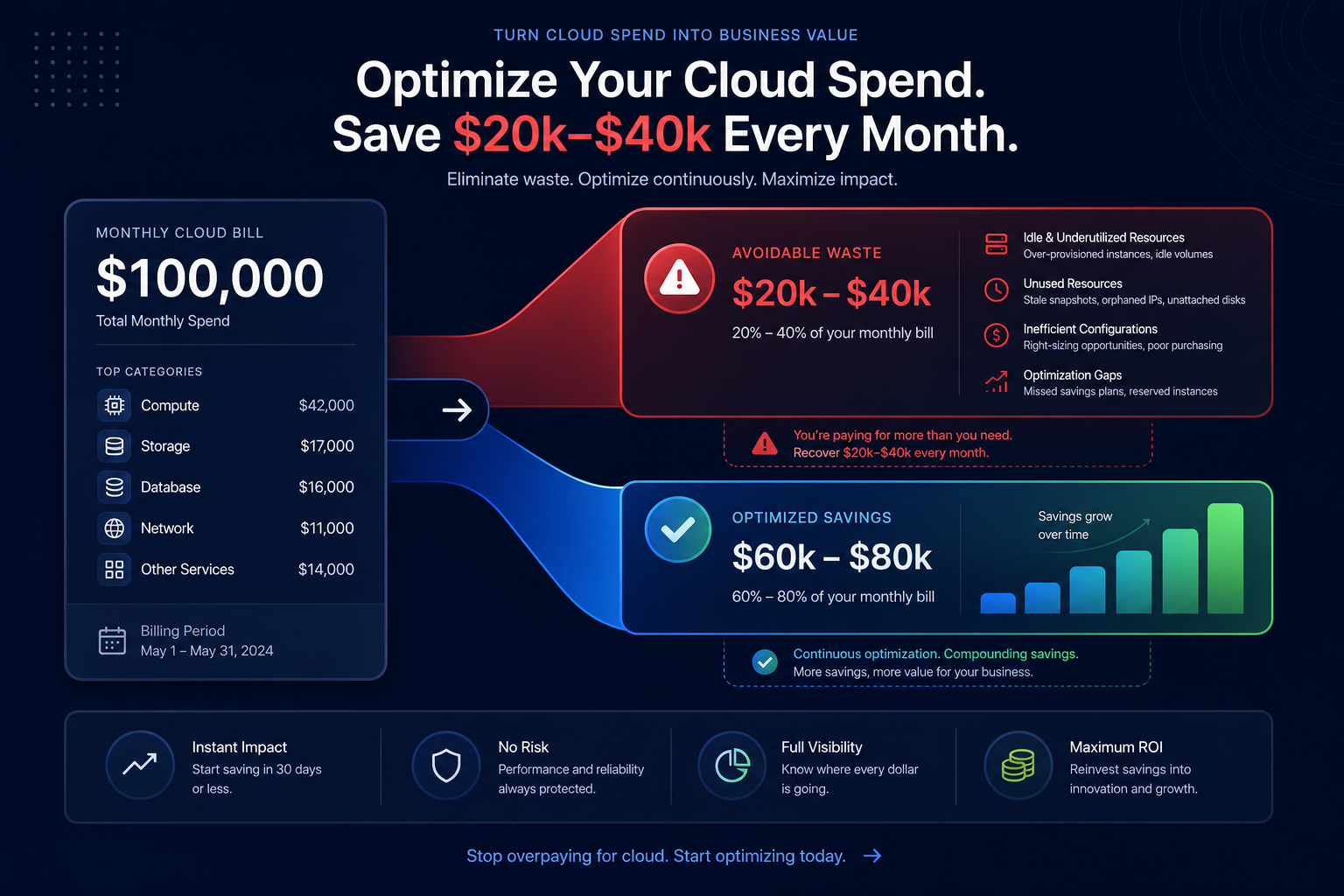
A $100,000 monthly AWS bill often hides $20,000 to $40,000 in avoidable spend. While AWS Savings Plans offer up to 72% discounts, committing blindly to the wrong plan can lock you into paying for capacity you no longer need as your architecture evolves. To maximize your AWS rate optimization, you must balance the immediate sticker price discount against the long-term flexibility of your infrastructure.
Reducing a bill of this size requires a shift from reactive purchasing to a proactive, automated strategy that aligns your commitments with actual resource consumption.
Right-size your baseline before committing
Committing to a Savings Plan based on an unoptimized environment is the fastest way to waste money. If your instances are running at 20% utilization, you are essentially committing to pay for “ghost” resources for the next one to three years. You are locking in the cost of inefficiency rather than the cost of your actual workload.
Cloud resource rightsizing identifies underutilized resources that, once adjusted, could reduce your baseline spend by 30% or more. You should only look at commitment-based discounts after you have matched your instance sizes to your actual workload demands. Organizations that right-size first often achieve significantly higher effective savings rates (ESR) because every dollar committed is fully utilized.
Choosing between Compute and EC2 Savings Plans
For a $100,000 monthly spend, your environment likely contains a mix of stable legacy workloads and dynamic, containerized services. Choosing the right plan type requires a trade-off between the depth of the discount and the freedom to change your infrastructure.
Compute Savings Plans: The flexibility play
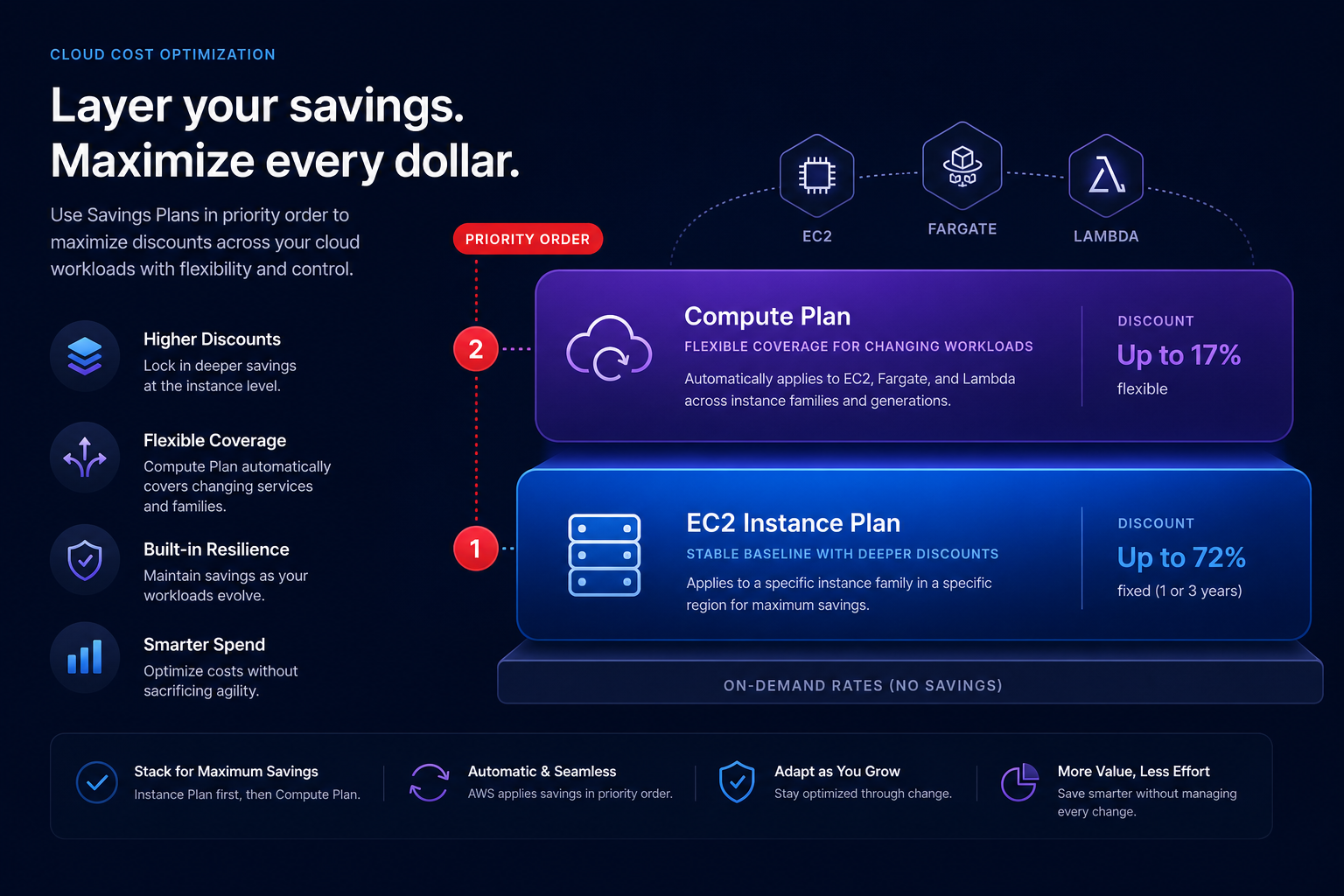
Compute Savings Plans provide a discount of up to 66% and offer the most flexibility. They apply automatically to any EC2 instance family, regardless of region, size, operating system, or tenancy. Crucially, they also cover AWS Fargate and AWS Lambda usage, making them essential for modern, serverless architectures.
If your team is currently migrating to Graviton processors or moving workloads from EC2 to EKS/Fargate, Compute Savings Plans are the safer choice. They ensure your discounts follow your workload even if you switch instance types or move between regions.
EC2 Instance Savings Plans: The deep discount play
EC2 Instance Savings Plans offer the highest discounts – up to 72% – but they are rigid. You must commit to a specific instance family (such as m7g) in a specific AWS Region. These are ideal for your most stable “anchor” workloads, such as databases or core services that will remain on the same instance family for at least a year.
Because EC2 Instance Savings Plans are applied before Compute Savings Plans, you can layer them strategically. Cover your static baseline with the deeper discounts of instance-specific plans while using Compute plans to handle your more volatile, evolving services.
The rolling commitment strategy
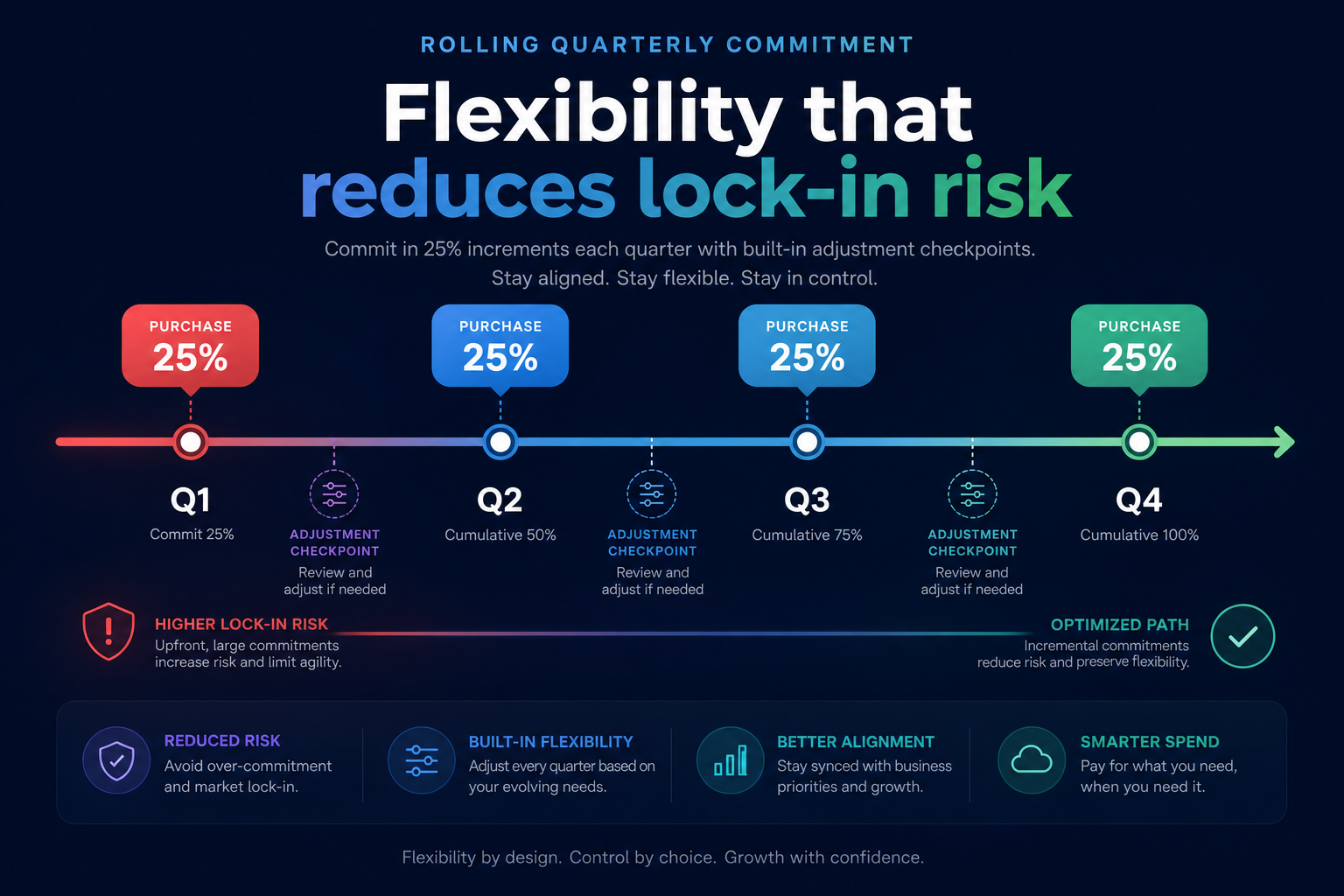
A common mistake is making one massive commitment and hoping the business doesn’t change for three years. This creates hidden costs of management and significant financial risk. Instead, you can use a rolling commitment strategy to maintain agility.
By staggering your purchases – buying roughly 25% of your target commitment every three months – you create regular adjustment points. If your usage drops or you move to a new architecture, you aren’t stuck with a massive expiring contract that no longer fits your needs. This approach allows you to avoid the pitfalls of one-year plans, which often provide the lowest discounts with the least flexibility, and instead leverage the higher discounts of three-year terms without the same level of lock-in risk.
Avoiding the overcommitment trap
While AWS Cost Explorer recommendations provide a useful starting point, they are reactive by nature. These tools analyze historical patterns but cannot account for upcoming product launches or planned refactoring projects. To protect your budget, follow these best practices:
- Target 70–80% coverage: Never aim for 100% coverage of your peak usage. Target your “trough” or baseline usage to ensure you never pay for unused commitment.
- Monitor utilization daily: If your Savings Plan utilization drops below 99%, you are likely overcommitted or have changed instance types without verifying that they fall within your plan’s scope.
- Account for Spot Instances: Savings Plans do not apply to Spot usage. If you plan to move significant workloads to Spot Instances to save up to 90%, you must reduce your Savings Plan commitment accordingly to avoid waste.
Automating your AWS rate optimization
Managing a $1.2 million annual AWS spend manually is a full-time job that often leads to analysis paralysis between finance and engineering teams. Teams spend weeks debating a three-year commitment while the company continues to pay full on-demand rates in the interim.
Hykell removes this friction by operating your cost management on autopilot. Our AI-driven platform manages a blended portfolio of Reserved Instances and Savings Plans to achieve an Effective Savings Rate (ESR) of 50–70% or higher. We balance the deep discounts of EC2 Instance Savings Plans with the liquidity of the RI marketplace, ensuring you are always covered at the lowest possible rate without requiring your engineers to touch a single line of code.
By automating these complex decisions, you can stop worrying about overcommitment and focus on scaling your business. Hykell only takes a slice of what you save – if you don’t save, you don’t pay.
To see how much of your $100k bill is currently being wasted, use our AWS cost savings calculator to get an instant estimate of your potential savings, or contact our team for a detailed audit of your infrastructure.

