
Are you paying for “insurance” you do not need, or leaving 72% discounts on the table because you fear a three-year lock-in? Most businesses struggle to balance the aggressive discounts of AWS Savings Plans against the financial risk of paying for unused capacity. Determining the right commitment level is not a one-time calculation; it is a delicate balancing act between your current steady-state usage and your projected growth.
If you commit too much, you pay for “zombie” instances that are not actually running. If you commit too little, you bleed money on expensive On-Demand rates. To maximize your AWS rate optimization, you must understand the interplay between coverage, utilization, and flexibility.
Start with your steady-state baseline
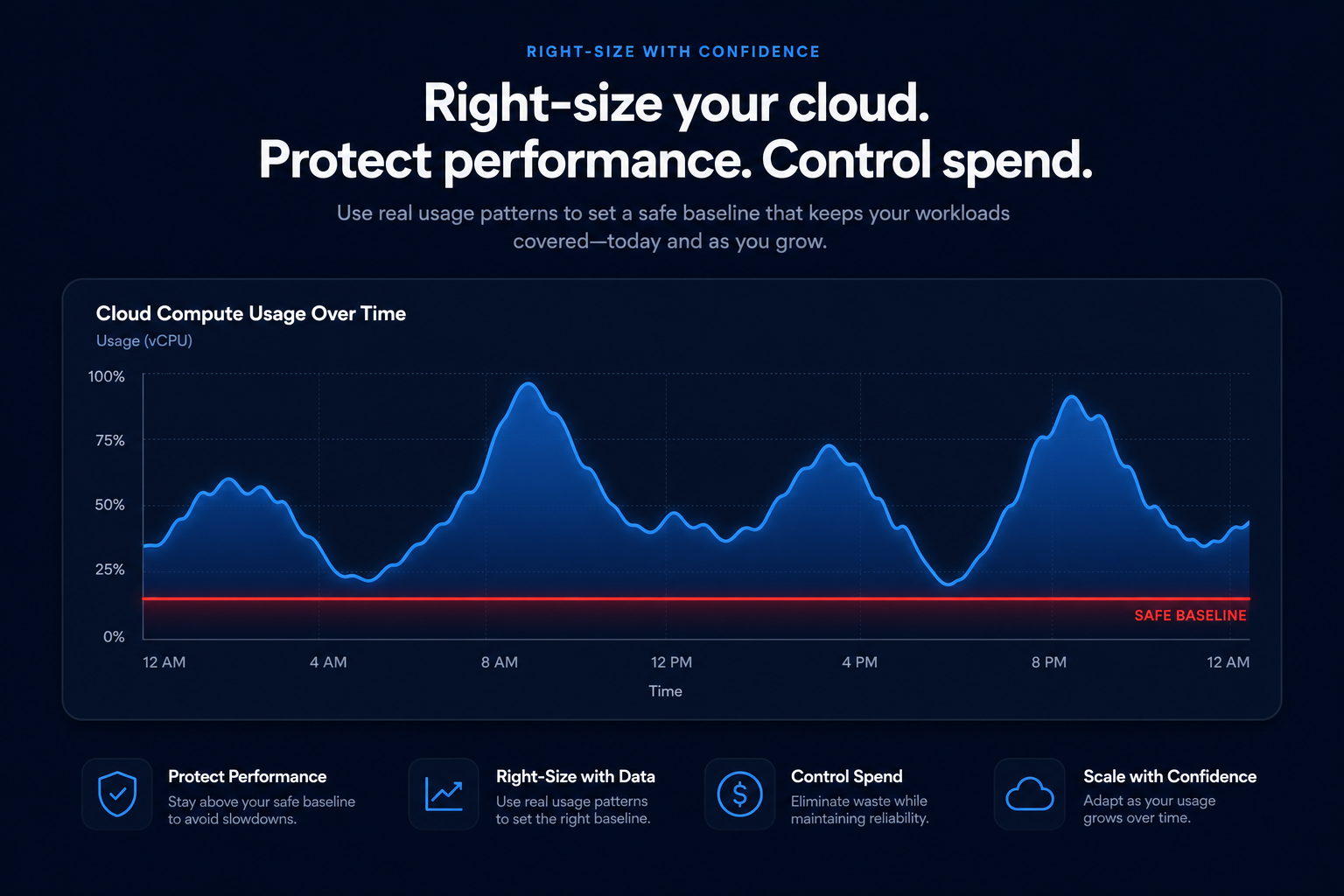
Before you sign any contract, you need to identify your “floor” – the minimum amount of compute power your infrastructure never drops below. AWS Savings Plans are designed for steady-state workloads that run 24/7. If your environment fluctuates wildly due to auto-scaling or seasonal bursts, a high commitment level will lead to low utilization during off-peak hours.
A common mistake is committing based on your average usage rather than your minimum usage. You should analyze at least three to six months of historical data to account for cyclical patterns. If your compute resources show less than 10–20% idle time over a 60-day window, they are prime candidates for a Savings Plan. However, you should always right-size your instances before committing. Locking in a three-year discount for an oversized instance only codifies your inefficiency.
Coverage versus utilization: the metrics that matter
To find your optimal commitment, you must track two specific KPIs: Coverage and Utilization.
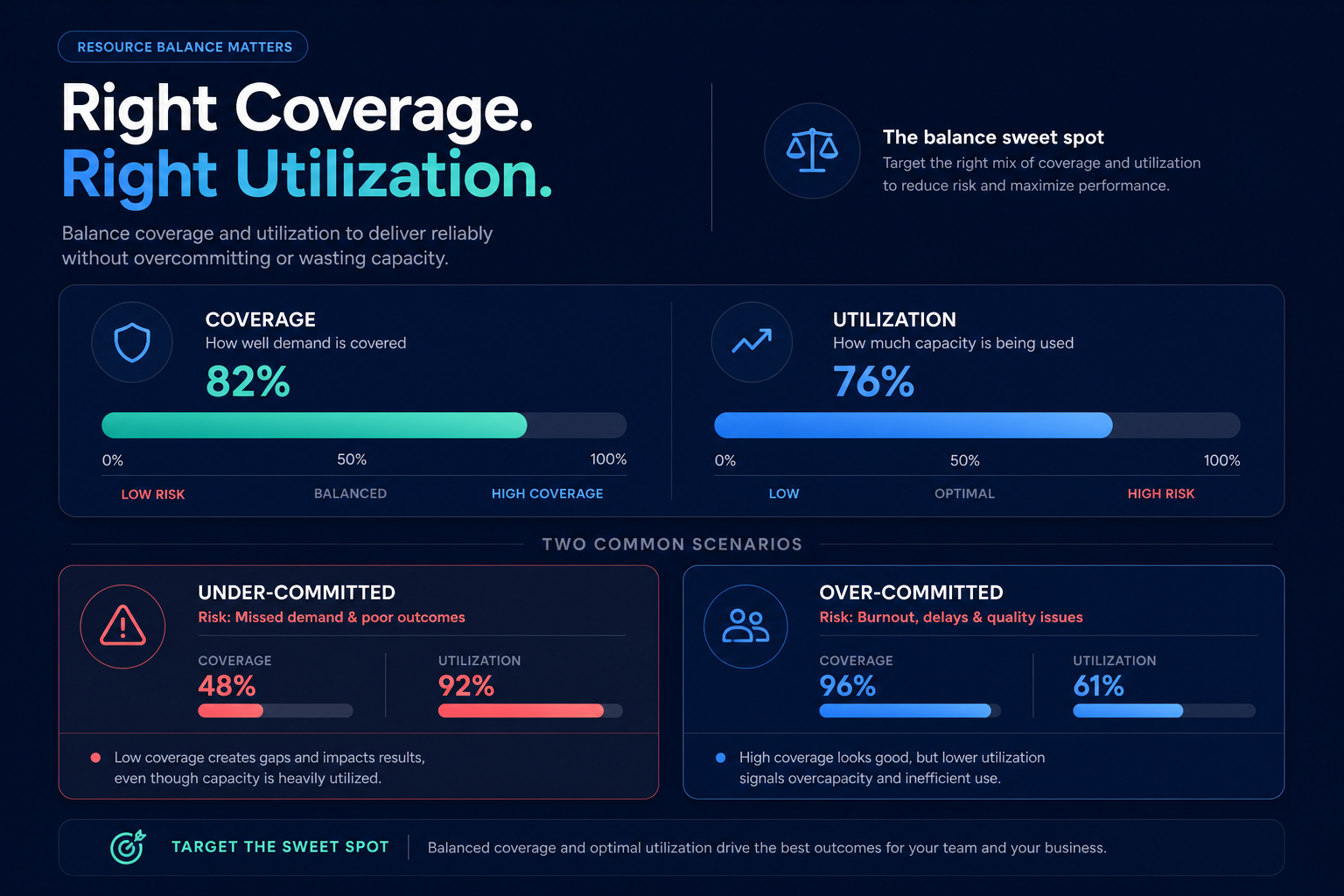
- Coverage represents the percentage of your total eligible spend covered by Savings Plans. FinOps best practices suggest a target coverage rate of 85–95%.
- Utilization measures how much of your committed dollar amount is actually being used. Your goal for utilization should always be as close to 100% as possible.
If your utilization is 100% but your coverage is only 50%, you are under-committed and leaving money on the table. Conversely, if your coverage is 100% but your utilization drops to 80% at night, you are over-committed and paying for wasted air. Most manual strategies aim for a conservative 70–80% coverage to avoid the risk of overpayment, but this safety margin often costs companies thousands in missed savings.
Choose the right plan for your architecture
The “how much” of your commitment depends heavily on the “what.” AWS offers two primary flavors of compute commitments that trade flexibility for deeper discounts.
Compute Savings Plans offer the most flexibility, applying to usage across EC2, Lambda, and Fargate regardless of region or instance family. They provide savings up to 66%. These are ideal if you plan to migrate from x86 to Graviton or if you frequently shift workloads between regions.
EC2 Instance Savings Plans offer the deepest discounts – up to 72% – but lock you into a specific instance family within a single region. If your architecture is stable and you have no plans to change instance types, such as staying on the M7i family in us-east-1, these provide the best ROI. Many companies find success with a blended strategy: using EC2 Instance Savings Plans for their absolute bedrock infrastructure and Compute Savings Plans for everything else.
The trap of the one-year commitment
Many finance teams default to one-year plans because they feel safer. However, one-year Savings Plans can be the worst tool for cutting costs. They typically cap your discounts at 20–25%, which is a low ceiling for a 12-month lock-in.
Because Savings Plans cannot be sold or modified after purchase – unlike Standard Reserved Instances which can be traded on the AWS Marketplace – you lose all liquidity. A three-year commitment offers significantly higher discounts, but it requires a level of forecasting accuracy that most internal engineering teams cannot maintain manually. Flexibility should come from liquidity and active management, not from shorter, less effective durations.
Automating the commitment lifecycle
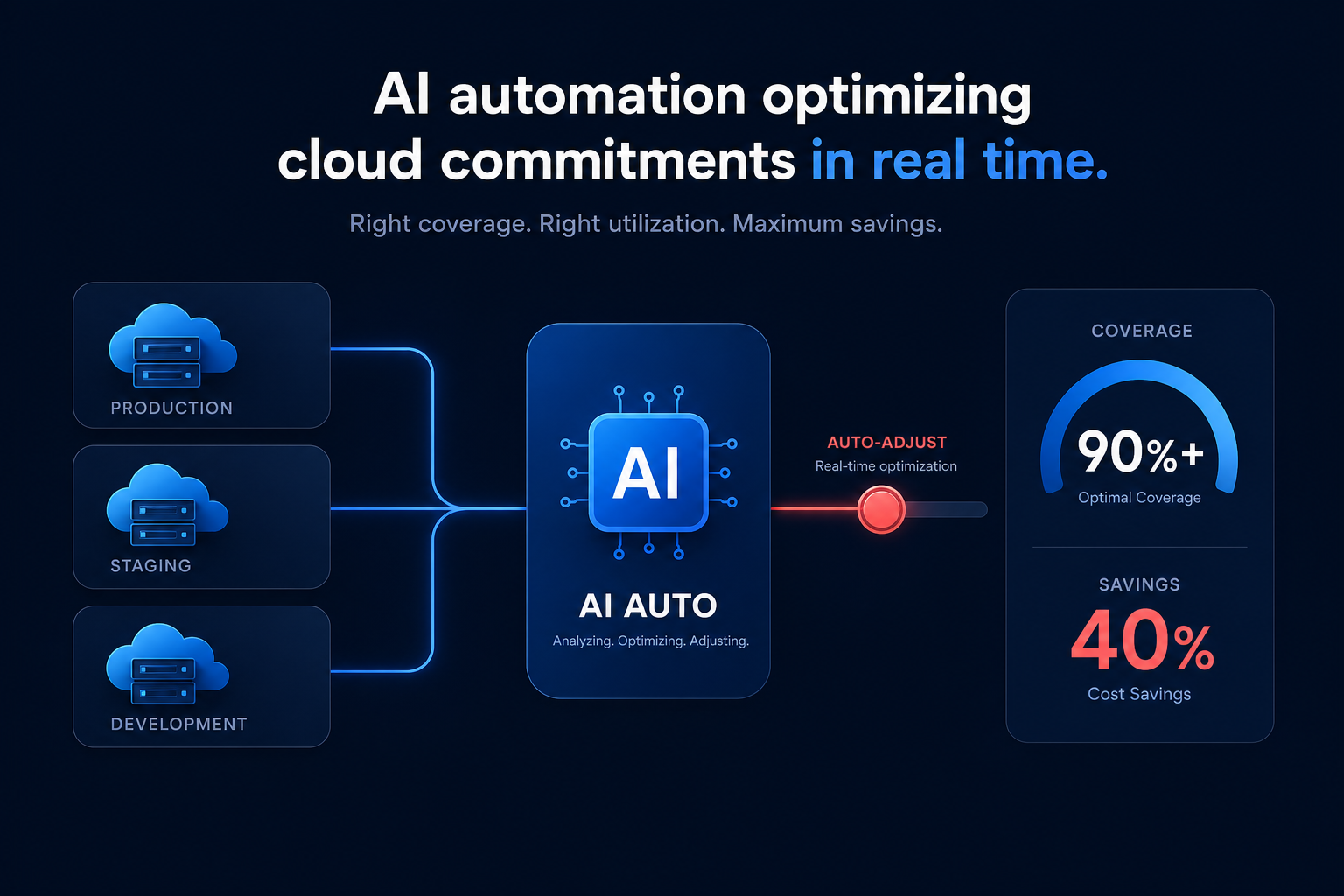
The difficulty of manual management is that your optimal commitment changes every time you deploy new code or scale a cluster. Hykell eliminates this guesswork by using AI-driven automation to manage a blended portfolio of Savings Plans and Reserved Instances on your behalf.
Instead of a static “buy and forget” approach, Hykell monitors your usage in real-time. By calculating your Effective Savings Rate (ESR) – a unified metric that compares on-demand spend against actual spend – the platform buys, sells, and converts commitments to maintain the highest possible discounts without the risk of being locked into rigid, long-term agreements. This automated approach typically reduces AWS bills by 40% while ensuring your coverage stays in the sweet spot of 90% or higher.
If you are tired of spending hours in spreadsheets trying to forecast your compute spend, it is time to move toward a data-driven strategy. You can use our AWS Savings Plan calculator to see exactly how much you could save by moving from manual guesses to automated precision.
Stop overpaying for your cloud and start optimizing on autopilot. See your potential savings today with the Hykell Cloud Cost Calculator.

