
Your database query just hung for 30 seconds. Again. You check CloudWatch and see your gp2 volume has burned through its burst credits—dropping from 3,000 IOPS to a sustained 300 IOPS. Meanwhile, your monthly EBS bill shows $12,000 in provisioned IOPS you’re barely using.
EBS performance hinges on two metrics most engineers treat as interchangeable: IOPS and throughput. Get the relationship wrong, and you’ll either overprovision expensive storage or watch your application crawl. This guide breaks down exactly how IOPS and throughput work together, the hard limits across every EBS volume type, how to monitor the right CloudWatch metrics, and how to configure storage that matches your workload without bleeding budget.
IOPS vs throughput: why you need to understand both
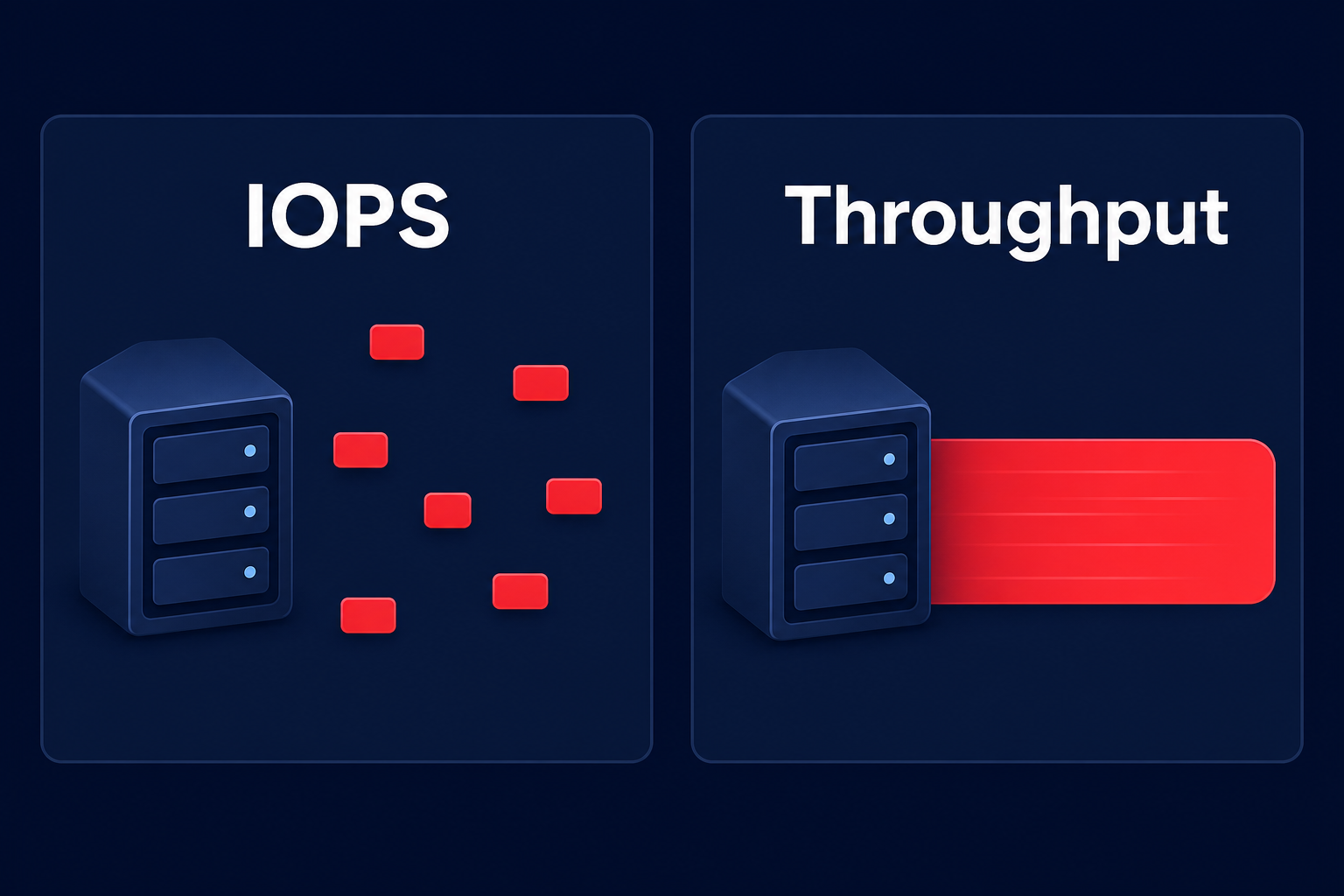
IOPS (Input/Output Operations Per Second) measures how many read or write operations your storage completes every second. A database executing thousands of random 4 KB transactions is typically IOPS-bound. Throughput measures the volume of data transferred per second, expressed in MB/s or MiB/s. Streaming a large video file or performing a heavy sequential backup is a throughput-bound task.
Most workloads require a balance of both, but the ratio determines your optimal volume type. An OLTP database hammering storage with small, random writes needs low Amazon EBS latency on every operation. Conversely, a log analytics pipeline reading multi-gigabyte files cares far more about throughput than the number of individual operations.
According to AWS documentation on I/O characteristics, one I/O operation for SSD-backed volumes counts up to 256 KiB. If your application sends larger requests, they are split into multiple IOPS. This means larger I/O sizes can hit throughput limits before they ever reach your provisioned IOPS capacity. Matching your workload to the right storage category prevents you from paying for performance you cannot use.
EBS volume types and their performance limits
AWS publishes maximum performance specs for each volume type, but real-world limits depend on volume size, provisioned settings, and the EC2 instance you attach it to.
General purpose SSD (gp3)
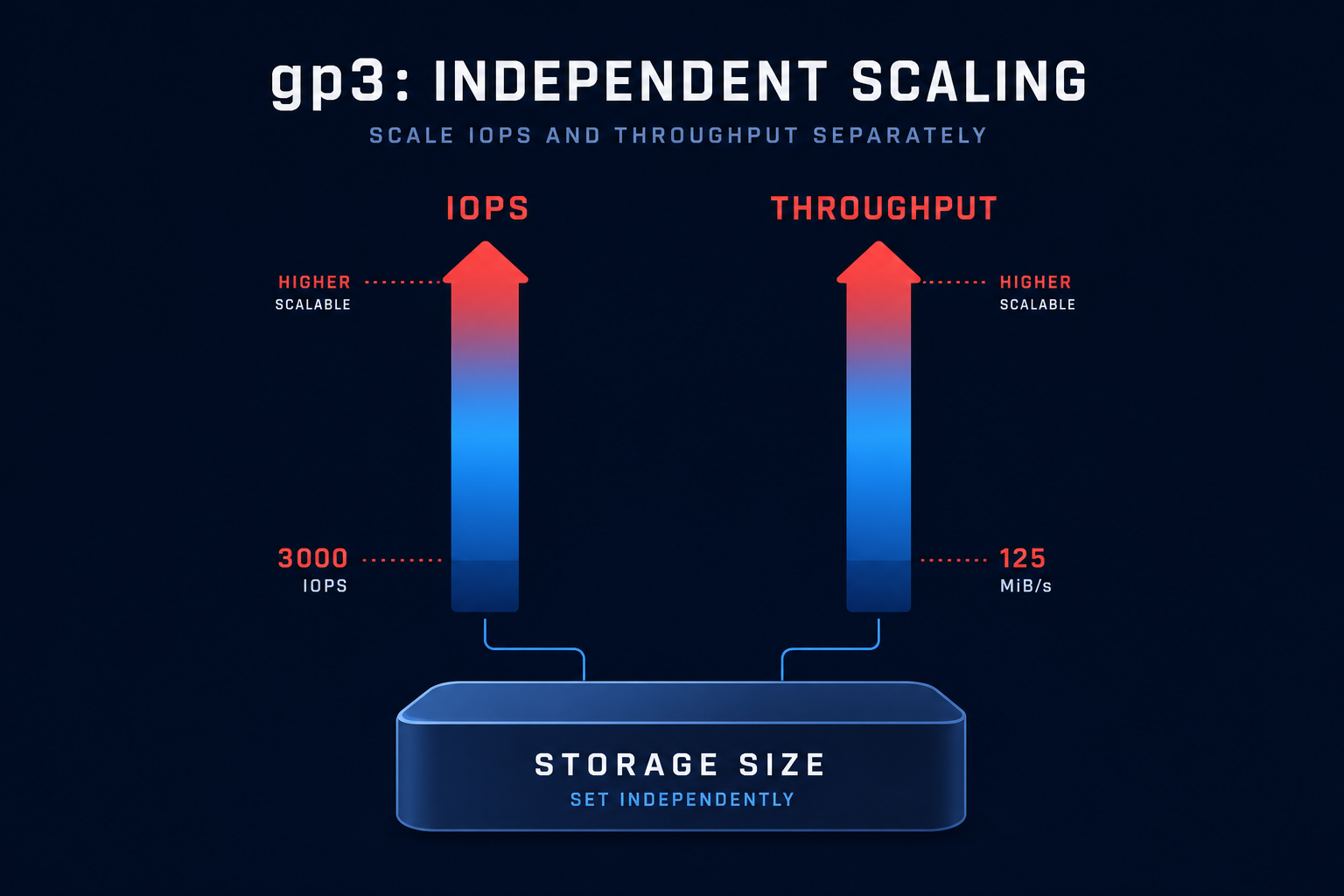
General purpose SSD (gp3) provides a baseline of 3,000 IOPS and 125 MiB/s throughput regardless of volume size. The standout feature is that it decouples storage capacity from performance. You can scale to 16,000 IOPS and 1,000 MiB/s independently for an additional cost. For most workloads, gp3 is the default choice. Migrating from gp2 to gp3 eliminates burst credit risk and can save approximately 20% per GiB as outlined in our AWS EBS best practices guide.
General purpose SSD (gp2)
The gp2 volume type scales performance with capacity at 3 IOPS per GiB. While smaller volumes can burst to 3,000 IOPS using I/O credits, they often hit a performance cliff once those credits are depleted. A 500 GB gp2 volume sustains only 1,500 IOPS. This unpredictability is why we recommend standardizing on gp3 for production environments.
Provisioned IOPS SSD (io1 and io2)
Provisioned IOPS volumes are designed for mission-critical applications with high performance demands. While io1 supports up to 64,000 IOPS, io2 offers 99.999% durability. For the most demanding transactional workloads like SAP HANA, io2 Block Express supports up to 256,000 IOPS and 4,000 MB/s throughput per volume with sub-millisecond latency. You can find more details on these high-performance options in our AWS IOPS explained article.
Throughput optimized HDD (st1)
The st1 volume type is designed for large, sequential workloads like data warehouses and MapReduce. Throughput scales with volume size at 40 MB/s per TB, up to a maximum of 500 MiB/s. Because it is an HDD-backed volume, it cannot be used as a boot volume and random access patterns will perform poorly.
Cold HDD (sc1)
Cold HDD (sc1) provides the lowest cost per GB for infrequently accessed data. It supports up to 250 IOPS and 250 MiB/s throughput. Use sc1 for cold archives or compliance data where low cost is more important than speed.
Instance-level throughput limits: the hidden bottleneck
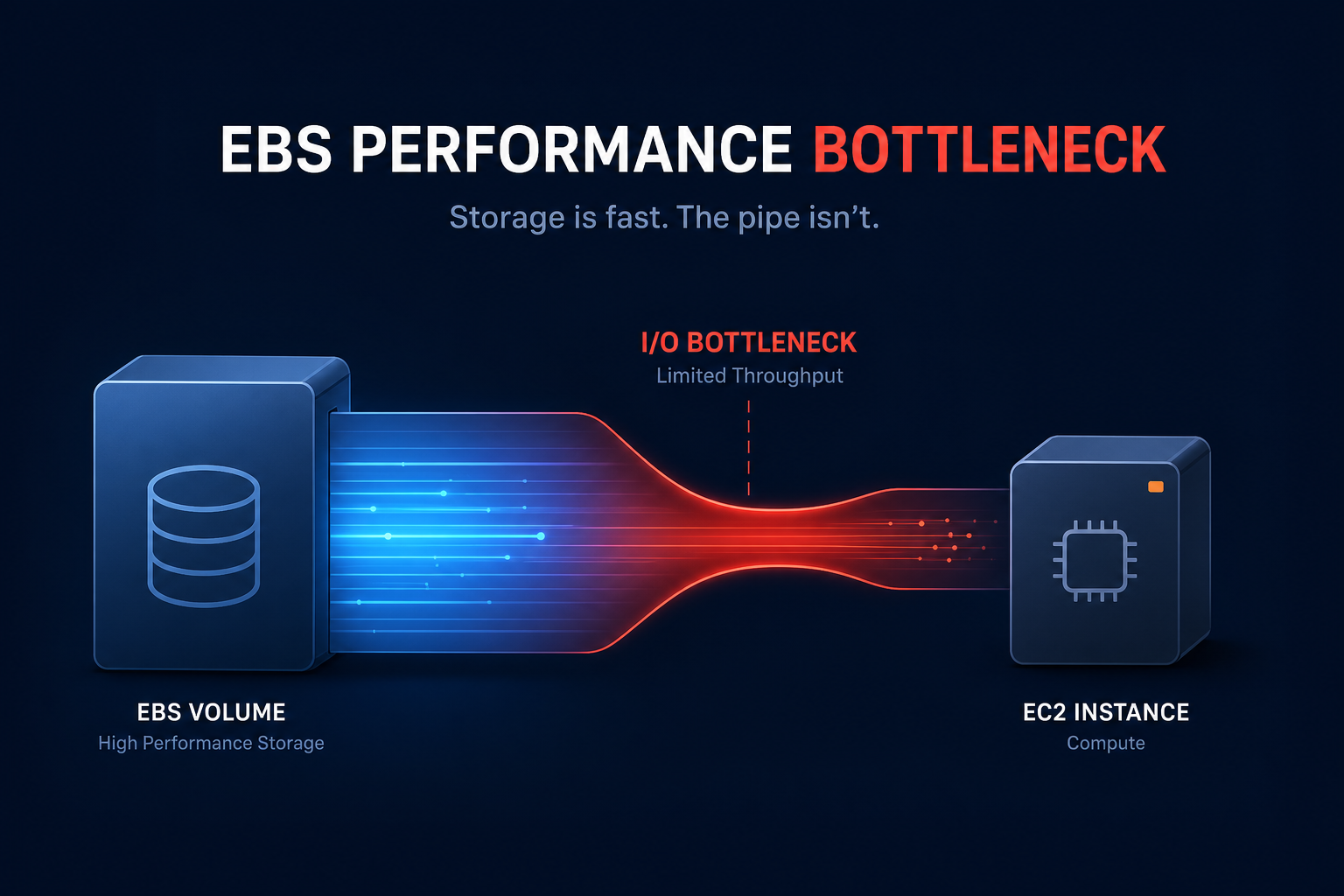
Provisioning a high-performance EBS volume means nothing if your EC2 instance cannot push data through the pipe. EBS performance scales with instance size, with larger instances providing dedicated EBS bandwidth.
If you attach a gp3 volume configured for 1,000 MiB/s to a t3.medium instance, you will never see that performance because the instance itself is a choke point. Always verify the instance type’s EBS-optimized bandwidth before provisioning performance. We cover this in detail in our Amazon EBS performance guide to help you avoid paying for storage capacity the instance cannot deliver.
Monitoring EBS performance with CloudWatch
You cannot optimize what you do not measure. AWS CloudWatch exposes several metrics that indicate whether you are hitting volume or instance limits.
- VolumeReadOps and VolumeWriteOps count total operations. Divide these by the period length to calculate actual IOPS.
- VolumeReadBytes and VolumeWriteBytes track data transfer. Divide by the period to find your actual throughput in bytes per second.
- VolumeThroughputPercentage shows how much of your provisioned throughput is being used. Consistent readings near 100% indicate saturation.
- VolumeQueueLength measures operations waiting in the queue. Consistently high numbers (above 1 for databases or above 10 for general apps) indicate an I/O bottleneck.
- BurstBalance tracks remaining credits for gp2, st1, and sc1 volumes. A zero balance means your performance has dropped to the baseline rate.
- VolumeIOPSExceededCheck and VolumeThroughputExceededCheck are specific status checks that indicate if your application is attempting to drive more performance than the volume allows.
For a deeper dive into setting up these alerts, see our guide on AWS CloudWatch application monitoring.
Configuring gp3 volumes: decoupling size from performance
One of the biggest advantages of gp3 is the ability to scale IOPS and throughput independently of storage size. A 100 GB volume can deliver 16,000 IOPS if you are willing to pay for the provisioned performance.
Baseline gp3 includes 3,000 IOPS and 125 MiB/s. If you need 8,000 IOPS and 500 MiB/s for a 500 GB database, you pay for the storage plus the additional provisioned performance. This is significantly more cost-effective than using io2 for the same performance levels, often resulting in massive savings. Before applying these changes, we recommend running an AWS EBS benchmark to confirm your exact requirements.
Common mistakes that increase storage costs
- Overprovisioning IOPS: Many teams provision thousands of IOPS “just in case” but never exceed a peak of 2,000 IOPS. Use the AWS Compute Optimizer guide to identify underutilized volumes.
- Ignoring instance limits: Attaching high-performance volumes to burstable instances that cannot handle the throughput.
- Keeping gp2 volumes: Failing to migrate small gp2 volumes to gp3, which offers better performance at a lower base cost.
- Orphaned snapshots: Leaving snapshots of deleted volumes in your account indefinitely. Review our findings on AWS EBS snapshot performance impact to better manage lifecycle policies.
How Hykell automates EBS optimization
Manually auditing hundreds of EBS volumes and cross-referencing CloudWatch metrics is tedious. Hykell’s automated platform provides deep cloud observability to identify underutilized resources and execute migrations on autopilot.
Our cost audits typically uncover significant waste tied to overprovisioned IOPS and orphaned volumes. By integrating AI-driven AWS rate optimization, Hykell helps customers achieve up to 40% savings on their total AWS bill. We only take a slice of what you save – if you don’t save, you don’t pay.
You can use the Hykell cost savings calculator to get an instant estimate of your potential reductions. For more complex environments, contact our team to see how we can optimize your storage performance and eliminate waste without any manual engineering lift.

