
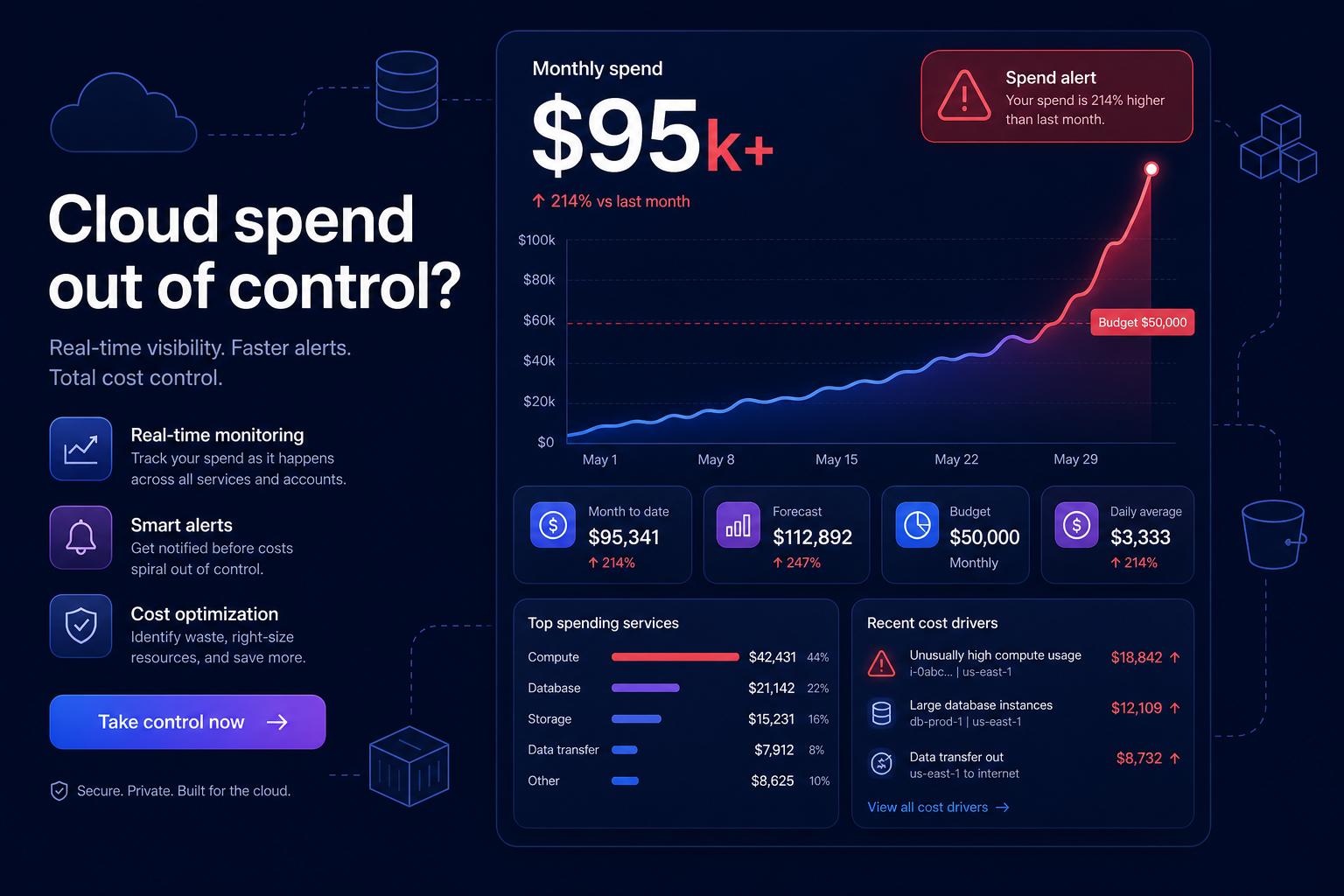
Opening your AWS billing console to find a six-figure bill is a nightmare scenario for any engineering leader or CFO. When your monthly spend jumps from a manageable baseline to over $95,000, it is rarely the result of a sudden, massive influx of legitimate customer traffic. More often, it is driven by “cloud sprawl,” architectural inefficiencies, or a single misconfigured service running at scale.
Identifying the technical drivers behind these spikes requires moving beyond high-level summaries and diving into granular usage data. Research shows that most organizations waste 30–45% of their cloud spend due to these hidden inefficiencies. To regain control, you must audit your environment, implement immediate remediation strategies, and move toward an automated model that prevents these surprises from recurring.
Pinpoint the cost drivers with surgical precision
Before you can fix the bill, you have to know exactly which resource is responsible. AWS provides several native tools that, while sometimes delayed, offer the breadcrumbs necessary to trace a $95,000 bill back to its source.
Utilize AWS Cost Explorer and anomaly detection
AWS Cost Explorer is your primary tool for visualizing spend. You should filter your view by “Service,” “Linked Account,” and “Usage Type” to see which specific product saw a vertical climb. If the spike was sudden, AWS Cost Anomaly Detection uses machine learning to identify deviations from your historical patterns and provide a root cause analysis. For teams managing complex, multi-account environments, implementing anomaly detection via Terraform ensures these monitors are consistently deployed across every new account without manual intervention.
Audit the “Bills” page for CSV-level detail
The high-level dashboard can sometimes be misleading because it aggregates disparate charges. You should download the CSV from the AWS Bills page to inspect line-item charges directly. Look for “usage type” codes that indicate data transfer, provisioned IOPS, or specific instance families. This raw data often reveals “zombie” costs, such as unassigned Elastic IP addresses or orphaned EBS volumes that continue to bill you long after an EC2 instance has been terminated.
Identify the “silent killers” of the AWS budget
A $95,000+ bill is frequently caused by a handful of notorious services that scale invisibly and charge based on consumption or throughput rather than just uptime.
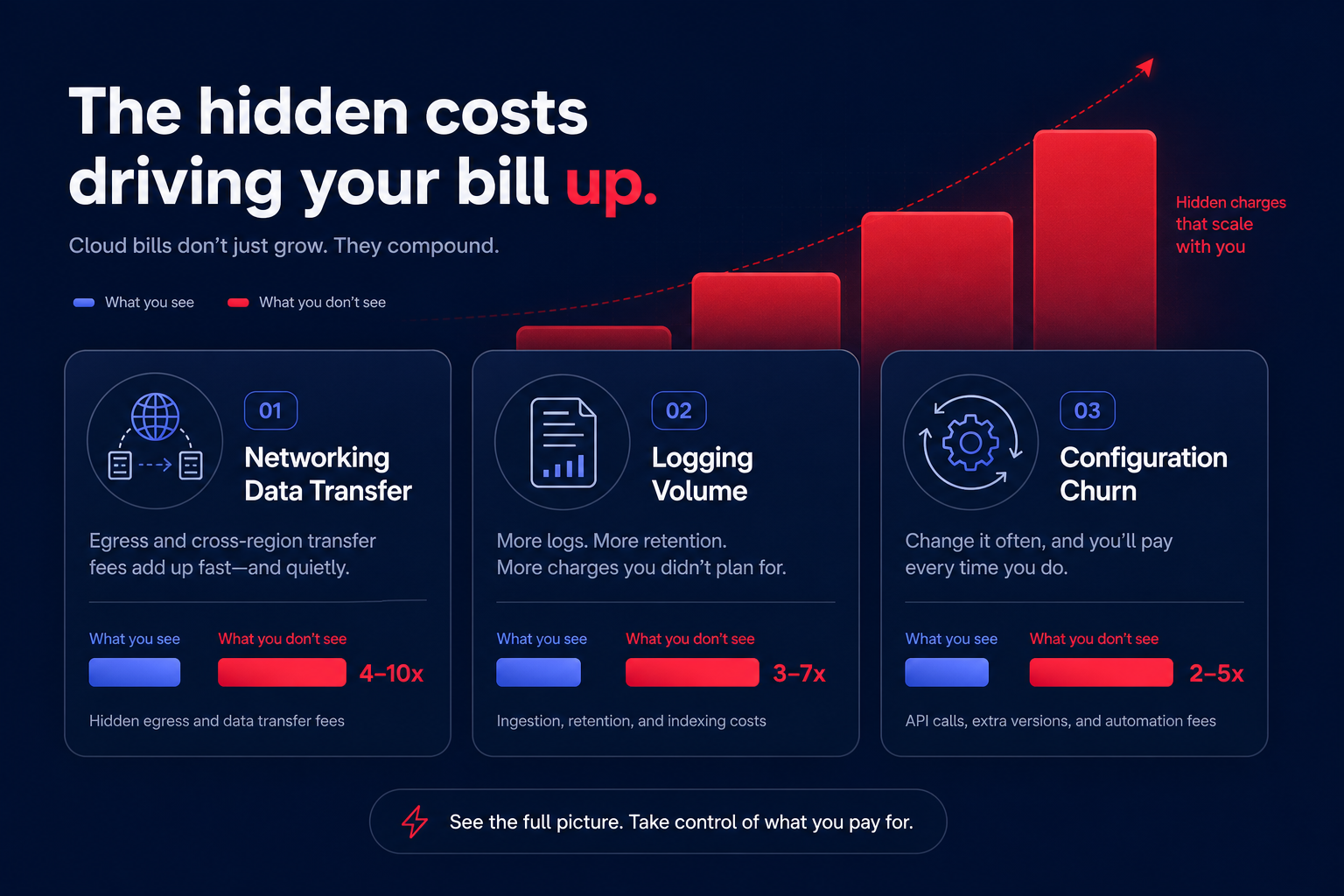
Networking and data transfer
Networking is the most common source of “bill shock.” In many cases, AWS egress costs and inter-availability zone (AZ) transfers can represent 25–35% of total cloud spend for data-heavy platforms.
- NAT Gateways: These are one of the most frequent offenders. AWS charges $0.045 per GB for data processing through a NAT Gateway. If a containerized workload pulls massive images from ECR through a NAT Gateway, it can rack up thousands in monthly processing charges that are entirely avoidable.
- Cross-AZ Traffic: Data moving between AZs in the same region costs $0.01/GB in each direction. High-bandwidth microservices should be kept within the same AZ where possible to eliminate these charges while maintaining high-availability requirements.
Observability and logging spiral
High-growth engineering teams often see CloudWatch Logs consume up to 30% of their entire monthly bill. If a developer leaves “DEBUG” logging on in a production environment with millions of requests, ingestion costs – billed at $0.50 per GB – will skyrocket overnight. This “observability spiral” is particularly dangerous because it often goes unnoticed until the billing cycle ends.
Configuration and managed services
AWS Config can also become a major driver if you are recording configuration changes for high-churn resources like Lambda or temporary test environments. Recording every change in a massive environment can quickly lead to thousands of dollars in configuration item (CI) fees, especially if you have duplicate global resource recording enabled across multiple regions.
Implement immediate reduction strategies
Once you’ve identified the leaks, you need to plug them. While manual rightsizing is a necessary first step, deep and sustainable savings require structural changes to how you purchase and provision your resources.
- Migrate to Graviton: Switching from x86 instances to AWS Graviton can offer up to 40% better price-performance for compatible workloads.
- Optimize Block Storage: You can achieve an immediate 20% cost reduction by moving EBS volumes from gp2 to gp3. This move provides better baseline performance and allows you to provision IOPS and throughput independently of volume size.
- Bypass the NAT Gateway: Replace expensive NAT Gateway traffic with free Gateway Endpoints for S3 and DynamoDB. For other services, using Interface Endpoints (AWS PrivateLink) can reduce data processing fees by roughly 78% compared to standard NAT Gateway rates.
Automate rate optimization and monitoring
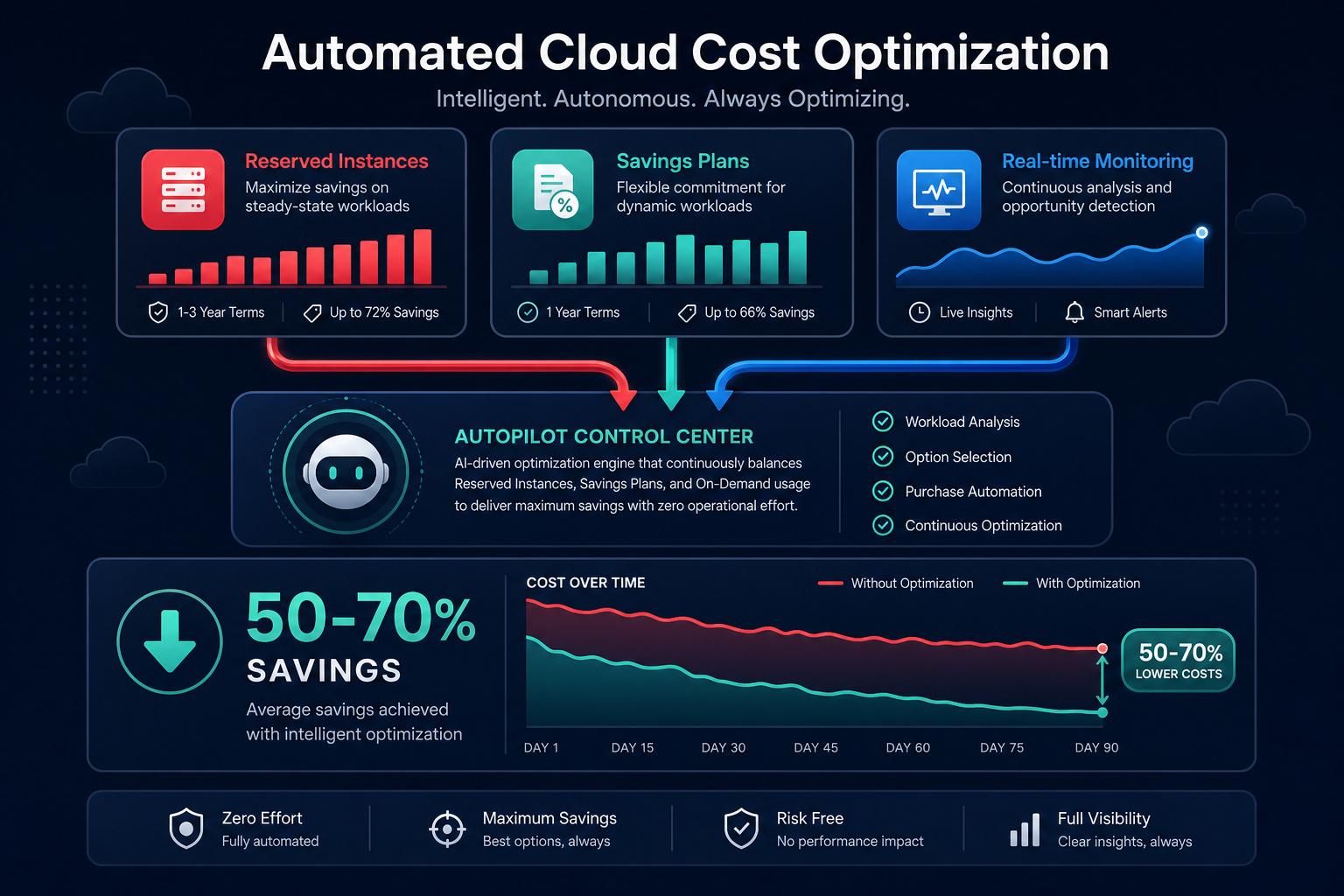
The most dangerous way to handle a $95k bill is to rely on manual, long-term commitments. Purchasing 3-year Reserved Instances (RIs) or Savings Plans based on a “spike” month will lock you into high costs even after you optimize your architecture and reduce your footprint.
Hykell solves this by bridging the gap between FinOps visibility and bottom-line impact. Instead of just showing you where you overspent, Hykell operates on autopilot to optimize your AWS rate strategy in real-time. By managing a blended portfolio of Reserved Instances and Savings Plans, Hykell achieves an Effective Savings Rate (ESR) of 50–70% or higher without locking you into rigid agreements.
To prevent future surprises, you must also establish expenditure awareness through a robust tagging strategy. This allows you to create budgets and forecasts that alert you when a specific department or project deviates from its expected spend, allowing you to catch anomalies before they reach a six-figure total.
Eliminate the engineering lift of cost management
Managing a six-figure AWS bill shouldn’t be a full-time job for your DevOps team. Manual audits are historical; they tell you why you lost money last month, but they don’t stop the bleed today. Hykell provides a cloud observability platform and automated services that identify underutilized resources, eliminate “zombie” costs, and optimize EBS/EC2 configurations on your behalf.
By acting on CloudWatch monitoring data in real time, Hykell typically reduces total AWS costs by up to 40% on autopilot. Our performance-based pricing model ensures that you only pay a slice of what you actually save – if you don’t save, you don’t pay.
Ready to stop the bill spiral?
Calculate your potential savings or contact Hykell today for a deep cost audit to uncover hidden efficiencies and optimize your infrastructure on autopilot.

