
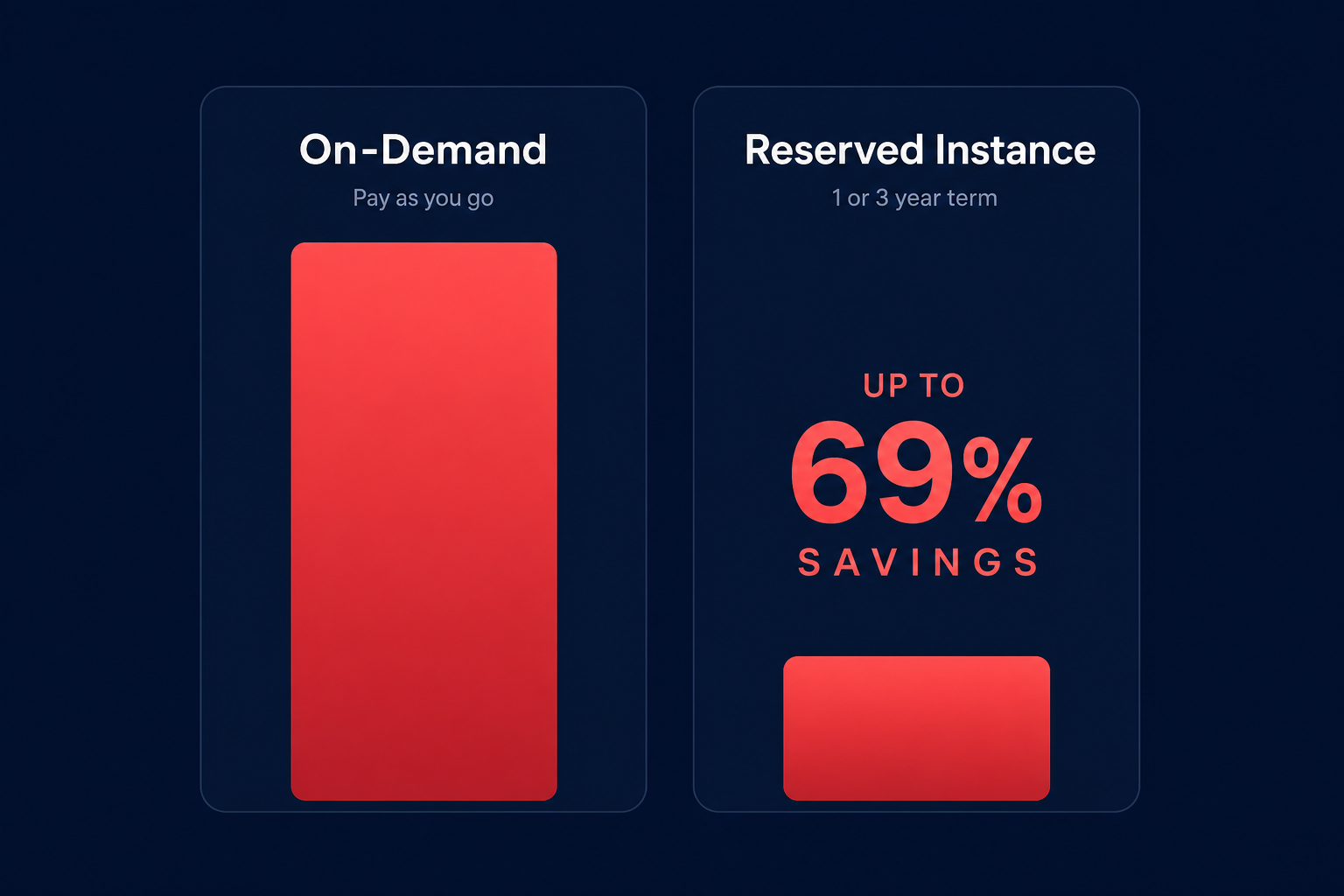
Are you still paying full On-Demand prices for databases that run 24/7? Committing to Amazon RDS Reserved Instances can slash your costs by up to 69%, but managing the technical requirements and flexibility rules requires precise planning to avoid wasted spend.
Understanding the RDS Reserved Instance model
Unlike On-Demand instances where you pay by the hour with no commitment, Amazon RDS Reserved Instances allow you to commit to a specific instance configuration for a one-year or three-year term. In exchange for this commitment, AWS provides a significant discount that applies automatically to your billing.
You do not need to manually assign a reservation to a specific database. As long as you have a running instance that matches the attributes of your reservation – such as the engine, instance family, and region – the lower rate applies. This seamless application makes it an essential lever for AWS rate optimization across your infrastructure.
Payment options and terms
AWS offers three distinct ways to pay for your RDS Reserved Instances, allowing you to balance upfront capital expenditure against monthly operational costs.
- All Upfront: You pay for the entire term in one lump sum. This offers the highest discount and the fastest break-even point, typically around six months into the term.
- Partial Upfront: You pay a portion of the cost at the start and the remainder in fixed monthly installments over the duration of the commitment.
- No Upfront: You pay nothing today and are billed a discounted hourly rate every month. This option is only available for one-year terms, meaning three-year commitments require at least a partial upfront payment.
Maximizing flexibility with instance size flexibility
The biggest barrier to commitment planning is the fear of “lock-in.” If you buy a reservation for a specific instance size but your traffic spikes, requiring you to scale, you might worry that your reservation becomes useless. Fortunately, AWS provides instance size flexibility for several popular engines, including Amazon Aurora, MySQL, MariaDB, PostgreSQL, and Oracle (Bring Your Own License).
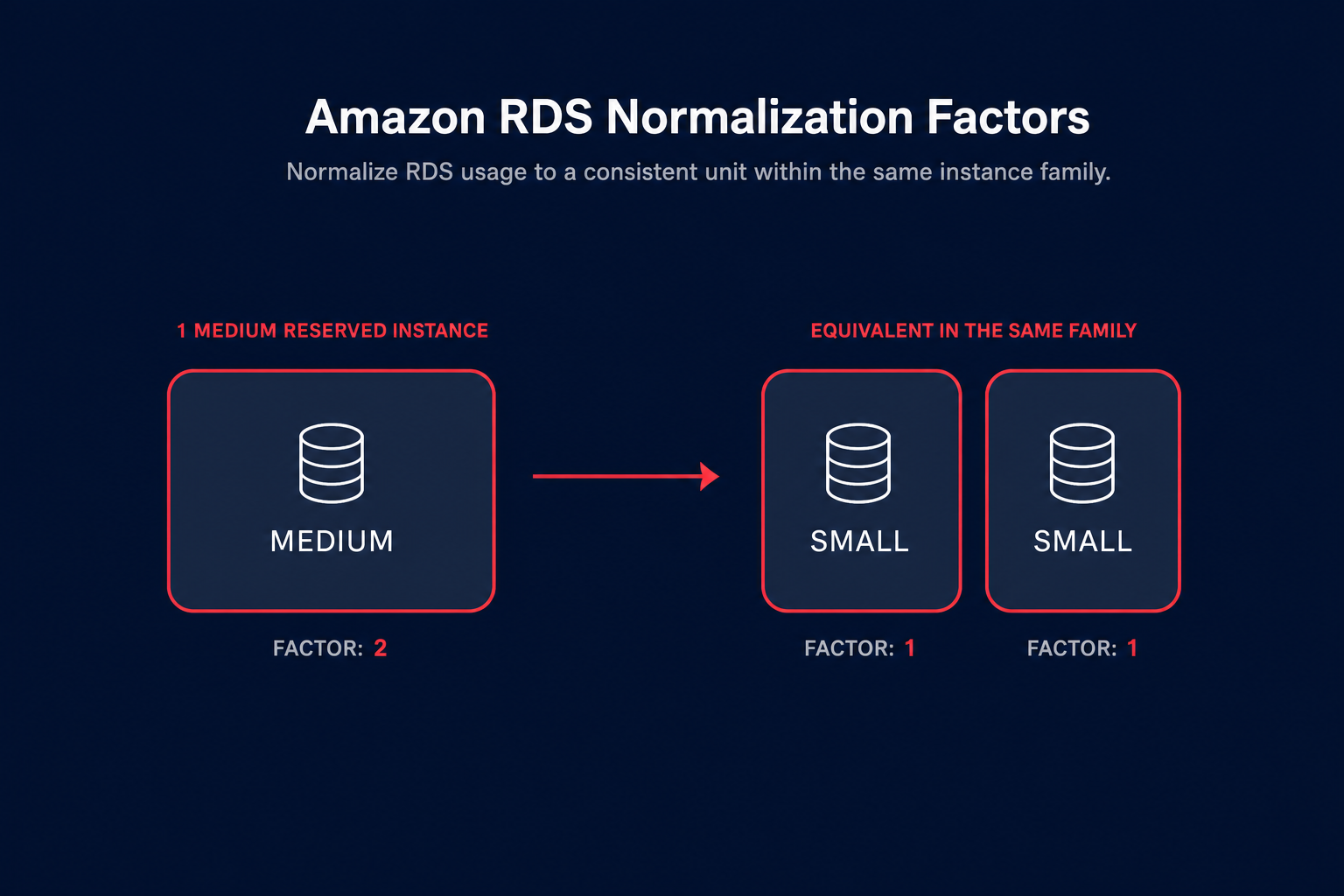
This flexibility is managed through normalization factors, which assign a numerical value to instance sizes. For example, if a small instance has a factor of 1 and a medium has a factor of 2, your reservation for one medium instance can automatically cover two small instances. This allows you to scale your database up or down within the same instance family without losing your discount.
However, you must be aware that this flexibility does not apply to all engines. If you use Microsoft SQL Server or Oracle with “License Included” pricing models, you are tied to the specific instance size you purchased, making accurate capacity planning even more critical for these workloads.
Regional vs. zonal scope
By default, RDS Reserved Instances have a regional scope. This is a major advantage for high availability because the discount applies to matching usage in any Availability Zone (AZ) within that specific region. It also applies to both Single-AZ and Multi-AZ deployments within the same instance family.
When planning your AWS Reserved Instances, remember that while the discount is flexible across AZs, it is strictly locked to the database engine. You cannot purchase a MySQL reservation and apply it to a PostgreSQL instance later if your architectural needs change.
Avoiding the hidden costs of manual management
Managing a handful of database instances manually might seem straightforward, but as your footprint grows, the hidden costs of commitment management begin to stack up. Engineering teams often spend significant portions of their week tracking utilization and expiration dates instead of focusing on product innovation.
Common pitfalls that drain ROI include:
- The 95% utilization trap: High utilization looks efficient, but if your RI utilization is near 100% while your coverage is low, you are missing out on massive savings by leaving the remaining On-Demand usage unoptimized.
- Over-committing on old families: Locking into a three-year term for an older instance family just before AWS releases a more performant Graviton-based generation can leave you stuck with obsolete hardware and higher costs.
- Static planning: Usage patterns are rarely permanent. A database that was considered “steady-state” six months ago might be scheduled for decommissioning today, yet you remain billed for the commitment.
Automation: The key to database cost efficiency
The most effective way to handle RDS costs is to move from reactive auditing to automated RI management. Automated tools can continuously analyze your database usage patterns and adjust your commitment portfolio in real-time to match evolving needs.
At Hykell, we specialize in automating this lifecycle on autopilot. Our platform uses AI-driven strategies to blend Reserved Instances and Savings Plans, ensuring you hit an effective savings rate of 30–60% without requiring your engineers to manage complex spreadsheets. We analyze your historical data to forecast future needs, ensuring you never buy into capacity you won’t use.
If you are curious about how much you could be saving on your current RDS and compute spend, use our cloud cost calculator to see the potential impact of an automated rate optimization strategy. Hykell only takes a slice of what you save – if you don’t save, you don’t pay.

