Is your AWS Kinesis bill growing faster than your data throughput? Many engineering teams find streaming costs become a black box of shard-hours and fan-out fees that are difficult to trim without risking data loss. You can reclaim significant budget by optimizing capacity modes and consumer patterns.
Reducing your Kinesis spend requires a deep dive into architecture tradeoffs and shard density. While AWS provides the underlying infrastructure, the responsibility for efficient resource utilization falls on your team. By rightsizing your shards and tuning retention settings, you can often lower your streaming expenses by 30–40%.
Choosing between on-demand and provisioned capacity
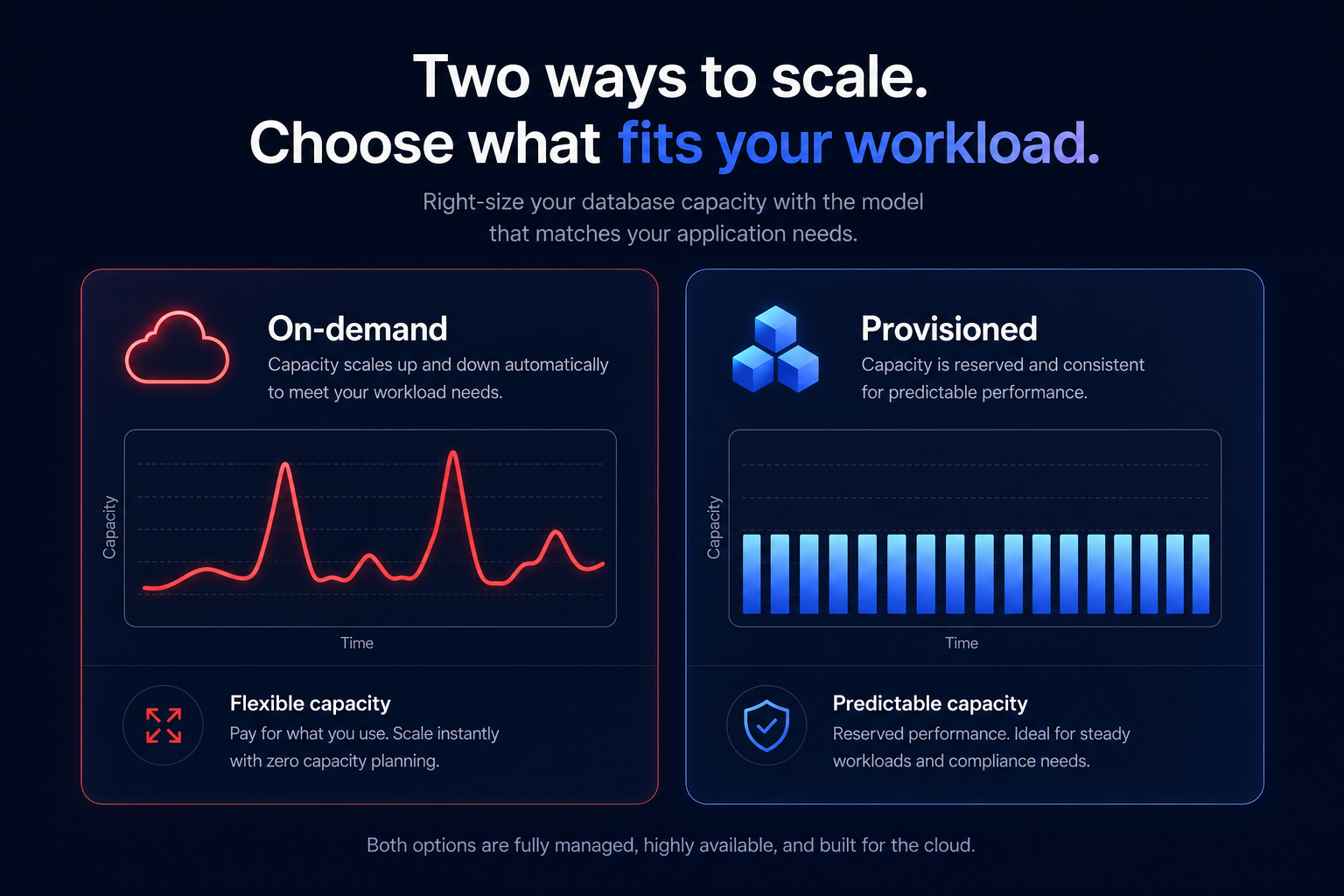
The most fundamental decision impacting your bill is the capacity mode. AWS offers two distinct models: On-demand and Provisioned. On-demand mode is ideal for workloads with unpredictable traffic spikes or unknown throughput requirements. In this mode, you pay for data ingested and retrieved plus a per-hour charge per stream. While it eliminates the manual effort of capacity planning, it often carries a higher per-GB price point than a perfectly tuned provisioned stream.
Provisioned mode is significantly more cost-effective for consistent, predictable traffic. You are charged based on shard-hours – typically $0.015 per shard per hour in most U.S. regions – and PUT payload units. Each shard provides a fixed capacity of 1 MB/sec for writes and 2 MB/sec for reads. If you can accurately forecast your baseline, provisioned mode allows you to match infrastructure to your exact needs.
You can switch between these modes twice every 24 hours. A common technical strategy involves using provisioned mode for steady-state traffic and switching to on-demand only during planned high-traffic events or major migrations. This ensures you aren’t paying for idle capacity during quiet periods while maintaining performance during surges.
Optimizing shard sizing and resharding
In provisioned mode, over-provisioning is the primary driver of wasted spend. If your shards consistently run at low utilization, you are effectively paying an “idle tax” for capacity you don’t use. To calculate the minimum number of shards required for your stream, you can use a formula based on the maximum of your incoming write bandwidth divided by 1024 KiB or your outgoing read bandwidth divided by 2048 KiB.
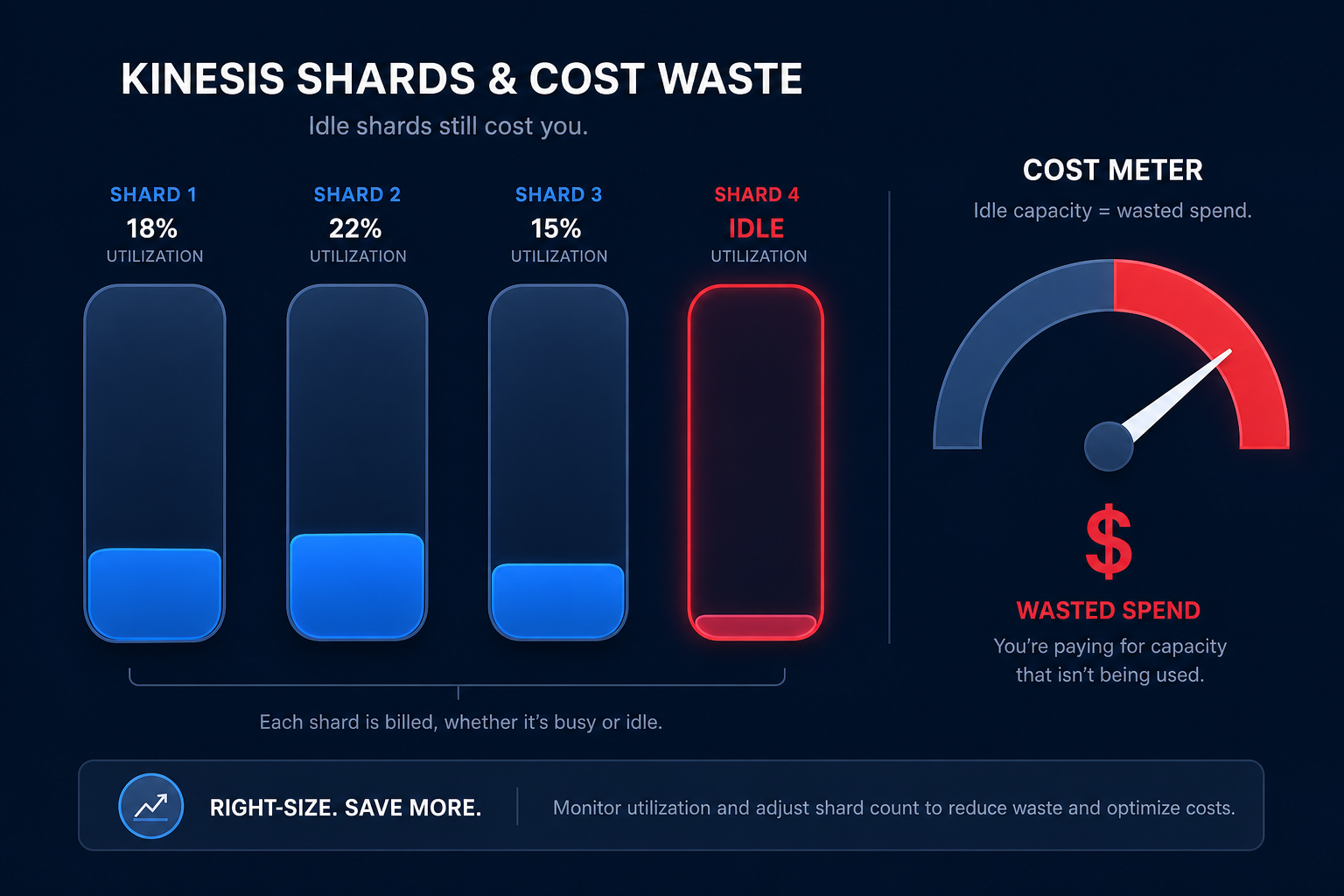
If your usage decreases, you should proactively merge shards to reduce the shard-hour count and lower your bill. Conversely, if you encounter throughput errors, you must split shards. This process, known as resharding, is critical for maintaining cost efficiency as your data volume fluctuates. Merging two shards into one immediately halves the hourly cost for that portion of the stream, making it one of the most direct ways to reduce expenses.
Reducing consumer costs and enhanced fan-out fees
How your applications read data from Kinesis can be just as expensive as how they write it. By default, Kinesis uses shared throughput, where all consumers share a 2 MB/sec read limit per shard. If you have multiple consumers, you might be tempted to use Enhanced Fan-Out (EFO). EFO provides dedicated 2 MB/sec throughput per consumer, but it adds an hourly charge per consumer-shard plus data retrieval fees.
To optimize these consumer costs, consider the following strategies:
- Consolidate consumers by using a single “router” function that distributes data to downstream services rather than having multiple functions reading from the same stream.
- Avoid EFO unless you have more than five consumers or require sub-200ms latency, as standard iterators are sufficient and significantly cheaper for most B2B applications.
- Monitor retrieval volume using robust observability tools to track which consumers are pulling the most data and identify redundant reads.
Managing retention periods and storage tradeoffs
The default retention period for Kinesis is 24 hours. While you can extend this up to 365 days, the storage costs scale rapidly beyond the initial window. Extended retention (up to seven days) and long-term retention (up to one year) both incur additional GB-month charges.
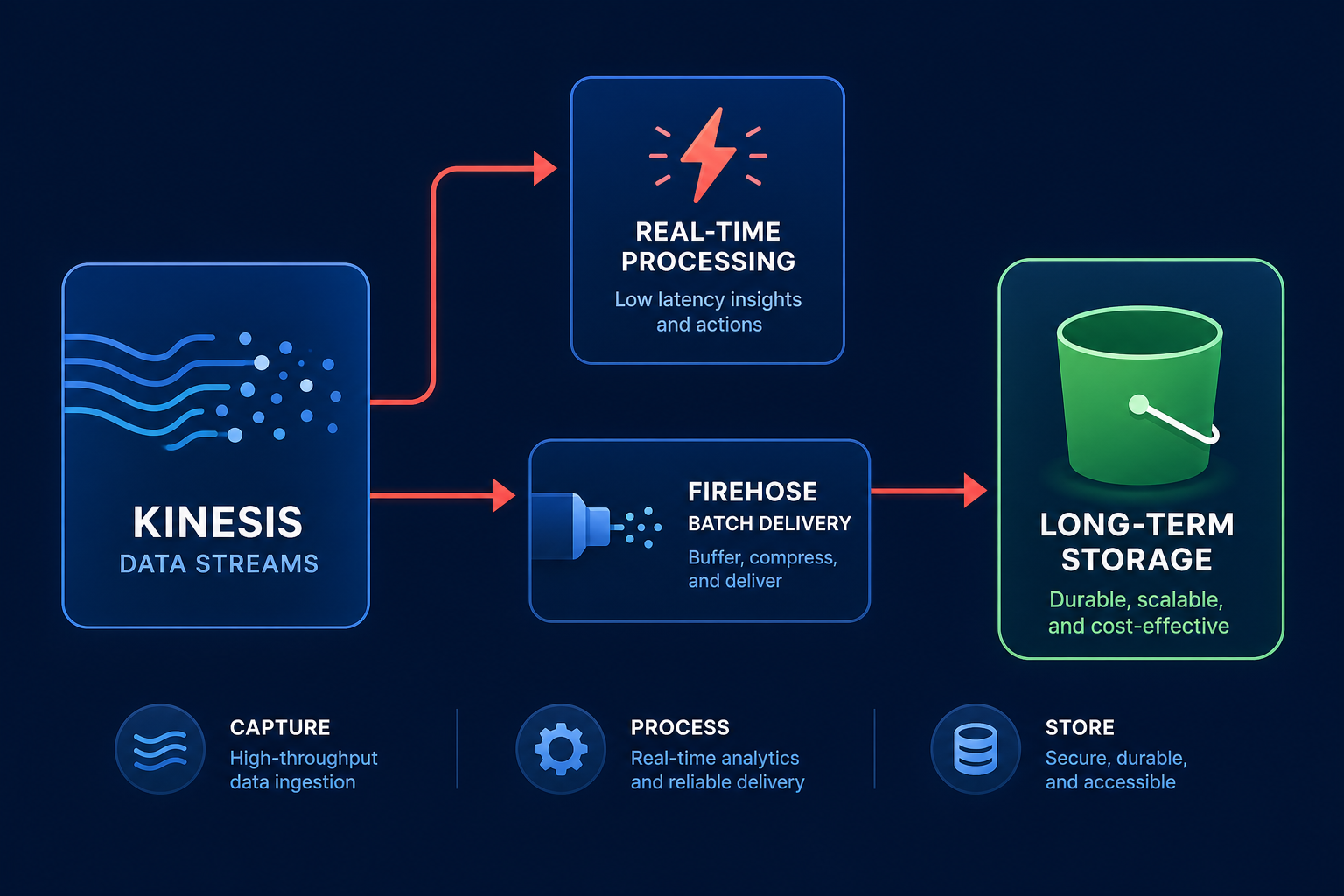
A common architectural mistake is using Kinesis as a long-term data store. Following cost management best practices, it is almost always more efficient to use Kinesis Data Firehose to batch and move data into Amazon S3 for long-term storage. This allows you to use Kinesis Data Streams strictly for immediate, real-time processing while taking advantage of cheaper S3 storage tiers for historical analysis.
Architectural tradeoffs and data transfer
Improperly chosen partition keys can lead to “hot shards,” where one shard is overwhelmed while others remain idle. Because Kinesis scales at the shard level, a single hot shard can force you to scale the entire stream, leading to massive over-provisioning. Ensure your partition keys have high cardinality, such as user IDs or device IDs, to distribute the load evenly across all available shards.
You must also remain mindful of AWS egress costs. If your consumers are located in a different region or Availability Zone (AZ) from your Kinesis stream, you will incur cross-AZ data transfer fees of $0.01/GB in each direction. Co-locating your stream and its primary consumers within the same AZ can eliminate these hidden networking charges that often inflate monthly bills.
Moving from manual audits to automated optimization
Manually tracking shard utilization and resharding streams is a heavy engineering lift that most teams cannot sustain. This is where Hykell changes the equation by providing automated cloud cost optimization that integrates directly with your AWS environment. Hykell identifies underutilized shards, optimizes AWS rate optimization strategies, and provides the visibility needed to spot Kinesis inefficiencies in real-time.
Hykell operates on a performance-based model where you only pay a portion of what you save. Most engineering teams use the Hykell cost savings calculator to identify their first 40% in savings without requiring any manual code changes or engineering effort. By putting your optimization on autopilot, you ensure your streaming architecture remains lean even as your data needs grow.
Ready to stop overpaying for your data streams? Book a free cost audit with Hykell today to uncover hidden inefficiencies and start saving on your AWS bill.