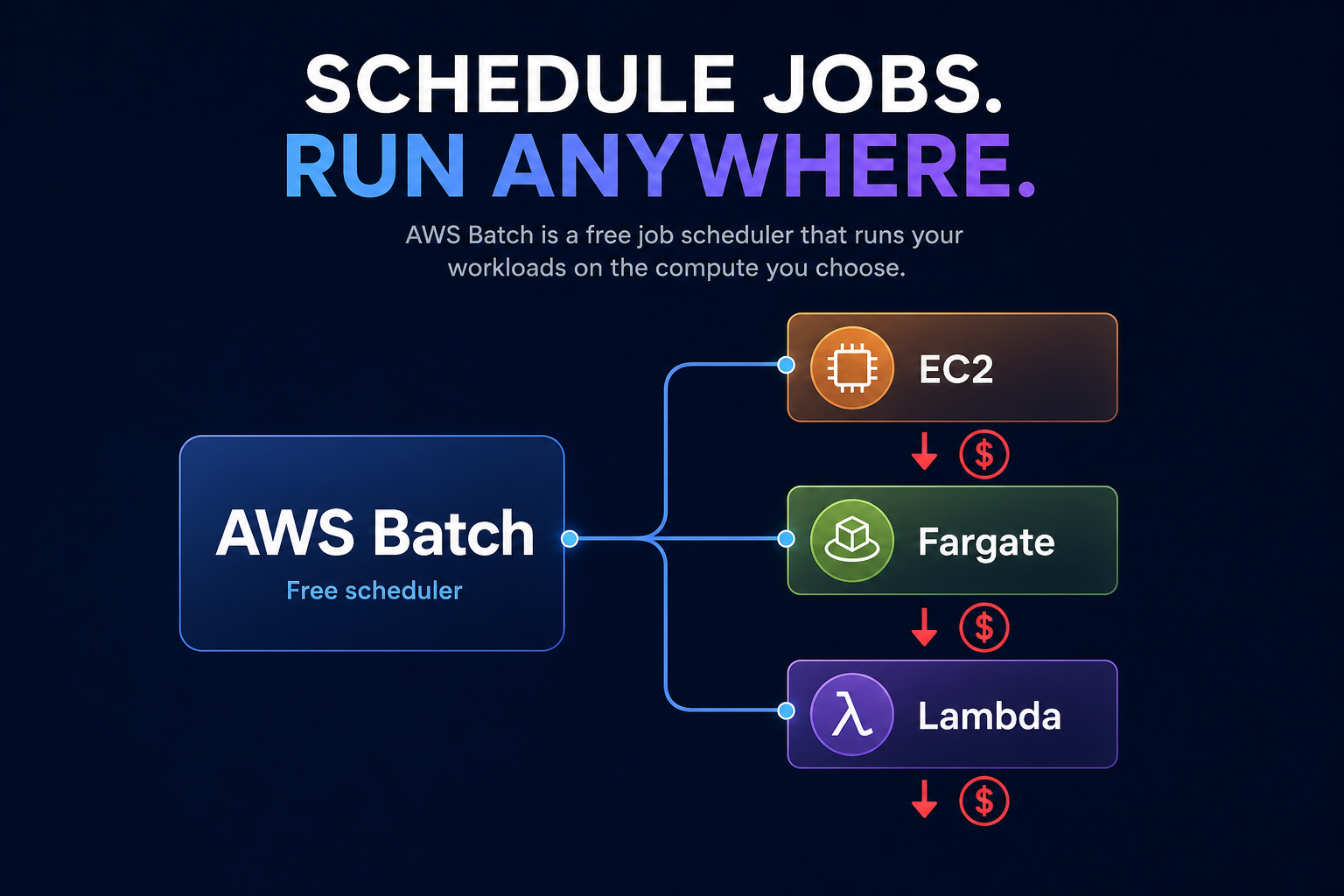
Are you paying for “zombie” compute capacity while your batch jobs sit in a queue? AWS Batch itself is free, but underlying resources can spiral if your pricing models aren’t aligned. Understanding billing mechanics and automated rate optimization is the key to maintaining throughput while slashing costs.
Running large-scale batch computing doesn’t have to be a financial black box. By understanding the specific billing mechanics of managed compute environments and leveraging automated rate optimization, you can maintain high throughput while significantly reducing your monthly cloud spend.
Understanding the billing mechanics of AWS Batch
The most critical factor to understand is that AWS Batch pricing involves no additional charge for the service itself. You only pay for the underlying resources – such as Amazon EC2 instances, AWS Fargate, or Lambda functions – that you provision to run your jobs. There are no minimum fees and no upfront commitments for the scheduler, which dynamically provisions resources based on the volume and specific requirements of your submitted workloads.
Because your costs are tied directly to resource consumption, your primary levers for efficiency are the AWS EC2 cost optimization and AWS Fargate cost optimization strategies you apply to your compute environments. For instance, using Fargate for small, bursty jobs eliminates the overhead of cluster management, while high-volume batch processing is typically more cost-effective on EC2 instances covered by strategic commitments.
Choosing the right allocation strategies
Managed compute environments in AWS Batch allow you to select allocation strategies that dictate how the service picks instance types. Selecting an inefficient strategy can lead to over-provisioning or the selection of instances that are unnecessarily expensive for the task at hand.
- BESTFITPROGRESSIVE identifies the fewest number of instances capable of running your jobs at the lowest possible cost, ensuring you aren’t paying for “empty” CPU cycles.
- SPOTPRICECAPACITY_OPTIMIZED is the recommended choice for Spot workloads, as it evaluates both current pricing and the likelihood of interruption to find the most stable, low-cost capacity.
These strategies ensure that AWS Batch scales compute resources up when jobs are in the queue and scales them back down to zero once the work is finished, keeping your costs strictly aligned with actual consumption.
Maximizing savings with Spot Instances and Graviton
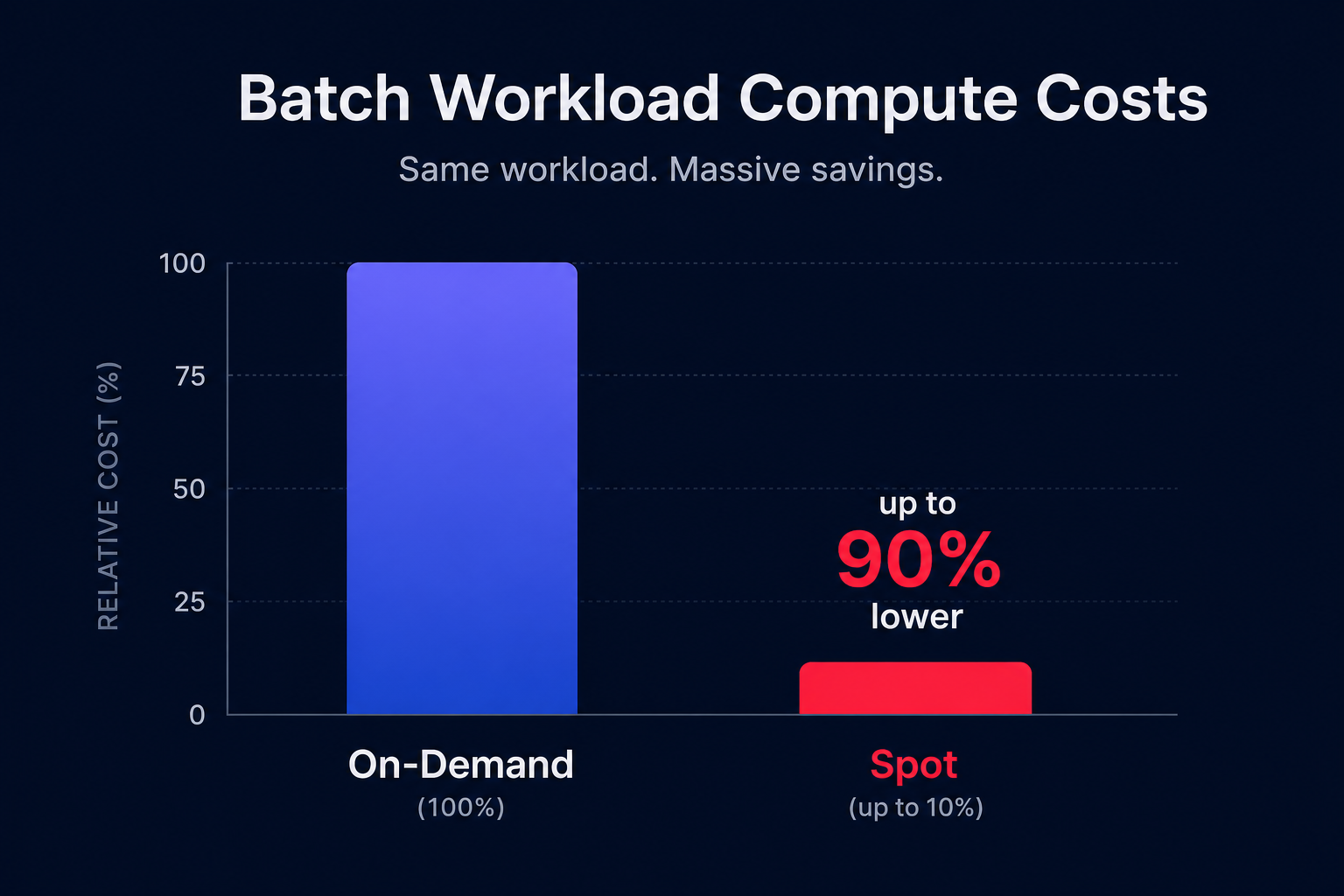
For most batch workloads, which are inherently fault-tolerant and asynchronous, AWS Spot Instances are an essential tool. You can achieve up to 90% savings compared to On-Demand pricing by utilizing spare AWS capacity. When configuring your compute environment, you can set a maximum bid percentage to ensure you never exceed a specific portion of the On-Demand rate.
To further boost efficiency, you should consider migrating batch jobs to AWS Graviton-based instances. These ARM-based processors typically deliver 40–60% better price-performance than their x86 counterparts. Hykell can accelerate your Graviton gains by automatically managing the migration of your workloads, allowing you to reap these performance benefits without a heavy engineering lift.
Improving cost visibility and estimation
One of the biggest challenges in batch computing is “opaque” billing, where it is difficult to determine which specific project drove a spend spike. To solve this, you can enable Split Cost Allocation Data in your AWS Cost and Usage Reports. This feature distributes the costs of shared instances to individual jobs based on their actual vCPU and memory consumption.
For real-time monitoring, Hykell’s observability platform provides modular widgets that allow you to build dashboards around specific business units or batch projects. With drill-down capabilities, you can go from a spend spike to a specific resource ID in seconds, enabling you to trace anomalies before they balloon. Before launching new large-scale workloads, you can also use a cloud cost calculator to estimate potential spend based on projected runtimes and resource requirements.
Automated rate optimization for batch workloads
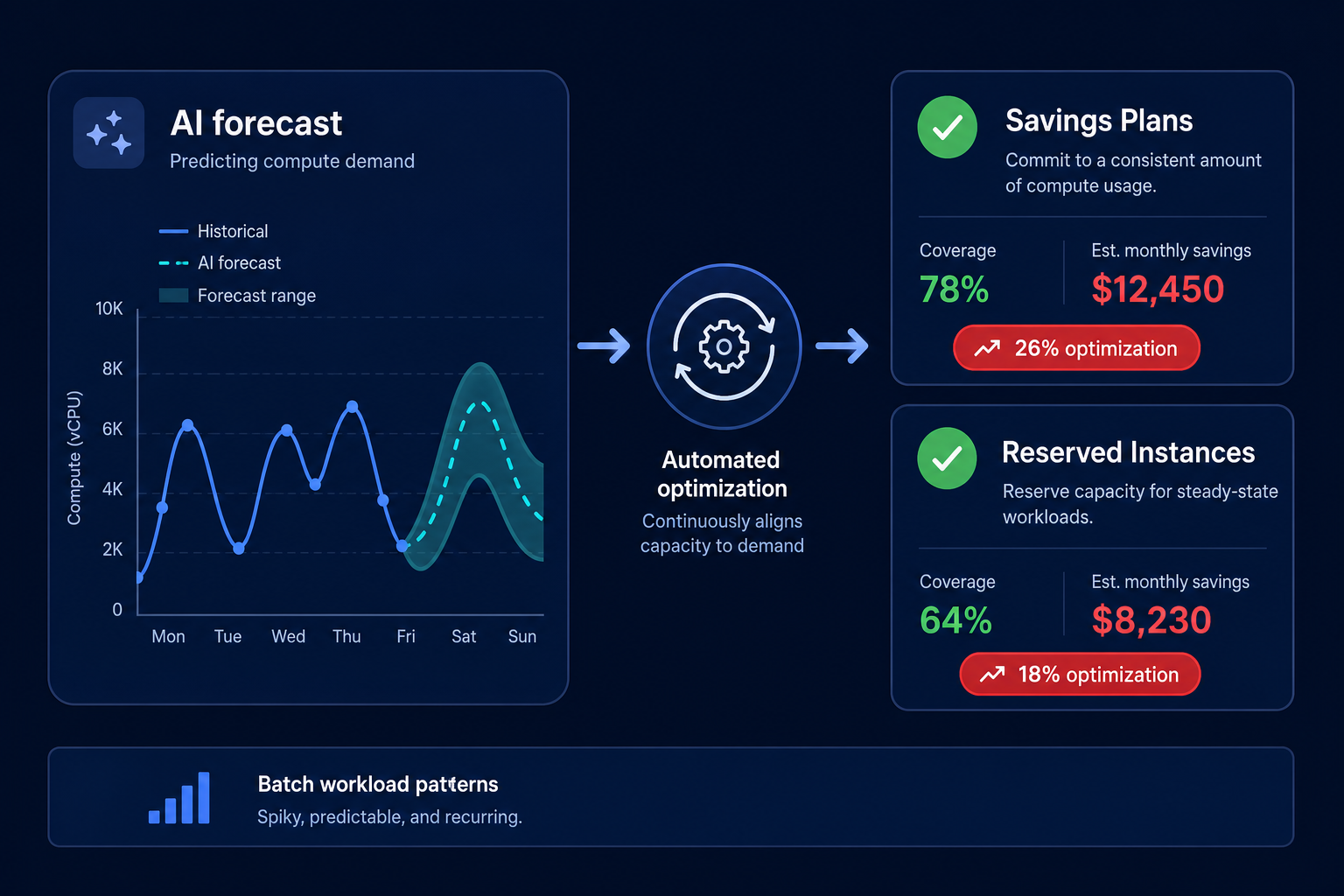
While Spot Instances handle the “bursty” parts of your processing, most organizations maintain a baseline of compute usage that requires a stable pricing model. Managing a blended portfolio of Reserved Instances and Savings Plans manually is often inefficient, leading to either wasted coverage or overspending on On-Demand rates.
Hykell operates as an automated execution layer that proactively manages your discount portfolio. By using AI to forecast usage from historical data and real-time events, Hykell achieves an Effective Savings Rate (ESR) of 50–70% or higher. This AWS rate optimization happens on autopilot, buying, selling, and converting commitments as your batch job patterns shift.
Effective AWS Batch cost management requires a strategic mix of precise allocation strategies, modern hardware like Graviton, and automated commitment management. Hykell helps businesses reduce their total AWS spend by up to 40% without requiring ongoing internal engineering effort. If you are ready to see how much you could be saving, use our cloud cost calculator for a tailored insight into your infrastructure’s potential.