
Are you tired of soaring AWS compute costs that eat into your margins? Migrating to Graviton can slash expenses by 40%, but success requires a methodical strategy to identify compatible workloads and mitigate performance risks before you launch.
Assessing technical compatibility and dependencies
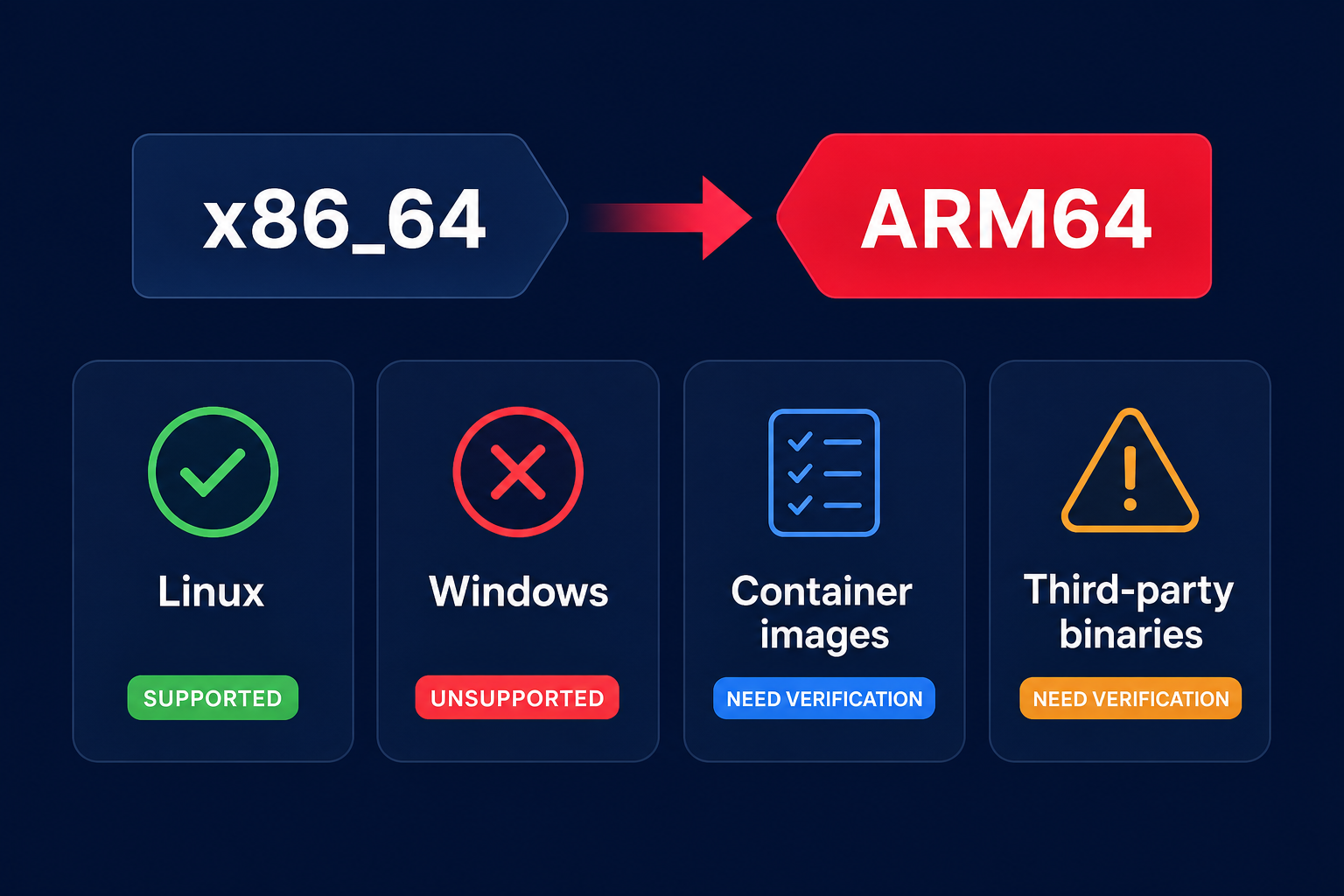
The first hurdle in your migration journey is the architecture shift from x86_64 to ARM64. While AWS Graviton supports most modern software stacks, certain legacy or OS-specific dependencies remain critical blockers that you must identify early.
- Operating systems: Most modern Linux distributions, such as Amazon Linux 2, Ubuntu 18.04+, and RHEL 8+, offer native Arm64 support. However, Windows Server is currently not supported on Graviton. If your workload requires Windows, it must remain on x86 for the foreseeable future.
- Programming languages: High-level languages like Python, Java, Node.js, Go, and Rust usually run on Graviton with minimal changes. You should ensure your runtime versions are up to date to leverage ARM-specific optimizations and avoid legacy performance penalties.
- Container images: If you utilize Docker, verify that your base images and all sidecars support ARM64. While many open-source projects publish multi-architecture images, you will need to rebuild custom images using tools like Docker Buildx.
- Third-party binaries: Proprietary monitoring agents, security scanners, or legacy libraries compiled specifically for x86 will fail on Graviton. You should audit your entire environment for these “silent blockers” to avoid deployment failures.
For a deeper dive into evaluating your specific stack requirements, you can review our comprehensive guide on the compatibility of software with AWS Graviton.
Identifying high-payoff candidates
Once you confirm technical viability, the next step is prioritizing where the move makes the most financial sense. Not every workload yields the same return on investment, so you should focus on services with high utilization and low migration complexity. Hykell recommends starting with a Workload Compatibility Assessment to scan your environment for the best candidates.
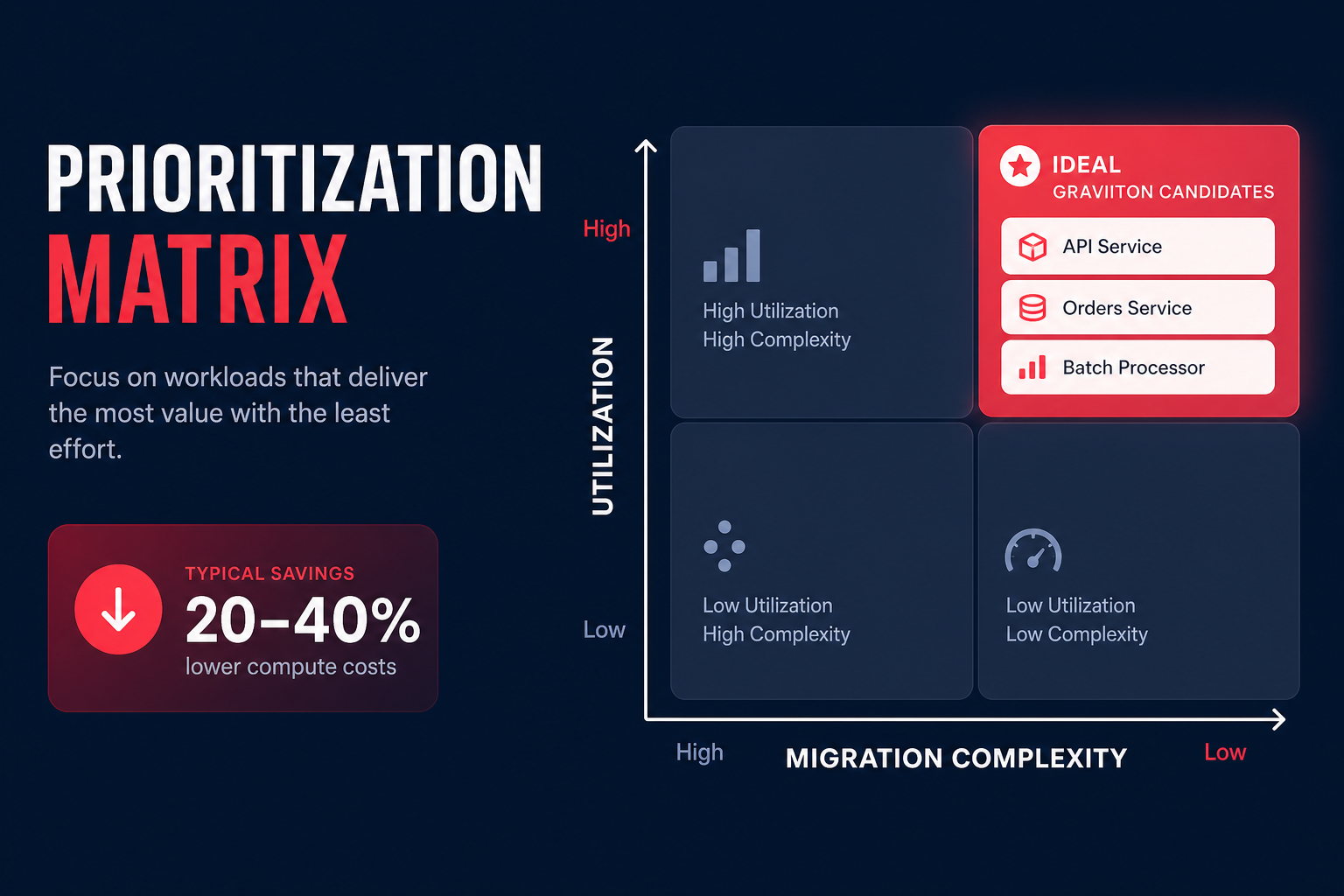
AWS Compute Optimizer provides a “migration effort” rating that helps you categorize workloads by complexity. You should prioritize “low effort” targets like stateless web tiers, microservices, and managed services such as Amazon RDS or ElastiCache. These managed services often allow you to switch to Graviton with a simple configuration change, offering the fastest path to a 40% cost reduction.
The Hykell optimization engine uses real-world usage patterns to identify underutilized or over-provisioned services ripe for migration. By finding this “price-performance tightrope,” you can ensure you are not just moving workloads but right-sizing them simultaneously to maximize efficiency.
Evaluating performance risks and benchmarking
Compatibility alone does not guarantee a win; you must also account for how your code behaves on ARM architecture. Graviton instances use physical cores rather than hyperthreading, which changes how they handle concurrent tasks. While this often leads to more predictable performance, some single-threaded applications may still perform better on high-clock Intel or AMD instances.
Before committing to a full migration, you must establish a clear performance baseline on your current x86 infrastructure. AWS performance testing guidance suggests using real workloads or synthetic load tests rather than relying solely on generic micro-benchmarks. This ensures you identify the maximum sustainable load before latency or error rates exceed your acceptable limits.
To avoid post-migration surprises, you should perform side-by-side performance benchmarking for AWS Graviton instances to compare throughput and memory bandwidth under production-like stress.
Designing a safe rollback path
Even with perfect testing, production environments can be unpredictable. A safe migration strategy requires a phased approach that allows for immediate reversal if stability issues arise. This reduces the risk of downtime while you navigate multi-architecture support challenges in your environment.
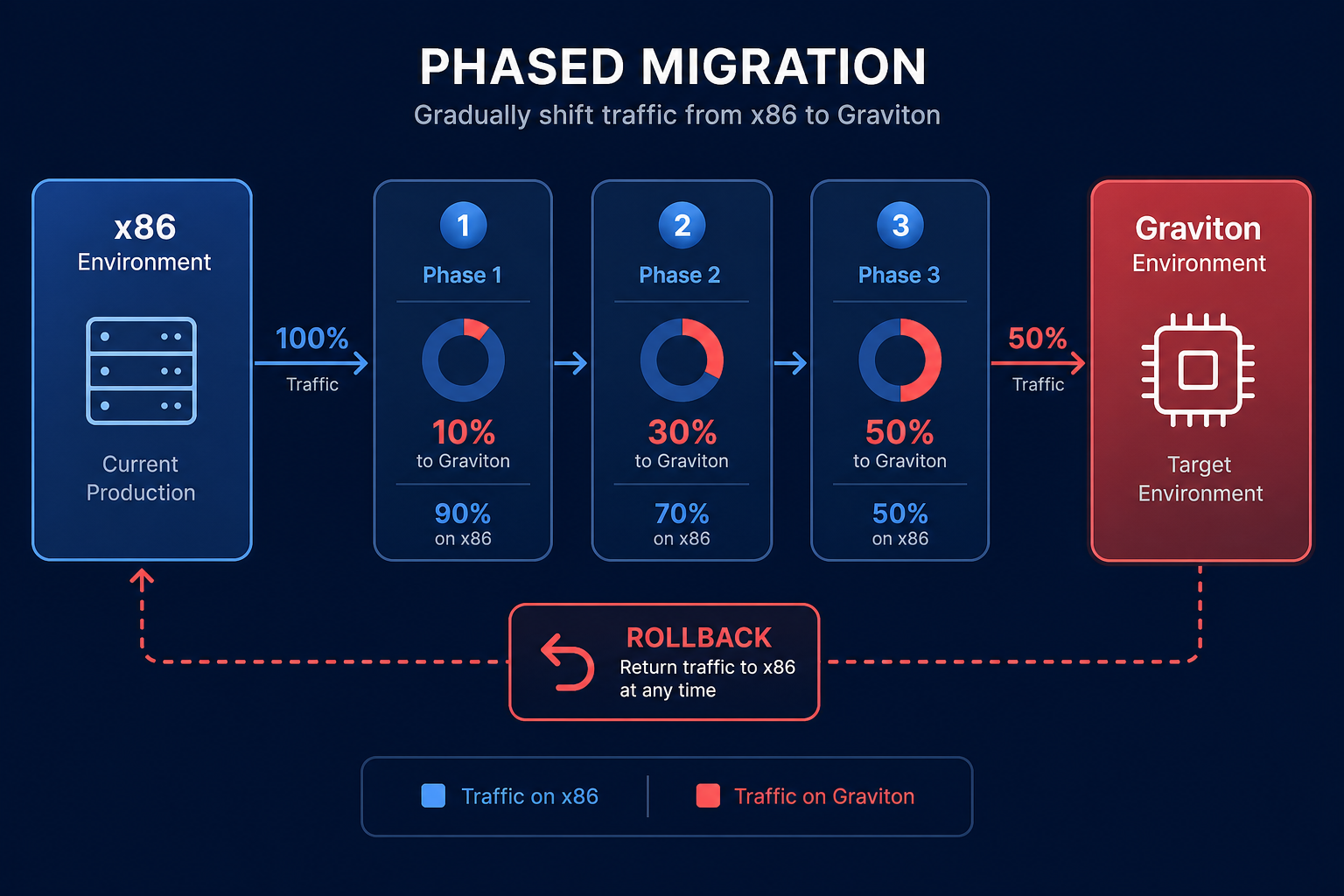
- Canary and blue-green deployments: Instead of a “big bang” migration, you should phase Graviton instances into your Auto Scaling Groups gradually. Start by routing only 5–10% of traffic to the new architecture to monitor performance in the wild.
- Multi-architecture clusters: Use Amazon EKS or ECS to run mixed-architecture clusters. This allows you to maintain x86 and ARM nodes simultaneously, providing a safety net while you validate application stability.
- Snapshotting: For stateful workloads, you should take point-in-time snapshots before migration. If a database migration encounters corruption or unexpected degradation, you can restore to a known good state on x86 quickly.
Managing these transitions effectively requires robust visibility. The Hykell observability platform provides the granular metrics needed to track these transitions in real-time, allowing you to spot anomalies before they impact your end users. A methodical migration to Graviton is one of the fastest ways to slash your AWS compute spend without sacrificing user experience.
To see exactly how much your business could save by switching to Graviton and optimizing your EC2 fleet, use the Hykell savings calculator today.

