
Are you paying for 100 Gbps of bandwidth but only seeing a fraction of that throughput in your production environment? Network bottlenecks in AWS often hide behind inefficient route tables and misconfigured gateways, quietly draining your performance and your budget.
Designing a high-performance Virtual Private Cloud (VPC) requires moving beyond basic connectivity. To achieve the sub-millisecond latency and massive throughput required for modern distributed systems, you must strategically align your architectural patterns with the underlying physical infrastructure of AWS.
Selecting the right interconnection strategy
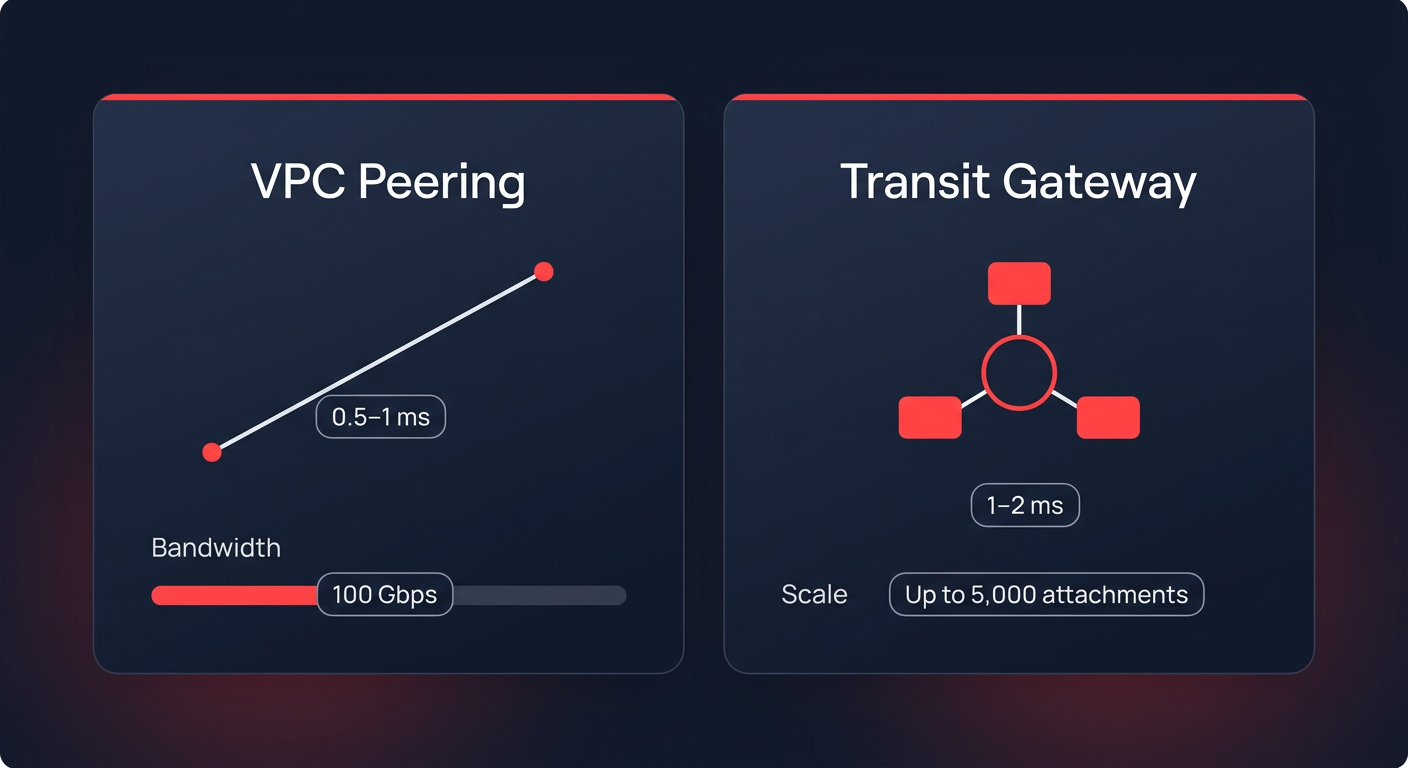
The debate between VPC Peering and AWS Transit Gateway (TGW) often centers on management, but the performance implications are just as significant. VPC Peering provides the lowest possible latency – typically between 0.5ms and 1ms – because it does not introduce a middle-hop device. It supports 100 Gbps of bandwidth and remains the ideal choice for latency-sensitive applications like high-frequency trading or real-time data synchronization. However, as your environment scales, a full mesh of peering connections becomes unmanageable. When you exceed 10 VPCs, the “route table explosion” makes troubleshooting difficult and increases the risk of outages due to non-transitive paths.
For larger, more complex environments, a hub-and-spoke architecture using AWS Transit Gateway is the preferred standard. While the gateway introduces a slight latency increase of roughly 1-2ms, it significantly simplifies routing by supporting up to 5,000 VPC attachments and providing 100 Gbps of throughput per attachment. You must be mindful of the 50 Gbps burst limits per VPC attachment to ensure your central hub does not become a bottleneck during peak traffic periods.
Eliminating gateway bottlenecks and cross-AZ latency
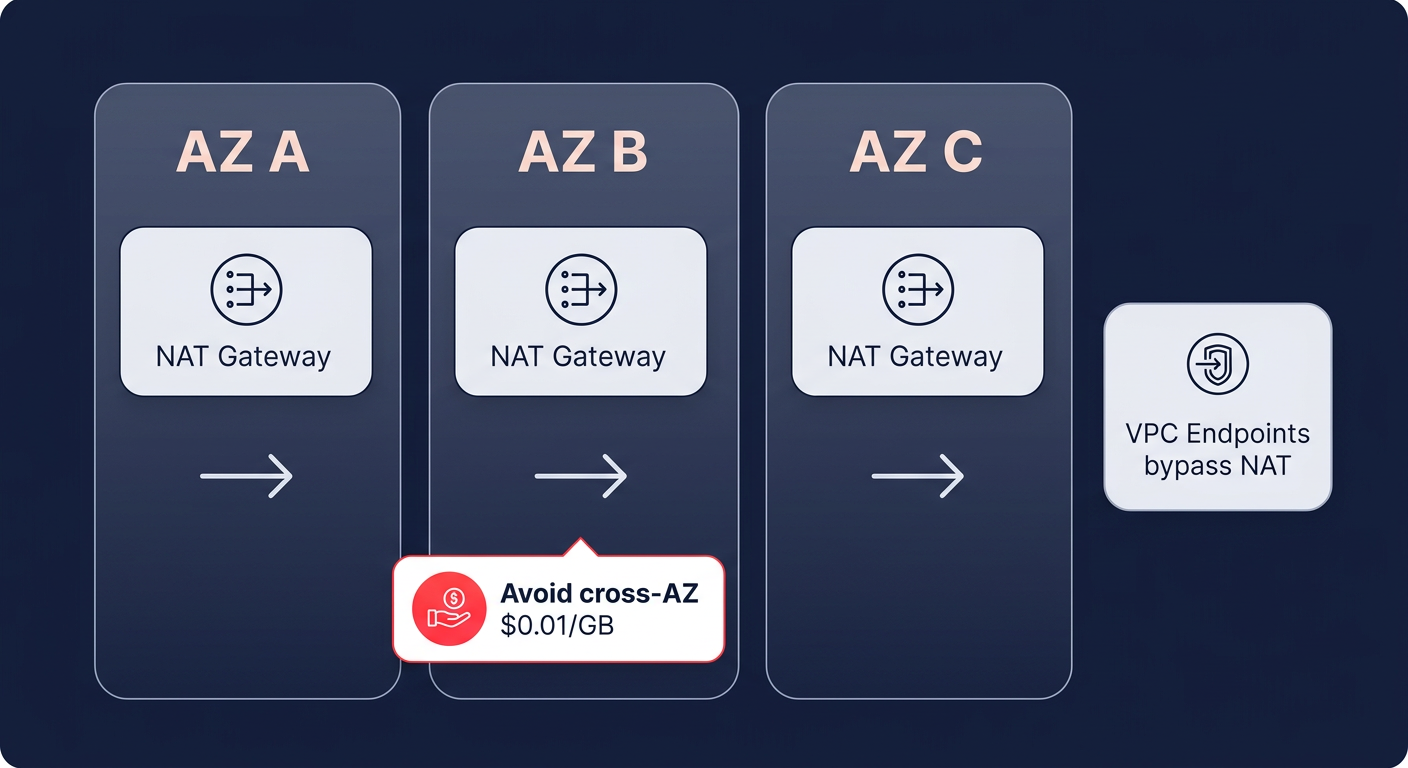
Inefficient use of NAT Gateways is a common performance killer that also inflates your cloud bill. While a single NAT Gateway can handle 100 Gbps of throughput and up to 1 million packets per second (PPS), relying on a single gateway across multiple Availability Zones (AZs) is a mistake. When traffic crosses AZ boundaries to reach a gateway, you introduce unnecessary latency and incur a $0.01/GB cross-AZ data transfer charge.
By deploying a NAT Gateway in each AZ, you ensure local routing and reduce round-trip times for outbound traffic. You can achieve further optimization by implementing VPC Endpoints (PrivateLink) for high-traffic services like Amazon S3, ECR, and Secrets Manager. These endpoints provide a direct path to AWS services that bypasses the NAT Gateway entirely. This strategy is highly effective for reducing data processing costs by 78% while providing a dedicated 100 Gbps bandwidth per Elastic Network Interface (ENI).
Tuning route tables for faster convergence
Efficient routing serves as the backbone of VPC reliability and speed. You should leverage route table segmentation by creating separate tables for each AZ and workload tier, such as web, application, and database layers. This approach keeps individual tables small – ideally under 100 routes – ensuring that route convergence occurs in less than one second. In contrast, bloated tables can take 30 seconds or more to converge, leading to prolonged application timeouts during network shifts.
When managing hybrid environments, prefix aggregation becomes essential for stability. By summarizing multiple /16 VPC ranges into broader /8 or /12 prefixes, you prevent your routing table from exceeding hardware limits on on-premises routers or the Transit Gateway itself. This prevents “route flapping” and ensures that BGP sessions remain stable under high load. Hykell frequently identifies these types of underutilized or misconfigured resources that hinder performance while driving up monthly infrastructure bills.
Troubleshooting MTU mismatches and ENI limits
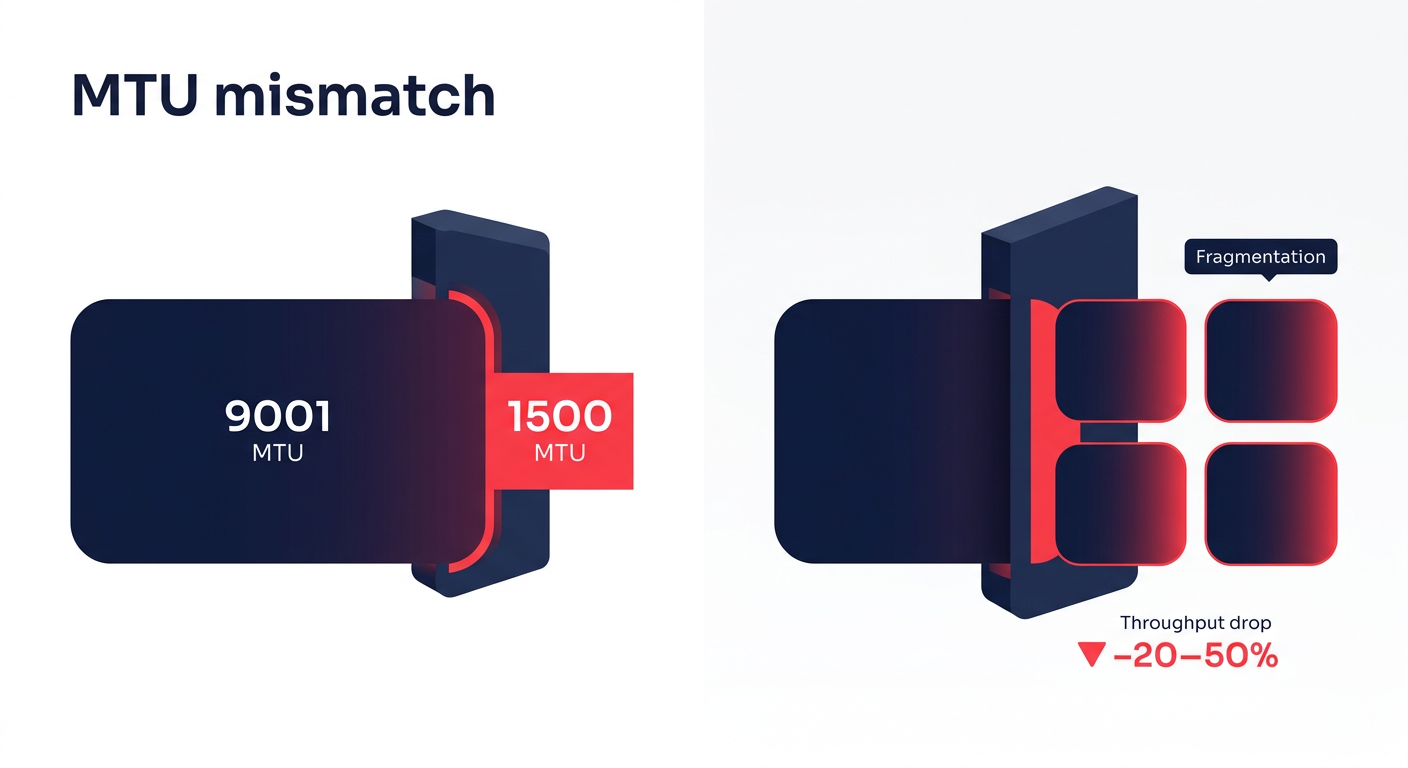
If your application experiences a 20-50% drop in expected throughput, the culprit is often a Maximum Transmission Unit (MTU) mismatch. AWS supports Jumbo Frames (9001 MTU) within a VPC, which allows for larger packets and lower CPU overhead. However, when traffic leaves the VPC via a VPN or certain peering connections, the MTU often drops to 1500. This causes packet fragmentation – much like breaking down a large shipping container into small boxes to fit through a narrow door – which leads to significant latency spikes and processing overhead.
You must also account for Elastic Network Interface (ENI) limits, especially on Nitro-based instances. While these instances support massive throughput, they are subject to hard limits of roughly 750 ENIs per instance and aggregate PPS thresholds. To diagnose these bottlenecks, you can use VPC Flow Logs paired with CloudWatch Insights to query for high-reject IPs or dropped packets. Tools like the Reachability Analyzer provide hop-by-hop path validation, helping you detect asymmetric routing where traffic enters through one path but attempts to exit through another, causing Security Groups to drop the connection.
Maximizing hybrid connectivity performance
For companies operating hybrid clouds, the choice between AWS Direct Connect (DX) and Site-to-Site VPN is critical for maintaining high-speed data transfers. Direct Connect offers dedicated 100 Gbps ports with consistent sub-2ms latency, making it the superior choice for database replication and large-scale migrations. Standard VPN tunnels, by comparison, are capped at 1.25 Gbps. While you can utilize Equal-Cost Multi-Path (ECMP) routing to scale VPN throughput, the inherent overhead of IPsec encryption will always introduce more jitter than a dedicated DX line.
Optimizing your VPC is a continuous process of balancing high-speed architecture with cost-efficient design. Hykell helps you navigate these complexities by automating the optimization of your AWS infrastructure. Our platform identifies hidden savings in your network design and instance usage, often reducing cloud costs by 40% without requiring manual engineering effort from your team.
If you want to see how much your current VPC architecture is costing you in wasted performance and unnecessary fees, use the Hykell savings calculator or contact our team for a detailed audit. We only take a slice of what you save – if you don’t save, you don’t pay.

