
Is your AWS architecture actually meeting the reliability targets your business demands – or are you paying for expensive uptime guarantees you don’t actually need? Understanding AWS service level agreements (SLAs) is critical for balancing risk against the real cost of cloud redundancy.
AWS publishes over 300 separate SLAs for its generally available services rather than offering a single blanket guarantee for the entire platform. Each agreement defines a Monthly Uptime Percentage and specifies the service credit you are entitled to if AWS falls short of that promise. For engineering and FinOps teams, these aren’t just legal documents; they are architectural constraints that influence how you deploy resources and manage cloud spend.
What AWS SLAs actually promise
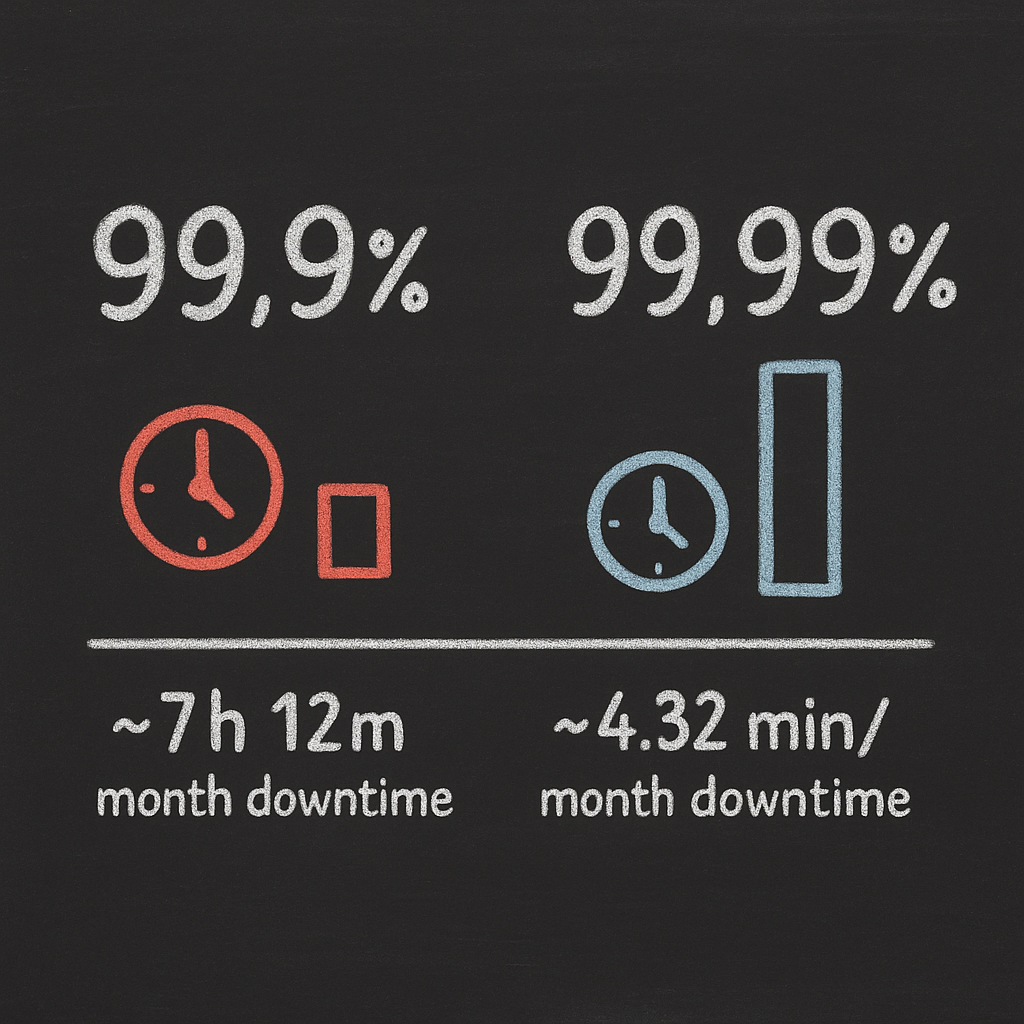
A standard cloud performance SLAs contract typically defines uptime commitments between 99.9% and 99.99%. While the decimal points seem small, the operational impact is significant. A 99.9% commitment allows for roughly 43 minutes of downtime per month, while 99.99% allows only 4.32 minutes.
AWS measures these commitments over a monthly billing cycle. To qualify for the highest tiers of availability, you must often adhere to specific architectural patterns, such as deploying across multiple Availability Zones (AZs). If you choose a single-instance deployment to save on costs, you may find your uptime guarantee drops significantly or disappears entirely.
How service credits work
When AWS fails to meet an SLA, you are entitled to a service credit applied to future payments. These credits are calculated as a percentage of the monthly charges for the affected resources. However, there are several strict policies you must follow to receive compensation:
- Service credits are not issued automatically; you must submit a claim through the AWS Support Center by the end of the second billing cycle after the incident.
- Your claim must include details about the incident timing and the specific resources affected.
- Credits are non-transferable and cannot be applied to other accounts or converted into cash.
- AWS generally requires a minimum claim amount of $1 for credits to be processed.
It is also important to note what these agreements do not cover. AWS SLAs exclude downtime caused by your own misconfigurations, such as incorrect security group settings or bad routing tables. They also exclude issues caused by third-party software, DDoS attacks, or events beyond AWS’s reasonable control.
SLA commitments by service type
AWS structures its guarantees around specific service categories. Understanding these differences helps you decide where to invest in redundancy.
Compute SLAs
Amazon EC2 offers two distinct commitments. The Region-Level SLA provides 99.99% uptime when you deploy instances across at least two Availability Zones in the same region. If you run a single instance, you fall under the Instance-Level SLA, which guarantees 99.5% availability. For single instances, AWS also stipulates that there is no charge for any clock hour in which the instance is unavailable for more than 6 minutes.
When looking to optimize these resources, AWS EC2 performance tuning can help you maintain high efficiency and reliability while potentially cutting waste by up to 40%.
Storage SLAs
Amazon S3 Standard and Glacier Flexible Retrieval offer a 99.9% uptime commitment. If availability falls below 99.9% but stays above 99.0%, you may be eligible for a 10% credit. If it drops below 95.0%, the credit increases to 100%. Note that “durability” – the likelihood that your data will not be lost – is a separate metric entirely, often cited at “eleven nines” (99.999999999%) due to automatic replication across multiple facilities.
Managed databases and networking
Amazon RDS provides a 99.95% SLA for Multi-AZ deployments, while single-AZ instances generally do not receive a formal uptime commitment. Similarly, DynamoDB offers 99.99% for standard tables and 99.999% for global tables. In the networking layer, Elastic Load Balancing commits to 99.99% availability, though this only covers the load balancer’s ability to respond, not the health of the applications sitting behind it.
How SLAs affect architecture and cost
The pursuit of higher SLAs directly increases your infrastructure bill. Deploying across multiple Availability Zones essentially doubles your compute costs and introduces inter-AZ data transfer fees, which typically cost $0.01/GB in each direction.
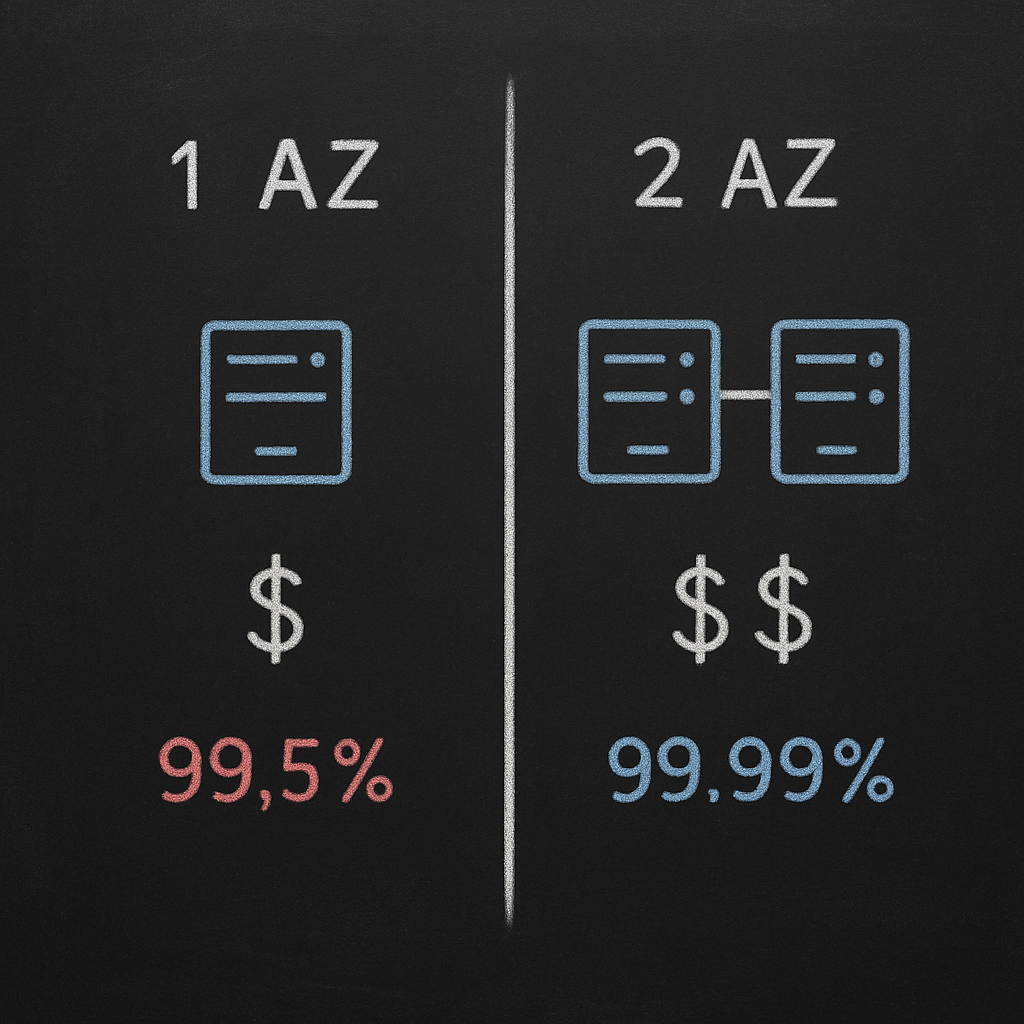
For many organizations, achieving AWS high availability on a budget means tiering services based on business impact. Mission-critical APIs may require 99.99% availability, but internal dev environments or batch processing jobs can often tolerate 99.5% or lower. Avoiding over-provisioning for SLAs you don’t actually need can reduce your infrastructure costs by 30% to 50%.
In extreme cases, teams look toward AWS multi-region cost vs performance strategies to achieve “five nines.” However, moving to an active-active multi-region architecture can increase costs by 3x to 5x while introducing complex data synchronization challenges.
Monitoring SLA compliance
You cannot claim service credits if you cannot prove a violation occurred. Using AWS CloudWatch application monitoring is the standard way to track metrics, logs, and traces to identify performance dips. By setting up alarms for the “Four Golden Signals” – latency, traffic, errors, and saturation – you can document exactly when a service fell below its promised threshold.
For a more comprehensive view, Hykell’s observability platform provides real-time visibility into your AWS environment. Instead of manual audits, you get role-specific dashboards that surface SLA breaches and identify over-provisioned resources. This allows engineering and finance teams to see the financial impact of performance anomalies as they happen.
Balancing cost and performance with Hykell
The real cost of downtime is rarely recovered by a 10% service credit. Lost revenue, customer churn, and brand damage far outweigh any rebate AWS provides. The goal should be to align your SLA strategy with your actual business risk.
Hykell helps you manage this balance by combining deep cloud observability with automated rate optimization. We analyze your usage patterns to ensure you are meeting your availability targets without over-paying for redundant capacity. By intelligently applying Reserved Instances and Savings Plans to your Multi-AZ architectures, Hykell can help you reduce your total AWS spend by up to 40% – and you only pay a slice of what you save.
If you are ready to stop paying for uptime guarantees you aren’t using, use our cost savings calculator to see how much you could save today.

