
Are your AWS invoices becoming a black hole of “unallocated” spend? Fragmented cost reports often hide up to 30-50% in wasted infrastructure costs. Implementing a robust cost allocation tagging strategy is the first step toward transforming that chaos into clear financial accountability.
Designing a taxonomy that engineering and finance actually use
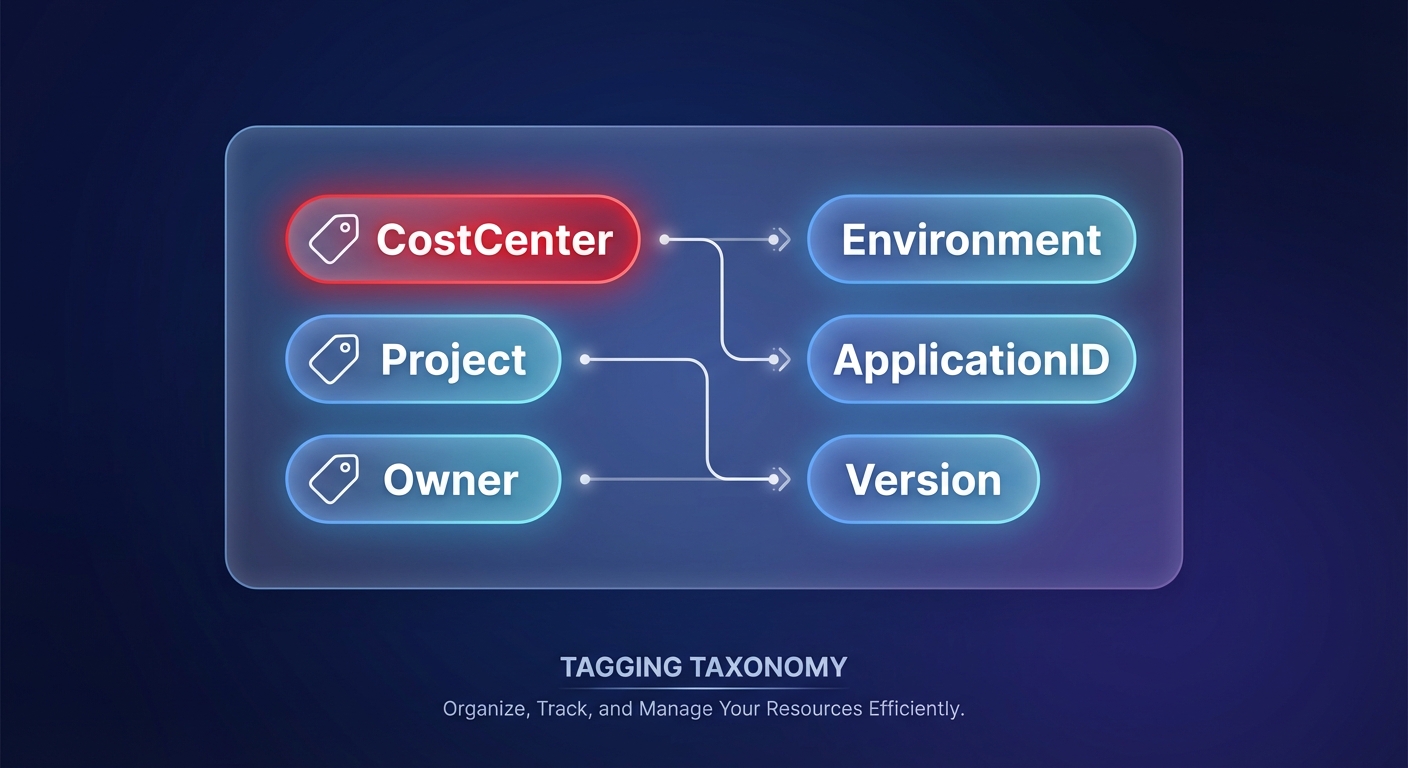
A successful tagging strategy hinges on a standardized taxonomy that bridges the gap between technical operations and financial reporting. You should categorize your metadata into ownership tags – such as `CostCenter`, `Project`, and `Owner` – to facilitate accurate cloud chargeback and showback strategies. Complement these with context tags like `Environment`, `ApplicationID`, and `Version` to help your DevOps teams pinpoint which workloads trigger unexpected cost anomalies. To prevent “tagging fatigue,” start with a small set of four to six mandatory tags. Consistency is vital because AWS tags are case-sensitive; using `Environment` in one account and `environment` in another will fragment your data. Treat your keys like an API by defining casing and allowed values before provisioning your first resource.
Activating tags in the AWS billing console: The step everyone forgets
Many teams mistakenly believe that applying a tag to a resource instantly updates their financial reports. In reality, you must manually activate these tags within the Billing and Cost Management console of your Management Payer Account. After signing in, navigate to the Cost Allocation Tags section to search for and select your user-defined tags or AWS-generated ones like `aws:createdBy`. Once you select the tags and click activate, these dimensions will begin appearing in AWS Cost Explorer to provide a deeper look at your spend.
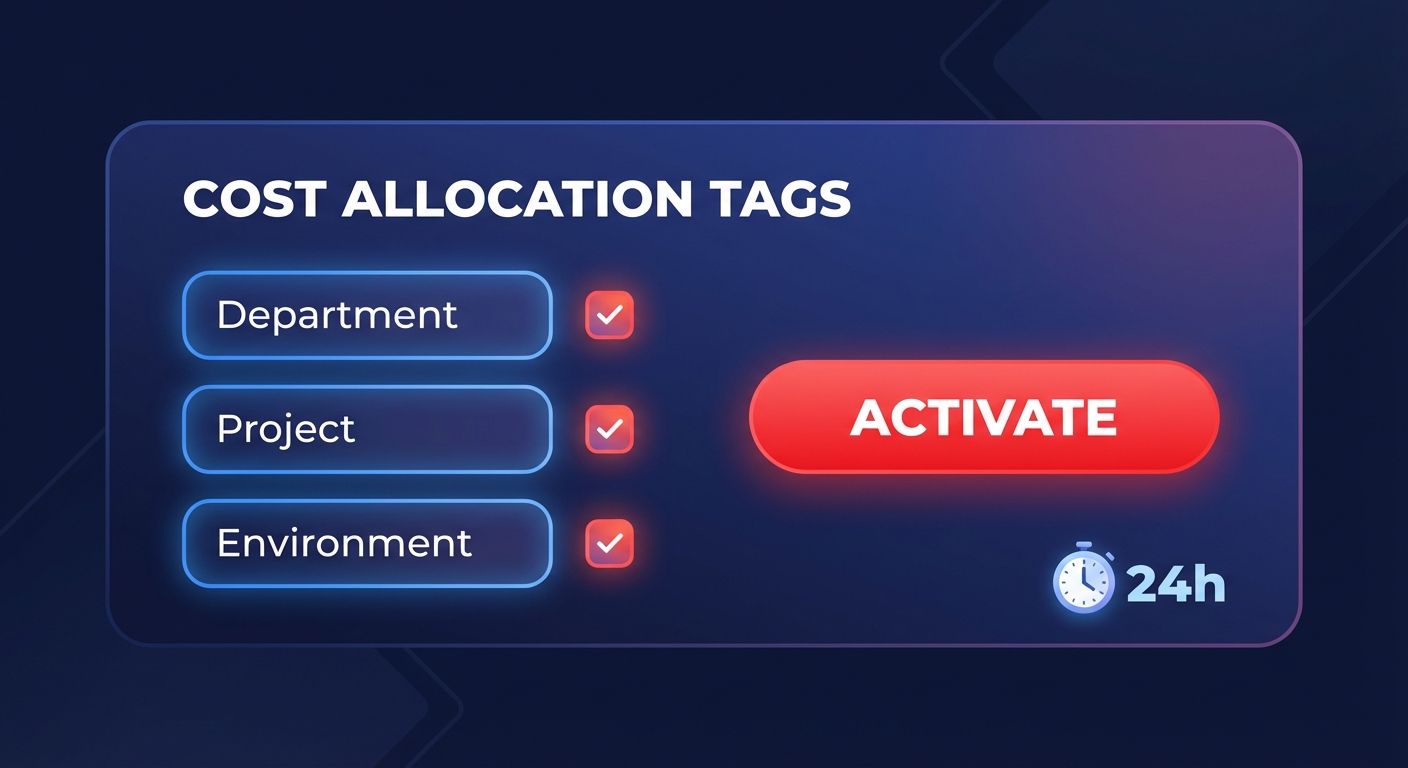
Keep in mind that cost allocation tags are not retrospective. It typically takes about 24 hours for them to surface in billing tools, and they only track costs from the moment of activation forward. Failing to automate tagging for AWS cost allocation early in a project can leave a significant amount of “dark spend” during massive migrations, as costs incurred before activation cannot be reassigned to the new tags.
Enforcing compliance with tag policies and SCPs
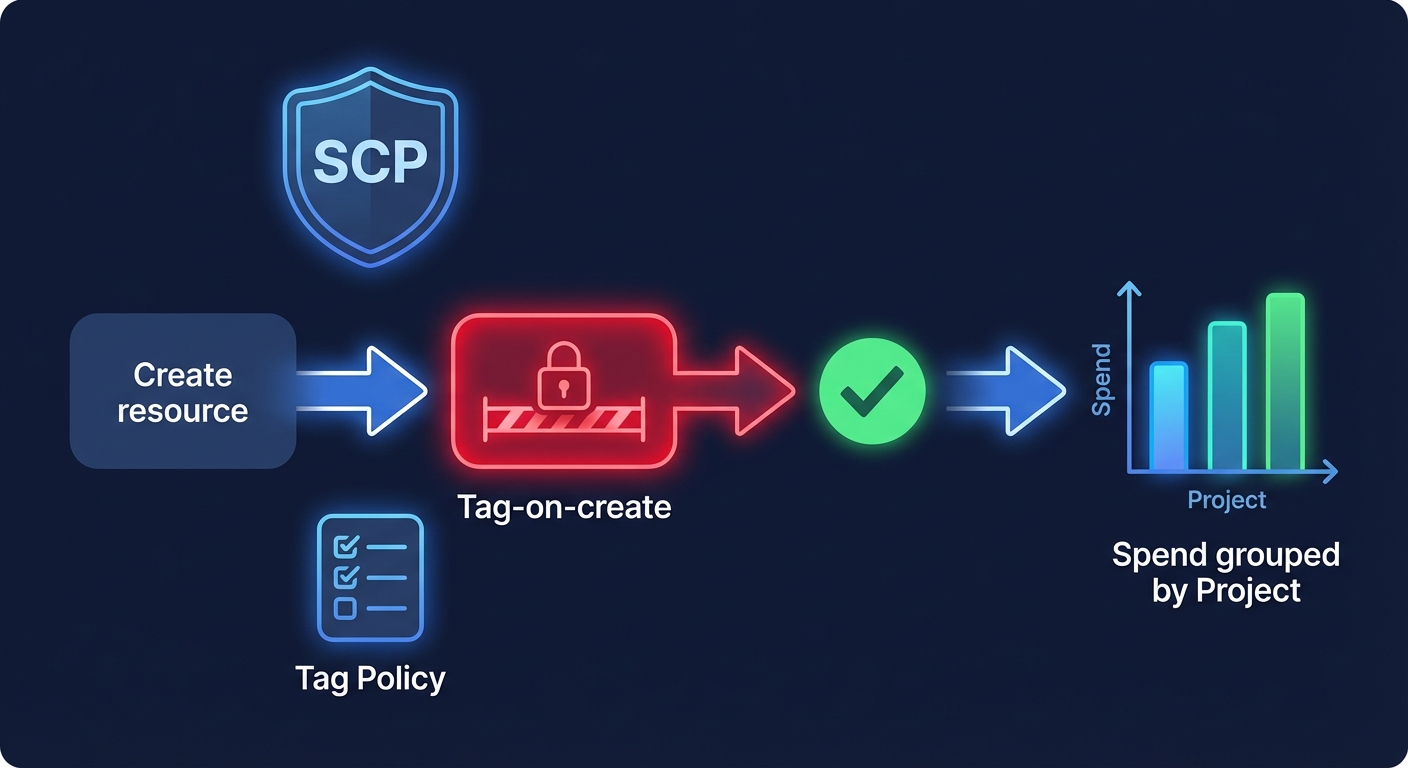
Manual governance often fails as organizations scale, leading to a breakdown in visibility. To maintain a compliance rate of 95% or higher, you must move from manual requests to strict enforcement using Infrastructure as Code (IaC) and Service Control Policies (SCPs). By leveraging AWS Organizations, you can deploy Tag Policies that enforce specific naming conventions and allowed values across all member accounts. For more rigorous guardrails, implement SCPs that deny actions like `ec2:RunInstances` or `rds:CreateDBInstance` if the required tags are missing from the API request. These “tag-on-create” controls ensure that every resource is attributable from the moment it is launched. When combined with AWS billing best practices, these preventive measures turn your monthly bill from a collection of surprises into a predictable, manageable ledger.
Analyzing spend and identifying optimization targets
Once tags are active and enforced, they serve as powerful dimensions for performance analysis. You can group your spending by `Project` to identify which initiatives are nearing their budget limits or filter by `Environment: Development` to find candidates for AWS rate optimization. Comprehensive tagging allows organizations to identify cost optimization opportunities up to 90% faster than those without a clear schema. For instance, grouping compute spend by `ApplicationID` might reveal that a legacy service is consuming a disproportionate amount of the budget despite low traffic. This granular visibility enables you to move beyond broad cost-cutting measures and focus on surgical, high-impact architectural improvements that align with your cloud cost governance framework.
Common pitfalls to avoid in your tagging journey
Several technical traps can compromise the integrity of your cost data if not handled carefully. One major challenge is managing untaggable resources, such as data transfer costs or specific networking components. These often require AWS cost allocation based on account-level placement rather than individual resource metadata. Additionally, case-sensitivity chaos can emerge when different automation tools use conflicting casing for the same tag keys. You can solve this by using global variables in your Terraform or CloudFormation templates to ensure `Project` and `project` do not split your data into two separate categories.
Finally, addressing amortization is critical when using commitment-based discounts. Using the “Amortized Costs” view in your reports ensures that the discounts from Savings Plans or Reserved Instances are distributed across the specific resources using the capacity. This provides a true “net cost” for each business unit rather than showing a large unallocated discount at the organization level.
Moving from visibility to automated savings
While a robust tagging strategy provides the visibility you need, it does not automatically resolve inefficiencies. Your engineering teams may still face the manual burden of rightsizing instances or managing complex discount portfolios to stay within AWS budgets. This is where Hykell transforms visibility into automated action. By integrating directly with your AWS environment, Hykell identifies underutilized resources and implements precision-engineered rate strategies on autopilot. Most enterprises find that while tags reveal the waste, Hykell is the tool that eliminates it – regularly reducing AWS costs by up to 40% without requiring additional engineering time.
If you are ready to stop letting unallocated spend drain your innovation budget, you can maximize your AWS savings with our performance-based optimization platform today.

