
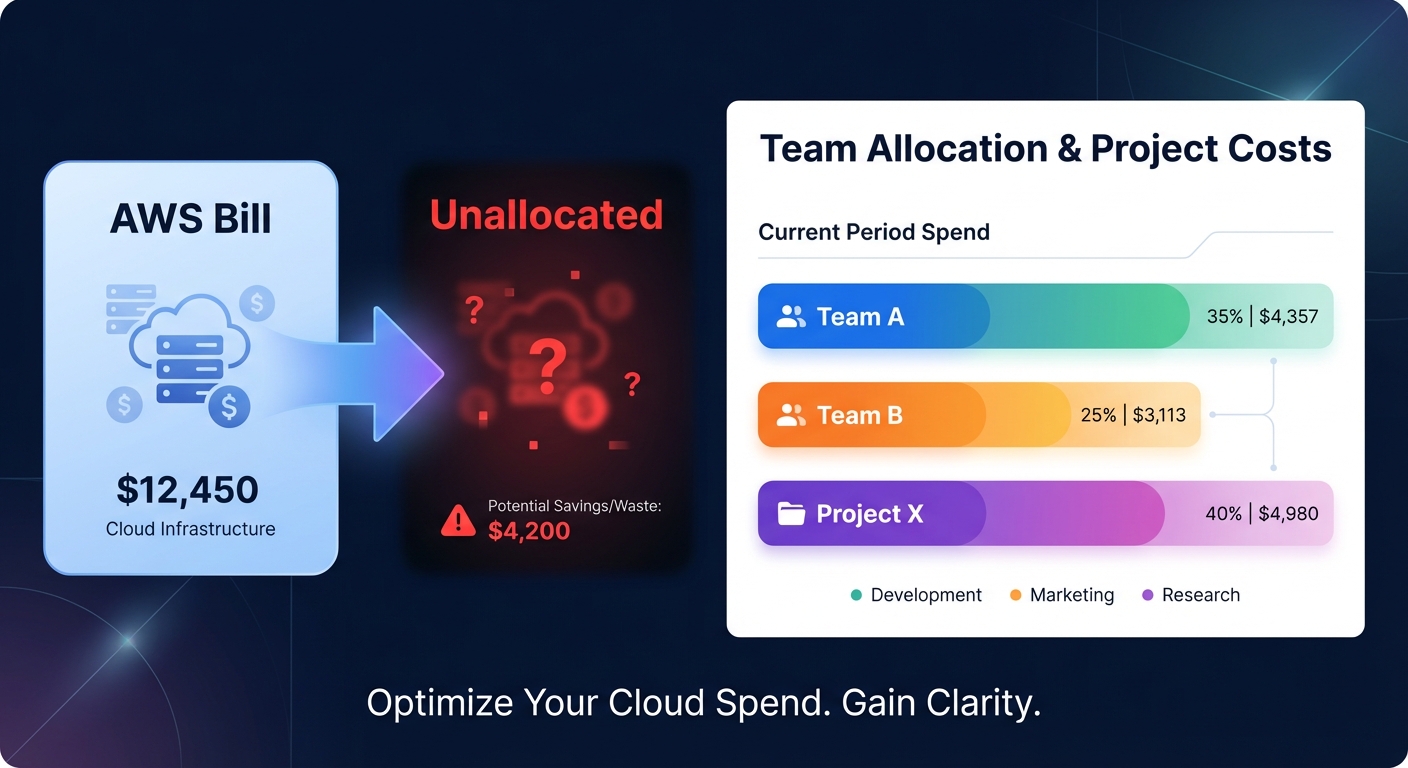
Are “unallocated” costs turning your AWS bill into a financial black box? Most organizations waste up to 45% of their cloud spend because they cannot attribute expenses to specific teams or initiatives. Mastering cost allocation tags is the first step toward reclaiming that budget.
Understanding how AWS cost allocation tags work
AWS cost allocation tags are key-value pairs assigned to resources like EC2 instances, S3 buckets, or RDS databases. These tags act as metadata that allow you to categorize and track your infrastructure costs at a granular level. While standard resource tags assist with technical management and organization, cost allocation tags are designed specifically to surface within your billing reports and management tools.
AWS provides two distinct categories of these tags. AWS-generated tags use the `aws:` prefix and are automatically applied by services such as AWS CloudFormation to track stacks. User-defined tags are custom keys you create, such as CostCenter or Project, to map cloud consumption to your specific business structure. Together, these tags transform a massive, undifferentiated invoice into a detailed map of your business operations.
The activation hurdle: Why your metadata isn’t appearing
A common mistake for engineering teams is assuming that simply tagging a resource will immediately update the billing dashboard. In reality, you must explicitly activate cost allocation tags within the AWS Billing and Cost Management console before they appear in your financial reports.
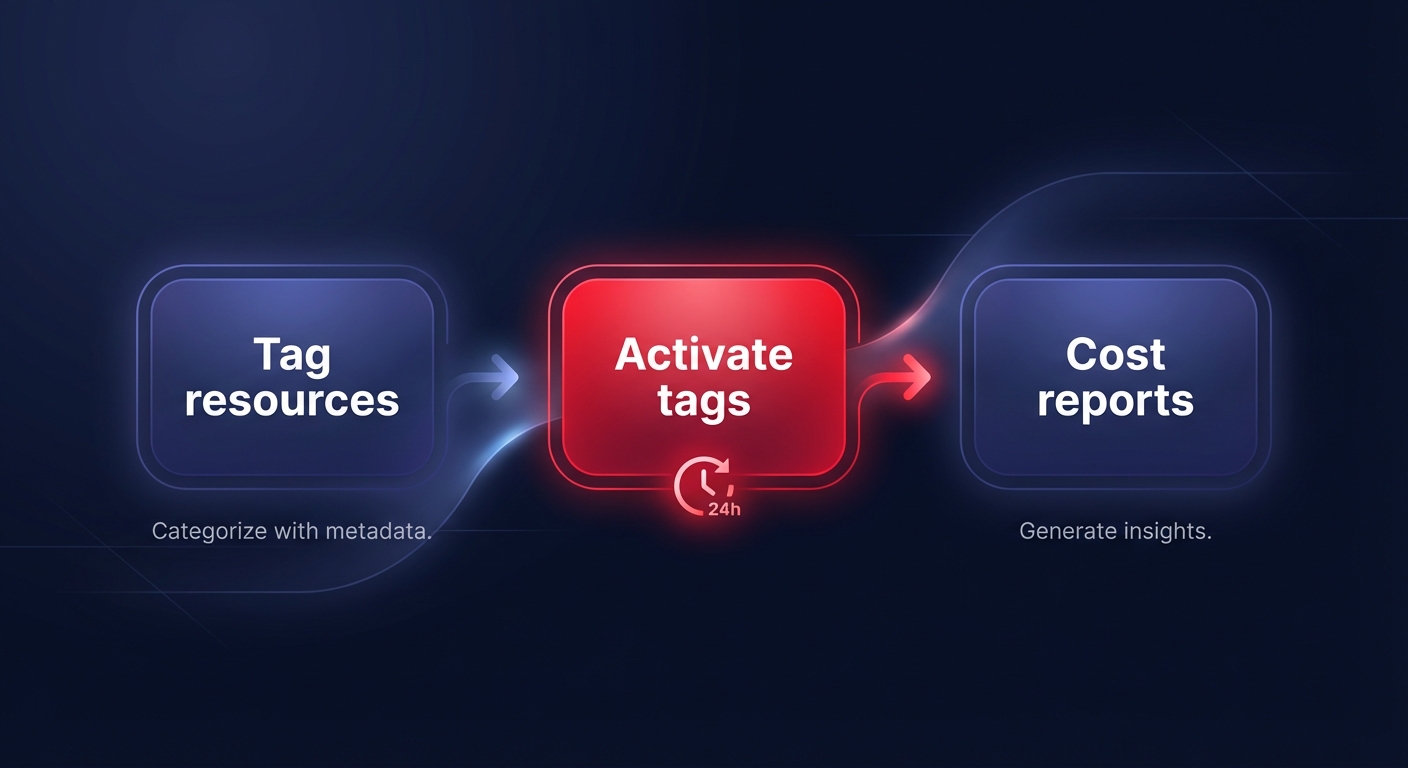
It is important to remember that these tags are not retrospective. They only begin tracking costs from the moment of activation forward, meaning any prior spend remains unallocated. Because it can take up to 24 hours for newly activated tags to populate in AWS Cost Explorer, establishing a cloud cost governance framework early in your cloud journey is vital for maintaining long-term data integrity.
Designing a robust taxonomy for chargeback and showback
To move from simple spending overviews to a sophisticated cloud chargeback and showback strategy, you need a standardized tagging taxonomy. AWS tags are case-sensitive, so inconsistent naming like “costcenter” versus “CostCenter” will result in fragmented reports. Organizations that implement robust tagging policies often report a 30% to 50% reduction in cloud waste because they can finally pinpoint who is driving specific spending spikes.
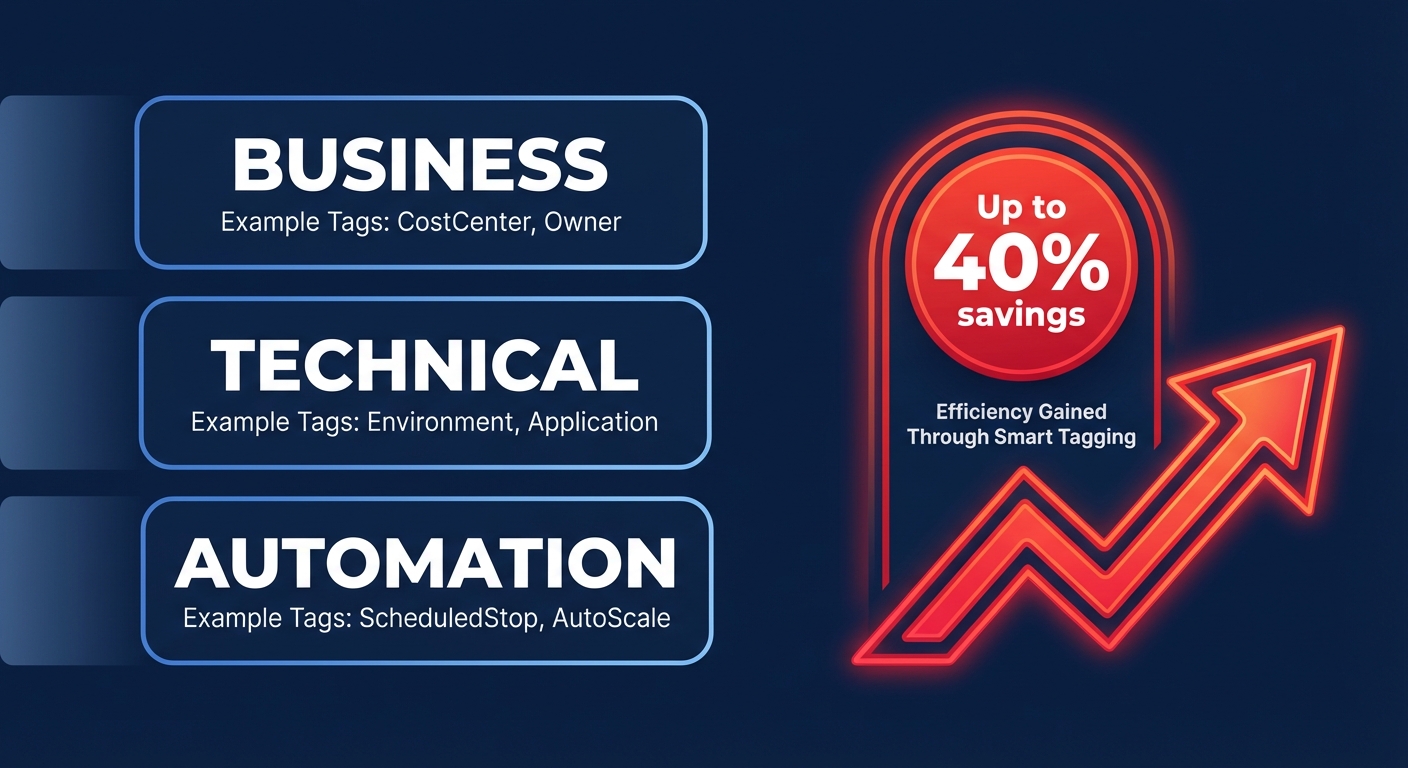
A high-quality taxonomy typically organizes metadata into three clear categories:
- Business tags, such as CostCenter, BusinessUnit, and Owner, which align cloud spend with the corporate ledger and departmental budgets.
- Technical tags, including Environment (Production, Development, Staging) and ApplicationID, which help engineers identify the purpose and criticality of a resource.
- Automation tags, like ScheduledStop or OptOut, which tell internal scripts or third-party tools how to handle the resource during optimization cycles.
Leveraging tag-based visibility in Cost Explorer and Billing
Once your tags are active and consistently applied, they become essential filters for financial analysis. You can use these dimensions to create AWS Budgets that alert project leads the moment their specific initiative exceeds its monthly allocation. This granularity allows you to move away from reactive firefighting and toward proactive financial management.
Tag-based visibility also powers AWS Cost Anomaly Detection, allowing you to monitor development environments for unexpected surges caused by misconfigured services or runaway scripts. Integrating these tags with AWS billing best practices ensures that your financial systems reflect actual consumption, enabling your finance team to produce accurate profit and loss statements for every product line.
Enforcing governance through automated tagging policies
Manual tagging is destined to fail as your infrastructure scales, making automated enforcement a necessity for growing teams. You can implement Service Control Policies (SCPs) to deny the creation of any resource that lacks mandatory tags at the time of launch. This “gatekeeper” approach ensures that no resource enters your environment without a designated owner or cost center.
To maintain a clean data set, follow AWS cost allocation tags best practices by using AWS Tag Policies to enforce standardized capitalization and allowed values. You can further supplement these policies with AWS Config rules that flag non-compliant resources in real time, triggering remediation scripts to either apply default tags or notify the resource creator of the compliance gap.
Closing the loop with automated cloud cost optimization
While disciplined tagging provides the visibility needed to understand your spend, it also serves as the essential foundation for automated cloud cost optimization. When resources are properly attributed, you can safely apply optimization strategies without the risk of disrupting critical production workloads or customer-facing services.
Hykell extends your tagging efforts by using this metadata to drive intelligent, autopilot savings. By analyzing your tagged usage patterns, Hykell can perform AWS rate optimization and resource-level rightsizing automatically. For instance, resources tagged as development can be automatically scheduled for shutdown during off-hours, while project-specific tags allow for the precise allocation of Savings Plans and Reserved Instances to the teams that need them most.
Combining a rigorous tagging strategy with Hykell’s automation can reduce your total AWS bill by up to 40% without requiring ongoing manual effort from your engineering team. To see how much of your budget is currently unallocated, you can conduct a cloud cost audit to identify immediate savings opportunities. Hykell’s pricing is entirely performance-based, meaning you only pay a portion of the actual savings delivered to your bottom line.

