
Determining the right commitment level for AWS Savings Plans is one of the most delicate balancing acts in cloud financial management. If you commit too little, you leave significant discounts on the table, effectively paying a “cloud tax” in the form of high on-demand rates. If you commit too much, you risk paying for “zombie” capacity – unused resources that your engineering team no longer needs but you are still contractually obligated to pay for.
While every infrastructure is unique, industry benchmarks and established FinOps best practices for Savings Plans suggest a target coverage rate of 80–90% for your stable compute spend. However, reaching this figure safely requires a nuanced understanding of your base load versus your variable spikes.
Understanding the difference between coverage and utilization
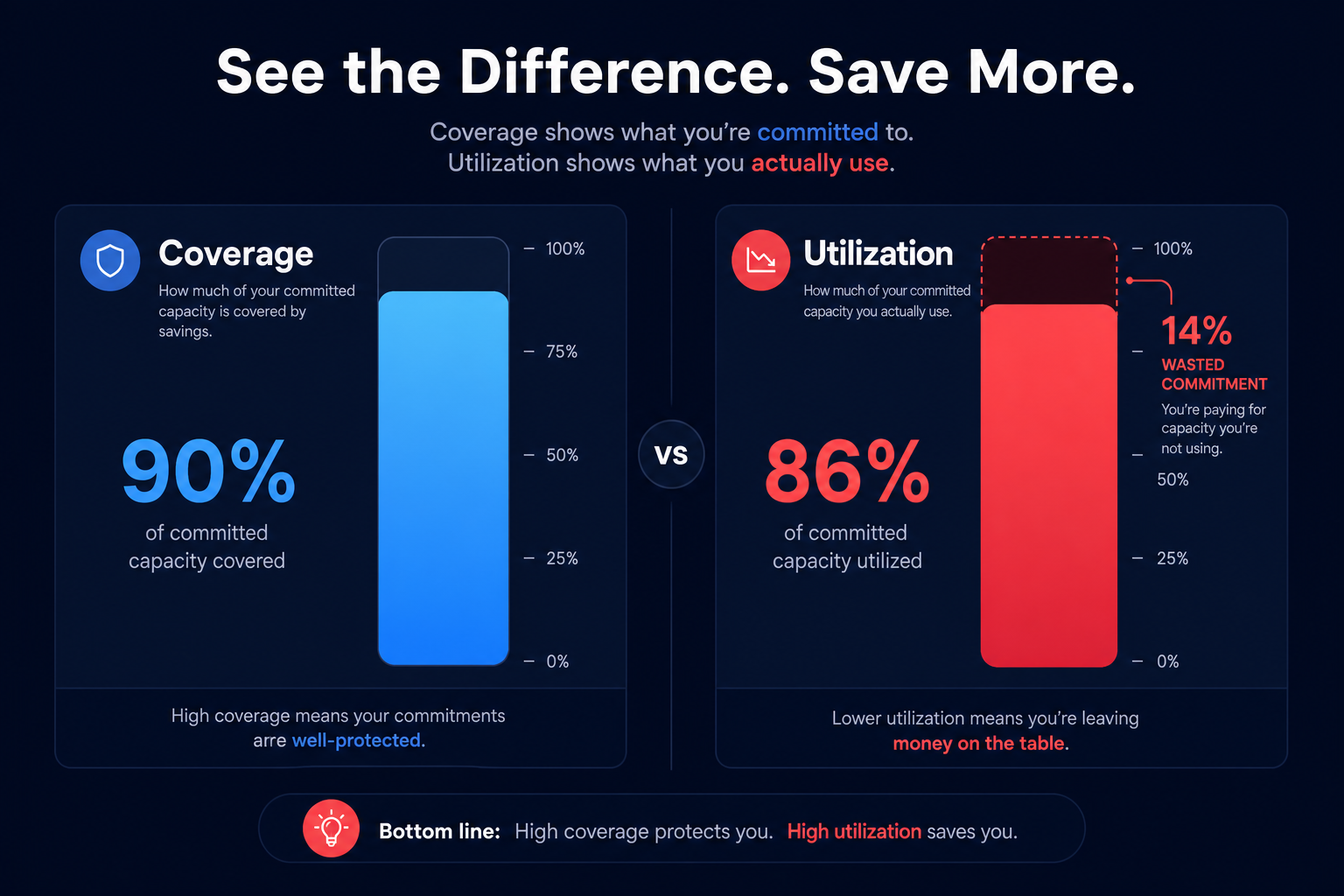
Before setting a target percentage, you must distinguish between two critical metrics that dictate the health of your commitments: coverage and utilization.
- Coverage is the percentage of your total eligible compute usage that is billed at Savings Plan rates. If your coverage is 80%, it means 20% of your usage is still being billed at the full on-demand price.
- Utilization measures how much of your committed dollar-per-hour amount you are actually using. For example, if you committed to $10/hour but only use $9/hour of compute during a specific window, your utilization is 90%.
The goal is to maximize coverage while maintaining nearly 100% utilization. Any drop in utilization below 100% represents identifying the hidden costs of AWS commitments, as Savings Plans are a “use it or lose it” commitment. Even a small drop in utilization can quickly negate the discount you worked so hard to secure.
The golden ratio: Why 80–90% is the standard
For most established businesses, targeting 80–90% coverage of the “stable base load” is the safest way to maximize savings without overextending. This range provides a 10–20% buffer to account for architectural changes, such as migrating to Graviton processors or right-sizing resources as usage patterns evolve.
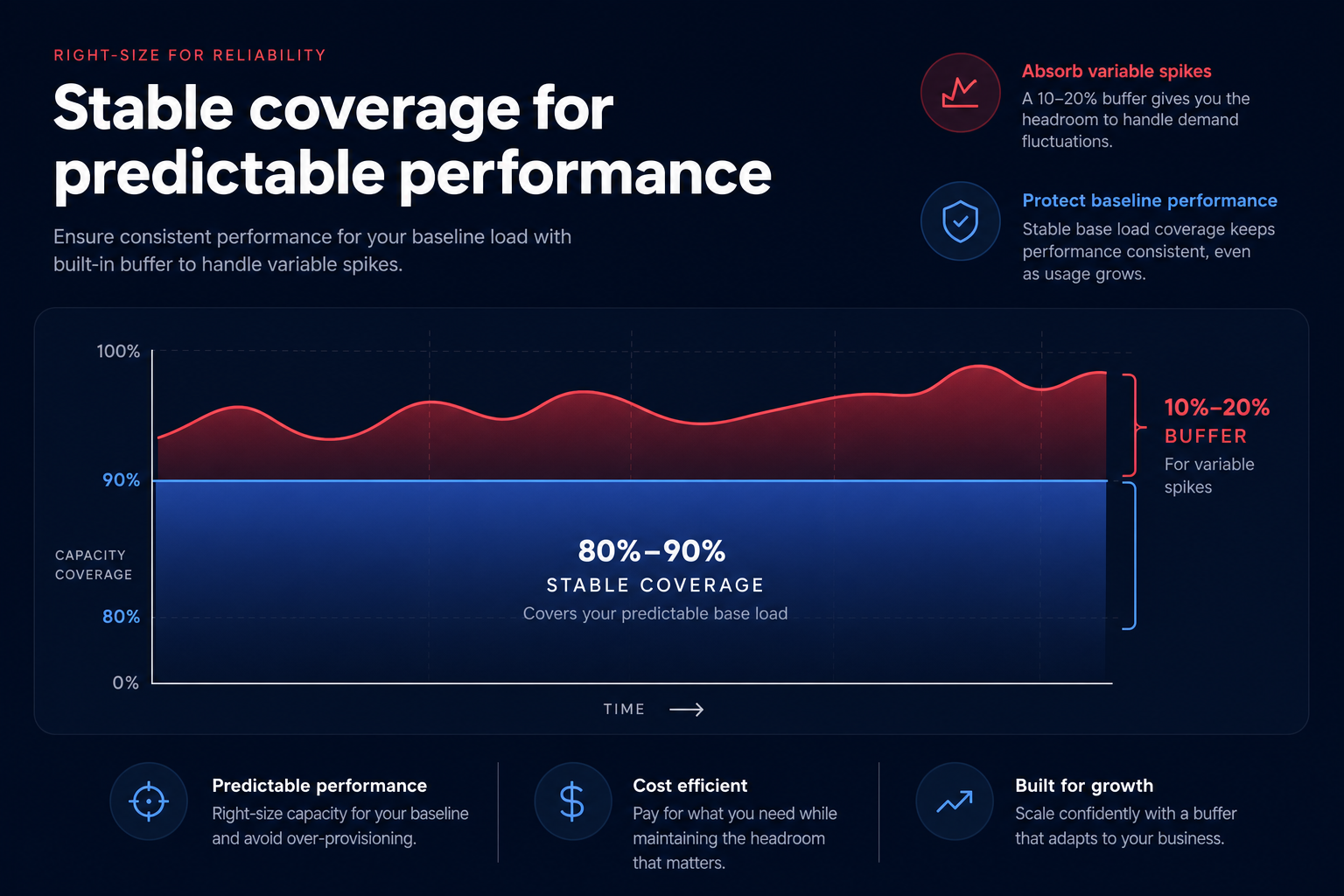
The stable base load refers to the minimum amount of compute power your application requires 24/7. By analyzing 60–90 days of historical usage, you can identify the floor of your spending. This floor is the safest candidate for Compute Savings Plans or EC2 Instance Savings Plans, as it represents usage that is almost guaranteed to persist.
For workloads that are highly variable, experimental, or short-lived, relying on on-demand pricing or Spot Instances is often more cost-effective than trying to force them into a long-term commitment. Attempting to hit 100% coverage often leads to wasted spend during off-peak hours or when development environments are spun down.
How to calculate your ideal commitment level
To find your specific target percentage, you cannot simply look at your total AWS bill. You must isolate your commitment-eligible spend by filtering out resources that do not benefit from Savings Plans or are already covered by other instruments.
- Exclude existing commitments: Subtract any usage already covered by Reserved Instances (RIs). Because AWS Reserved Instances apply before Savings Plans, overestimating your commitment can lead to immediate underutilization.
- Filter for Spot usage: Spot Instances already offer up to 90% savings. You should not include these in your Savings Plan calculations, as these plans do not provide additional discounts on top of existing Spot rates.
- Analyze hourly granularity: Because Savings Plans are applied hourly, you must look at your lowest usage hour in a typical week. If your spend spikes to $100/hour during the day but drops to $40/hour at night, a $50/hour commitment would result in $10/hour of waste every single night.
- Right-size before you commit: This is the most common mistake in strategic AWS reserved instance planning. If you commit to 90% coverage of an oversized environment, you are essentially locking in your inefficiency for the next one to three years. Focusing on right-sizing your resources before committing can often reduce compute costs by 35% or more before you even apply a discount.
De-risking commitments with rolling plans
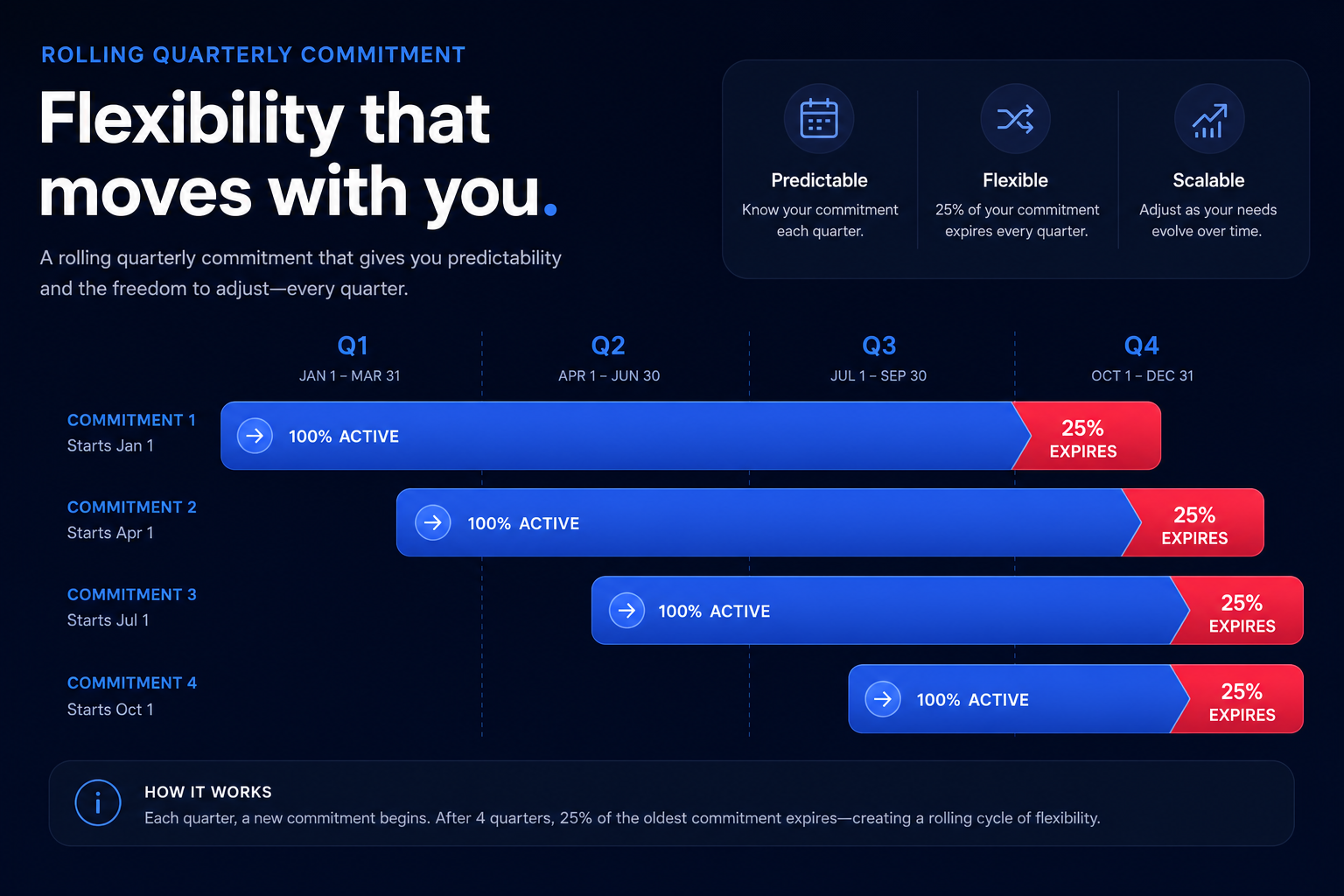
One way to safely increase your coverage percentage toward the higher end of the 90% range is to use a “rolling” or “laddered” commitment strategy. Instead of purchasing one massive Savings Plan every year, you distribute your target commitment level over multiple staggered quarterly annual plans.
This approach ensures that every three months, roughly 25% of your commitments expire. If your business conditions change or you migrate to a new architecture, you have a frequent “exit ramp” to reduce or re-size your commitments. This flexibility allows you to be more aggressive with your coverage targets because you are never more than a few months away from a significant portion of your commitments expiring.
Automating the balancing act with Hykell
While the 80–90% benchmark is a helpful guide, manual management of these percentages is a complex technical and political challenge. Engineering teams frequently change instance families, finance teams worry about the risk of overcommitment, and FinOps professionals often lack the real-time data needed to keep up with fluctuating workloads.
Hykell removes the guesswork by operating your rate optimization on autopilot. Our platform uses AI-powered commitment planning to blend Standard RIs, Convertible RIs, and Savings Plans into a cohesive strategy that maximizes your Effective Savings Rate (ESR). By integrating precision-engineered AWS rate optimization with automated workload optimization, we ensure you aren’t just getting a discount on your bill – you’re optimizing the underlying infrastructure first.
We help businesses achieve up to 40% savings on AWS without any internal engineering effort. Our model is simple: we only take a slice of what you actually save. If you don’t save, you don’t pay.
To see exactly how much of your current AWS spend is being wasted on on-demand rates or underutilized commitments, use our cloud cost savings calculator for a detailed analysis of your optimization potential.

