Did you know moving down just one instance size in your OpenSearch cluster can slash node charges by 50%? Many businesses watch their search costs balloon as data grows, often paying for massive overhead they never actually utilize. Here is how to regain control of your budget.
Managing Amazon OpenSearch Service expenses requires a shift from “set and forget” provisioning to a tiered, data-lifecycle approach. By optimizing your instance families, leveraging UltraWarm storage, and automating your indexing strategies, you can maintain high-performance search while cutting your monthly bill by 40% or more.
Right-sizing nodes for actual demand
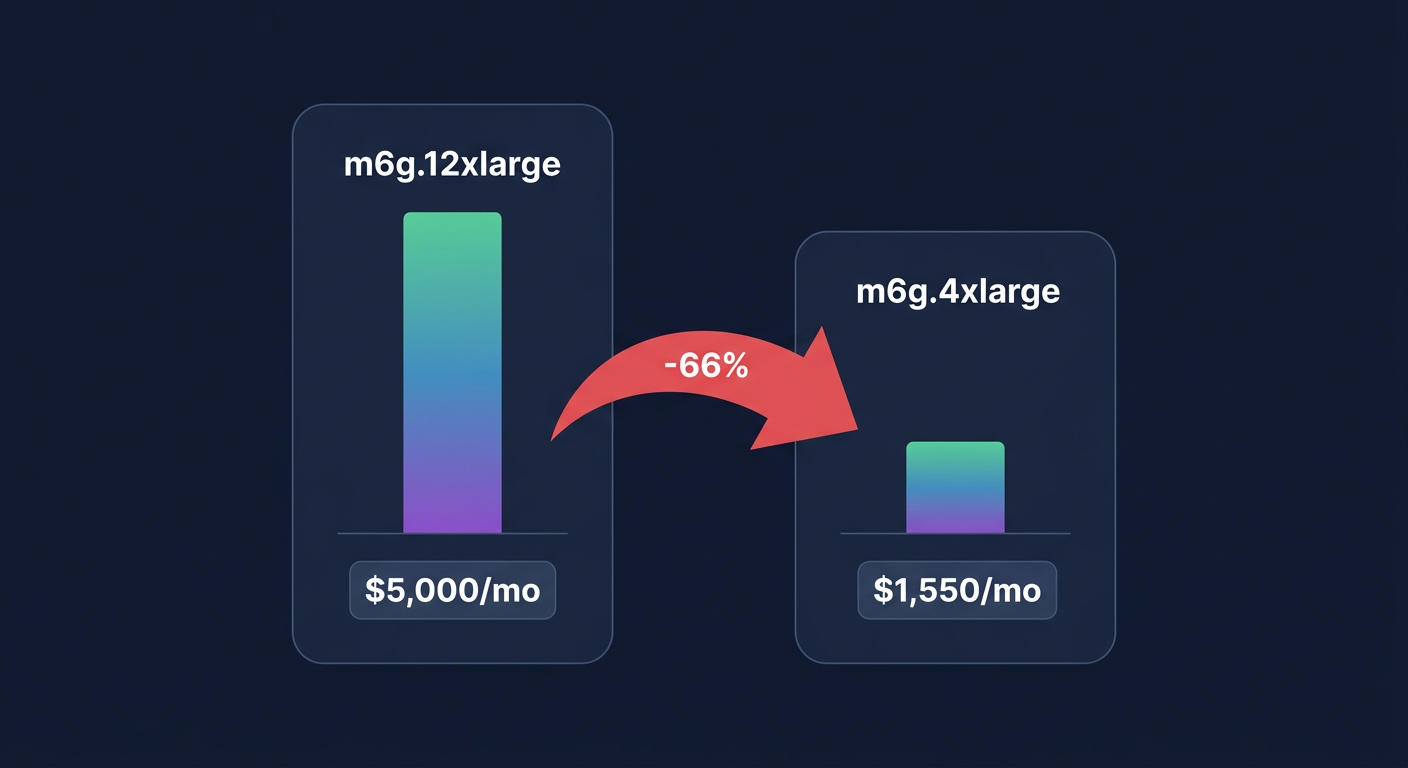
The most immediate path to savings is addressing over-provisioned data nodes. Many production clusters run with CPU and memory utilization below 70%, which indicates a prime opportunity for downsizing. In one documented case, switching a seven-node production cluster from m6g.12xlarge.search to m6g.4xlarge.search reduced monthly spend from over $5,000 to just under $1,550 – a 66% reduction in compute costs. Identifying these candidates is easier when you make use of AWS right-sizing tools that analyze historical performance data to find the sweet spot between capacity and cost.
When selecting instances, prioritize AWS Graviton-based families like the m6g or c6g series. These typically offer up to 40% better price-performance compared to comparable x86 instances. If your workload is heavily compute-bound, moving from a general-purpose M family to a compute-optimized C family can further lean out your spend. This architectural choice is often one of the highest-impact levers available for reducing the hourly burn rate of your data nodes.
However, you must balance these savings against performance targets. Monitoring your P99 latency is critical; right-sizing should only occur if you can maintain your SLAs under peak demand. For many, the goal isn’t just to find the cheapest instance, but to find the smallest instance that satisfies your specific CPU and memory constraints without hitting a performance cliff.
Leveraging UltraWarm and cold storage tiers
Storage is often the primary cost driver for logging and observability workloads. If you are keeping months of data in “Hot” storage, you are likely overpaying for performance you no longer need for aged logs. Hot storage, specifically gp3 EBS volumes, is designed for active indexing and single-digit millisecond latency. While gp3 is already 20% more cost-effective than older gp2 volumes, keeping massive datasets on EBS remains expensive.
To slash these costs, you should implement a tiered storage architecture that moves data based on its age and access frequency:
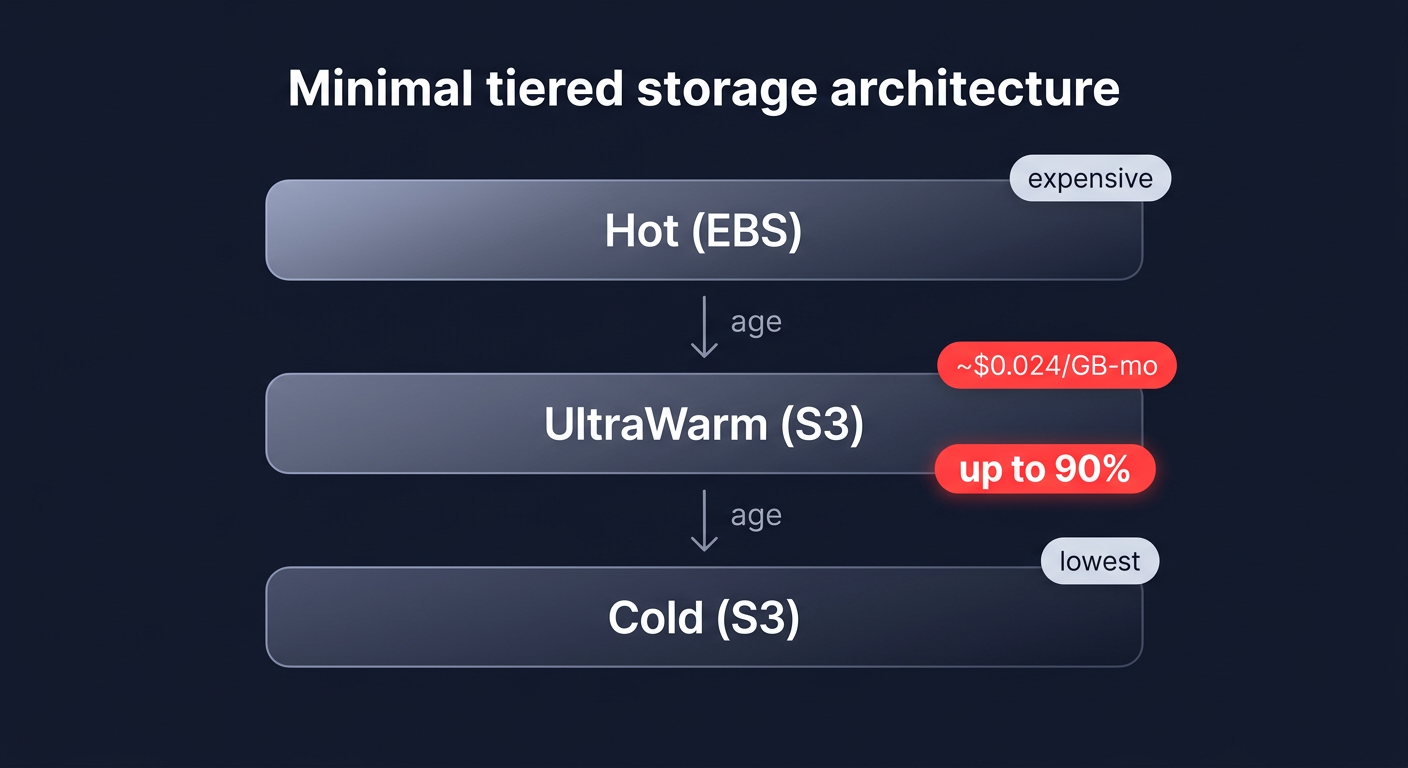
- UltraWarm storage: This tier uses Amazon S3 for storage but keeps data “warm” for interactive queries. At approximately $0.024 per GB/month, UltraWarm can provide up to 90% cost reduction per GB compared to standard EBS-backed hot storage.
- Cold storage: For data you rarely access but must retain for compliance, cold storage moves data entirely to S3. You only pay for the storage at S3 rates and a small compute charge when you explicitly request a query, representing the lowest-cost tier available.
By migrating indices from Hot to UltraWarm as they age, you can scale to petabytes of data while keeping your EBS footprint – and the associated IOPS and throughput charges – to a minimum.
Optimizing indexing and data modeling
How you structure your data directly impacts how much hardware you need to support it. Efficient data modeling reduces the CPU and memory pressure on your nodes, allowing you to run on smaller, cheaper instance types. Start by implementing Index State Management (ISM) to automate the lifecycle of your data, such as rolling over indices when they reach a certain size or automatically moving them to UltraWarm after 48 hours.
You should also consider index rollups, which aggregate historical data into higher time intervals, such as converting per-second metrics to per-hour summaries. This dramatically reduces the volume of data stored in your cost-effective tiers. On the modeling side, disabling the `_source` field or unused fields can significantly cut indexing overhead. Avoid high-cardinality field aggregations and complex wildcards where possible, as these are resource-heavy operations that often force teams to over-provision their clusters. By optimizing your field mappings and reducing the shard count to match your actual query patterns, you can often realize 20-40% storage savings without any loss in data utility.
Strategic commitments and automation
Once your cluster is right-sized and your storage is tiered, the final layer of optimization is your pricing model. AWS OpenSearch Service supports standard Reserved Instances, which can offer savings of 50% or more compared to on-demand pricing when you commit to a one- or three-year term. These discounts are essential for the baseline nodes that run your production environment around the clock.
However, manual commitment management is inherently risky. If your data volume drops or you change your architecture, you could be left paying for “zombie” capacity that no longer serves a purpose. This is where AWS rate optimization becomes vital. By blending commitments with an automated management strategy, you can maximize your effective savings rate without being locked into rigid configurations that no longer serve your business needs.
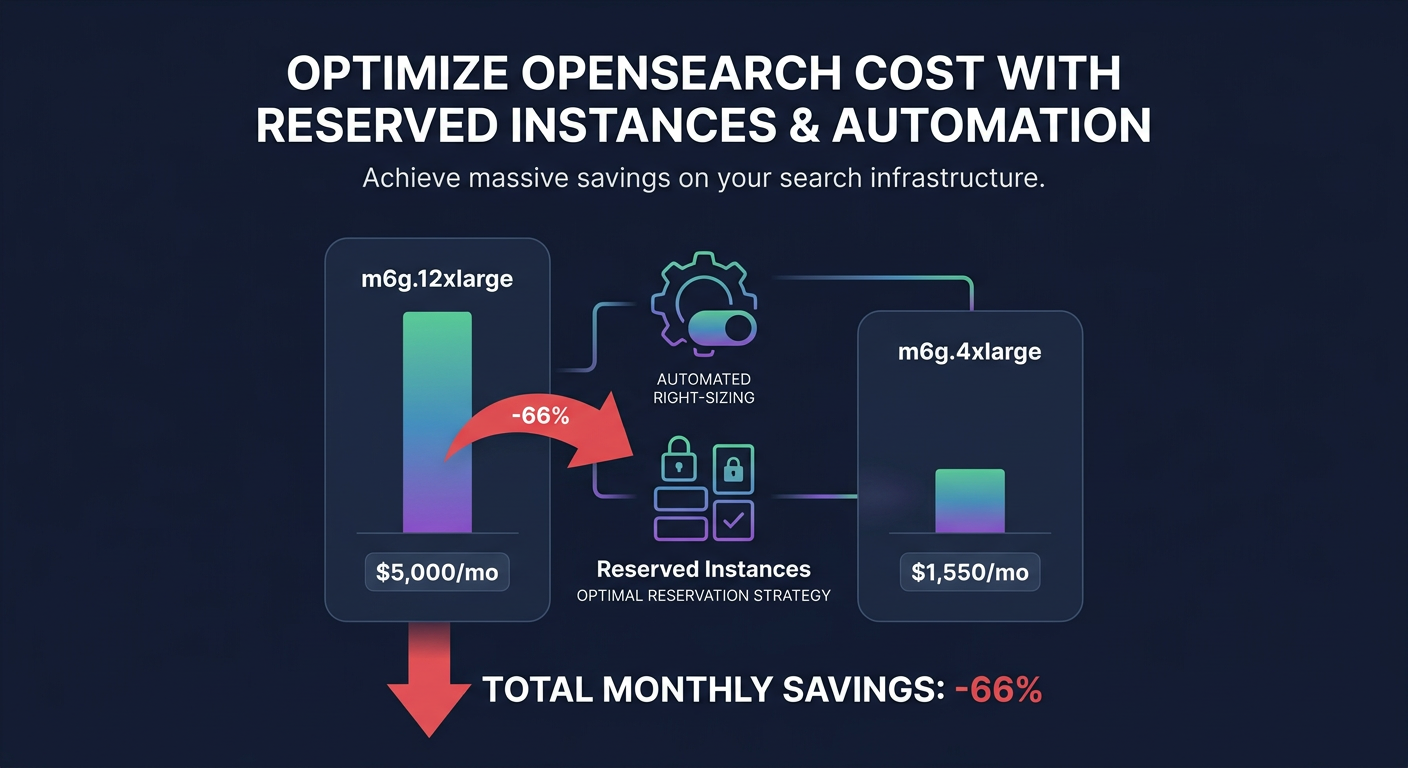
For many engineering teams, the effort required to manually audit every index, right-size every node, and manage complex commitment portfolios is prohibitive. Hykell provides an automated solution that handles this on autopilot, diving deep into your infrastructure to identify underutilized resources. By applying real-time cost monitoring, we ensure you never pay for more than you need, typically reducing total AWS spend by 40% without any engineering effort.
Stop guessing your cluster requirements and start reclaiming your budget. Use the Hykell savings calculator to see your potential reduction, or contact our team for a detailed cost audit that identifies hidden waste in your search infrastructure.