
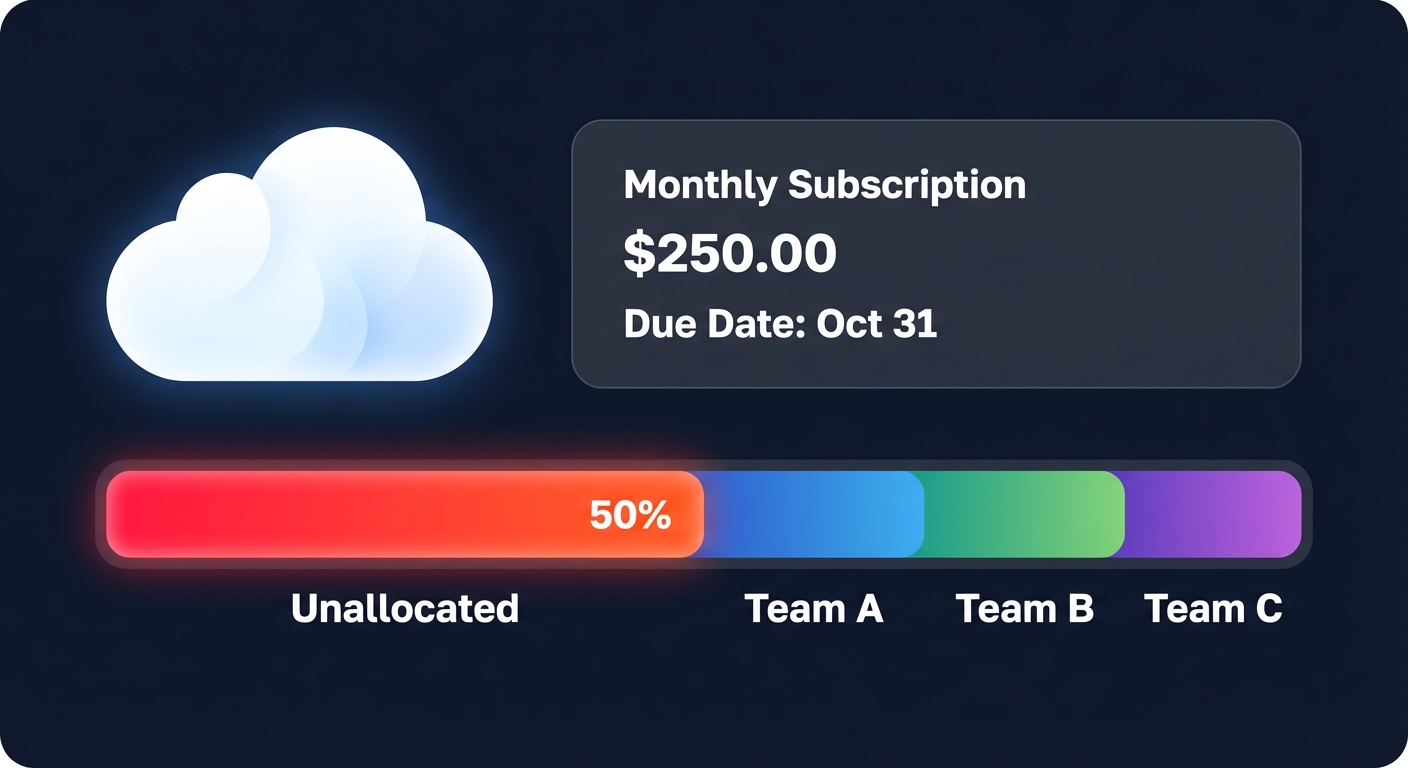
Is your AWS bill a “black box” where half your spend sits in an unallocated bucket? For many engineering leaders, the cloud invoice reveals what was spent, but rarely who spent it. Without cost allocation, your optimization efforts are flying blind.
Why cost allocation is the foundation of FinOps
In a decentralized cloud environment, engineers make financial decisions every time they provision a resource. If those costs are not attributed back to the responsible team, there is little incentive to optimize. Research suggests that organizations with comprehensive tagging report a 40–60% improvement in cost visibility and a subsequent 25–35% reduction in overall spend through increased accountability.
Effective allocation transforms your billing data into a strategic asset. It allows you to identify which product feature is driving a spike in storage costs or determine if your development environment is unexpectedly outspending production. By shifting from global spend tracking to granular AWS KPIs, you move from reactive firefighting to proactive financial management.
Core methods for AWS cost allocation
To build a reliable cloud cost governance framework, you must choose the allocation model that fits your organizational maturity. Most companies find that a combination of metadata and account-level boundaries provides the best balance of accuracy and ease of use.
- Cost allocation tags: These are key-value pairs attached to AWS resources. You can use AWS-generated and user-defined tags to categorize spend. It is vital to remember that tags must be activated in the Billing and Cost Management console before they appear in your reports, and they are not retroactive.
- Account-based allocation: Many organizations use AWS Organizations to create “hard” boundaries for costs. In this model, each business unit or environment (Dev, Staging, Prod) has its own account. This is often the most reliable method for cloud chargeback and showback strategies because it does not rely entirely on individual resource tagging.
- Showback vs. chargeback: Showback involves reporting costs to teams to create awareness without moving money, serving as an educational tool. Chargeback goes a step further by actually billing departments for their consumption, which enforces strict budget adherence and aligns cloud spend directly with departmental profit and loss statements.
Designing a robust tagging strategy
A “Goldilocks” taxonomy is essential for success: it should not be so simple that it lacks detail, nor so complex that it becomes impossible for engineers to maintain. Most successful practitioners start with four to six mandatory tags to ensure high compliance without causing friction.
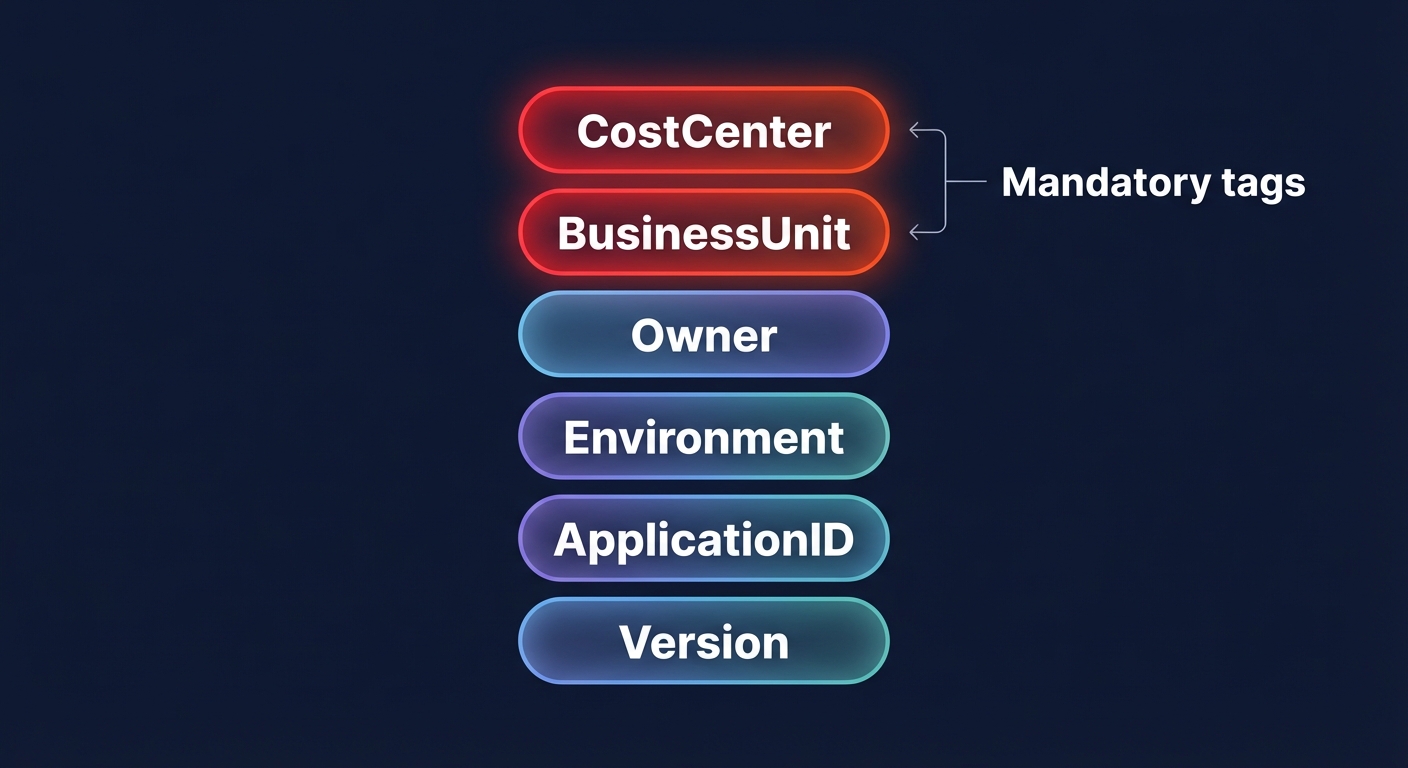
Business tags like `CostCenter`, `BusinessUnit`, and `Owner` are necessary to identify who pays the bill. Technical tags such as `Environment`, `ApplicationID`, and `Version` help engineers understand the infrastructure context. Finally, automation tags like `ScheduledStop` can be used by tools to trigger cost-saving actions. For example, scheduling non-production resources to shut down during off-hours can reduce compute costs by up to 76%.
Consistency is critical because AWS tags are case-sensitive. If one team uses `costcenter` and another uses `CostCenter`, the data will appear fragmented in AWS Cost Explorer. Establishing a global naming convention early on prevents these manual errors from undermining your reporting.
Solving the shared cost and multi-tenant challenge
The most difficult part of allocation is handling shared resources, such as NAT Gateways, shared database instances, or Kubernetes clusters. If a single cluster hosts dozens of different microservices, a simple “Account” tag cannot provide the necessary detail to understand ROI.
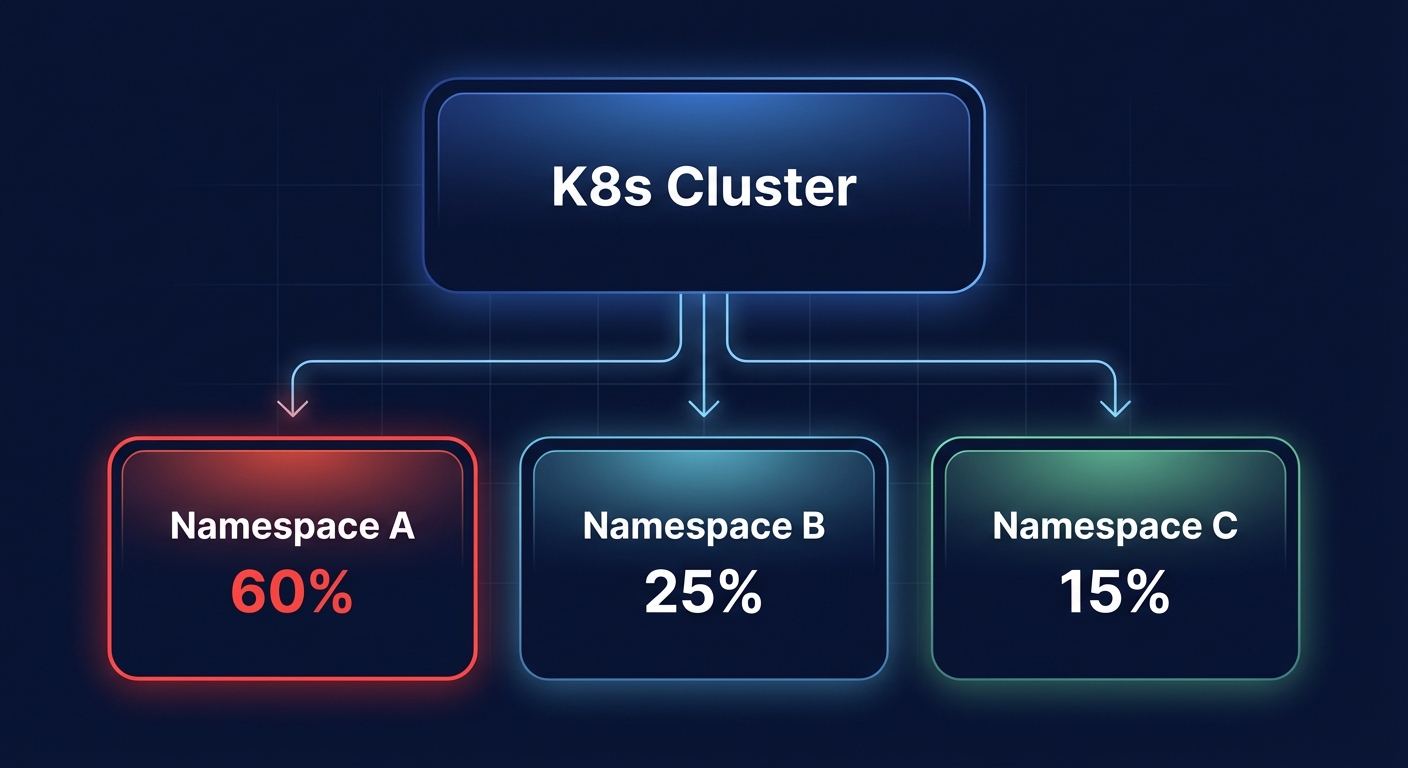
For containerized workloads, you need deeper granularity. Using Kubecost cost allocation for AWS allows you to break down costs by namespace, pod, and label. This data can then be reconciled with your AWS billing best practices to ensure that even shared infrastructure is fairly attributed to the teams using it.
For non-containerized shared services, many FinOps teams use proportional allocation rules. If one team owns 60% of the compute spend in an account, they may also be allocated 60% of the shared support and networking costs for that account. This ensures that “unallocated” line items do not obscure the true cost of running a specific product.
Implementing automated governance
Manual tagging eventually fails at scale. To maintain high data integrity, you must implement layered governance that moves from detection to prevention.
- Service Control Policies (SCPs): You can use SCPs at the AWS Organizations level to prevent engineers from creating resources if they lack mandatory tags. This “stop-gate” ensures that no resource enters your environment without the metadata required for billing.
- AWS Tag Policies: These policies enforce standardized capitalization and allowed values. For instance, you can mandate that the `Environment` tag must be one of “Prod,” “Staging,” or “Dev.”
- Automated Remediation: You can deploy automated tagging for AWS cost allocation using AWS Config and Lambda. These tools flag non-compliant resources and can either notify the owner or automatically terminate the resource after a grace period.
From visibility to automated optimization
Visibility through tagging is the first step, but it does not save money on its own. The real power of a robust tagging strategy is that it provides the business context required to implement optimizations safely.
When your resources are accurately tagged, automation platforms like Hykell can safely perform AWS rate optimization and rightsizing without risking production stability. By understanding which resources belong to which environment and owner, Hykell can automatically implement Savings Plans, Reserved Instances, and EBS optimizations that reduce your total AWS bill by up to 40%. This allows your engineering team to focus on innovation while the financial management of the cloud is handled on autopilot.
If you are ready to see how much your unallocated spend is costing you, you can conduct a cloud cost audit with Hykell today. This process turns your tagging data into immediate, automated savings without requiring ongoing engineering effort.

