
Why pay full price for EC2 when you can get the same compute power for 90% less? Mastering Spot Fleets allows your production workloads to thrive on spare capacity without the risk of sudden downtime or performance degradation.
The foundation of a resilient Spot Fleet configuration
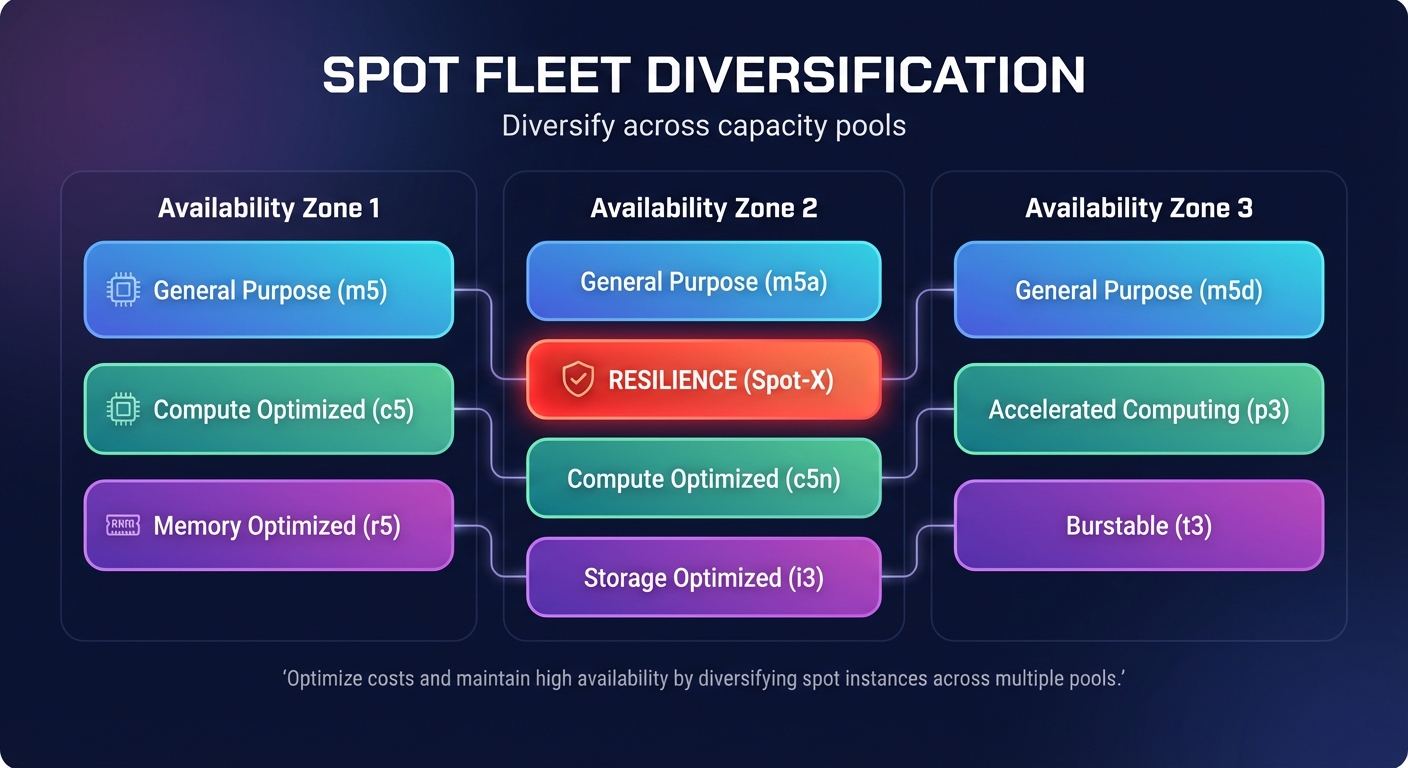
The secret to successfully running AWS Spot Instances for stable workloads lies in extreme diversification across Spot capacity pools. A capacity pool is defined as a set of unused EC2 instances of a specific type within a specific Availability Zone. If your configuration relies on a single instance type, you create a single point of failure that triggers when that specific pool’s capacity dries up.
AWS recommends maintaining flexibility across at least 10 different instance types for every workload to ensure high availability. You can simplify this by using attribute-based instance type selection, which allows you to specify your hardware requirements – such as vCPU count and memory – rather than manually picking individual types. To further improve reliability, you should use Spot placement scores to identify Regions and Availability Zones with the highest spare capacity before you deploy your fleet.
Selecting the right allocation strategy
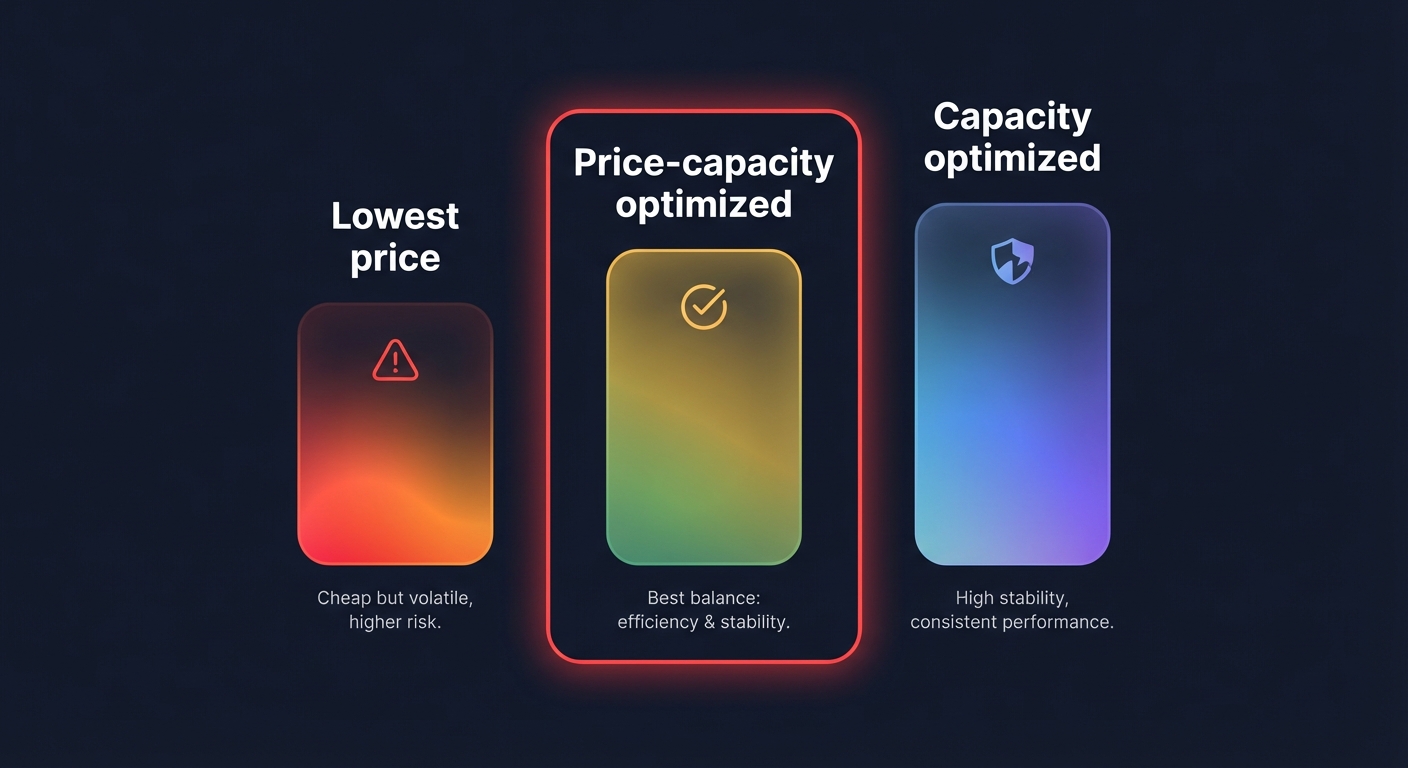
Your choice of allocation strategy determines how the fleet balances raw cost against infrastructure stability. While the “lowest price” strategy might seem like a shortcut for a cost optimization strategy, it frequently leads to higher interruption rates because the cheapest instances are often the most volatile.
The most effective approach for production environments is the price-capacity-optimized strategy. This method provisions instances from the deepest capacity pools while still prioritizing the lowest possible price, significantly reducing the frequency of the two-minute termination notice. If your primary goal is absolute uptime, the capacity-optimized strategy focuses exclusively on the deepest pools, further minimizing interruptions at a slightly higher price point than the lowest-cost option.
Operationalizing mixed instance policies and autoscaling
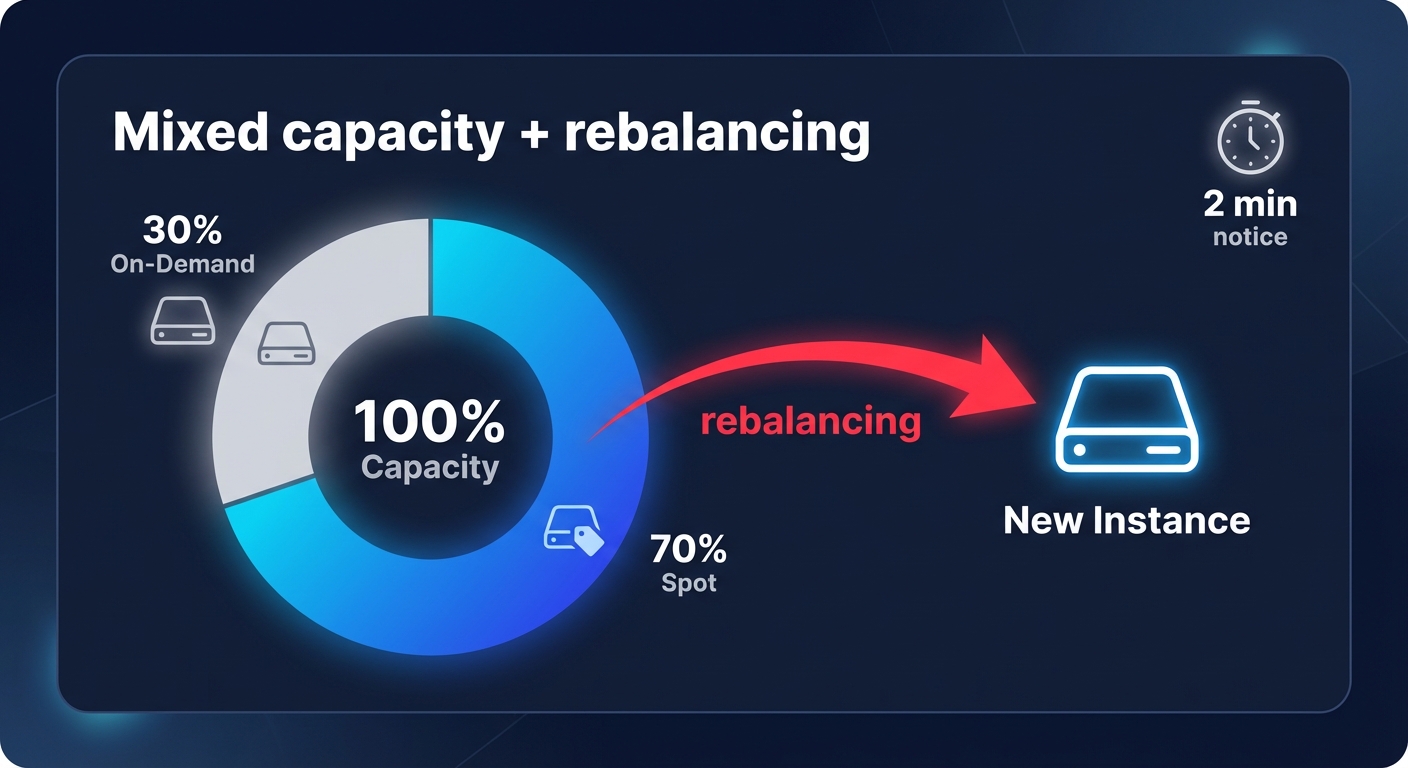
You should rarely run a fleet comprised entirely of Spot Instances for critical services. A more robust architecture involves implementing a mixed instance policy within your AWS EC2 auto scaling best practices. This allows you to define a “base” capacity of On-Demand instances to handle core traffic, while Spot Instances manage the remaining scale-out requirements and spikes.
Setting a base of 30% On-Demand and 70% Spot ensures that even if Spot capacity is completely reclaimed in a specific region, your service remains partially functional. You can enhance this setup by enabling the Capacity Rebalancing feature, which proactively monitors AWS capacity signals. This tool automatically launches replacement instances before an existing Spot Instance is interrupted, facilitating a seamless transition of traffic and maintaining aggregate capacity.
Handling interruptions with two-minute warnings
AWS provides a two-minute notification via the instance metadata service and Amazon EventBridge before spare capacity is reclaimed. To maintain performance, your automation must be prepared to act instantly within this window. Effective interruption handling involves immediate graceful draining, where the instance deregisters from your Load Balancer to stop receiving new requests.
For long-running batch jobs or data processing, you should implement checkpointing every 10 to 30 minutes to save progress to durable stores like Amazon S3 or DynamoDB. Additionally, you should optimize your health checks with aggressive liveness and readiness probes at 5 to 10 second intervals. This ensures your orchestrator detects a draining instance and routes traffic away before the instance disappears. Teams running containerized workloads can further streamline this by integrating Karpenter for AWS to provision the most cost-effective nodes dynamically based on real-time pod requirements.
Beyond manual management: putting savings on autopilot
Native AWS tools provide the framework for savings, but the engineering overhead of monitoring interruption rates, adjusting diversification strategies, and balancing AWS Savings Plans vs Reserved Instances can quickly overwhelm DevOps teams. Manually tweaking Spot Fleet weights and allocation strategies often takes your engineers away from core product innovation.
Hykell removes this operational burden by taking AWS rate optimization off your plate entirely. The platform continuously analyzes your workloads and applies the most efficient mix of discounts and capacity types in real-time. This ensures you achieve the lowest possible effective savings rate without risking your application’s performance or violating your SLAs.
If you are ready to stop managing cloud costs manually and start seeing a 40% reduction in your AWS bill, discover how Hykell automated cloud cost optimization can put your infrastructure savings on autopilot.

