
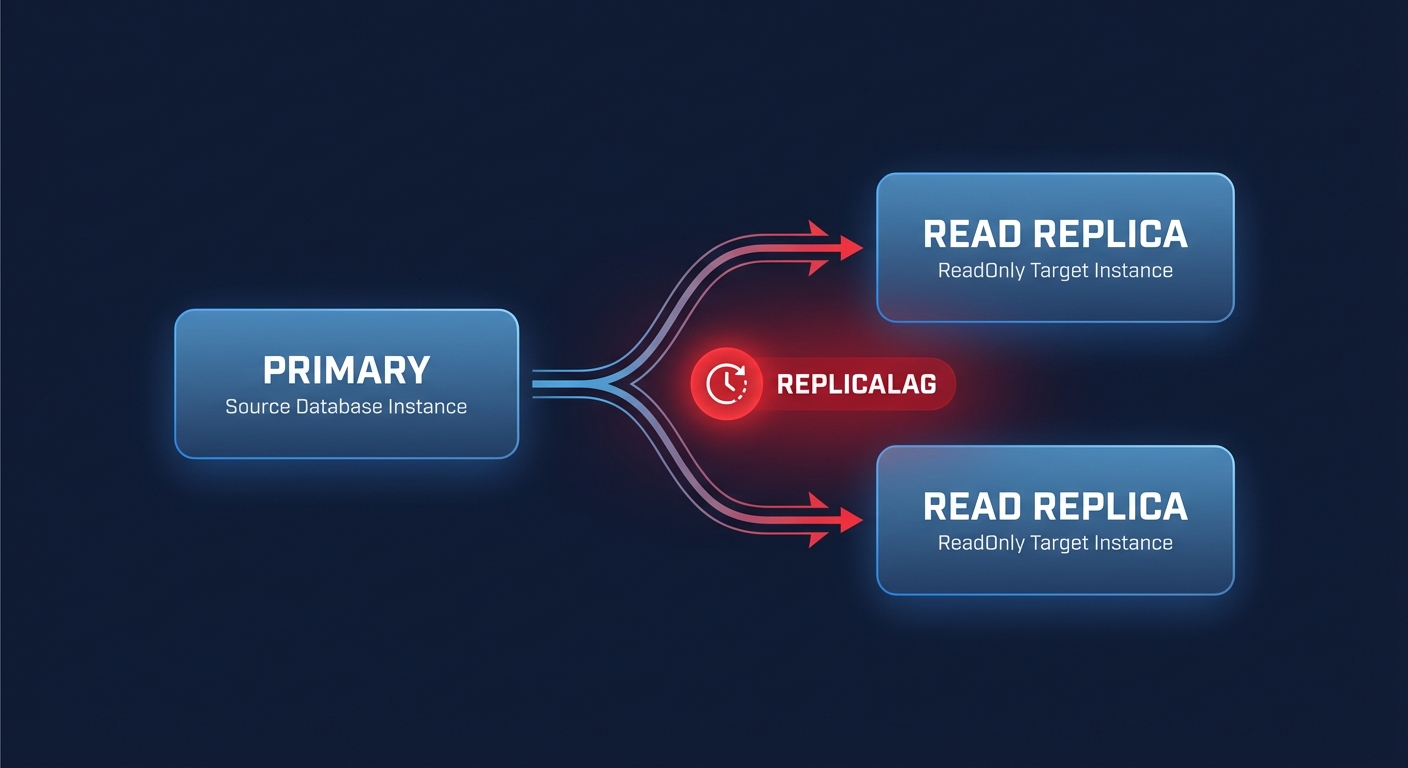
Does replica lag stall your application’s performance? When your read replicas fall behind the primary instance, users face stale data and your architecture loses its ability to scale. Understanding why these delays occur is the first step toward building a high-performance, cost-effective database environment.
How AWS RDS replication works under the hood
Amazon RDS relies on the engine’s native asynchronous replication to update read replicas whenever a change occurs on your source database. For RDS MySQL and MariaDB, this process utilizes binary logs to perform logical replication. In contrast, engines like PostgreSQL use physical replication via Write Ahead Log (WAL) records to keep data synchronized.
The lifecycle of a replica begins when RDS takes a snapshot of your source instance to serve as a baseline. While this snapshot is non-blocking, the background copy process can introduce latency for high-throughput applications. To understand the storage mechanics that influence this initial phase, you can explore how EBS snapshot operations impact I/O performance. Once the replica is active, the primary instance streams changes asynchronously. While this prevents the primary from waiting for the replica to acknowledge writes, it makes a certain amount of “ReplicaLag” inevitable.
Architectures requiring near-instantaneous synchronization often move toward Amazon Aurora. Aurora uses a shared storage volume, allowing up to 15 replicas to view the same underlying data without traditional copying. This design typically reduces lag to sub-10ms levels. If you are managing complex clusters, our guide on AWS Aurora performance tuning provides deeper insights into these storage fundamentals.
Identifying common read replica bottlenecks
Diagnosing lag requires you to look beyond the database engine and into the underlying infrastructure. Most read replica bottlenecks stem from resource exhaustion or configuration mismatches between the primary and the replica.
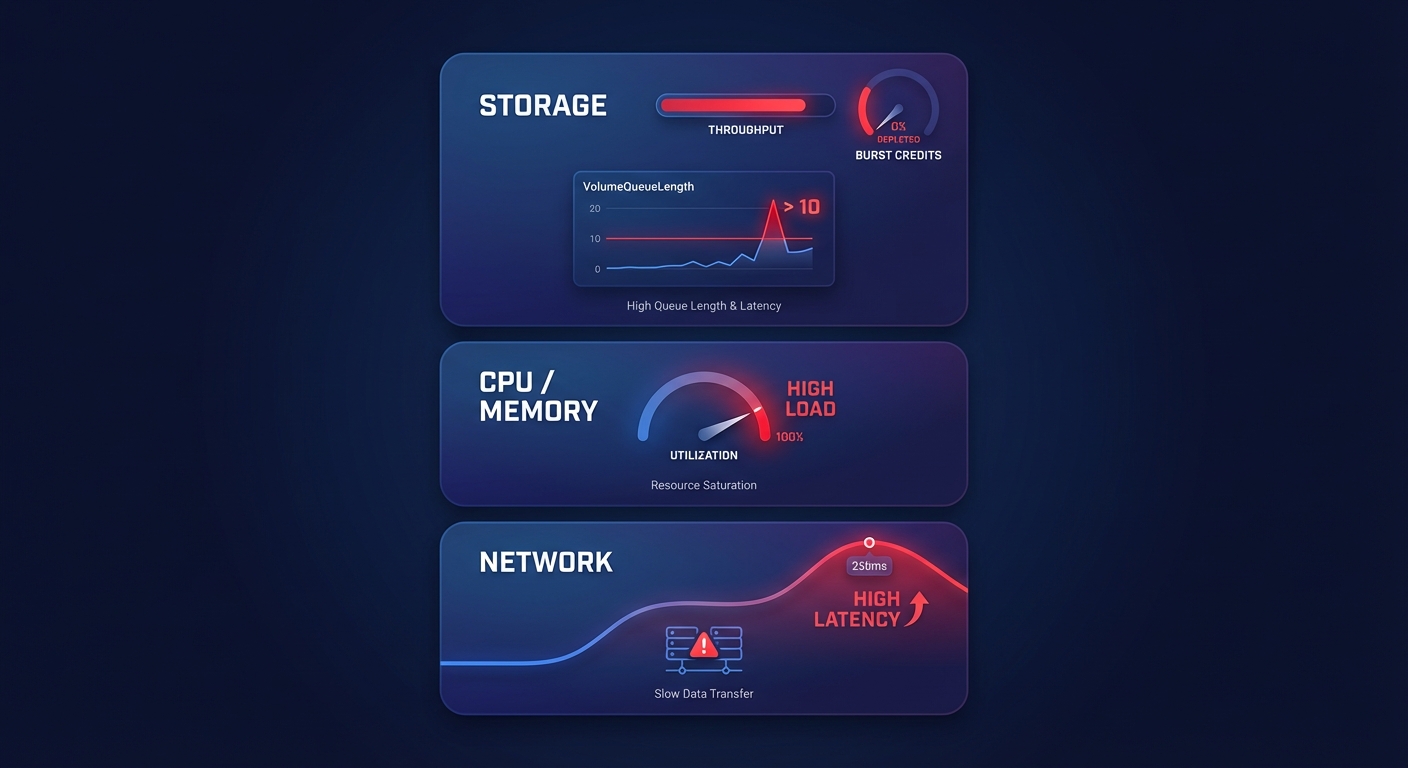
Storage limits are frequently the primary culprit. If your replica runs on a storage tier with insufficient throughput, it cannot apply incoming changes fast enough. This is especially common with gp2 volumes that have depleted their burst credits. Transitioning to gp3 volumes allows you to decouple size from performance, which is a key strategy when optimizing EBS throughput and IOPS for database workloads.
Computing power also plays a critical role. Replicating data is resource-intensive; if your replica is smaller than your primary instance, it may struggle to handle both the replication stream and user queries simultaneously. This often manifests as memory pressure and “disk thrashing.” You can identify these issues by monitoring the BufferCacheHitRatio in CloudWatch. Furthermore, long-running queries on the primary instance can delay binary log generation, creating a spike in lag that originates from the source rather than the replica itself. Finally, while network latency is rare within a single Availability Zone, cross-region replicas are highly sensitive to inter-region bandwidth fluctuations.
Concrete tuning patterns for better read throughput
You can often improve performance without simply increasing your instance size. By applying specific architectural patterns and parameter adjustments, you can gain significant headroom for read-heavy workloads.
Use RDS Optimized Reads
Amazon recently introduced a feature that can provide up to 2x faster query processing for certain workloads. By utilizing RDS Optimized Reads, the database uses local NVMe-based instance storage for temporary tables and internal sorts. This offloads I/O from your EBS volumes, which reduces the pressure on your primary storage and significantly lowers overall latency for complex queries.
Transition to Graviton instances
Moving your RDS instances to AWS Graviton processors, such as the R7g or M7g families, can deliver up to a 35% cost-performance improvement compared to x86-based instances. This is often the most effective way for DevOps teams to increase throughput while simultaneously lowering the monthly bill. For guidance on making this transition, consult our EC2 instance type selection guide.
Optimize storage and parameters
If your CloudWatch metrics show a VolumeQueueLength consistently above 10, your storage is likely the bottleneck. Standardizing on gp3 allows you to provision specific IOPS and throughput independently of volume size, ensuring your replica has the performance it needs without paying for unused disk space. Detailed characteristics of these volume types are available in our guide where AWS IOPS explained helps you match storage to workload demand. Additionally, you should tune your parameter groups specifically for the replica. For instance, increasing the buffer pool size to roughly 75% of available RAM on memory-optimized instances ensures more data stays in-cache, reducing expensive disk reads.
Architecting for cost-efficient scale
A common mistake in AWS environments is scaling vertically by choosing larger instances when horizontal scaling through more replicas would be more cost-effective. By implementing a read-write splitting pattern, where your application sends SELECT queries to replicas and updates to the primary, you can distribute the load more effectively. Standard RDS supports up to five replicas, while Aurora can handle 15.
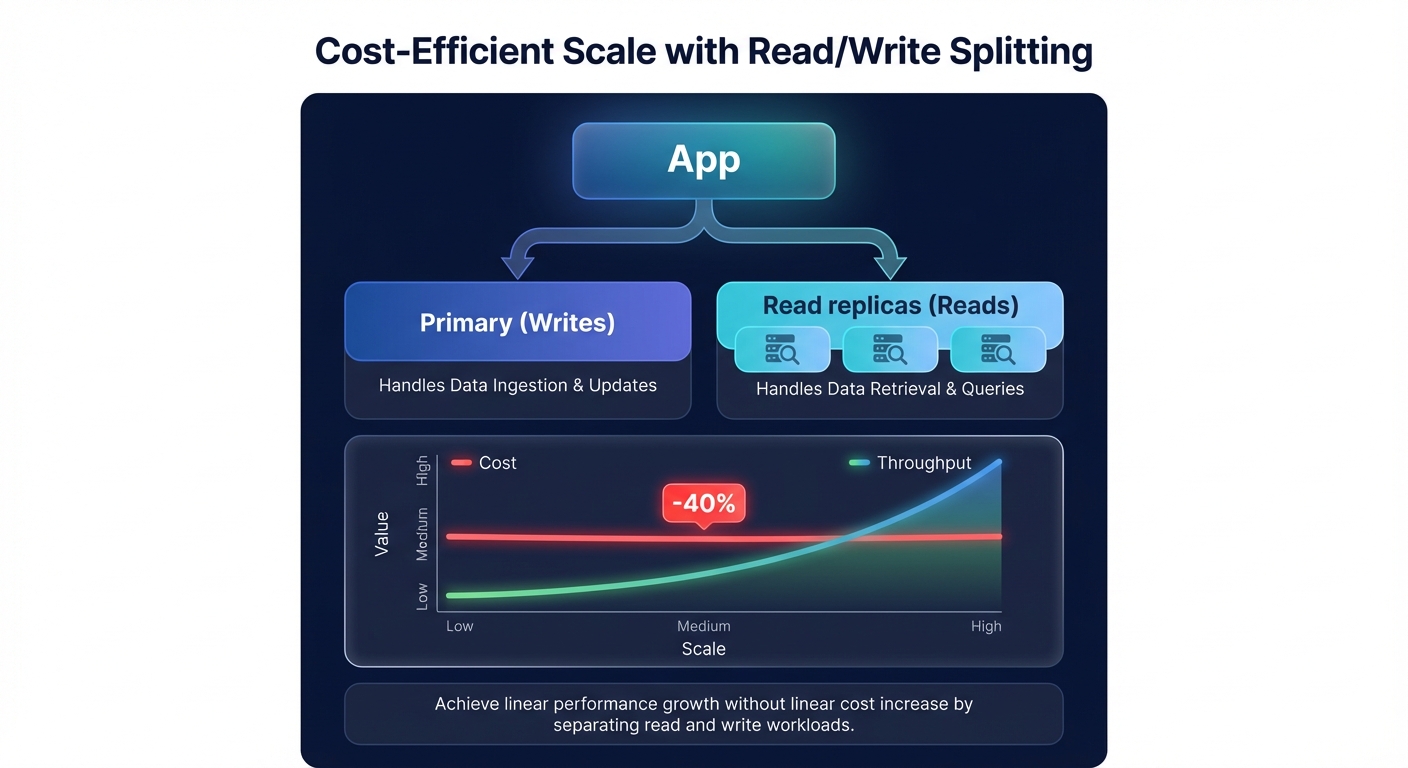
Managing these replicas manually often leads to over-provisioning and wasted spend, with many organizations losing up to 35% of their database budget to idle resources. The most efficient teams right-size your RDS instances and storage based on actual p95 utilization metrics rather than static guesses.
Hykell helps you navigate these trade-offs by automating the heavy lifting of cloud cost management. Our platform identifies underutilized read replicas and optimizes your storage configurations – such as migrating gp2 to gp3 – on autopilot. Hykell typically helps AWS users reduce their cloud expenses by up to 40% without sacrificing performance. If you are ready to stop overpaying for your database throughput, book a free cost audit with Hykell today. We only take a slice of what you save – if you don’t save, you don’t pay.

