
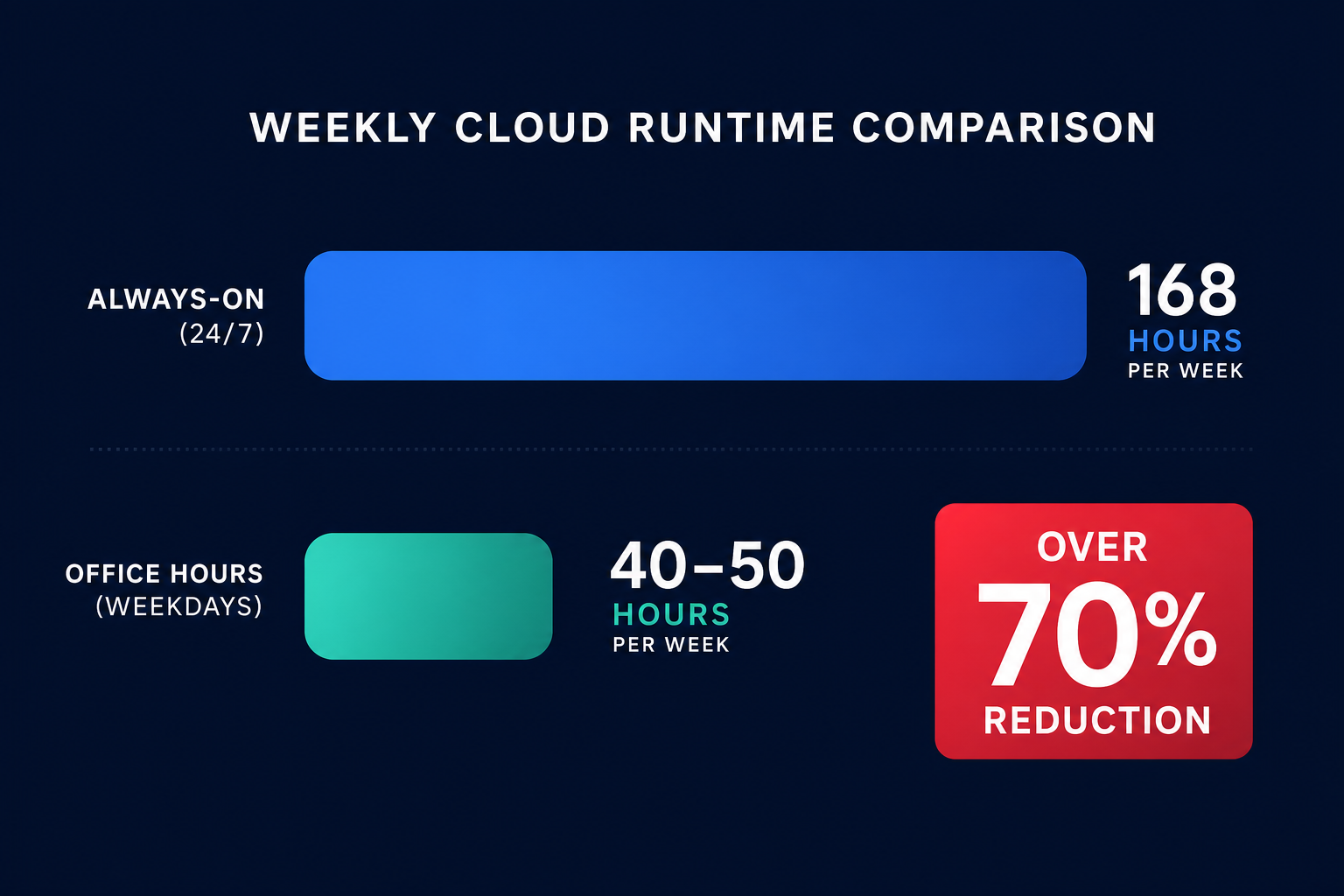
Are you paying for idle compute power at 3:00 AM on a Sunday? Most development and staging environments run 24/7 despite only being needed 50 hours a week. Automated scheduling can reclaim over 70% of your non-production compute costs immediately.
Standard business operations typically only require infrastructure to be active 40 to 50 hours per week. However, without a proactive strategy, your instances run for all 168 hours. By implementing automated AWS EC2 cost optimization through scheduling, you can reduce the runtime of non-production resources by over 70%, immediately reclaiming a significant portion of your cloud spend.
The financial impact of non-operational uptime
The math of instance scheduling provides one of the most compelling arguments in FinOps. When you leave a development instance running 24/7, you are paying for 168 hours of compute. If that same instance is only needed Monday through Friday, 8:00 AM to 6:00 PM, you only need 50 hours of uptime. This simple shift represents a 76% reduction in hourly costs for that specific resource.
At Hykell, we’ve seen organizations routinely waste 30–50% of their cloud budget on idle infrastructure. While AWS rate optimization handles your steady-state production workloads by managing the lifecycle of Savings Plans and Reserved Instances, scheduling is the primary lever for eliminating waste in ephemeral and non-production environments.
Automated scheduling for Amazon EC2
To stop paying for EC2 instances during off-hours, the instances must be moved into a “stopped” state. AWS does not charge for EC2 instance usage or data transfer fees while an instance is stopped. However, you must account for specific technical requirements and residual costs to ensure the strategy is effective:
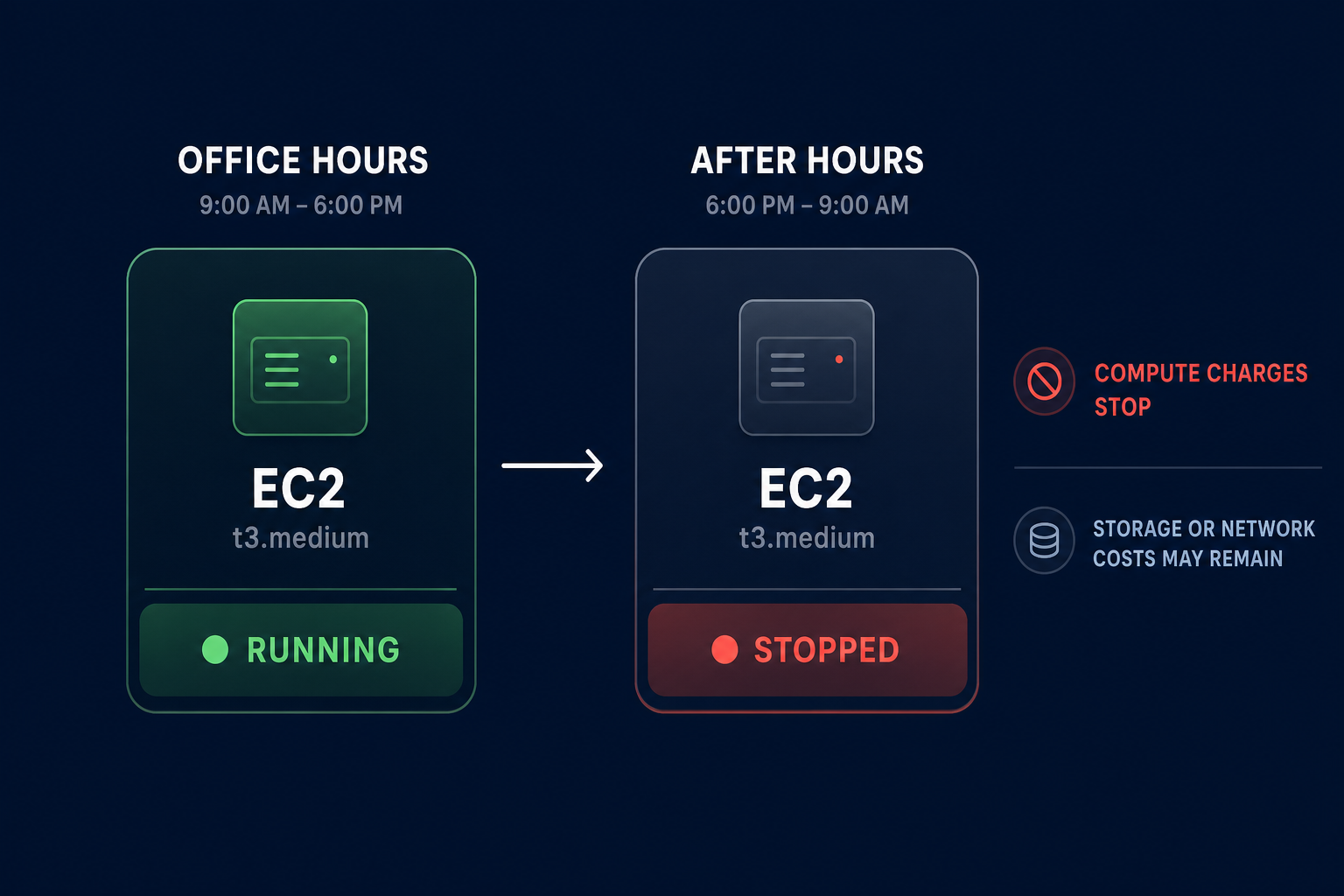
- EBS root volume requirements: You can only stop and start an instance if it uses an Amazon EBS volume as its root volume. Instance store-backed instances cannot be stopped; they can only be terminated, which complicates scheduling for persistent workloads.
- Persistent storage and networking costs: While compute charges stop, you will still be charged for the EBS volumes attached to the instance. Additionally, charges apply for Elastic IP addresses that remain allocated to your account but are no longer associated with a running instance.
- Automation deployment: You can use AWS Systems Manager Quick Setup to configure schedules across multiple accounts and regions without writing custom code, streamlining the implementation across large organizations.
Challenges with scheduling Amazon RDS
Automating the stop and start of RDS instances is slightly more complex than EC2 due to the managed nature of the service. While stopping RDS instances during off-hours is a proven play for RDS cost optimization, there are hard constraints on how long an instance can remain inactive.
An Amazon RDS DB instance can only be stopped for a maximum of seven consecutive days. After this period, AWS automatically starts the instance to perform required maintenance and security patching. If your environment needs to stay down longer, your automation must be intelligent enough to detect this restart and stop the instance again to avoid unnecessary charges.
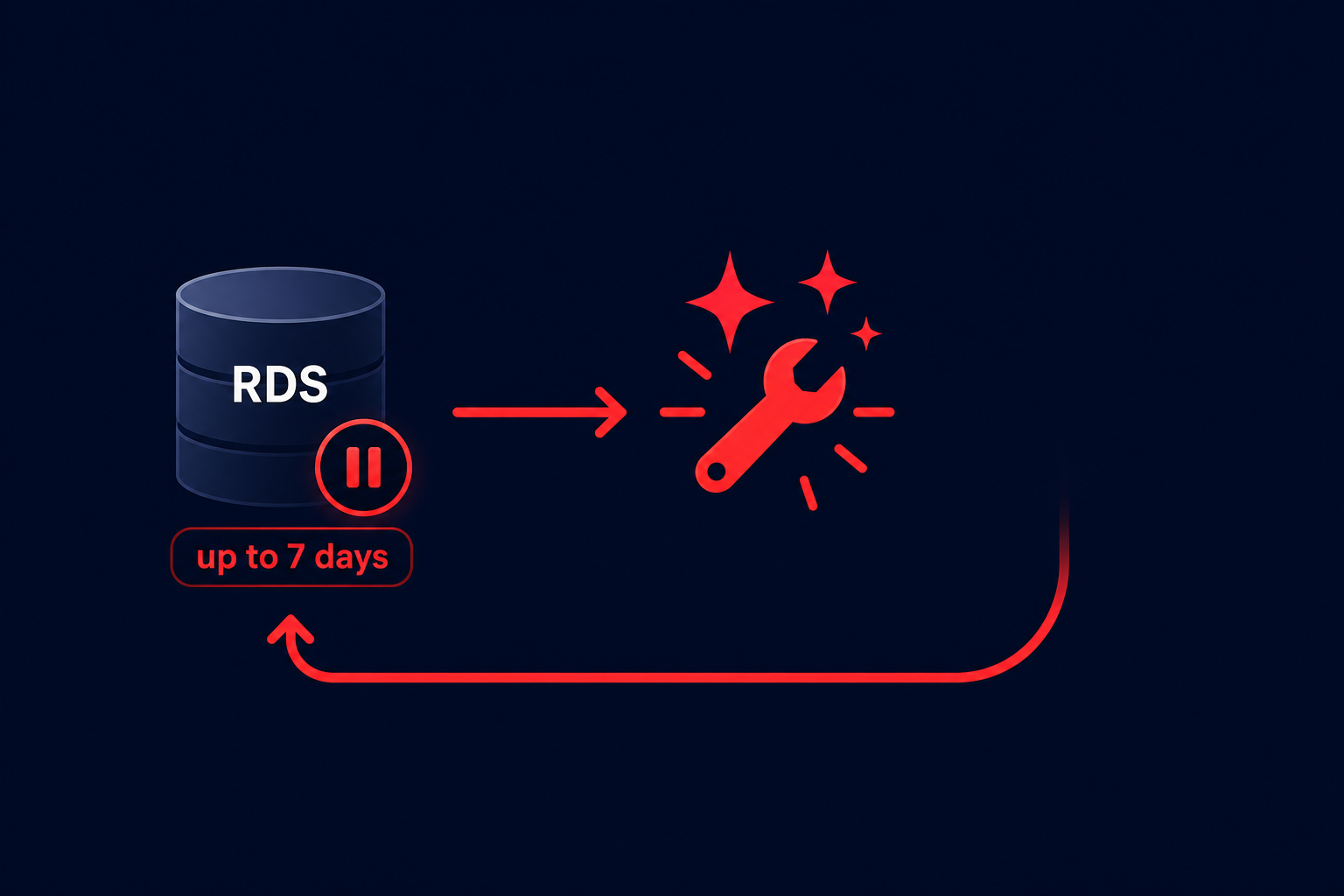
Furthermore, while compute charges cease, RDS provisioned storage, provisioned IOPS, and backup costs continue to accrue. To maximize your savings, you should combine scheduling with a snapshot lifecycle policy to clean up stale data and snapshots that no longer serve a business purpose.
Governance through automated tagging
Automated scheduling is only effective if you can accurately distinguish between a critical production database and a disposable development instance. This is where automated tagging for AWS cost allocation becomes your most important governance tool.
By enforcing a tagging policy where every resource must have an “Environment” or “Schedule” tag, you can use the Instance Scheduler on AWS to target specific resources. For example, a tag like `Schedule: office-hours` could trigger a Lambda function to start instances at 8:00 AM and stop them at 6:00 PM. Using Service Control Policies (SCPs) to deny the creation of untagged resources ensures that no “zombie” instances slip through the cracks.
Moving beyond scheduling to full autopilot
Scheduling is a powerful first step, but it only addresses part of the equation. To truly minimize your AWS bill, you must combine scheduling with automated AWS rightsizing. While scheduling reduces the time an instance is running, rightsizing ensures that when it is running, it is the most cost-effective size for the workload.
The challenge for most teams is the ongoing engineering effort required to monitor CloudWatch metrics, adjust schedules as project timelines shift, and manage the complexity of commitment portfolios. Manual audits often become obsolete before they are even finished, leaving 30–50% safety buffers that inflate your costs.
Hykell removes this burden by putting your cost optimization on autopilot. We systematically identify underperforming resources, eliminate waste, and manage your commitment portfolio without requiring a single hour of internal engineering time. Our platform ensures you achieve an Effective Savings Rate (ESR) that often reaches 50–70% on compute by continuously adjusting to your real-time usage patterns.
Stop paying for idle capacity and start optimizing with precision. Use our cloud cost savings calculator to see exactly how much your business can save by automating your AWS infrastructure.

