

Are you still manually clicking “Purchase” on Savings Plan recommendations every month? Relying on human intervention for cloud financial management often leads to missed coverage and wasted spend. By leveraging native AWS APIs, you can transform AWS rate optimization into a self-driving financial engine.
The core engine: CreateSavingsPlan API
While the AWS Management Console is designed for manual transactions, the underlying Savings Plans API allows for programmatic execution. The primary tool for automation is the `CreateSavingsPlan` action. This API call requires specific parameters, including the `savingsPlanOfferingId`, the hourly `commitment` amount, and your preferred payment option, such as No Upfront, Partial Upfront, or All Upfront.
To build a functional automation, you must first identify the correct offering ID using the `DescribeSavingsPlansOffering` action. Because Savings Plans offer discounts between 30% and 72% on steady-state workloads, getting the commitment amount right is critical. You can use the AWS Savings Plan calculator or the Cost Explorer API to determine your baseline usage before programmatically triggering a purchase.
Building the native automation workflow
Since AWS does not currently offer a “one-click” auto-purchase toggle, you must orchestrate several native services to handle the logic. A robust workflow typically follows this structure:
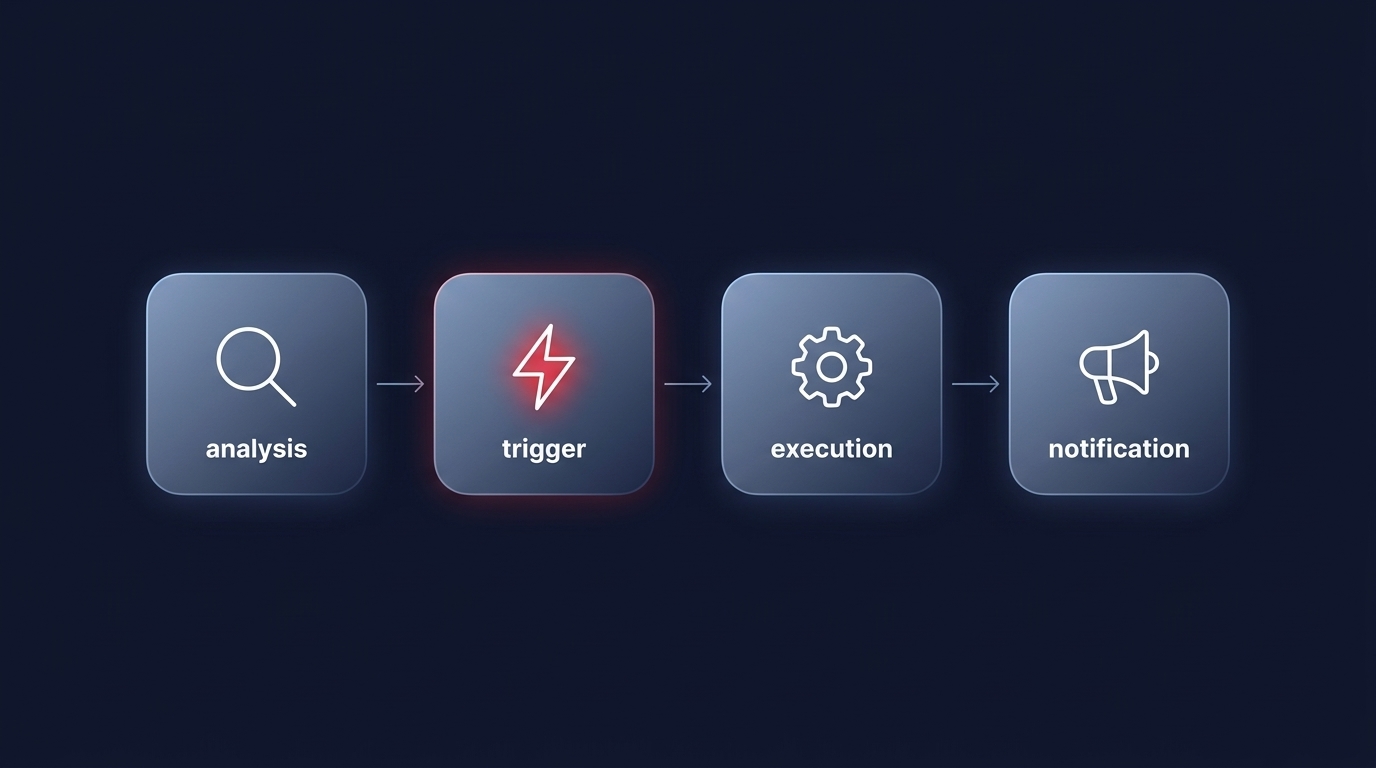
- Analysis: Use the AWS cloud cost explorer or the Cost Optimization Hub to retrieve purchase recommendations. These tools analyze your historical usage and provide a recommended commitment value with high confidence intervals.
- Triggering: Set up AWS EventBridge to run on a recurring schedule or trigger based on a state change. For instance, you can configure EventBridge to react when an existing Savings Plan expires or reaches its end-of-term state.
- Execution: Point the EventBridge rule to an AWS Lambda function. This function parses the recommendations, validates them against your predefined “maximum commitment” guardrails, and executes the `CreateSavingsPlan` API call.
- Notification: Integrate Amazon SNS to alert your FinOps or engineering teams whenever an automated purchase is successful.
When setting up these triggers, be mindful of AWS EventBridge pricing and cost management to ensure your automation remains cost-effective as event volume grows.
Implementing strategic guardrails
Automation without oversight can lead to overcommitment, which is why a guardrails-first approach is essential. Before deploying a Lambda-based purchaser, you should define your risk appetite within your code to ensure the system does not exceed intended budgets during unusual traffic spikes.
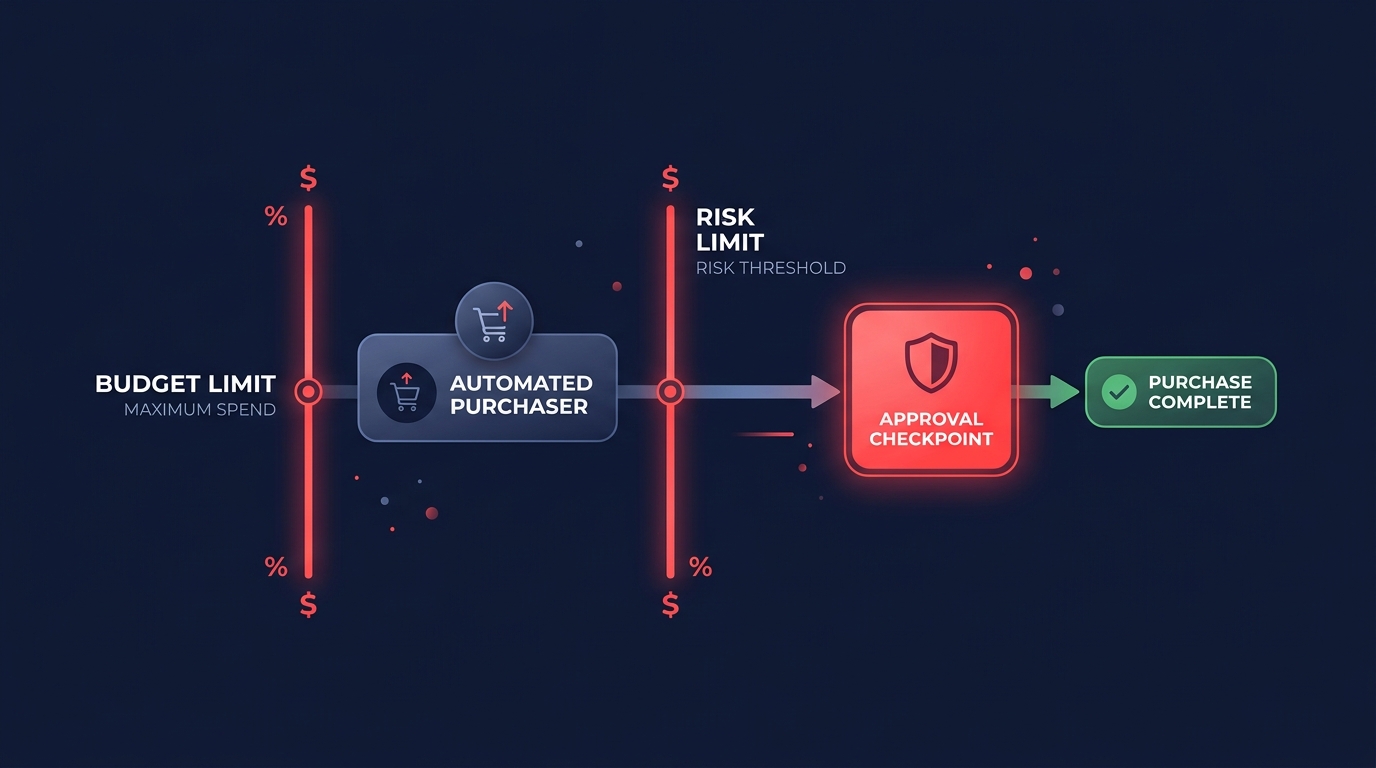
- Incremental purchasing: Rather than purchasing 100% of your recommended commitment at once, configure your automation to buy in smaller increments. This preserves flexibility and reduces the risk of lock-in if your architecture changes suddenly.
- Approval gates: For large commitments, use AWS Step Functions to insert a manual approval step. The system can send a notification via AWS Chatbot to Slack, requiring a human to click “Approve” before the Lambda function executes the purchase.
- Tag-driven analysis: Ensure your automation only considers workloads with stable utilization. By using automated tagging for AWS, you can exclude experimental or short-term projects from your commitment calculations.
Monitoring and continuous rebalancing
Once your automated system is live, you must monitor its performance to ensure you are achieving a high Effective Savings Rate (ESR). AWS Budgets can be integrated into your workflow to monitor Savings Plan utilization. If utilization drops below a certain threshold, such as 90%, you can trigger cost anomaly detection automation to investigate why the committed spend is not being utilized.
Regularly comparing Compute Savings Plans vs. EC2 Instance Savings Plans is also necessary. Your automation might need to switch strategies if you migrate from EC2 instances to Fargate or Lambda, as Compute Savings Plans offer the broad flexibility required for modernizing workloads across different services and regions.
Beyond native scripts: Optimization on autopilot
Building and maintaining custom Lambda scripts for financial transactions requires ongoing engineering effort and carries the risk of logic errors that could lead to expensive overcommitments. While native tools provide the building blocks, they often lack the sophisticated algorithmic balancing required to maximize every dollar across a complex, multi-account environment.
Hykell takes this burden off your plate by providing a fully automated, AI-driven commitment management platform. We do not just provide recommendations; we execute the optimal mix of Savings Plans and automated reserved instance management in real-time. This approach allows your team to focus on innovation rather than manual financial maintenance.
Stop managing cloud costs manually and start saving on autopilot. Use our AWS cost savings calculator to see exactly how much you can save, or contact us today for a detailed cost audit to unlock your full savings potential.

