What is FinOps? A comprehensive guide to cloud financial management
Your AWS bill just jumped 40% month-over-month. Engineering says the architecture hasn’t changed, finance wants answers, and no one can point to what actually drove the spike.
This scenario plays out daily across companies running on AWS without a FinOps practice. The FinOps Foundation defines FinOps as “an operational framework and cultural practice which maximizes the business value of cloud and technology, enables timely data-driven decision making, and creates financial accountability through collaboration between engineering, finance, and business teams.” Here’s what that means for your organization, why it matters, and how to implement it on AWS.

Understanding FinOps: More than just cost-cutting
The term “FinOps” is short for Finance and DevOps – not “Financial Operations” as many assume. The FinOps Foundation clarifies it represents “a marriage between Finance and DevOps,” emphasizing collaboration between technical and financial teams to optimize cloud value rather than simply reduce spending.
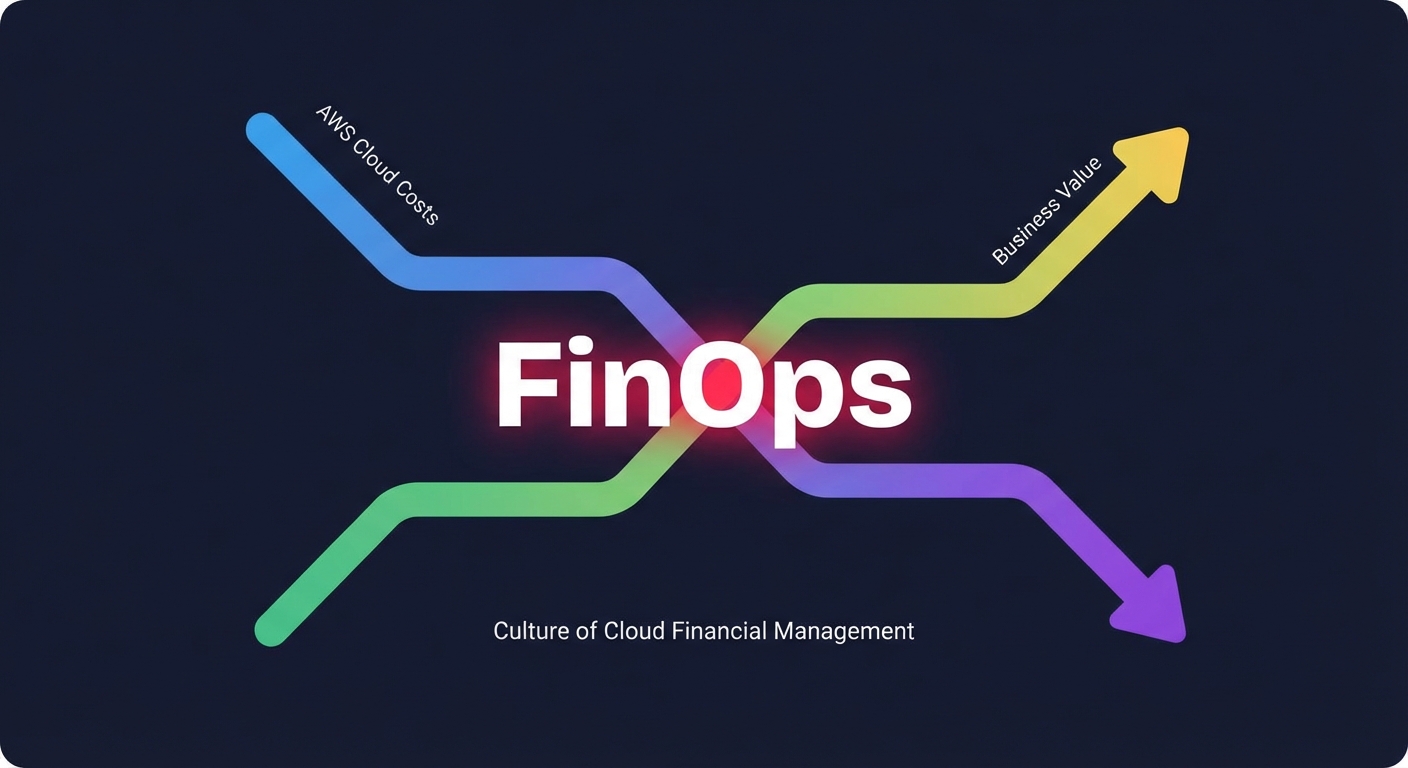
FinOps isn’t about spending less – it’s about spending smarter. The goal isn’t to slash your AWS bill to zero but to maximize business value per dollar spent while maintaining the performance your customers expect. When your product team launches a feature that drives revenue, FinOps helps you understand the cloud cost behind that growth and whether the return justifies the spend. This approach treats cloud spending as a variable business investment rather than a fixed IT cost, meeting the dynamic reality of on-demand infrastructure.
Early adopters like Spotify, Nike, and MIT implemented FinOps practices before the FinOps Foundation merged with the Linux Foundation in June 2020, demonstrating that FinOps is a cultural practice where everyone takes ownership of cloud usage supported by a central best-practices group.
The three core phases of FinOps
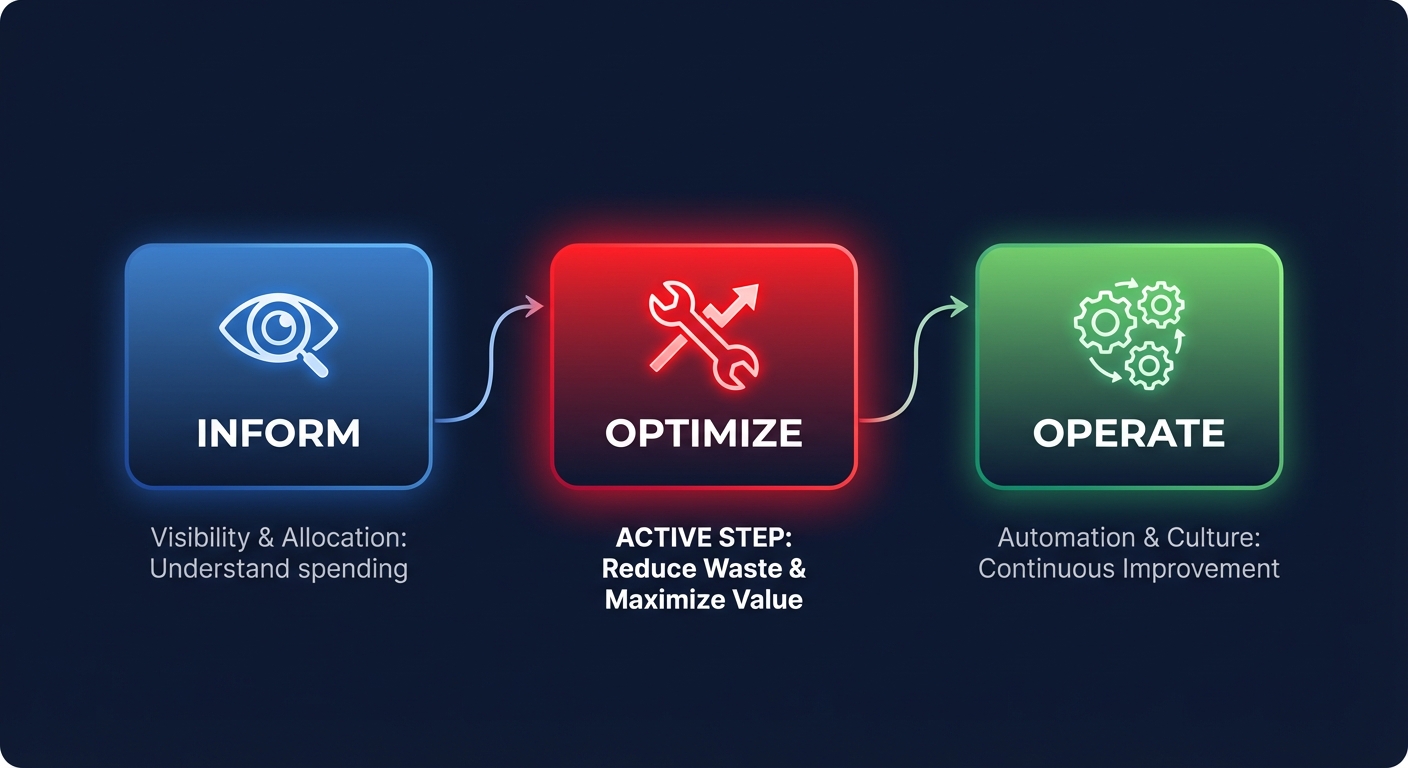
FinOps operates through three iterative phases: Inform, Optimize, and Operate. Think of these as a continuous cycle rather than a linear process that repeats as your infrastructure evolves.

Inform centers on visibility. You can’t optimize what you can’t see, so this phase involves implementing comprehensive tagging strategies, setting up cost dashboards, and ensuring every stakeholder – from engineers to CFOs – can access relevant cloud spend data. AWS Cost Explorer provides up to 38 months of historical data and daily resource-level cost reports, offering the foundation for AWS FinOps visibility. Native tools like AWS Budgets deliver threshold-based alerts, while Amazon QuickSight offers ML-powered forecasting for sophisticated time-series predictions beyond standard dashboards.
Optimize translates visibility into action. Armed with accurate cost data, teams identify opportunities through right-sizing over-provisioned EC2 instances, purchasing Savings Plans for predictable workloads, or eliminating underutilized resources. The key lies in making optimization decisions that balance cost with performance requirements. Research on AWS cost optimization tools found that native recommendations typically identify 20-30% of instances as optimization candidates, revealing substantial immediate opportunities.
Operate makes optimization continuous. FinOps teams establish governance policies, automate cost controls, and build feedback loops that tie cloud spending back to business metrics. This phase ensures your optimizations stick and adapt as your infrastructure evolves. Gartner emphasizes that effective cloud cost management requires a cultural shift toward financial accountability in cloud operations, not just deploying tools.
Most organizations cycle through these phases monthly or quarterly through the Analysis → Benchmarking → Optimization → Negotiation framework. As your AWS environment changes – new services launch, traffic patterns shift, teams grow – you return to Inform to recalibrate, then Optimize and Operate based on fresh data.
Core FinOps principles for AWS
Several foundational principles guide effective FinOps practice on AWS. Understanding these principles helps teams move beyond viewing cloud costs as an IT problem and toward treating them as strategic business levers.
Everyone takes ownership of cloud usage. Engineering can’t throw workloads over the wall to finance. Finance can’t dictate technical architecture without understanding operational requirements. When a developer spins up a new RDS instance, they should understand its cost implications and tag it appropriately. One media company embedded cost estimates in their CI/CD pipeline and reduced costs by 30% by catching expensive architectural decisions before deployment.
Teams collaborate in real-time. Cloud costs change by the hour, making monthly finance reviews too slow. FinOps requires establishing shared dashboards, Slack channels for cost anomaly alerts, and regular cross-functional reviews. The challenge runs deeper than tools – a study of FinOps contributors found that 68% of FinOps responsibilities fall on engineering roles despite these teams not prioritizing cost management, highlighting the need for better alignment between technical and financial goals.
Decisions are driven by business value, not just cost. A $50,000/month Redshift cluster might seem expensive until you realize it powers the analytics product generating $500,000 in monthly revenue. FinOps helps quantify the relationship between cloud spend and business outcomes through metrics like cost-per-customer or cost-per-transaction, evaluating whether your AWS spending drives proportional value.
A centralized team drives FinOps. While ownership is distributed, someone needs to set standards, provide training, negotiate enterprise discounts, and maintain the tooling. Your FinOps team (often 1-3 people in mid-sized organizations) acts as the center of excellence – establishing tagging policies, configuring cost allocation, and guiding teams through the continuous improvement cycle.
Take advantage of the variable cost model. On-demand pricing is AWS’s superpower and your opportunity. Unlike on-premise infrastructure with fixed depreciation schedules, you can scale spend up or down based on actual need. FinOps practices help you exploit that flexibility – scheduling dev environments to shut down outside business hours, using Spot Instances for batch workloads, or leveraging Auto Scaling to match compute to real-time demand.
Building your FinOps framework on AWS
Implementing FinOps on AWS follows a structured approach that builds visibility first, then layers optimization and automation as your practice matures.
Establish cost visibility
Begin with comprehensive resource tagging. A mature tagging strategy enables accurate cost allocation, informed decision-making, proactive cost control, and cloud financial accountability. Implement mandatory tags like Environment (production, staging, dev), Project, Department, CostCenter, and Owner. Tags are case-sensitive, so standardized naming conventions prevent ambiguity. One fintech discovered that 30% of their costs came from underutilized resources only after implementing consistent tagging – a dev team had left instances running that accounted for 15% of the monthly bill.
Activate your cost allocation tags in the AWS Billing console. This commonly overlooked step is required before tags appear in Cost Explorer and Cost and Usage Reports. Both AWS-generated and user-defined tags require activation. Configure AWS Cost Explorer to group and filter spend by your tag dimensions, creating custom reports that show which teams, projects, or environments consume the most resources.
Set up AWS Budgets with progressive thresholds – alert at 50%, 75%, 90%, and 100% of your monthly target. AWS Budgets supports six budget types including cost, usage, and coverage for Reserved Instances and Savings Plans, updating up to three times daily with typical 8-12 hour latency. Link these budgets to SNS topics that notify relevant teams via Slack or email when spending approaches limits. For larger organizations, implement chargeback or showback strategies to attribute costs directly to business units, creating clear financial accountability.
Measure what matters
Traditional FinOps metrics like coverage (percentage of spend covered by Reserved Instances or Savings Plans) and utilization (percentage of purchased commitments actually used) can mislead when viewed in isolation. High coverage can hide overcommitment – you might cover 100% of your EC2 spend with Savings Plans yet save less money overall compared to a more targeted 75% coverage with better utilization.
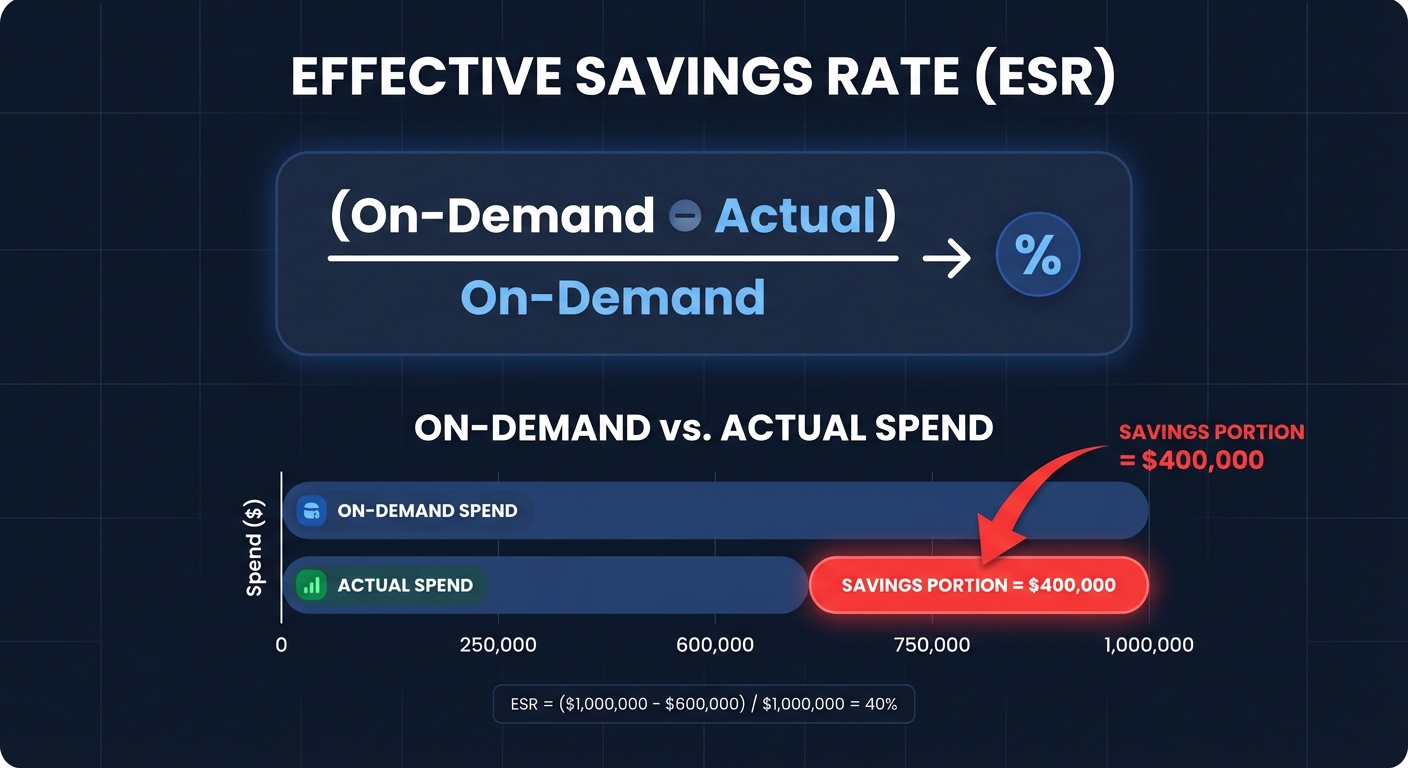
The Effective Savings Rate (ESR) provides a clearer, unified metric that captures true efficiency of cloud commitments. Calculate ESR as: (On-Demand spend – Actual spend) ÷ On-Demand spend.

Consider a concrete example: Scenario A with 75% coverage, 100% utilization, and $16.85 savings yields ESR 28.1%. Scenario B with 100% coverage, 66.7% utilization, and $3.74 savings yields ESR 6.3%. Despite lower coverage, Scenario A delivers four times the actual savings, demonstrating why ESR offers better clarity, comparability across environments, and actionable insights compared to chasing arbitrary coverage targets.
Track ESR alongside commitment utilization, idle resource percentage, cost per business metric (transaction, user, deployment), and anomaly frequency. Organizations with mature FinOps practices achieve ESR levels above 25%, with top performers reaching 30-40% or more. Setting tiered goals – baseline improvement (15-20%), operational stability (20-30%), and sustained excellence (30%+) – provides clear targets as your practice matures.
Optimize strategically
Armed with visibility and metrics, implement targeted optimizations that deliver measurable ROI. Right-sizing resources typically yields 20-40% savings on compute. Use AWS Compute Optimizer to identify instances with sustained low CPU utilization, then downsize appropriately. One company found that 40% of their EC2 instances ran under 10% CPU utilization and reduced their compute costs by 35% through systematic right-sizing. Remember that continuous rightsizing requires ongoing attention as workload patterns evolve.
Evaluate AWS pricing models strategically rather than committing blindly. Reserved Instances and Savings Plans offer up to 72% discounts for 1-3 year commitments but require accurate usage forecasting. Start conservatively – purchase commitments covering only your stable baseline workload, leaving elastic demand for On-Demand or Spot Instances that can save up to 90% for interruptible workloads. A financial services company cut spend 43% by mixing Convertible Reserved Instances with Savings Plans, maintaining flexibility while capturing substantial discounts.
Consider Graviton instances for compatible workloads. AWS Graviton processors deliver 40-60% better price-performance versus x86 instances. Organizations report real-world improvements: Domo and DoubleCloud saw roughly 20% gains, one test showed 9% performance improvement with 33% lower costs, and Java applications run up to 45% faster on Graviton4 versus Graviton3. Graviton savings stack with Savings Plans and Reserved Instances to cut compute costs by 70%+ compared to x86 On-Demand.
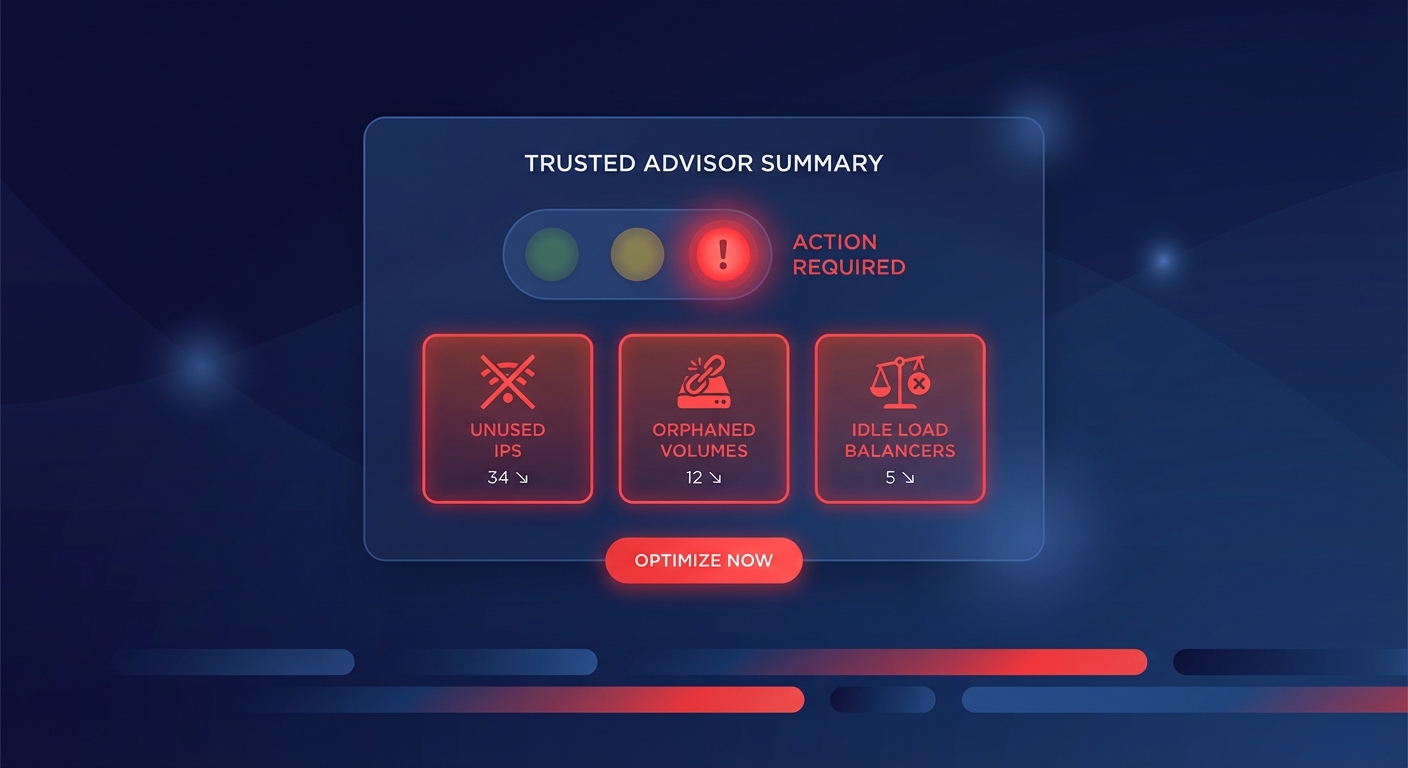
Don’t overlook storage optimization, which often reveals quick wins. Delete unattached EBS volumes, implement S3 lifecycle policies to tier infrequently accessed data, and remove obsolete snapshots. One financial services firm found $45,000 in annual savings just from unattached volumes and over-provisioned IOPS. An e-commerce company saved $8,000/month through systematic EBS auditing. Moving 40TB of untouched logs to Glacier Deep Archive can reduce storage costs by 95% for that data.
Automate for scale
Manual optimization can’t keep pace as your infrastructure grows beyond a few dozen instances. Automated platforms continuously monitor usage patterns, dynamically adjust commitments, and implement optimizations without human intervention. Automation becomes essential when you need to manage commitments across multiple services, continuously right-size hundreds of resources, or respond to usage changes faster than monthly reviews allow.
Hykell’s automation continuously monitors AWS usage patterns and dynamically adjusts commitments, increasing them in growing demand areas and retracting when workloads shrink. The algorithms consider risk tolerance, forecast accuracy, commitment term length, and cross-service trade-offs while respecting guardrails like caps on coverage, utilization thresholds, and manual overrides. This learning feedback loop allows the system to improve recommendations over time. Organizations using automated FinOps platforms typically reduce costs by 40% or more while freeing DevOps teams from manual optimization tasks.
For targeted automation, implement resource scheduling to shut down non-production environments outside business hours. Scheduling dev environments to run 40 hours/week instead of 24/7 can reduce compute costs by up to 70%. One example showed a 24/7 development environment scheduled to 40 business hours/week reduced compute costs by 76%. Use Lambda functions to terminate unattached EBS volumes automatically or enforce tagging policies, with thousands of dollars in monthly savings possible from simple automation.
Emerging FinOps trends for 2024 and beyond
FinOps continues evolving as cloud technology advances and organizations demand more sophisticated cost management capabilities. Understanding these trends helps you anticipate where the practice is headed and invest in capabilities that will deliver long-term value.
AI algorithms for real-time cost analysis and predictions represent a major trend in FinOps, enabling predictive scaling, automated anomaly detection, and proactive resource adjustments. Machine learning models can forecast spending patterns with increasing accuracy, allowing teams to commit to Savings Plans with confidence or detect unusual usage before it balloons into a major cost event. These AI-driven tools process billing data and provide insights that enable finance teams to make informed decisions while bolstering security against fraud.
The FOCUS specification (FinOps Open Cost and Usage Specification) brings standardization to cloud billing data, addressing longstanding challenges with data quality, accuracy, and transformation. Major providers including AWS, Azure, Google Cloud, and Oracle Cloud Infrastructure now offer FOCUS-formatted cost and usage billing data exports directly from their native consoles. This standardization makes it easier to compare costs across clouds and build consistent FinOps tooling. AWS joined the FinOps Foundation as a premier member in 2020 to partner with industry leaders in shaping strategies for growth and increased operational efficiency.
Real-time cloud architecture is rising as organizations shift to serverless computing, edge processing, and event-driven workloads. These patterns require FinOps tools that provide immediate visibility rather than relying on AWS’s native billing delay of 8-12 hours. Teams need to understand Lambda function costs per invocation, container costs per pod, and API Gateway expenses per endpoint to make informed architectural decisions in real-time. The demand for better visibility in cloud costs is driving expectations for integrated automation that facilitates ongoing optimization with minimal manual effort.
Enhanced cross-team alignment tools are emerging to bridge communication gaps between different stakeholders. Engineers need resource-level cost details, finance teams need budget forecasts, and business units need showback reports. Modern FinOps platforms provide role-specific dashboards where CFOs see high-level KPIs and trend lines, FinOps teams track discount coverage and ESR scores, DevOps monitors instance-level usage and anomalies, and business units access chargeback dashboards and tagged usage – ensuring every stakeholder gets relevant metrics without information overload.
Common FinOps challenges and solutions
Even organizations committed to FinOps face predictable hurdles. Addressing these head-on accelerates your practice maturity and helps you avoid the pitfalls that slow many implementations.
Inconsistent tagging undermines cost allocation when resources created outside your standard workflows – manual console launches, third-party tools, or legacy deployments – often lack proper tags. Solve this by enforcing tag policies via AWS Organizations, implementing AWS Config rules that flag untagged resources, and using the Resource Groups Tagging API with Lambda functions to remediate automatically. AWS Security Hub recommends enforcing mandatory tags for every resource to ensure minimum metadata for cost attribution and governance.
Siloed teams prevent holistic optimization when engineering optimizes for performance, finance pushes cost reduction, and business units just want features shipped. Bridge these silos by creating a cross-functional FinOps team with representatives from each group. One SaaS provider found $1.2M in annual savings and improved forecast accuracy by 40% after forming a cloud cost council that met monthly to review spending and align on optimization priorities.
Lack of historical data hampers forecasting for new workloads. When launching a product or migrating an application to AWS, you don’t have usage patterns to guide commitment purchases. Use similar applications as proxies – if you’re building a second microservice, model its expected costs on your first service’s actual usage. Start with On-Demand pricing to gather data, then layer in commitments after 2-3 months of real-world metrics. One mid-sized SaaS company moved from 25-40% underestimation to within 8% of actual spend by adopting driver-based forecasting that correlates spend with business metrics.
AWS service evolution outpaces internal knowledge as new instance types, pricing models, and optimization features launch constantly. Quarterly assumption reviews catch opportunities – like migrating to Graviton instances or adopting gp3 EBS volumes over gp2. Assign someone to monitor AWS cost management resources and test new offerings in non-production before production rollout. One consultant saved 22% by adopting Graviton instances after a quarterly review revealed the compatibility of their workloads.
Your FinOps implementation roadmap
Ready to build a FinOps practice on AWS? Follow this phased approach that balances quick wins with sustainable long-term improvements, starting small and expanding as you prove value.
Month 1-2: Assess and baseline. Audit your current tagging coverage, connect AWS Cost Explorer, collect your baseline ESR, and document which teams or projects lack cost visibility. Identify your top cost drivers – usually EC2, RDS, S3, and data transfer. Establish a baseline by answering: What’s your current monthly spend? What percentage is committed versus On-Demand? What’s your idle resource rate? This assessment phase creates the foundation for all future optimization by establishing where you are today.
Month 3: Deploy pilot. Choose one AWS service (EC2 is often easiest) and implement comprehensive tagging, right-sizing recommendations, and a trial Savings Plan covering 30-50% of baseline usage. Set up AWS Budgets with alerts and share daily cost reports with the engineering team. This pilot proves value while keeping scope manageable, allowing you to refine processes before expanding to other services or teams.
Month 4-5: Automate safely. Set guardrails – caps on coverage percentage, minimum utilization thresholds, manual override capabilities – then enable automated optimization. Start with non-production environments where risk is minimal. If using an automated platform like Hykell, configure your risk tolerance and let AI tune the commitment mix while you monitor results. The key during this phase is building confidence in automation through safe, controlled rollouts.
Month 6-9: Expand coverage. Roll out FinOps practices to additional services – RDS, EBS, Lambda, containers. Implement chargeback or showback to attribute costs to business units. Organizations typically see 15-30% reduction in cloud waste after implementing cost allocation strategies. Expand your FinOps team or dedicate more resources to the practice, and document runbooks for common optimizations so any engineer can contribute.
Month 10-12: Institutionalize ESR. Make ESR or similar unified metrics your north star. Include cost targets in architecture reviews, add cost dashboards to your sprint planning, and tie executive bonuses to cloud efficiency KPIs. Schedule quarterly FinOps reviews with leadership to align cloud investment with business strategy. One example showed a financial services firm saw an 18% AWS spend drop after implementing showback, then an additional 22% reduction after moving to chargeback with full financial accountability.
Ongoing: Evolve and improve. Integrate multi-cloud FinOps if you adopt Azure or GCP, implement AI-driven forecasting to predict workload shifts, and continuously refine your processes based on actual outcomes. Top-performing teams iterate monthly, adjusting strategies as usage patterns change. Track your progress through key metrics including ESR, commitment utilization, coverage balance, monthly savings versus baseline, and anomaly frequency to ensure continuous improvement.
Putting FinOps to work
FinOps transforms how organizations approach cloud spending – from reactive cost firefighting to proactive financial optimization aligned with business value. The framework combines visibility, accountability, and continuous improvement through the Inform-Optimize-Operate cycle to maximize your AWS ROI without sacrificing the performance your customers expect.
Start where you are. If you lack tagging, implement mandatory tags this week. If you’re flying blind on spend, configure Cost Explorer today. If you’re drowning in manual optimization, explore automation that runs on autopilot while you focus on building product. Organizations that embrace FinOps principles typically see 30-70% cost reductions within their first year while simultaneously improving operational efficiency through better resource utilization, informed commitment purchases, and systematic elimination of waste.
The key is treating cloud financial management as a strategic capability rather than a one-time cost-cutting exercise. FinOps requires real-time data, actionable metrics like ESR, and automation to turn every cloud dollar into measurable business value. As global cloud spending is projected to reach $805 billion in 2024 and double by 2028, the organizations that master FinOps now will maintain competitive advantage through superior cloud economics.
Discover how Hykell automates AWS cost optimization, reducing spend by up to 40% through intelligent commitment management, continuous right-sizing, and real-time monitoring – all without requiring ongoing engineering effort or code changes to your infrastructure. With a pay-from-savings model where you only pay when you save, Hykell transforms AWS cost optimization from a manual chore into a strategic advantage that frees your team to focus on innovation.