
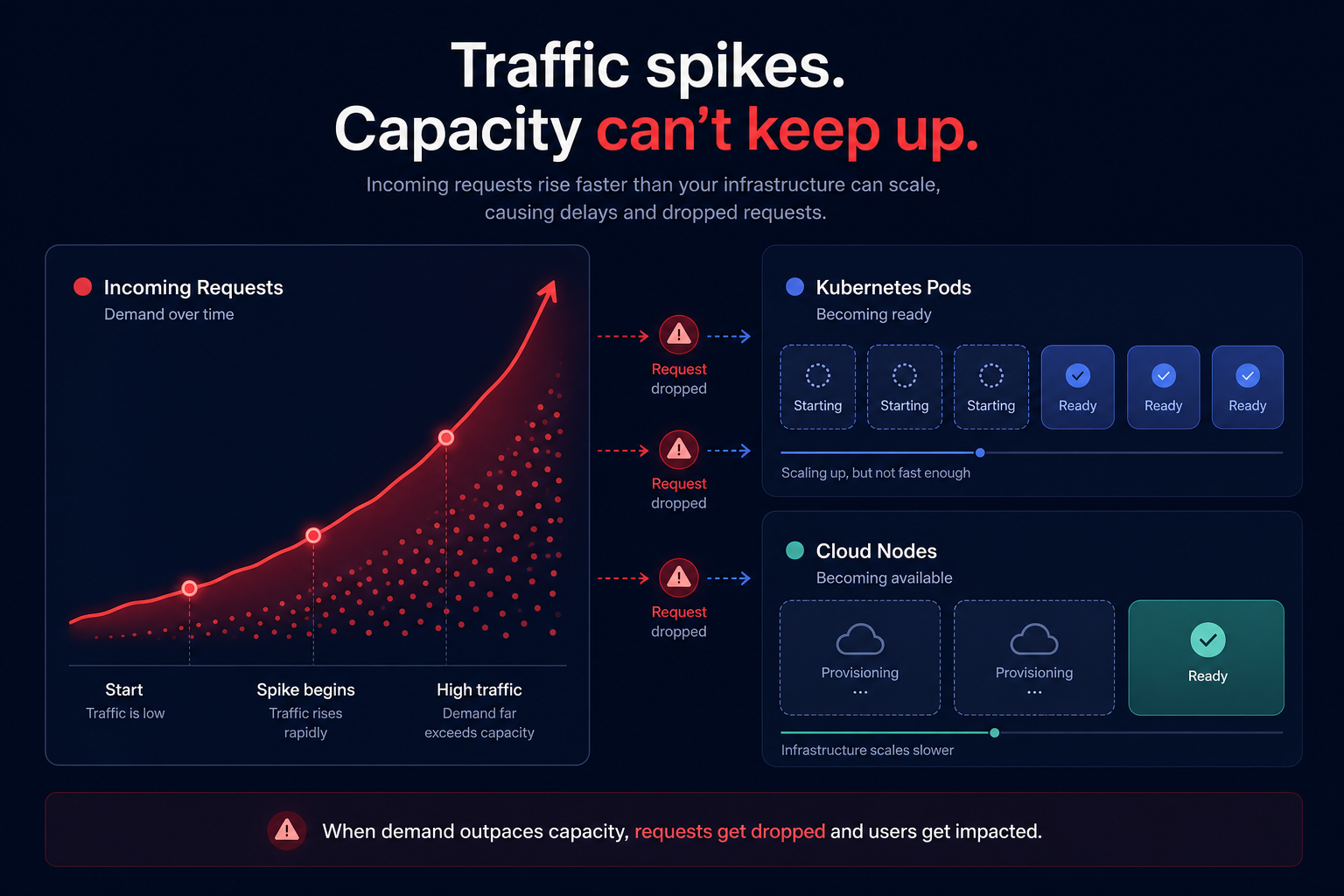
Scaling delays in Kubernetes can hinder your application’s responsiveness, especially during sudden traffic surges. These lags occur when Kubernetes takes time to allocate new resources, such as nodes or pods, to manage increased workloads. While Kubernetes offers robust scaling capabilities, minimizing these delays requires strategic optimization.
The mechanics of scaling lag
Scaling delays, or “scaling lag,” occur when Kubernetes cannot promptly accommodate increased demand. This friction typically manifests at two distinct levels:
- Pod scheduling delays: Pods remain in a “Pending” state because there is insufficient capacity on existing nodes.
- Node provisioning delays: When the cluster exhausts its resources, it must request additional nodes from AWS. Initializing these instances can take several minutes, leaving your application under-provisioned during critical spikes.
These lags result in dropped requests and poor user experiences. Minimizing them requires a combination of fine-tuned pod autoscaling and modern node provisioning tools.
Pod scaling strategies: HPA vs. VPA
Kubernetes provides two primary ways to scale workloads. Choosing the right one depends on your application architecture and performance requirements.
Horizontal Pod Autoscaler (HPA)
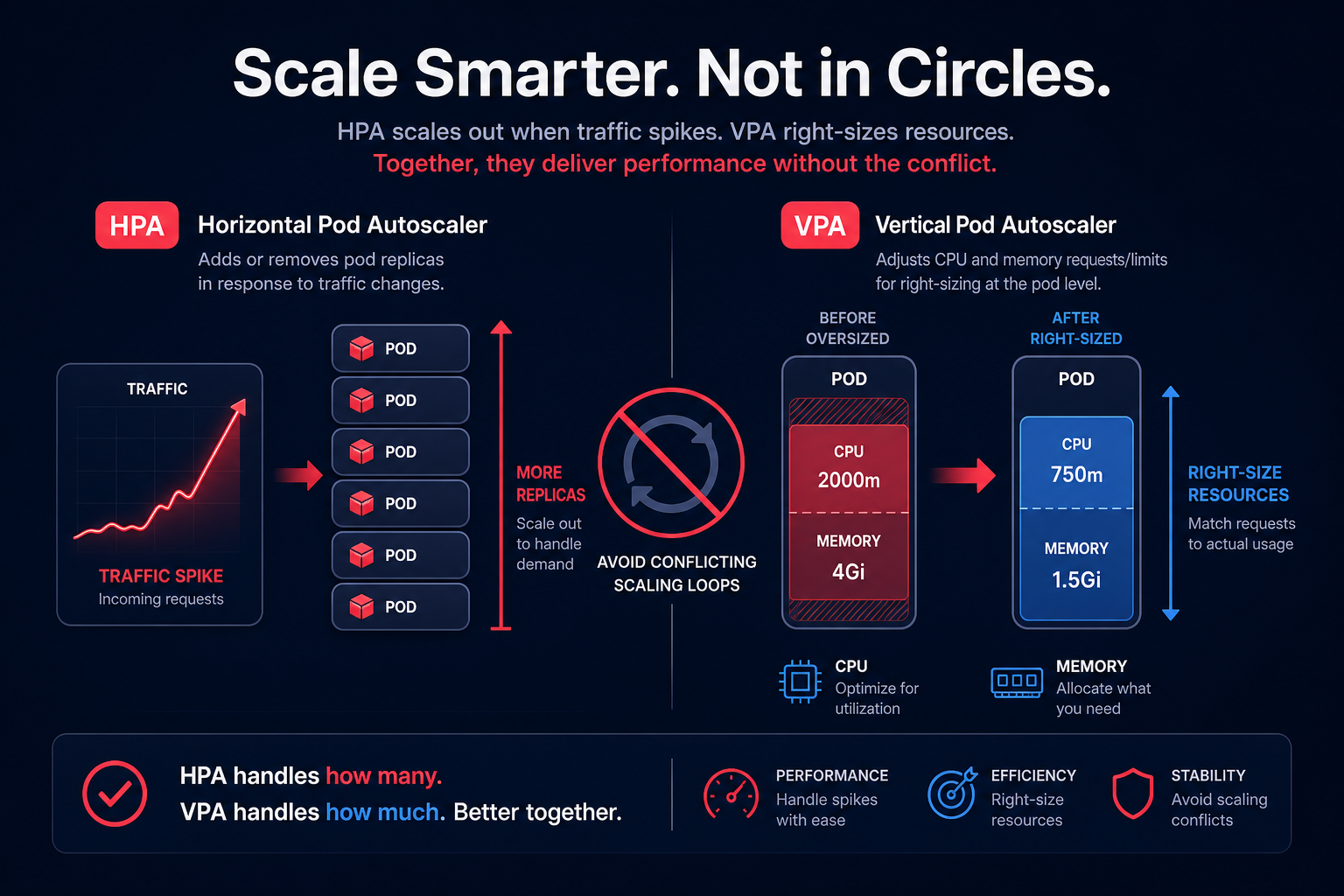
The HPA is the standard for most web applications. It scales by adding or removing pod replicas based on metrics like CPU or memory utilization. To make HPA effective, you must define accurate resource requests, as the HPA controller uses these as a baseline for scaling decisions. You can learn more about this in our guide on Kubernetes pod resource limits best practices.
Vertical Pod Autoscaler (VPA)
While HPA adds more pods, the VPA adjusts the resource requests and limits of existing pods. This is ideal for workloads that cannot easily scale horizontally. However, a significant limitation of VPA is that it often requires pod restarts to apply new resource settings, which can cause temporary disruptions.
In production, avoid using HPA and VPA on the same metric (like CPU) to prevent unstable scaling loops. A common pattern is using HPA for traffic-based scaling and VPA for long-term right-sizing of the base resource requirements.
Implementing scheduled scaling for predictable demand
If your traffic follows a predictable pattern – such as a morning surge for a financial app or an evening spike for streaming – reactive autoscaling might be too slow. Time-based scaling allows you to increase capacity before the demand arrives.
- Cron-based scaling: You can use Kubernetes CronJobs to adjust deployment replica counts at specific times.
- KEDA (Kubernetes Event-driven Autoscaling): KEDA offers a Cron scaler that maintains a specific replica count during an active time window, ensuring resources are ready when your users log in.
Using automatic cloud resource scaling for predictable events helps you maintain a lean environment during off-hours, significantly reducing your AWS bill.
Optimizing node provisioning with Karpenter
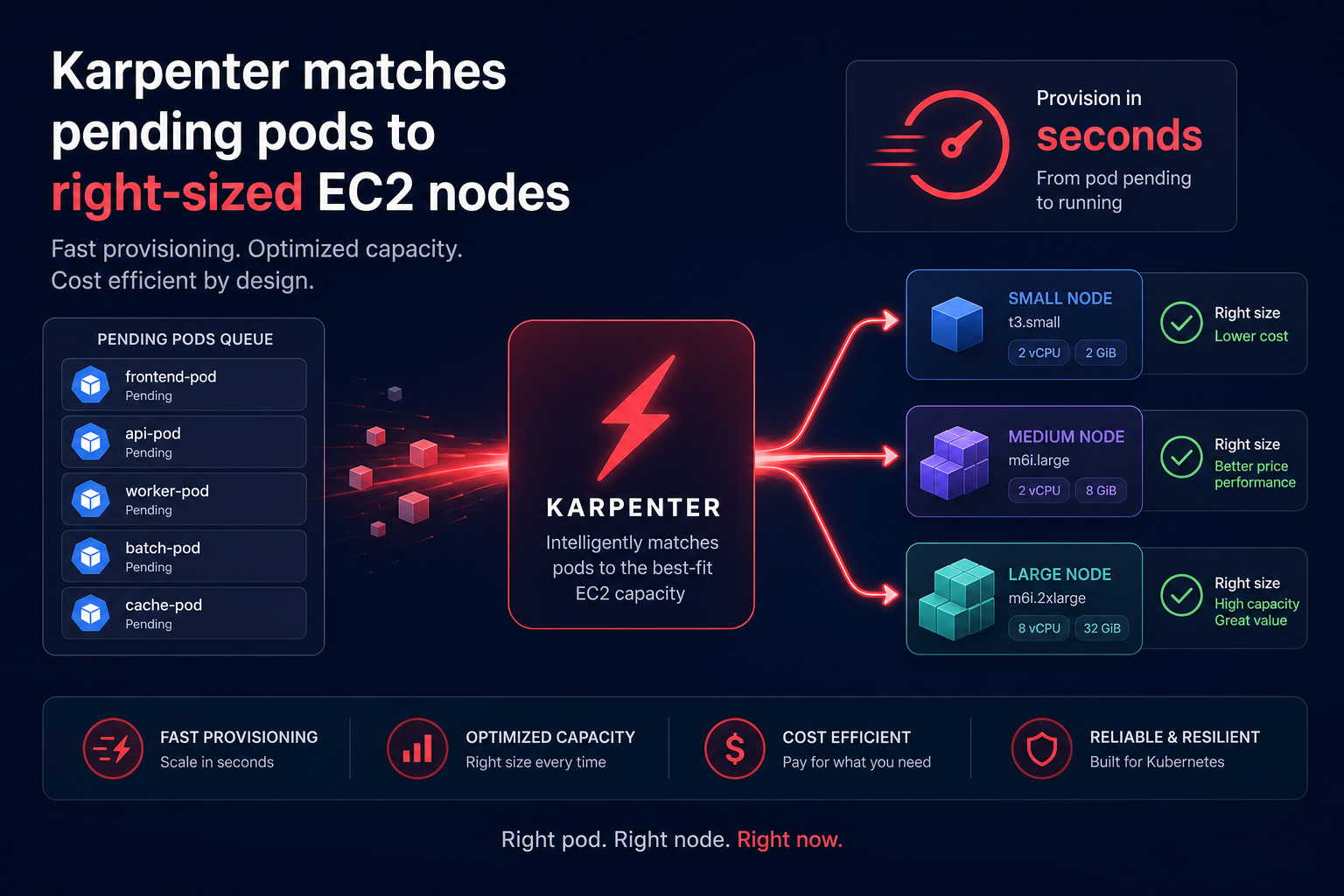
For years, the standard for EKS was the Cluster Autoscaler, which scales predefined Amazon EC2 Auto Scaling groups. While reliable, it often suffers from provisioning delays and limited flexibility in instance selection.
Karpenter is a high-performance, open-source node provisioner built by AWS. Unlike the traditional Cluster Autoscaler, Karpenter provisions EC2 instances directly without relying on Auto Scaling groups. It evaluates the aggregate requirements of pending pods and launches the most cost-effective, right-sized compute resources in seconds. This faster response time is critical for maintaining SLAs during aggressive scale-up events.
Technical tactics to accelerate startup times
Beyond autoscaling policies, the speed at which a pod becomes “Ready” depends on how you package and initialize your containers.
- Use lean container images: Employ minimal base images like Alpine or Distroless. Smaller images pull faster across the network, reducing the time a pod spends in the “ImagePullBackOff” or “Pending” state.
- Implement node pre-warming: Maintain a node buffer or use placeholder pods with low priority. When a high-priority workload needs to scale, it can evict the placeholder and take over the pre-warmed node immediately.
- Pre-pull images with DaemonSets: Use a DaemonSet to ensure essential application images are already present on every node in the cluster, bypassing the download phase during a scaling event.
- Migrate to Graviton: AWS Graviton processors offer up to 40% better price-performance. Migrating your node groups to Graviton can improve efficiency and reduce the overall compute footprint required to handle the same load. You can accelerate your Graviton gains by using automated migration tools that handle the heavy lifting.
Putting Kubernetes optimization on autopilot
Managing the trade-off between performance and cost is a constant challenge. Organizations often overspend by 30–40% on Kubernetes because they over-provision pods to avoid scaling delays.
Hykell provides automated Kubernetes optimization that works on autopilot. By analyzing your AWS bills and real-time workload metrics, Hykell identifies inefficiencies and executes right-sizing and rate optimization strategies without manual engineering effort. Our platform manages a blended portfolio of Savings Plans and Reserved Instances to secure deep discounts while ensuring your cluster has the performance it needs.
Stop guessing your resource limits and start saving. Use the Hykell savings calculator to see how much you could reduce your AWS bill while improving your Kubernetes scaling performance.

