
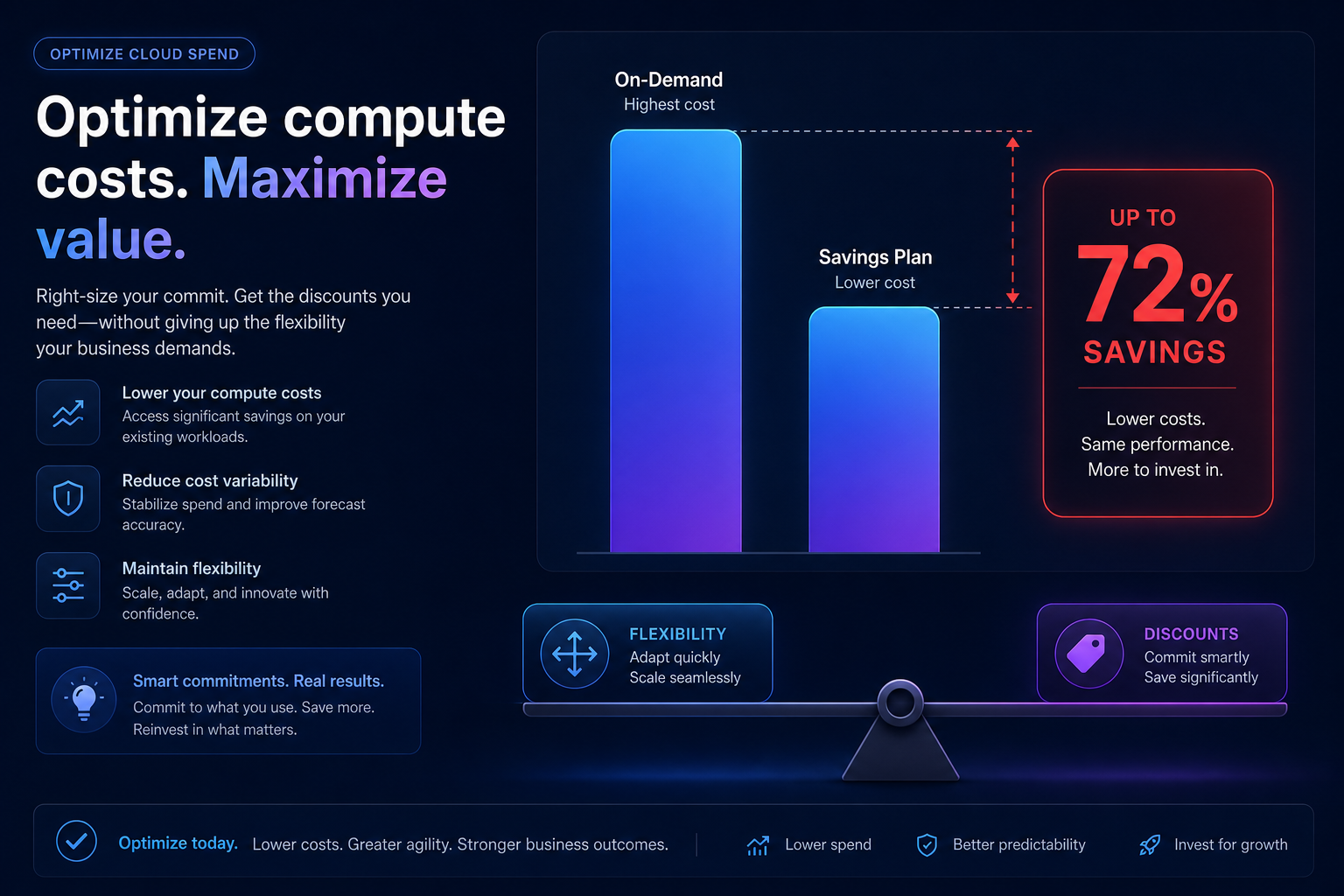
Managing AWS costs often feels like a choice between maximum flexibility and maximum discounts. AWS EC2 Savings Plans bridge this gap, offering a powerful way to reduce your compute spend without the rigid constraints of traditional Reserved Instances. By committing to a consistent amount of hourly spend for a one-year or three-year term, you can unlock savings of up to 72% compared to On-Demand rates.
However, the real challenge for growing businesses isn’t just understanding the discount – it’s managing the commitment. Blindly committing to a three-year plan can lead to paying for unused capacity if your architecture shifts or your scaling needs change. Hykell helps you navigate these trade-offs by providing automated AWS rate optimization that secures the deepest discounts while maintaining the agility your engineering team needs to innovate.
How the AWS Savings Plans model works
The fundamental mechanic of a Savings Plan is an hourly spend commitment, measured in dollars per hour. When you sign up, AWS charges the discounted price for your eligible usage up to that commitment level. Any usage beyond your committed amount is billed at the standard, more expensive On-Demand rates.
These plans are term-locked for either a one-year period (365 days) or a three-year period (1,095 days). To provide financial flexibility, AWS offers three distinct payment options:
- All upfront: You pay the entire commitment at once to secure the highest possible discount.
- Partial upfront: You pay a portion of the commitment initially, with the remainder billed monthly at a lower rate.
- No upfront: You pay a fixed, discounted hourly rate every month with no initial capital expenditure required.
While AWS provides recommendations based on your historical usage in Cost Explorer, these static snapshots do not always account for future migrations or seasonal spikes. This is why many organizations utilize an AWS Savings Plan calculator to simulate different commitment levels and payment terms before locking into a contract.
Comparing compute and EC2 instance savings plans
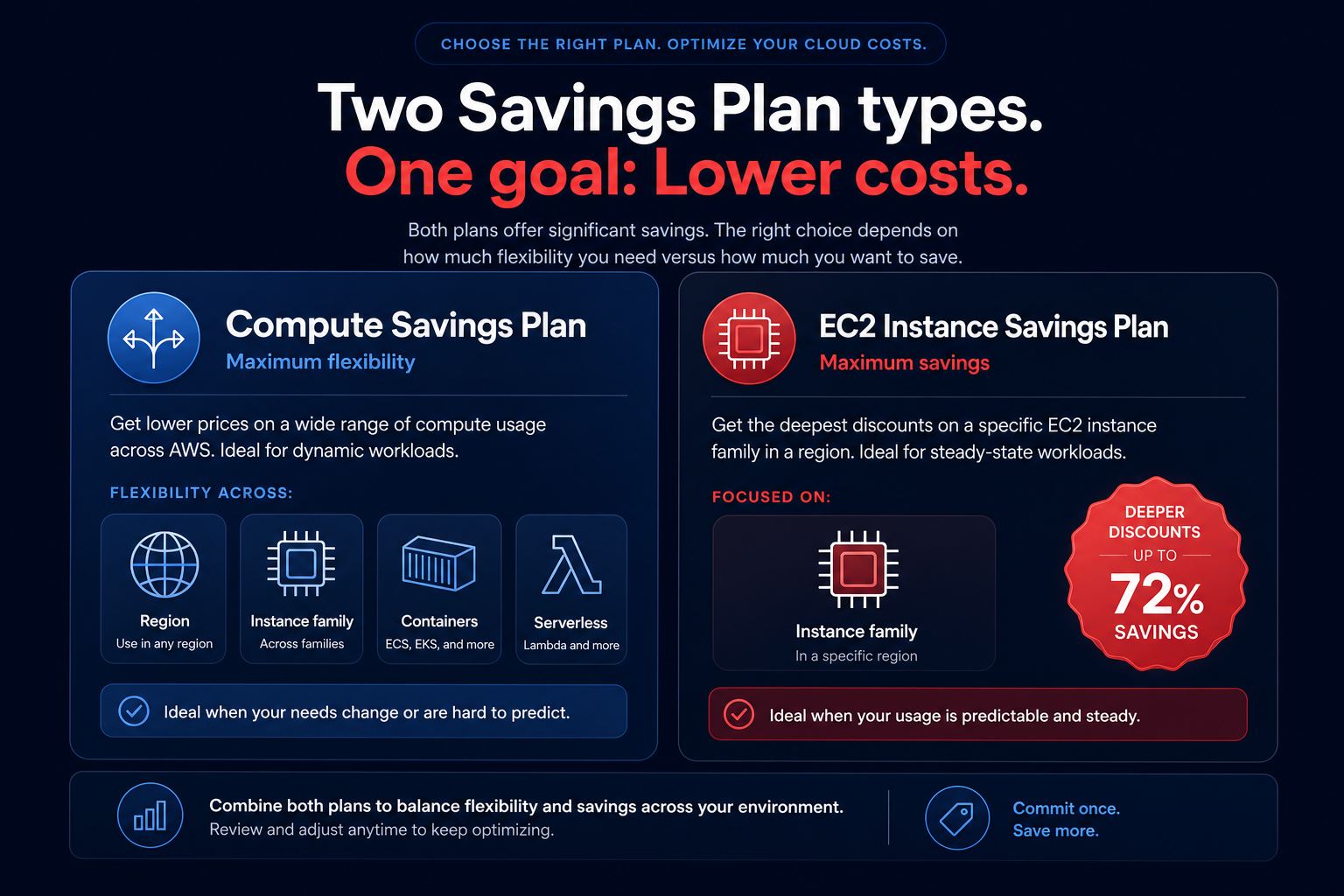
Choosing the right plan type is a strategic decision based on the stability of your infrastructure. AWS offers two primary categories for compute workloads, each providing a different balance of flexibility and cost reduction.
Compute savings plans
These are the most versatile options available. They apply automatically to EC2 instance usage regardless of the instance family (such as moving from M5 to C5), size, AWS Region, operating system, or tenancy. Crucially, they also cover AWS Fargate and AWS Lambda usage, making them ideal for modern, containerized environments. You can achieve up to 66% savings with these plans while retaining the freedom to evolve your tech stack.
EC2 instance savings plans
If you have a steady-state workload tied to a specific instance family in a single Region, such as a consistent R5 database cluster in us-east-1, EC2 Instance Savings Plans offer deeper discounts of up to 72%. While they are less flexible than Compute Savings Plans, they automatically apply to any size or operating system within that specific family in the chosen Region.
Deciding between Compute Savings Plans vs. EC2 Savings Plans often comes down to your future roadmap. If you are planning a migration to Graviton processors or moving workloads to EKS, the flexibility of a Compute Savings Plan usually outweighs the slightly higher discount of an instance-specific plan.
Savings plans vs. reserved instances and spot
Before the introduction of Savings Plans, Reserved Instances (RIs) were the primary tool for cost reduction. While AWS now recommends Savings Plans for most use cases due to their ease of use, RIs still have a place in specific enterprise strategies.
- Reserved Instances: Standard RIs can be sold on the Reserved Instance Marketplace, providing an exit strategy that Savings Plans do not offer. Additionally, Zonal RIs provide a capacity reservation, guaranteeing that the specific instance type you need will be available in a specific Availability Zone.
- Spot Instances: For workloads that are fault-tolerant or stateless, Spot Instances can offer up to 90% savings. However, Spot Instances are not covered by Savings Plans. A sophisticated strategy uses Savings Plans for the baseline steady-state and Spot for bursty or interruptible tasks.
Understanding the nuances of AWS Savings Plans vs. Reserved Instances is critical for achieving a high Effective Savings Rate (ESR). A common pitfall is overcommitting to one model and leaving discount gaps in your infrastructure that could have been covered more efficiently by a different instrument.
Strategic benefits of automated commitment management
The primary risk with any AWS commitment is underutilization. If you commit to $10 per hour but your usage drops to $8 per hour due to an architectural change or a successful right-sizing initiative, you are still paying for that unused $2. Manually tracking these thresholds is a full-time job for FinOps teams and often leads to analysis paralysis where companies stay on On-Demand rates longer than they should.
Hykell eliminates this risk by putting your AWS rate optimization on autopilot. Our platform integrates with your environment via secure, read-only IAM roles to analyze real-time usage and execute automated Savings Plan purchases. By blending different commitment types – including Compute Savings Plans and Convertible RIs – we ensure you hit the sweet spot of 70–80% coverage without the threat of overcommitment.
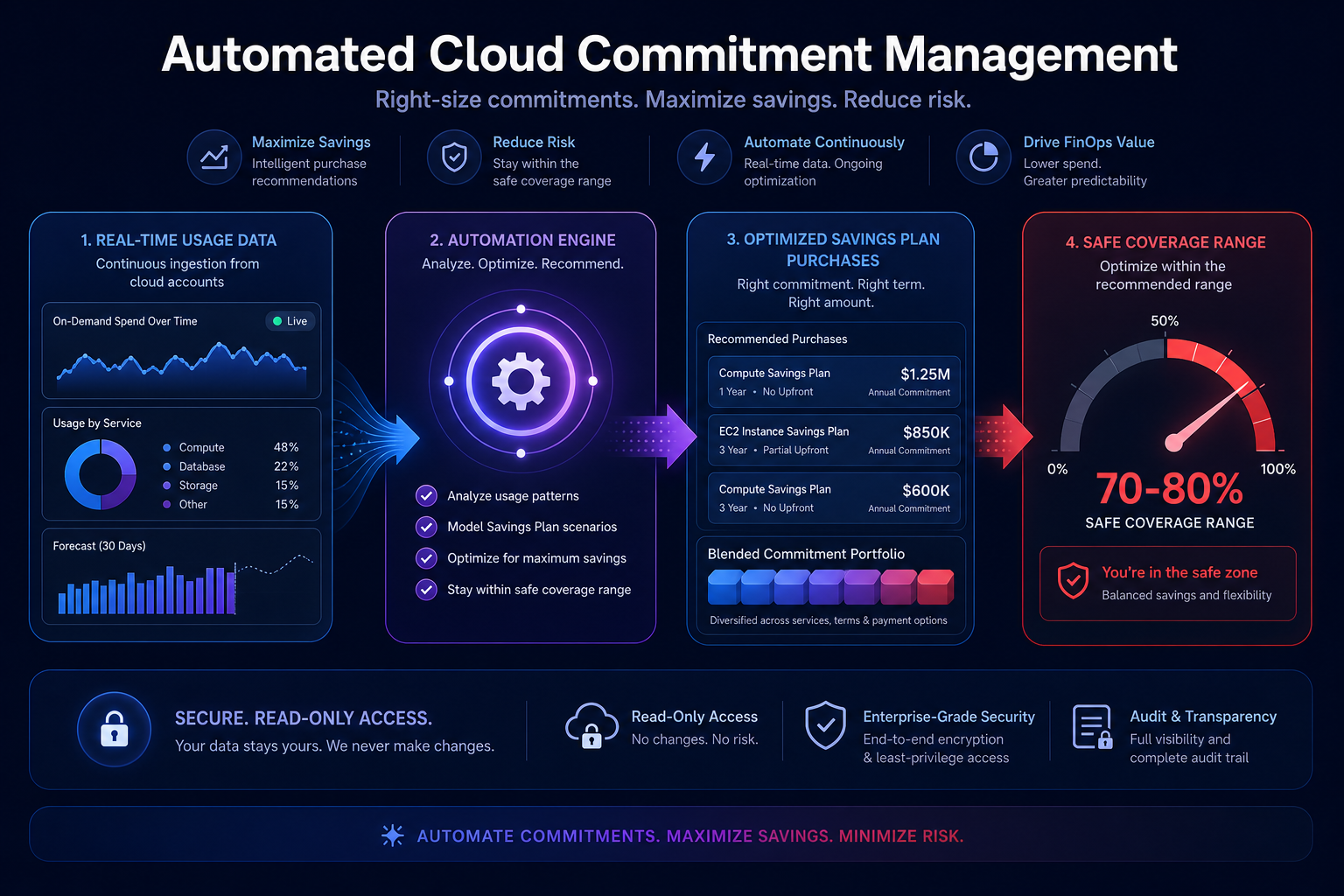
This automated approach allows your engineering team to focus on innovation while Hykell ensures your infrastructure always runs at the most cost-effective rate. Because we use a performance-based pricing model, we only take a slice of the actual savings we generate for you. If you don’t save money, you don’t pay.
Take control of your EC2 spend today
AWS EC2 Savings Plans are the most effective way to lower your cloud bill, but they require precision and constant monitoring to yield the best results. Whether you are managing a stable fleet of legacy instances or a dynamic Kubernetes environment, the key to success is matching your commitments to your actual usage patterns in real-time.
Stop guessing your hourly commitment and let data drive your savings strategy. Use our cloud cost calculator to see exactly how much you could save, or contact our experts to start a detailed audit of your AWS infrastructure. Hykell typically helps businesses reduce their AWS costs by up to 40% without requiring a single line of code change or any ongoing engineering effort.

