
When you sign up for an AWS Savings Plan, you aren’t just signing up for a discount; you are entering a legal commitment to pay a specific dollar amount per hour for a term of one or three years. Because this commitment is based on spend rather than specific instances, it offers more flexibility than traditional Reserved Instances, but the underlying financial mechanism remains “use it or lose it.”
If your eligible usage falls below your committed hourly amount, the consequences are immediate and reflected on your monthly billing statement as “unused commitment.” Understanding how AWS treats these gaps is essential for any business looking to maintain a healthy cloud budget without overpaying for idle capacity.
The hourly “use it or lose it” rule
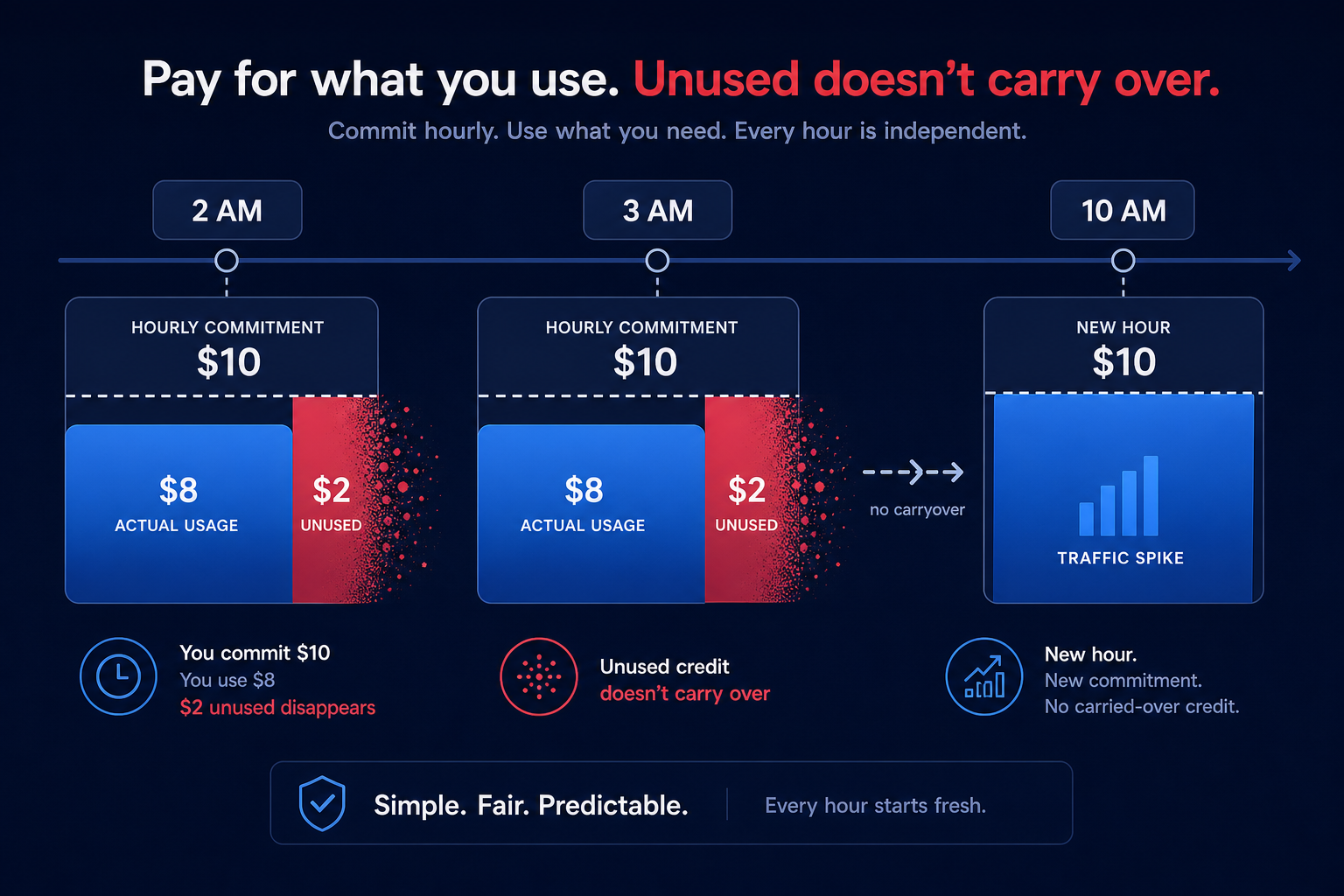
AWS Savings Plans operate with hourly granularity. Every hour, AWS looks at your eligible compute usage and applies your commitment to the highest discount rates first. If you commit to $10 per hour but only run $8 worth of eligible usage during a specific hour, you still pay the full $10.
The most critical factor to understand is that unused commitment does not carry over to the next hour. If you underutilize your plan between 2:00 AM and 3:00 AM, you cannot “bank” that credit to cover a spike in traffic at 10:00 AM. That $2 gap is simply lost capital, often referred to in FinOps circles as “waste.” Because AWS does not compensate for low-usage hours with high-usage hours, even minor fluctuations in your environment can lead to significant cumulative overspending over a one-year or three-year term.
Understanding utilization versus coverage metrics
To track the financial health of your commitment, you must distinguish between two primary metrics that AWS reports in your billing dashboard:
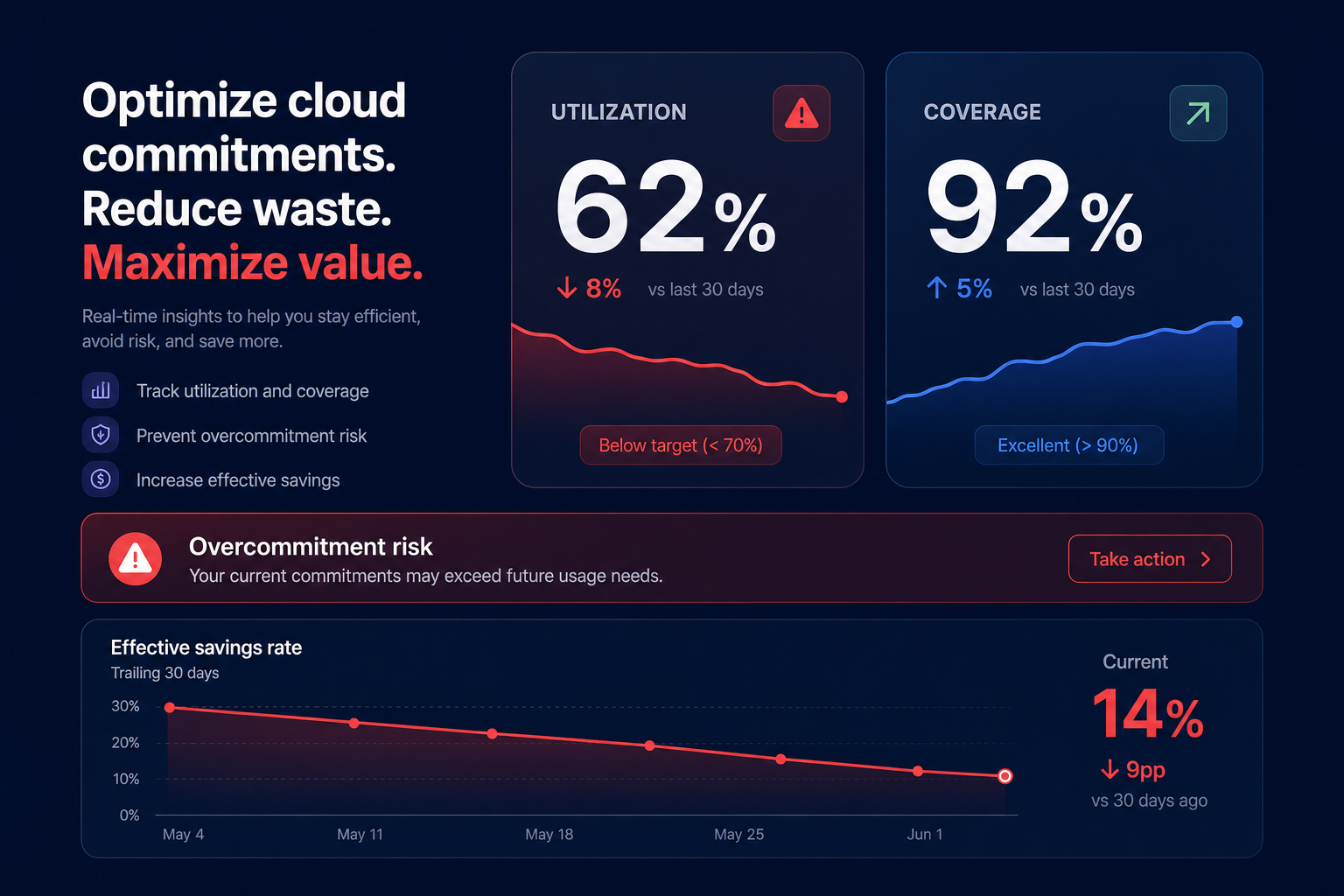
- Utilization: This represents how much of your purchased commitment you are actually using. If you have a $10/hour commitment and use $9 worth of it, your utilization is 90%. Any percentage under 100% represents money paid to AWS for zero return.
- Coverage: This represents how much of your total eligible usage is covered by the plan. If your total hourly spend is $20 and your Savings Plan covers $10 of it, your coverage is 50%.
High coverage is generally a goal for cost-conscious teams, but if you chase high coverage without AI-powered commitment planning, you risk overcommitting. When your utilization drops, your effective savings rate (ESR) plummets, sometimes making the Savings Plan more expensive than paying standard On-Demand rates. Balancing these two metrics manually is a constant struggle, especially as workloads scale and shift.
Can you return or cancel an underutilized plan?
Historically, AWS commitments were permanent. However, AWS recently introduced a limited 7-day return window for newly purchased plans. You can return a Savings Plan only if the hourly commitment is $100 or less, the purchase was made within the last seven days, and the return occurs within the same calendar month as the purchase.
Once you pass this narrow window, you are locked into that hourly payment for the remainder of the term. There is no secondary market for Savings Plans, unlike Standard Reserved Instances which can sometimes be sold to other users. This lack of liquidity is why many organizations find that one-year savings plans can be a trap, as they offer lower discounts while still carrying the risk of static lock-in. If your architecture changes six months into a three-year deal, you are still responsible for the original commitment.
Common reasons for commitment underutilization
Underutilization rarely happens because of a single error; it is usually the result of shifting infrastructure patterns that manual planning cannot keep up with.
- Post-purchase right-sizing: If you purchase a plan based on your current footprint and then right-size your EC2 instances to save money, you may find your new, efficient footprint no longer meets the minimum spend of your Savings Plan. You end up paying for the efficiency you gained.
- Architecture migrations: Moving from EC2 to Fargate or Lambda is covered by Compute Savings Plans, but if you move to a service not covered by your specific plan – or move out of the region specified in an EC2 Instance Savings Plan – your utilization will crater.
- Seasonal fluctuations: Businesses with highly elastic workloads often struggle to find a “baseline.” If you commit to your peak usage, you will waste massive amounts of money during off-peak hours. Conversely, committing only to the lowest trough leaves you paying high On-Demand rates for most of the month.
Eliminating the financial risk of unused commitment
The financial consequence of underutilization is a direct hit to your bottom line. To avoid this, many businesses under-commit, leaving 30–40% of their spend on expensive On-Demand rates just to stay “safe.” This cautious approach is better than wasting money on idle plans, but it still leaves a massive amount of potential savings on the table.
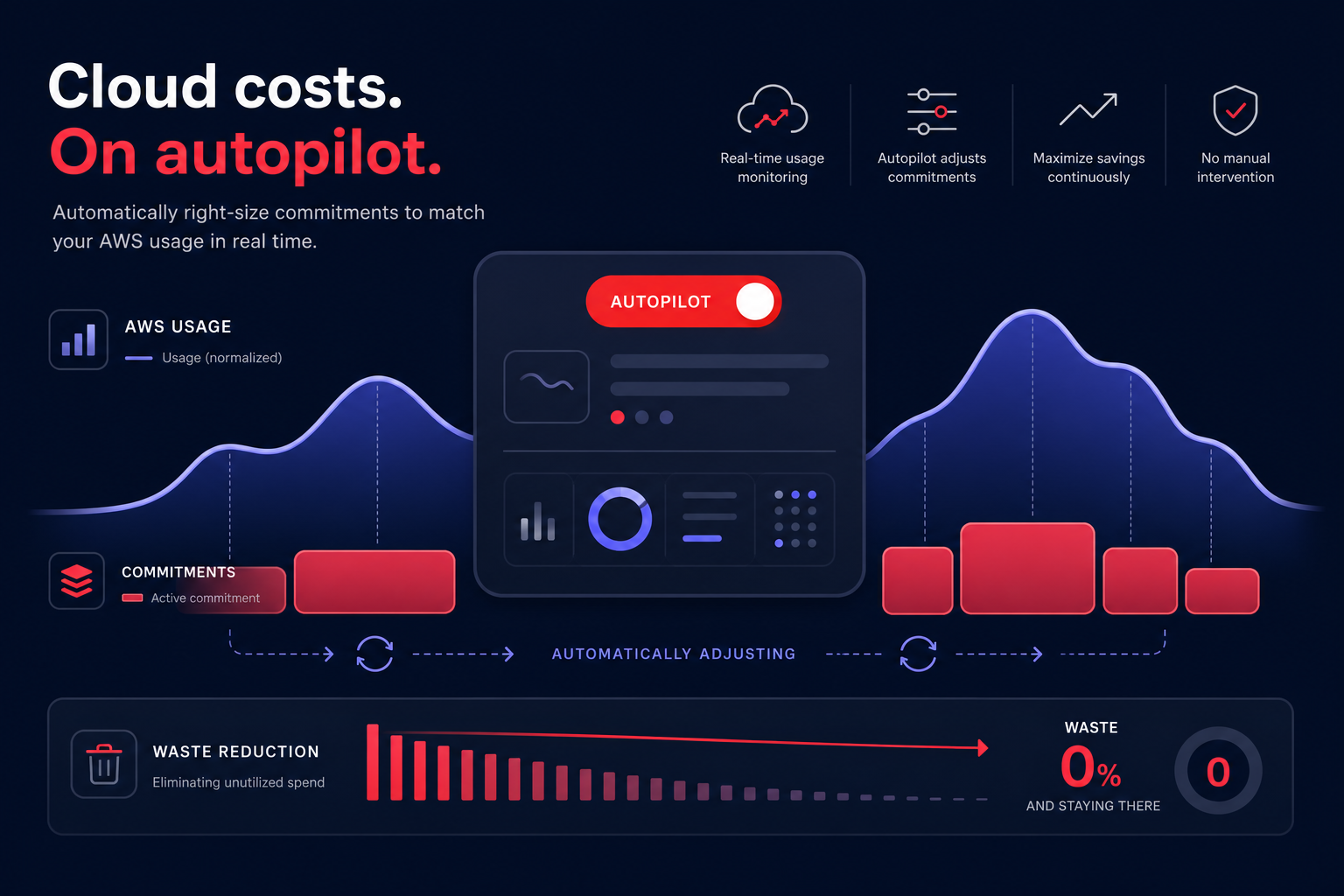
Hykell solves this dilemma by removing the manual guesswork of commitment management. Instead of you choosing a static number and hoping your usage stays above it, Hykell uses an algorithmic mix of discounts to automate AWS Savings Plan purchases. By strategically layering Savings Plans with Reserved Instances and Spot Instances, Hykell ensures you achieve a high effective savings rate without the risk of paying for unused capacity.
Because Hykell operates at the billing level with zero code changes, it can continuously monitor your environment and adjust your commitment portfolio in real-time. This “autopilot” approach allows you to capture up to 72% savings on compute while Hykell manages the risk of underutilization for you. If your usage drops, the system reacts, ensuring your commitments stay aligned with your actual needs.
If you are worried about your current utilization or want to see how much you could be saving without the risk of overcommitment, use the Hykell AWS Savings Plan calculator or get a free cloud cost audit to uncover hidden inefficiencies in your bill. Join the businesses already reducing their AWS spend by 40% while keeping their engineering teams focused on building rather than billing.

