
Are you paying on-demand rates in one linked account while a purchased Savings Plan sits underutilized in another? While AWS Organizations allows for discount sharing, the underlying logic of how these credits flow can determine whether you actually hit your 40% savings target or leave money on the table. For cloud infrastructure managers, understanding the intersection of consolidated billing and commitment sharing is the first step toward reclaiming your cloud budget.
The mechanics of cross-account discount sharing
By default, any Savings Plan purchased within an AWS Organization shares its benefits across all accounts under the same consolidated billing family. This centralized model allows you to aggregate usage, reaching higher volume discount tiers faster and ensuring that a commitment made by one team can cover the bursty workloads of another. This aggregation is particularly effective for large-scale environments where individual account usage might be too volatile to justify a standalone commitment.
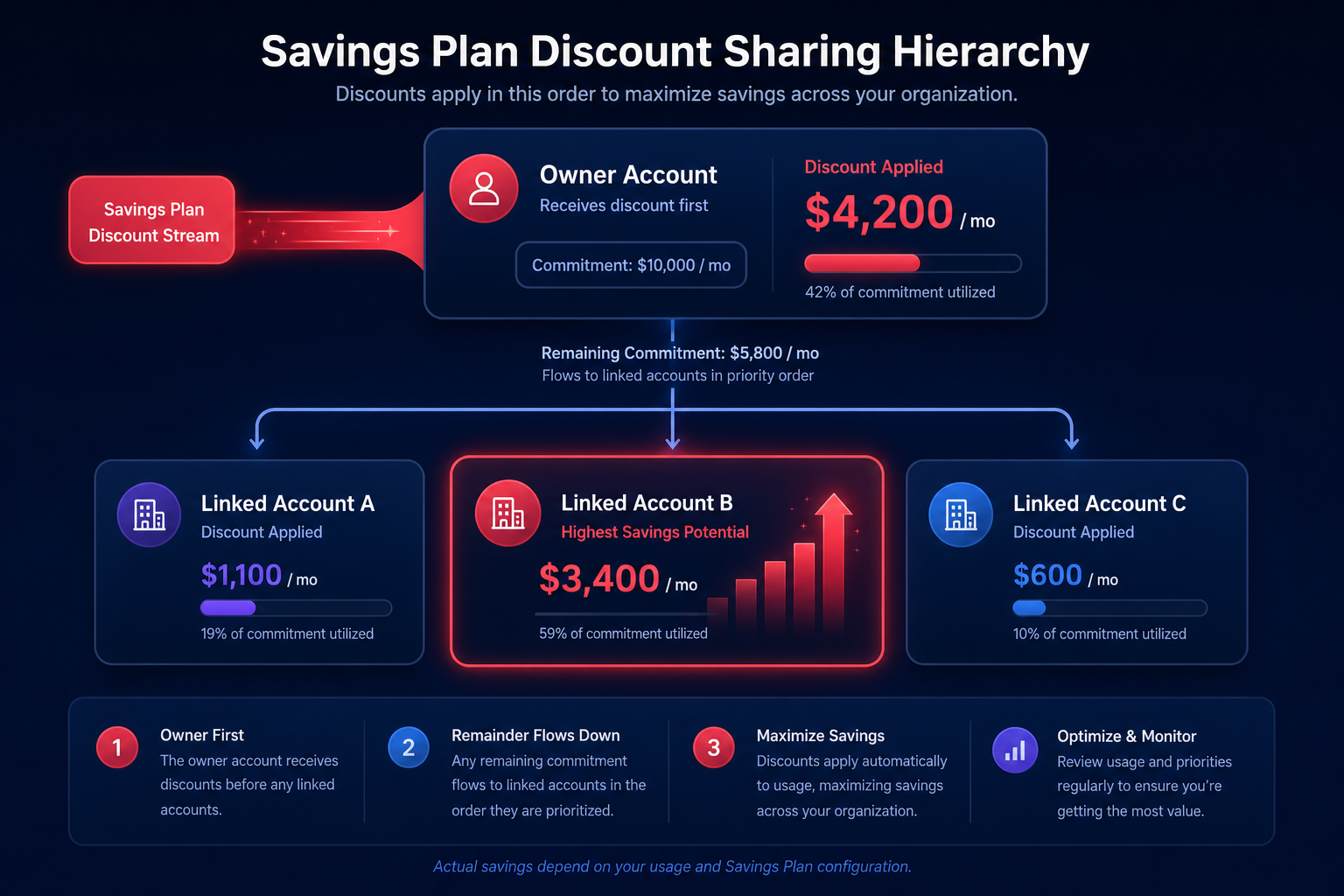
However, the application of these discounts follows a strict hierarchy. AWS applies the Savings Plan benefit to the purchasing account’s eligible usage first. Only after the owner account’s usage is fully covered is the remaining commitment shared with other accounts in the organization. If multiple member accounts have eligible usage, AWS prioritizes the accounts that would yield the largest calculated savings first. This logic ensures the organization as a whole receives the maximum financial benefit, even if the purchasing account doesn’t use the entire commitment itself.
Managing sharing preferences and group logic
While automatic sharing is the standard, management accounts have the authority to toggle discount sharing on or off for specific member accounts. If you disable sharing for a specific account, that account will not receive discounts from others, and any unused capacity from its own Savings Plans will not be shared with the rest of the organization. This can lead to higher monthly bills if not managed carefully, as unused discounts effectively expire every hour without being reallocated to other active workloads.
For more complex environments, AWS supports specific sharing modes that provide more control over how credits flow:
- Organizational-wide: The default state where all accounts share everything automatically to maximize total discounts.
- Prioritized Group Sharing: Discounts apply to the owner account first, then to a defined group of accounts, and finally to the rest of the organization if capacity remains.
- Restricted Group Sharing: Discounts stay strictly within the owner account and a specific group, never leaking to the wider organization even if capacity remains unused.
Managing these nuances is a core part of FinOps automation with AWS Organizations, where the goal is to maximize utilization without creating political friction between departments. By setting these guardrails, you can ensure that specific business units benefit from the commitments they funded while still allowing for broader organizational efficiency.
Centralized vs. decentralized commitment optimization
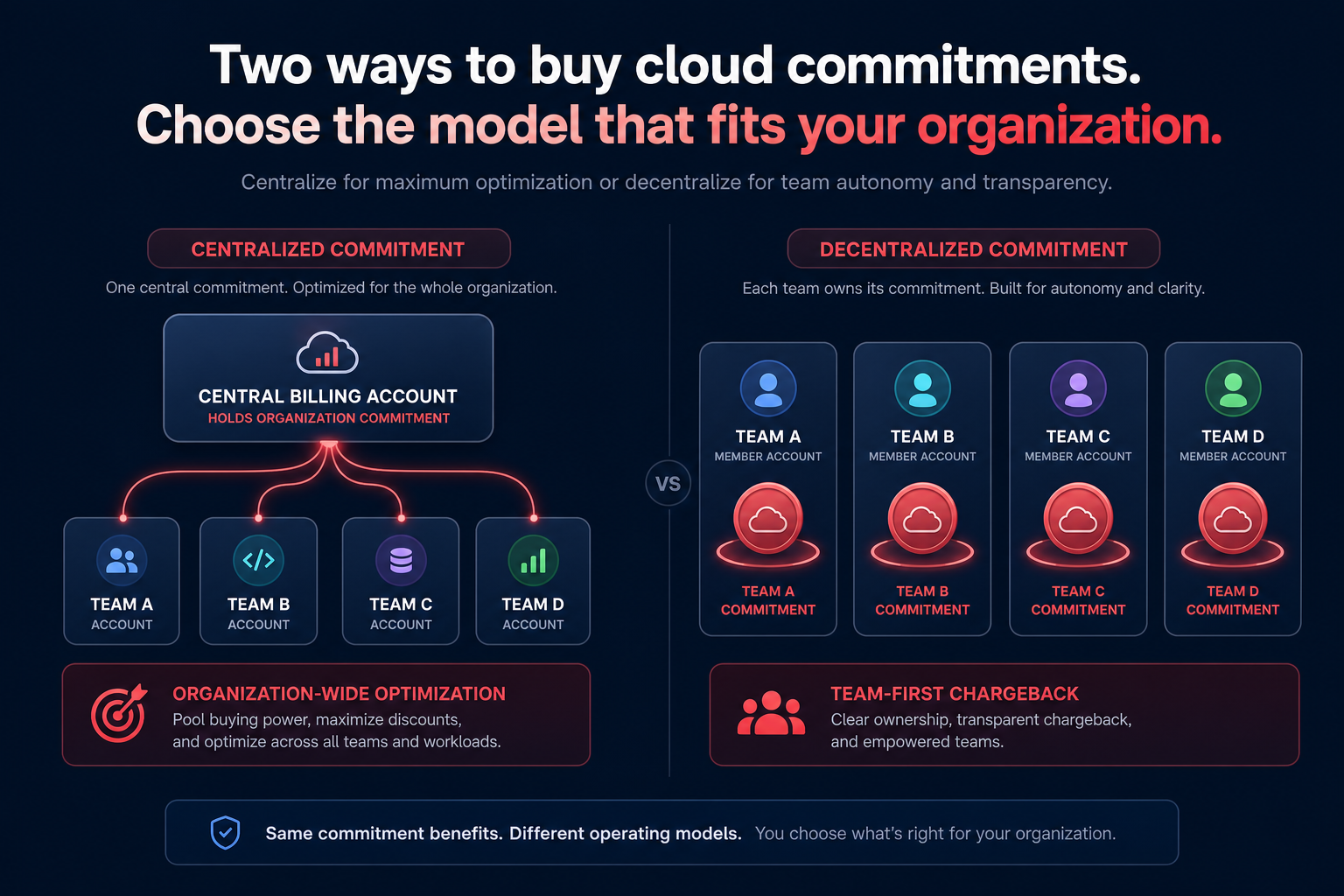
Cloud infrastructure managers often debate whether to purchase Savings Plans at the management account level or within individual member accounts. Purchasing from a dedicated billing or management account that has no resources of its own ensures the discount is distributed purely based on the organization’s greatest need. Conversely, purchasing within a member account ensures that the specific team responsible for the commitment gets their fair share first, which is often preferred in a chargeback model.
To maintain an Effective Savings Rate (ESR) of 50–70%+, you need a unified view of coverage across your entire fleet. While member accounts can see their own recommendations in the AWS console, only the management account has the visibility required to optimize the entire portfolio. This is why many teams utilize an AWS savings plan calculator to simulate how different commitment levels impact the consolidated bill across all linked accounts.
Challenges with the “buy and forget” approach
The primary risk of managing Savings Plans across multiple accounts is the lack of agility. Once a plan is purchased, it cannot be moved between accounts or resold on a marketplace, unlike Standard Reserved Instances. If a business unit migrates from EC2 to Fargate or switches instance families, a regional EC2 Instance Savings Plan might become a stranded asset that provides zero value while you continue to pay the hourly commitment.
Because of this, many managers prefer Compute Savings Plans for their broader flexibility across regions and services like Lambda and Fargate. However, even the most flexible plans require constant rebalancing to ensure they are being applied to the usage that provides the highest ROI. Without active management, your organization may end up with high coverage but a low effective savings rate because the discounts are being applied to the wrong resources.
Automating the cross-account lifecycle
Manually tracking the utilization of dozens of Savings Plans across hundreds of accounts is an engineering bottleneck. Hykell eliminates this burden by operating automated cloud cost optimization on autopilot. By analyzing usage patterns across your entire organization, Hykell identifies inefficiencies that manual reviews often miss, such as mismatched instance types or underutilized commitments.
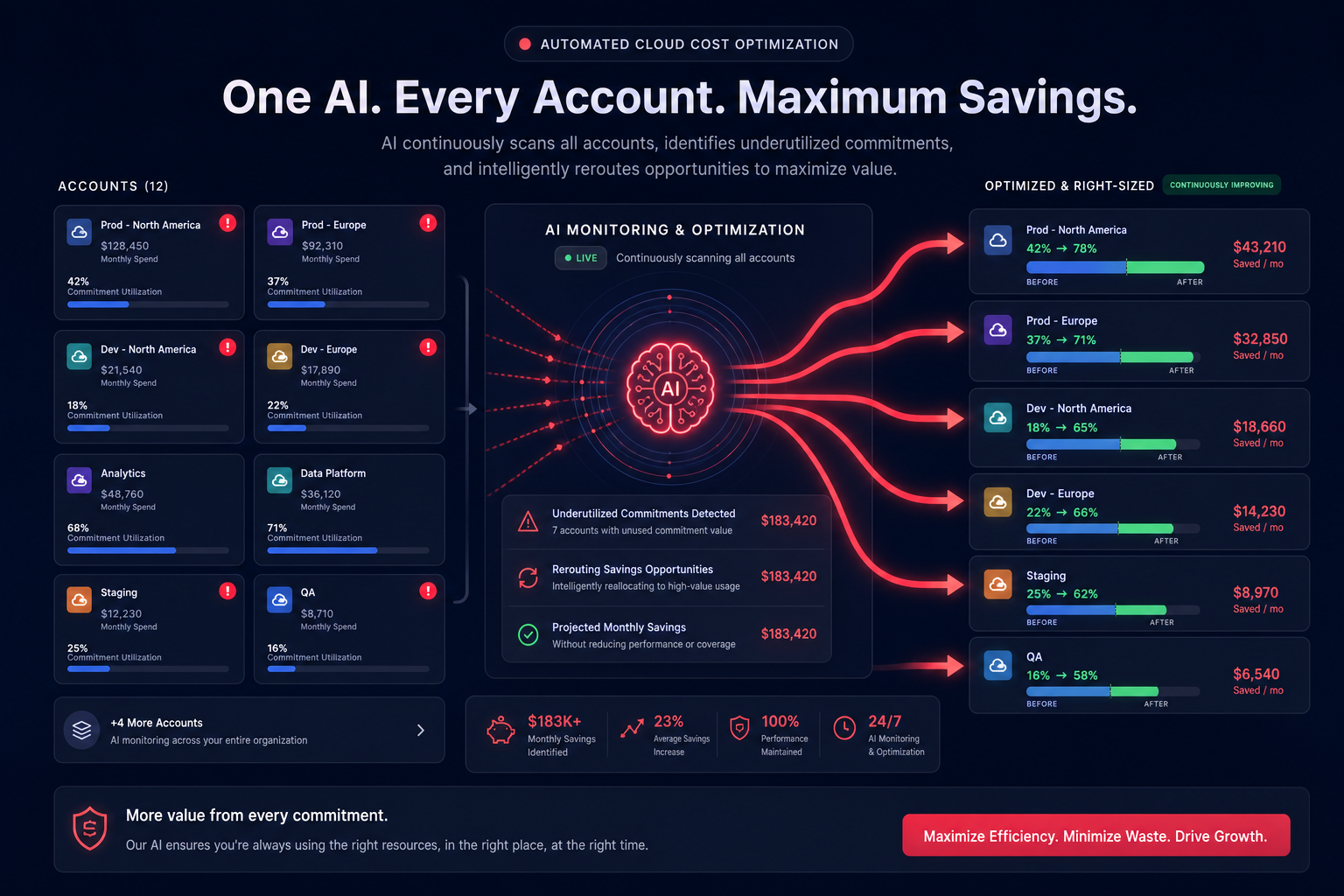
Hykell’s AI-powered commitment planning evaluates your organization-wide usage in real-time, blending Savings Plans with Reserved Instances to maximize your discount coverage without the risk of over-commitment. This approach ensures you achieve the lowest possible unit cost for compute across your entire AWS Organization, requiring zero code changes and zero manual intervention from your DevOps team.
If you want to see exactly how much your multi-account setup could be saving, try our cost savings calculator or contact us for a detailed audit of your current commitment strategy.

