
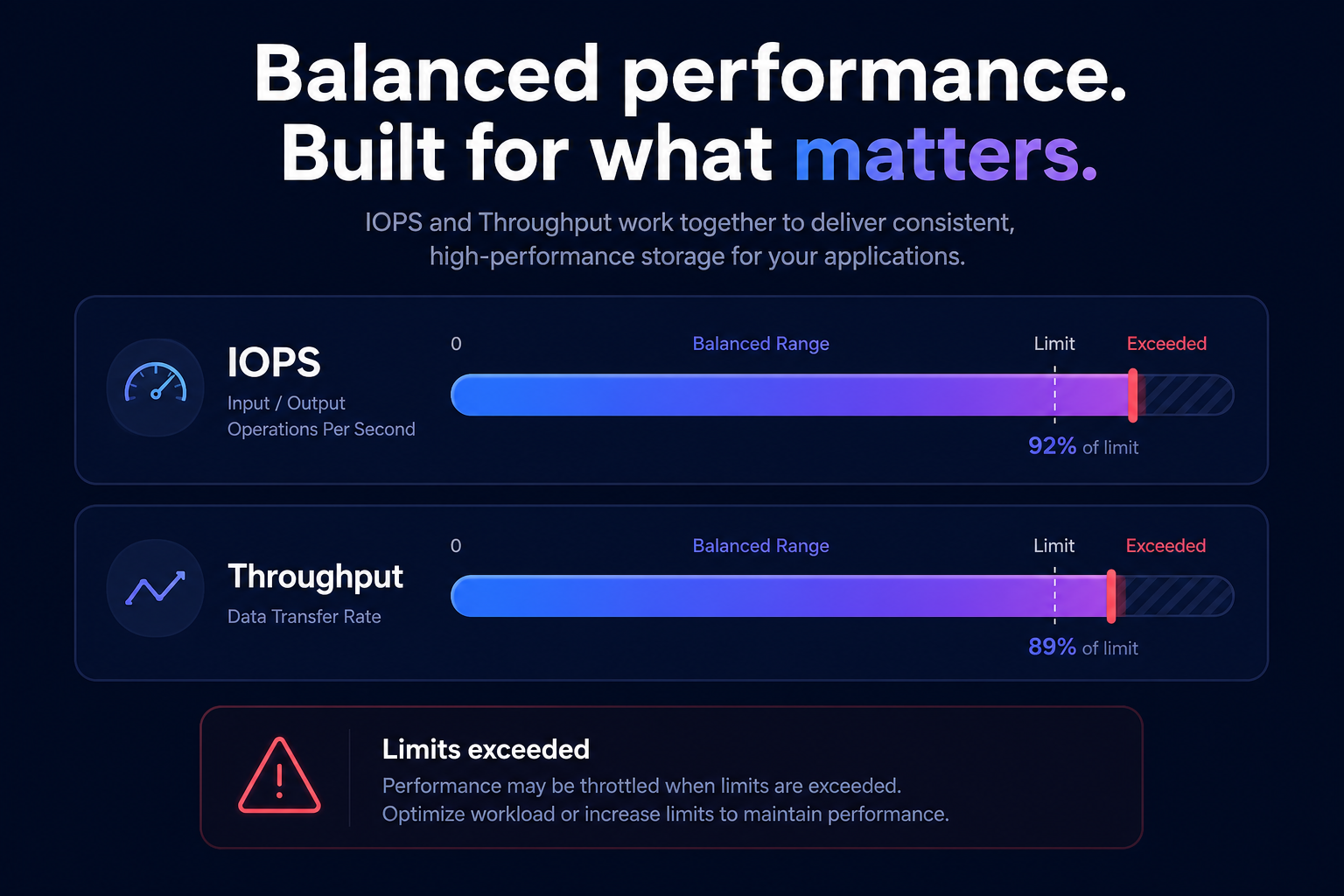
Are your AWS workloads struggling with sluggish response times or high storage costs? Optimizing Amazon EBS performance is often the fastest way to improve application health while slashing your cloud bill by matching storage resources to actual demand.
Optimizing storage performance without overspending is a crucial challenge for businesses running workloads on AWS. Balancing IOPS (Input/Output Operations Per Second) and throughput in Amazon Elastic Block Store (EBS) can significantly impact application performance and cloud costs. With the right strategy, you can maximize performance while keeping expenses in check.
Understanding the EBS-optimized configuration stack
AWS recommends using EBS-optimized instances to ensure traffic between an instance and its EBS volumes has dedicated bandwidth. This configuration prevents storage I/O from contending with other network traffic, which is vital for maintaining consistent Amazon EBS performance during high-load periods.
Your instance performance is always bounded by the smaller of two limits: the instance type’s maximum EBS bandwidth or the aggregated performance of its attached volumes. If you attach high-performance volumes to an instance that lacks the necessary dedicated bandwidth, the connection between storage and compute becomes a performance bottleneck. Using current-generation instance types, such as those discussed in our EC2 instance type selection guide for cost efficiency, ensures you have the Nitro System architecture required to achieve the highest possible throughput and IOPS.
Balancing IOPS and throughput
To optimize storage effectively, you must understand the relationship between IOPS and throughput:
- IOPS measures the number of read/write operations per second. This is the dominant metric for transactional databases and applications requiring low Amazon EBS latency.
- Throughput measures the volume of data transferred per second (MB/s). It is the critical factor for large streaming workloads, such as data analytics, log processing, and ETL jobs.
When you calculate AWS IOPS, you must also consider your I/O size. Smaller I/O sizes typically require higher IOPS, while larger I/O sizes rely on AWS EBS throughput limits. If you reach your provisioned limits, AWS will throttle your requests, leading to increased queue depth and latency.
EBS volume types and performance characteristics
Selecting the right storage class ensures you aren’t overpaying for performance you don’t use.
- gp3 (General Purpose SSD): This is the recommended choice for most workloads. It offers a baseline of 3,000 IOPS and 125 MiB/s throughput at a price roughly 20% lower than gp2. Unlike its predecessor, gp3 allows you to provision IOPS and throughput independently of storage capacity.
- gp2 (General Purpose SSD): A legacy volume type that uses a burst credit system. For volumes under 1 TiB, performance is unpredictable once credits deplete.
- io1/io2 (Provisioned IOPS SSD): Use these for mission-critical databases requiring sub-millisecond latency and high durability. io2 Block Express supports up to 256,000 IOPS per volume.
- st1 (Throughput Optimized HDD): Designed for large sequential I/O, such as data warehousing. It cannot be used as a boot volume but offers excellent price-performance for big data.
- sc1 (Cold HDD): The lowest-cost option for infrequently accessed, large sequential datasets.
Best practices for optimizing storage performance
Optimizing EBS is not a one-time task; it requires continuous monitoring and adjustment based on observed workload patterns.
- Initialize new volumes: When creating volumes from snapshots, enable fast snapshot restore or read all blocks to avoid the latency penalty that occurs during the first access to data blocks.
- Monitor queue depth: For HDD-backed volumes like st1, maintaining a queue length of 4 or more is often necessary to achieve maximum throughput for sequential I/O.
- Use RAID 0 configurations: If your application requires more throughput or IOPS than a single volume can provide, stripe multiple EBS volumes together to aggregate their performance and fully utilize instance bandwidth.
- Leverage automation tools: Manually tracking storage metrics is time-consuming. Tools like AWS Compute Optimizer analyze historical utilization to suggest the right volume size and provisioned settings.
- Right-size dynamically: Use AWS right-sizing tools to identify over-provisioned IOPS. Hykell research shows that companies often find 20-30% of their EBS spend is tied to resources they don’t actually use.
Advanced performance tuning
Beyond selecting the right volume, you can refine your configuration by adjusting OS-level settings. Modern Linux kernels with NVMe optimizations provide better performance for Nitro-based instances. You should also align your application’s I/O size with your EBS volume’s capabilities.
Regular AWS EBS benchmarking using tools like fio allows you to validate that your configuration meets your application’s specific needs. If your benchmarks reveal bottlenecks, check your AWS EC2 performance tuning to ensure the instance isn’t the limiting factor.
Automating cost and performance with Hykell
The dilemma of over-provisioning for peak performance versus under-provisioning to save money can be solved through automation. Hykell operates as an automated execution layer that proactively reduces AWS storage costs by up to 40% without ongoing engineering effort.
By integrating with your environment, Hykell provides near real-time cloud observability to identify underutilized volumes and automatically migrate them to more efficient types like gp3. Furthermore, Hykell specializes in AWS rate optimization by managing commitments on your behalf, ensuring you get the best possible price for the performance your applications require.
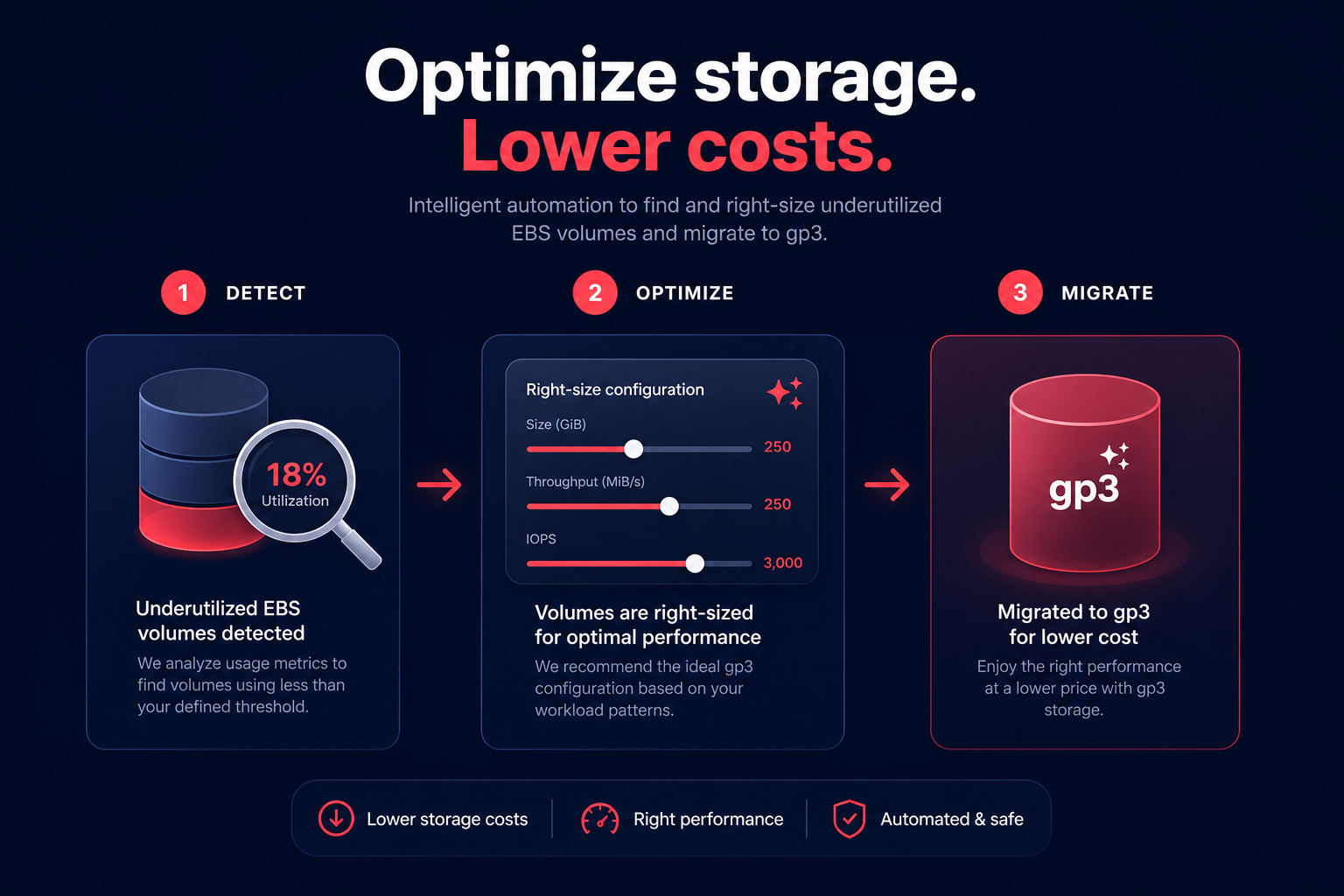
Stop overspending on storage and start maximizing efficiency. Let Hykell handle the heavy lifting by automating your EBS configuration on autopilot, so you only pay for the performance you actually need.

