
Are you paying On-Demand rates for workloads that haven’t changed in months? Most technical teams leave up to 72% in potential savings on the table because they fear “lock-in” or accidentally overcommitting to the wrong instance family.
Effective Reserved Instance (RI) planning is a strategic balancing act between your architectural roadmap and financial efficiency. To optimize your cloud spend without compromising performance, you must first master the data behind your usage patterns.
Evaluate your steady-state usage patterns
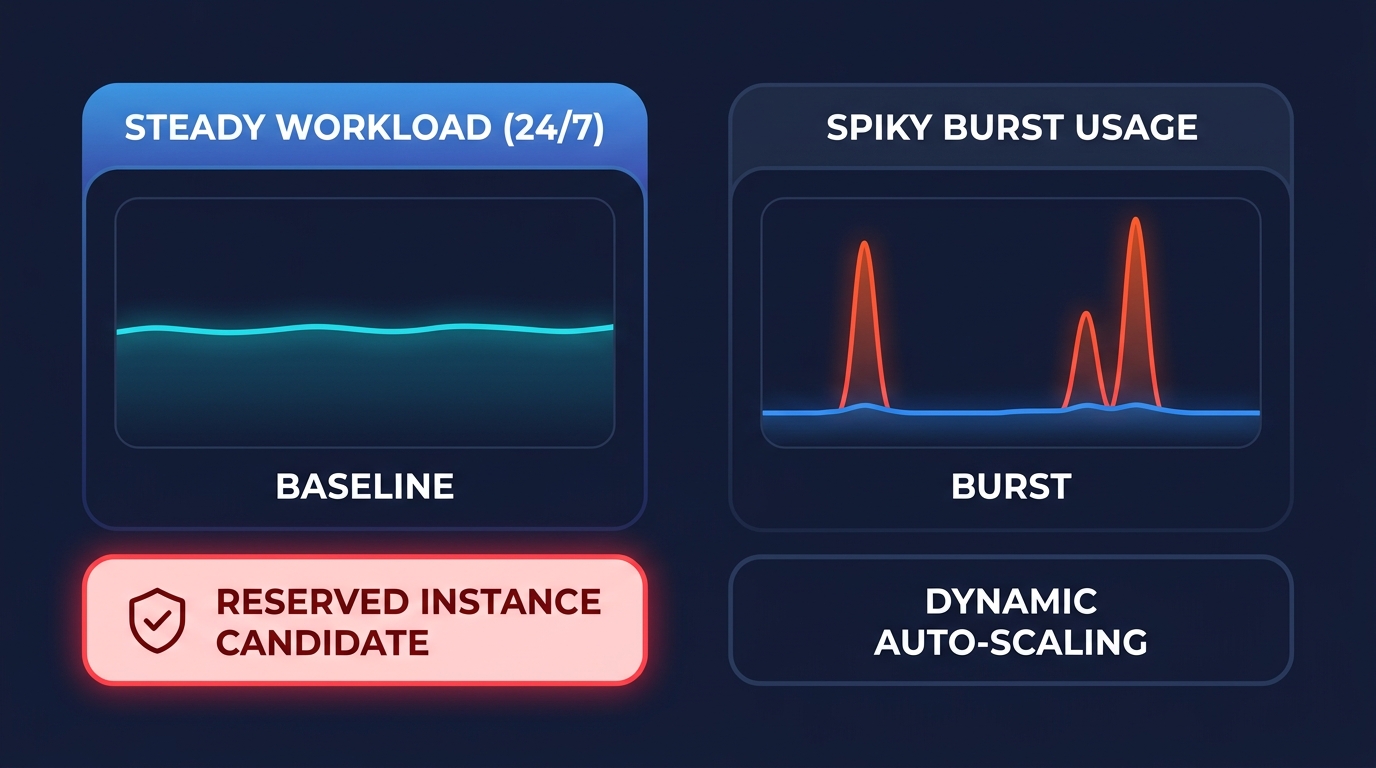
Before committing to a reservation, you must distinguish between your baseline and your burst capacity. Reservations are specifically designed for steady-state workloads – those instances that run 24/7 with minimal fluctuation. If your databases or compute resources show less than 10–20% idle time over a 60-day window, they are prime candidates for coverage. Technical decision-makers should look for “flat” lines in AWS Cost Explorer, as a workload that has remained consistent for 30 to 90 days is statistically likely to continue.
When you analyze these patterns, be careful not to buy RIs to cover the “peaks” of your usage, which inevitably leads to low utilization and wasted capital. Spiky patterns driven by Auto Scaling groups are often better suited for AWS EC2 purchasing models like Spot Instances or Savings Plans. To ensure the math works in your favor, you should aim for a target of at least 85% when auditing your reserved instance utilization. Anything significantly lower suggests you are paying for capacity you aren’t actually using.
Choose the right term: 1-year vs. 3-year
The duration of your commitment is the most significant lever for your discount rate. A 1-year RI typically offers a 40–60% discount, while a 3-year commitment can reach up to 72% off On-Demand rates. This decision depends entirely on your architectural certainty. If you are planning a container migration to EKS or moving from x86 to Graviton processors within the next 18 months, a 3-year Standard RI can become a dangerous liability because it is tied to a specific instance family.
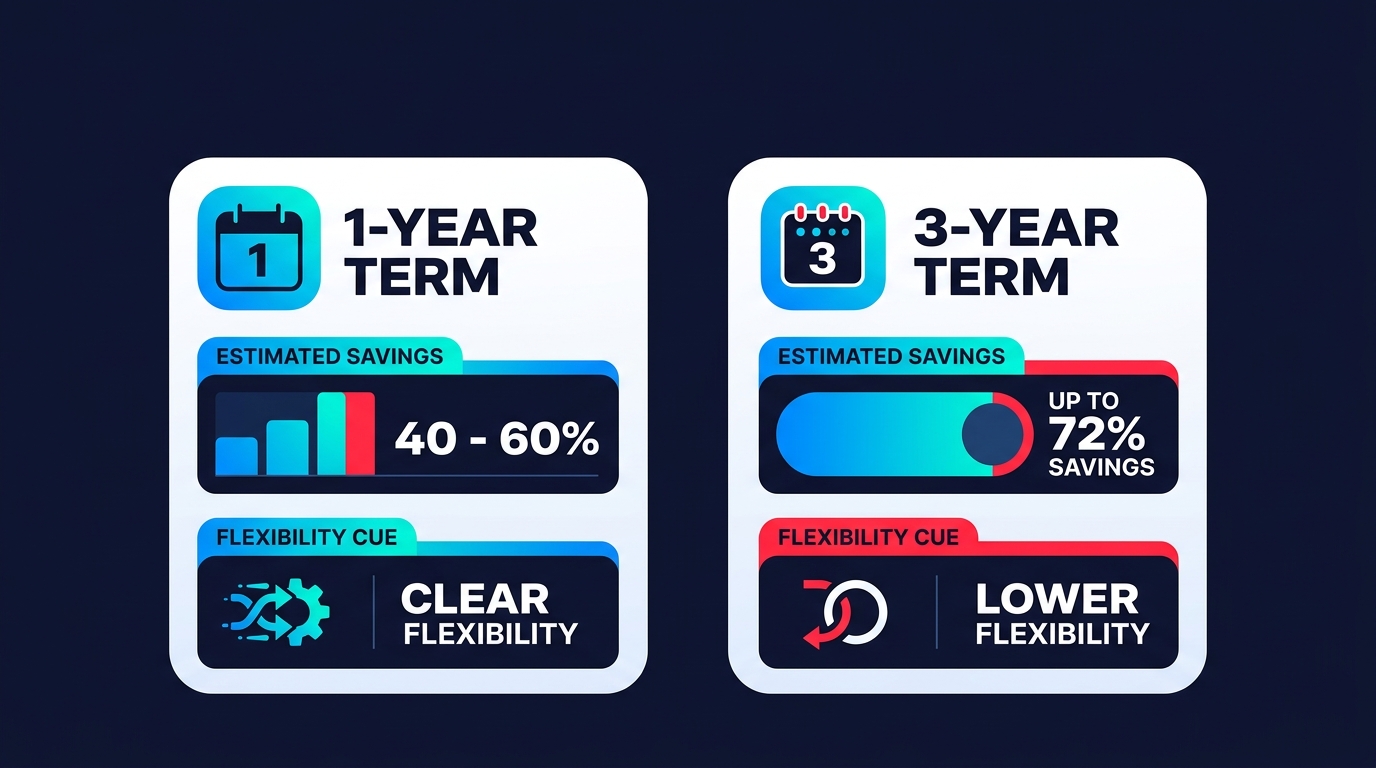
In scenarios where your roadmap is evolving, Compute Savings Plans offer much-needed flexibility across regions and instance types. However, for core databases or legacy applications that are unlikely to change, the deeper 3-year discount provides the best long-term ROI. If you do find yourself holding a Standard commitment you no longer need, you can use the AWS Reserved Instance Marketplace to sell it to another user, though this should be treated as a tactical exit rather than a primary procurement strategy.
Compare payment options for cash flow optimization
AWS provides three distinct payment tiers that directly influence your effective savings rate and cash flow. The All Upfront option requires the entire cost at the start of the term, offering the highest possible discount and a break-even point typically around six months. This is often the most efficient choice for organizations with a budget surplus at the end of a fiscal quarter.
For businesses balancing savings with immediate liquidity, the Partial Upfront model provides a middle ground with a smaller initial payment followed by a reduced hourly rate. Alternatively, the No Upfront option allows you to pay a fixed, discounted hourly rate every month. While this offers the lowest discount – typically 5–10% less than paying upfront – it preserves your capital for other engineering initiatives and growth. When choosing between these, consider your internal cost of capital; if keeping cash on hand for development is a priority, the lower discount of a No Upfront plan may be a valid trade-off.
Select the scope: regional vs. zonal
The scope of your RI determines whether you prioritize flexibility or availability. Regional RIs apply their discount to any instance within a specific region, regardless of the Availability Zone (AZ). They offer “instance size flexibility,” meaning a single large reservation can cover multiple smaller instances within the same family. This is the preferred choice for most modern, elastic environments where workloads may shift across zones.
In contrast, Zonal RIs are tied to a specific AZ, such as us-east-1a. While they lack the size flexibility of regional options, they provide a guaranteed capacity reservation. This is critical for applications that require specific instance types to be available during high-traffic events, such as Black Friday or major product launches. If your primary goal is cost reduction across a dynamic fleet, stick with Regional; if you cannot afford the risk of an “insufficient capacity” error during a peak period, Zonal is the correct tool.
Avoid the overcommitment trap
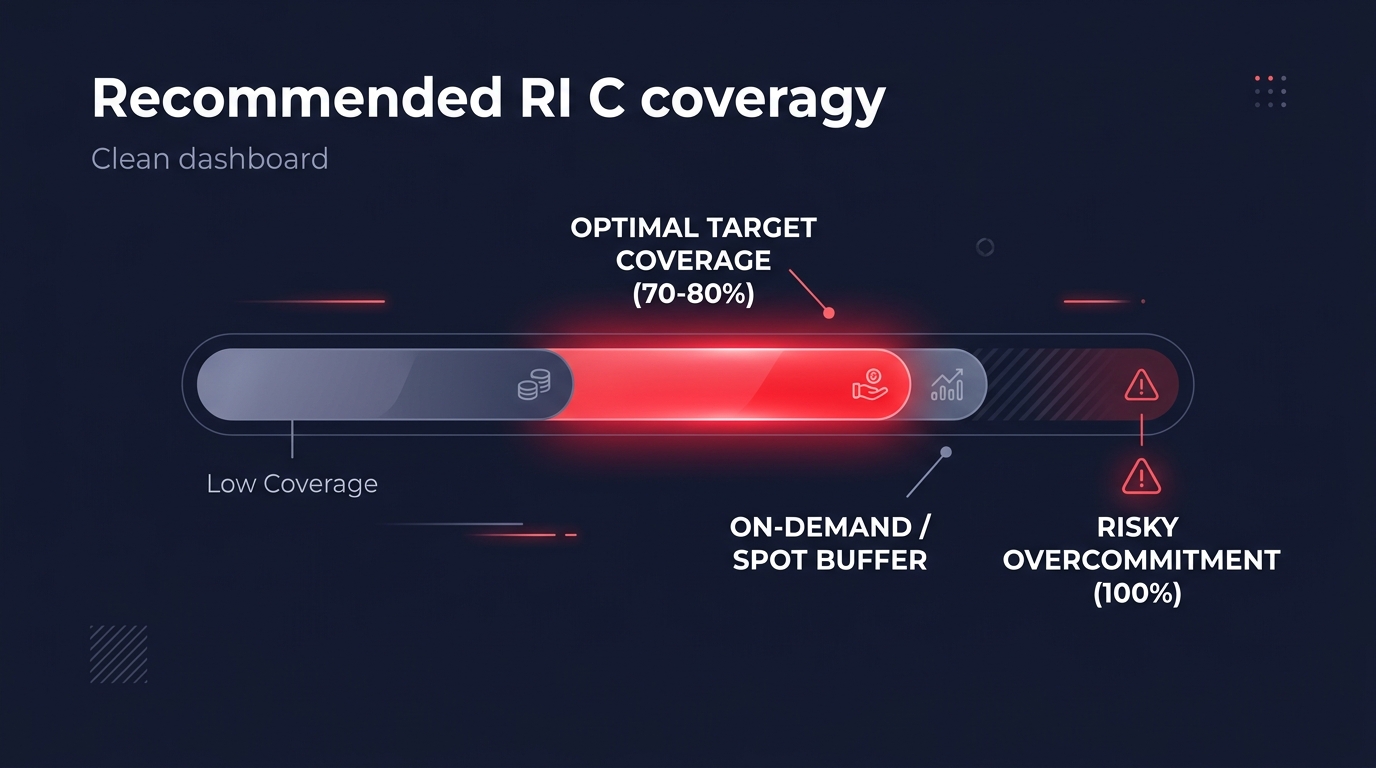
The most frequent error in cloud financial management is attempting to reach 100% RI coverage. In a dynamic cloud environment, 100% coverage almost always leads to wasted spend because workloads naturally shift and evolve. Following AWS cost management best practices usually means targeting 70–80% coverage for steady-state workloads. This strategy leaves a 20% buffer of On-Demand or Spot instances to handle variability without leaving you responsible for unused reservations.
Crucially, you must perform the work of right-sizing your infrastructure before you lock in a rate. Committing to a multi-year reservation for an oversized instance that is only running at 10% CPU utilization simply locks in your inefficiency. You should optimize the resource size first to match your actual performance requirements, then secure the discounted rate for that properly sized baseline.
Managing this lifecycle manually often requires a full-time engineering effort that diverts resources from your core product. Hykell automates this process by using AI to forecast your usage and manage a blended portfolio of RIs and Savings Plans on your behalf. By continuously adjusting commitments based on real-time data, Hykell helps you achieve an effective savings rate of 40% or more without the risk of long-term lock-in. To see exactly where your current infrastructure is overspending, use the savings calculator to identify hidden opportunities in your AWS bill.

