
Are you paying for idle compute capacity while your engineering team sleeps? Most AWS teams waste up to 30% of their EC2 budget on over-provisioned instances, yet still face performance bottlenecks during traffic spikes. Here is how to build a resilient, cost-effective architecture that scales with precision.
Mastering the foundational components of auto scaling groups
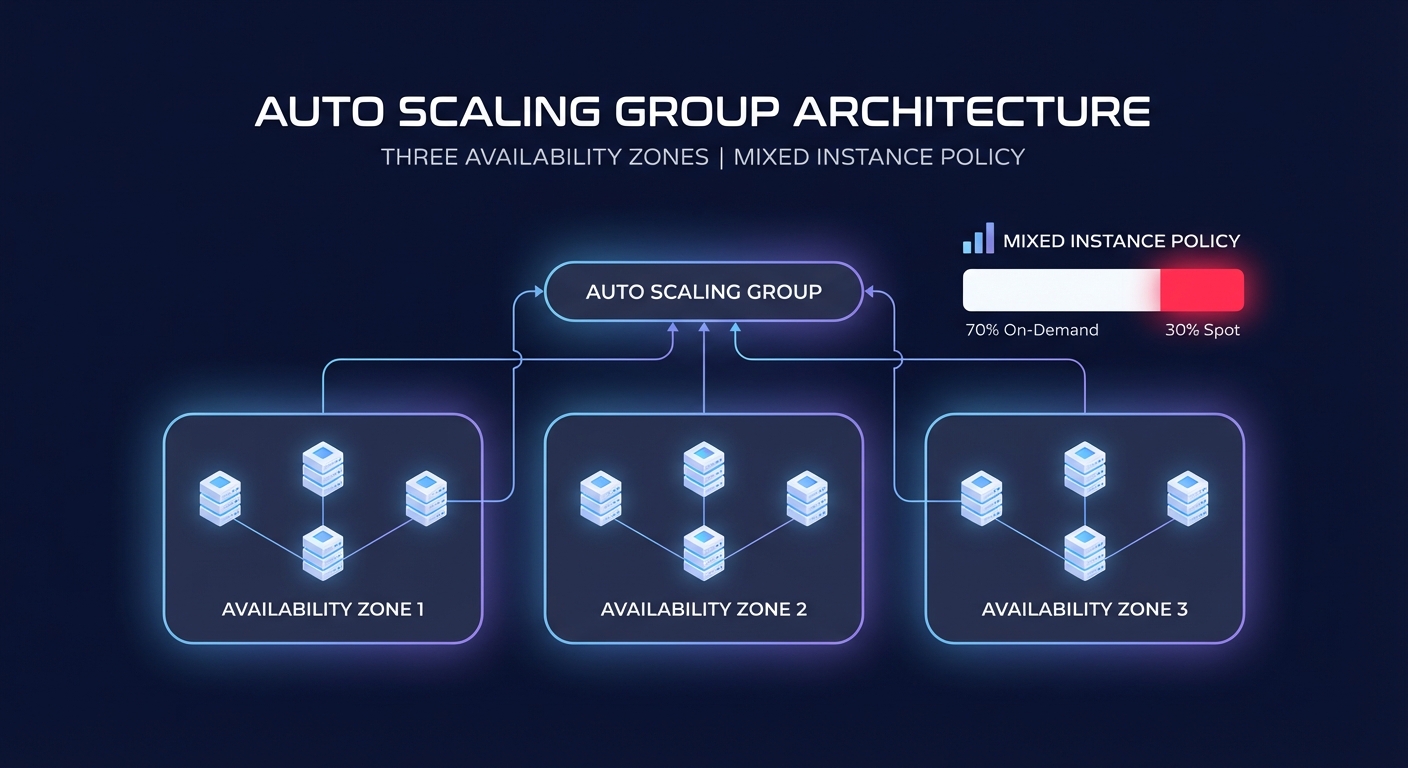
The foundation of any elastic architecture is the Auto Scaling Group (ASG). To avoid the common trap of maintaining “zombie instances” that drive up costs without providing value, you must start with a robust Launch Template that defines your instance blueprint. Rather than sticking to a single instance type, you should utilize mixed instance policies to combine On-Demand and Spot Instances. This approach allows you to leverage Spot Instances for up to 90% savings on stateless workloads while maintaining steady On-Demand capacity for your baseline.
For high availability, your ASG should always span multiple Availability Zones (AZs). This configuration ensures that AWS automatic scaling can rebalance capacity if one zone experiences an outage. When configuring your group, pay close attention to the instance warmup time. If your application takes several minutes to pull a container image and initialize, your scaling policy must account for that lag. Without this buffer, you risk “thrashing” – a cycle where the system launches redundant instances because the first ones haven’t yet reported healthy metrics.
Comparing dynamic, scheduled, and predictive scaling policies
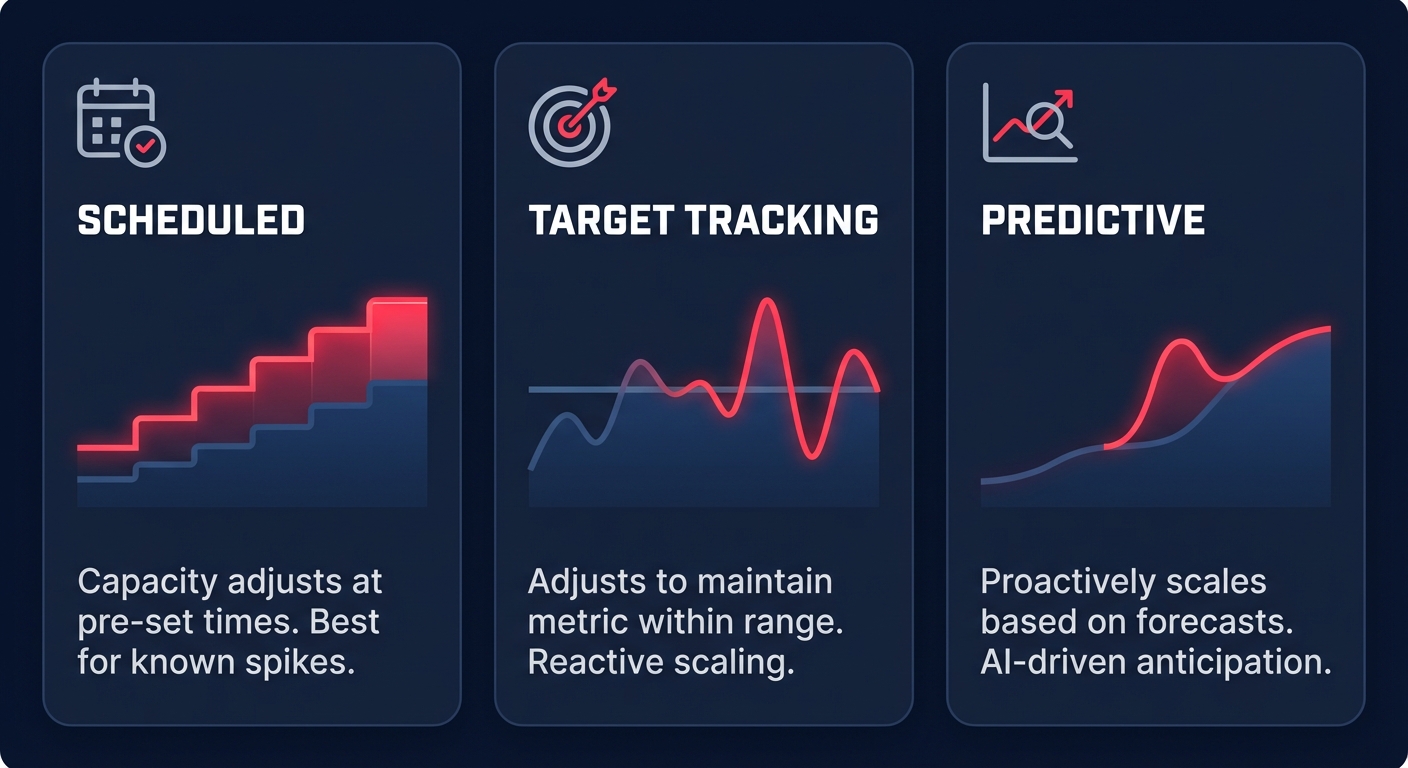
One size does not fit all when it comes to scaling logic, and choosing the right policy depends entirely on your traffic patterns. For predictable workloads, such as an e-commerce platform with known Monday morning surges, scheduled scaling is your most efficient lever. By automating capacity increases for these peaks and implementing stop/start policies for non-production environments, you can reduce off-hours costs by 65–70%.
For variable traffic, Target Tracking Scaling has become the industry standard. By setting a target, such as maintaining an average CPU utilization of 60%, AWS adjusts capacity automatically. Organizations using automatic cloud resource scaling often see a 40% reduction in over-provisioning compared to static limits. If your traffic is extremely volatile, step scaling offers more granular control by allowing you to define specific responses for different breach levels – such as adding two instances if CPU hits 70%, but five if it jumps to 90%.
To achieve the highest level of infrastructure maturity, you can layer predictive scaling on top of your dynamic policies. This feature uses machine learning to analyze historical patterns and can initiate capacity increases up to 24 hours in advance. This proactive approach can improve resource availability by 30% during peak hours while still shaving 15% off your total cloud bill.
Fine-tuning cooldowns and health checks for stability
A frequent mistake among engineering leaders is setting aggressive scale-in thresholds without adequate cooldown periods. While a default cooldown of 300 seconds is standard, you should tune this based on how long it takes your instances to become fully operational and handle traffic. Scaling in too quickly creates a “yo-yo” effect where instances are terminated only to be immediately relaunched as the remaining fleet becomes overloaded.
Stability also requires refined health check grace periods. Relying solely on default EC2 status checks can be risky because they may miss application-level failures. You should use Elastic Load Balancing (ELB) health checks for web-facing applications to ensure that if a process hangs while the underlying VM remains “healthy,” the ASG will still replace the unresponsive instance. Achieving comprehensive AWS EC2 performance tuning requires this level of application-aware monitoring to prevent silent failures.
Integrating storage and observability into your scaling strategy
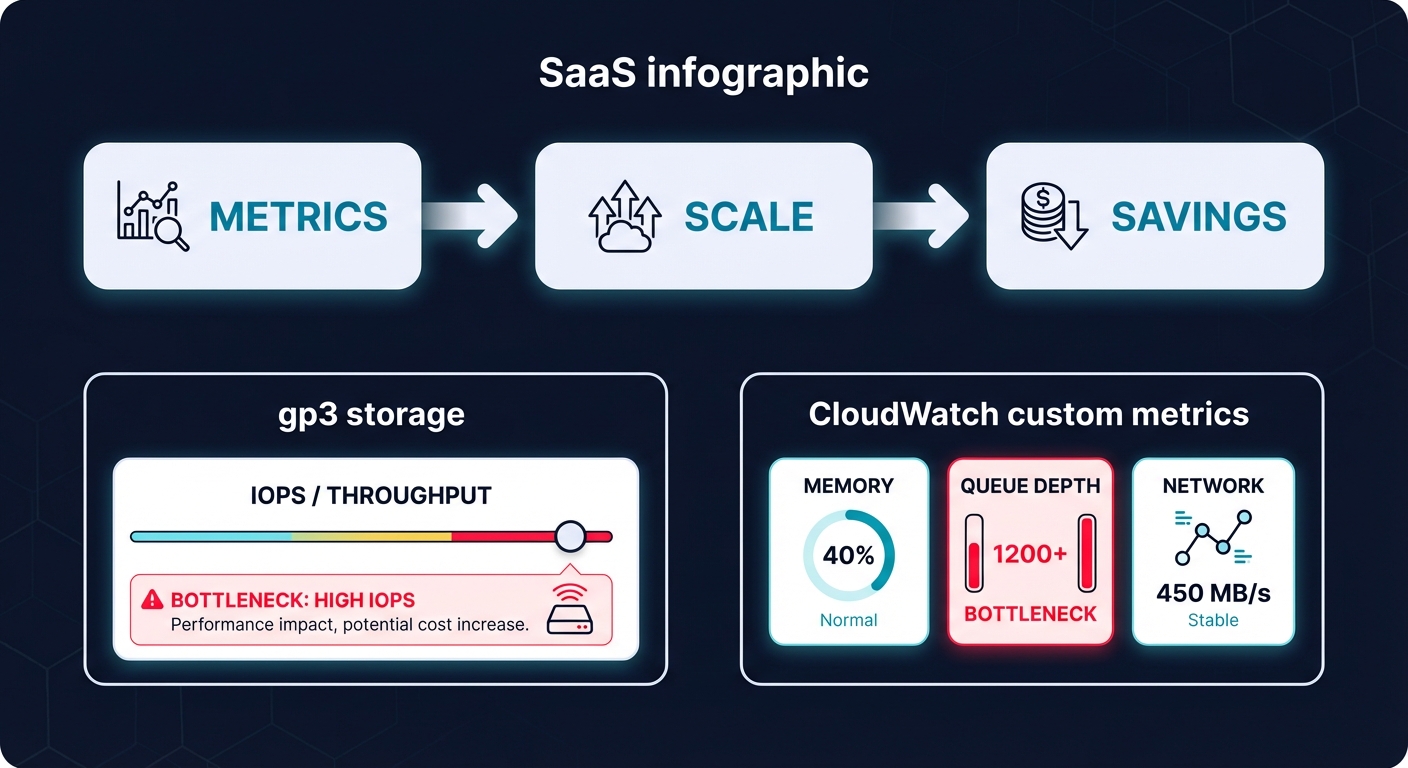
Scaling compute is only effective if your storage and networking layers can keep up. If your instances scale out but your storage bottlenecks, your application performance will crater. You should transition to gp3 volumes from legacy gp2, as gp3 provides 20% lower costs while allowing you to provision throughput and IOPS independently of volume size. This ensures your storage performance remains consistent even as your instance count fluctuates.
Furthermore, you should integrate AWS CloudWatch application monitoring to track custom metrics like memory utilization or SQS queue depth. Standard CPU metrics often fail to capture the true load of memory-intensive Java applications or worker nodes processing a message backlog. By scaling based on the actual bottleneck – whether it is network I/O or message lag – you ensure your infrastructure remains responsive without over-allocating expensive r6g or m7g instances.
Achieving continuous optimization on autopilot
Manually adjusting scaling thresholds and monitoring for underutilized resources is a constant burden for DevOps teams. While native AWS tools provide the necessary data, they often lack the automation required to act on insights without human intervention. This gap often leads to “optimization fatigue,” where configurations drift and costs slowly rise over time.
Hykell takes the guesswork out of infrastructure management by operating on a performance-based model. We deeply audit your AWS spend and automatically apply optimizations that reduce costs by up to 40%. Our platform executes the strategy for you, whether that involves AWS rate optimization to maximize your Savings Plans or rightsizing your EC2 fleet in real-time. Because we only take a slice of what you actually save, you get a risk-free path to a leaner, faster, and more reliable cloud environment.
Ready to see how much you could save? Book a free cost audit with Hykell today and stop paying for the cloud capacity you aren’t using.

