How to implement AWS cloud optimization: A practical guide to 40% savings
Most engineering teams know they’re overspending on AWS. The median organization achieves only a 23% Effective Savings Rate when 40% or more is within reach – if you implement the right optimization framework systematically.
Cloud optimization isn’t about slashing resources and hoping performance holds. It’s about matching your infrastructure to actual workload demands while layering in the pricing mechanisms AWS already provides. When done properly, optimization reduces waste, improves performance, and frees your team from constant firefighting.
This guide walks through a proven implementation framework used by engineering leaders and FinOps teams to achieve sustained cost reduction without performance trade-offs.
Why AWS cloud optimization implementation matters now
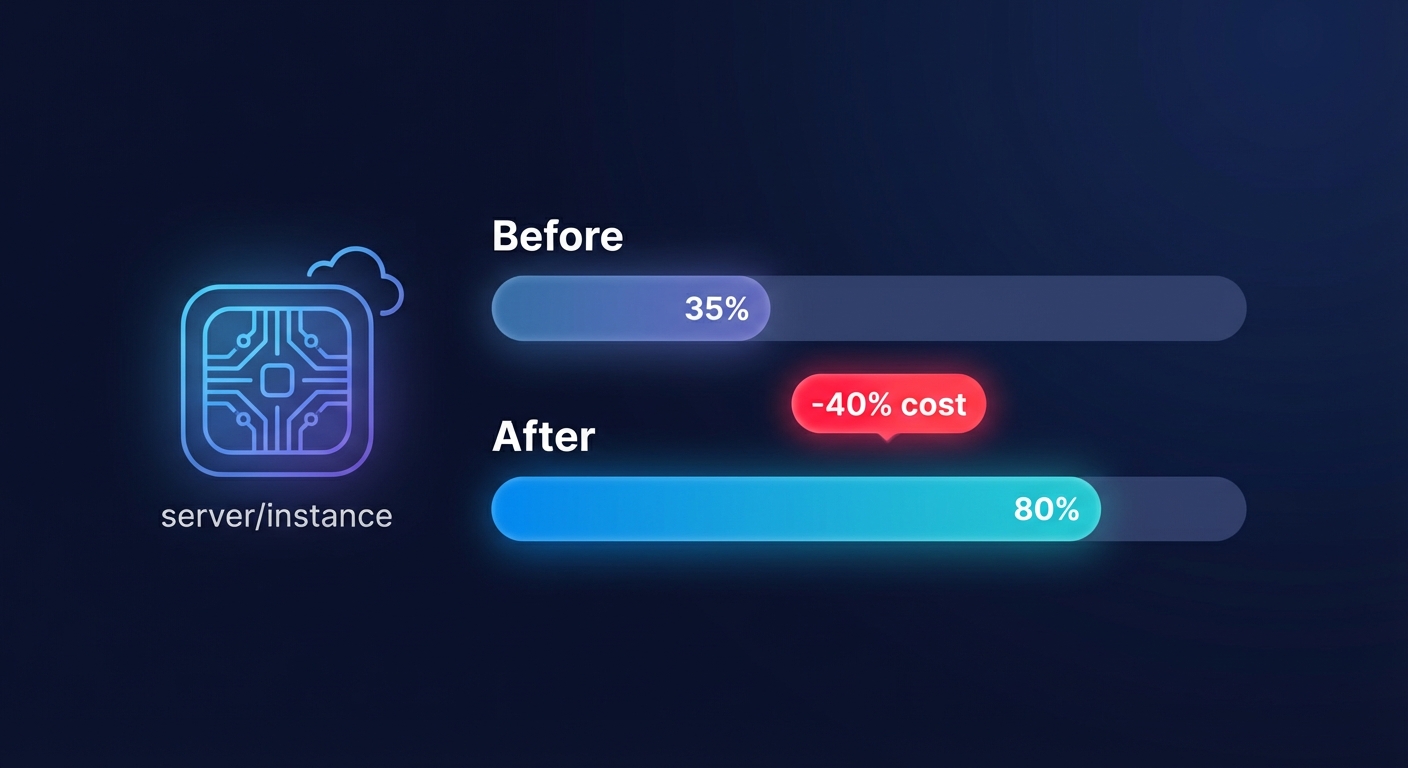
AWS bills are growing faster than most engineering budgets. Compute workloads represent 60% or more of AWS usage before discounts, and research shows that a typical enterprise AWS environment has 35% of its resources underutilized.
The gap isn’t knowledge – most teams understand Reserved Instances, Spot, and rightsizing conceptually. The gap is systematic implementation. Without a repeatable process, optimization becomes reactive: you fix what’s obviously broken, miss the 20–30% of waste hiding in “normal” usage, and burn engineering cycles chasing one-off savings.
Organizations that treat optimization as a continuous discipline rather than a quarterly project routinely achieve 30–40% cost reductions while improving reliability. The difference is having a framework that addresses all four optimization pillars: rightsizing workloads, increasing elasticity, choosing optimal pricing models, and optimizing storage.

The four pillars of AWS cost optimization
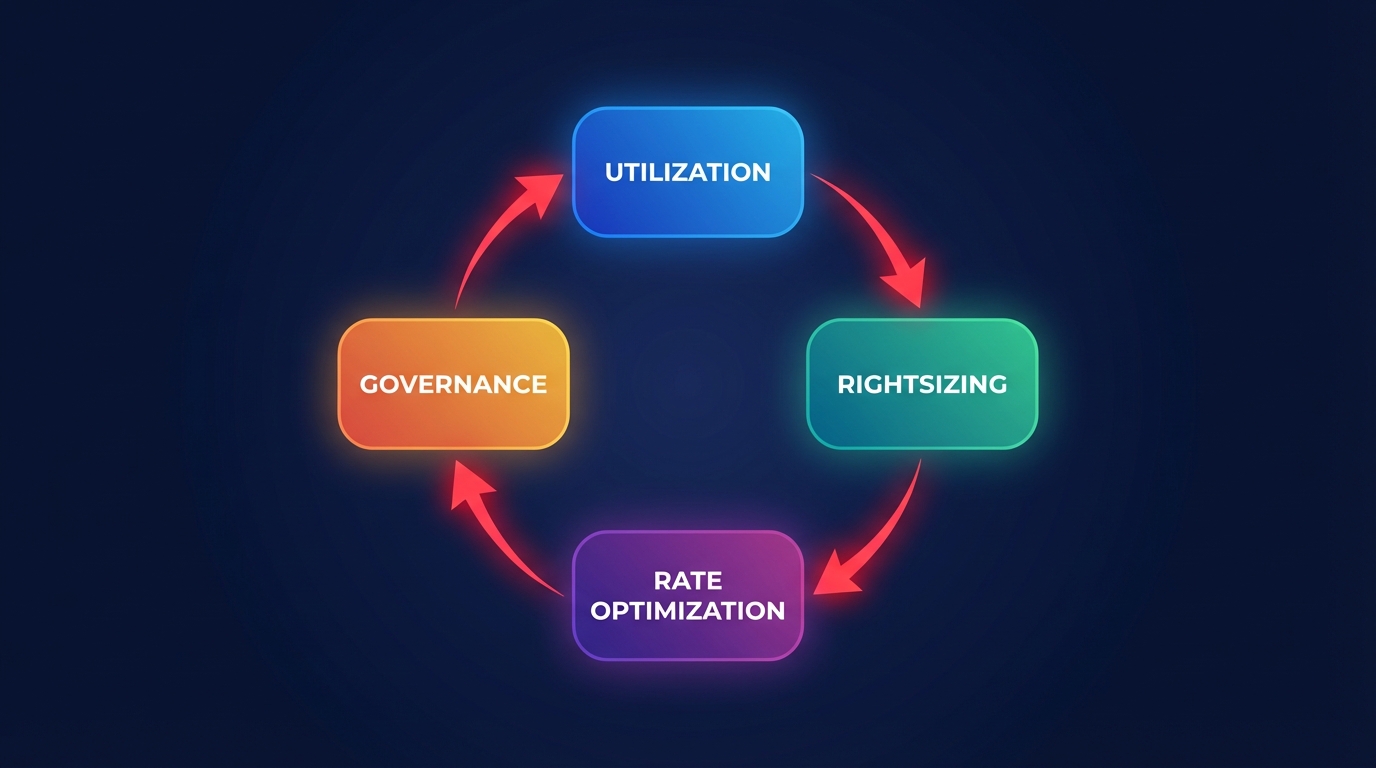
Effective cloud optimization rests on four interdependent levers identified by AWS’s own guidance: workload rightsizing, elasticity, pricing model selection, and storage optimization. Organizations that address all four systematically outperform those that focus on a single area.
Workload rightsizing matches instance types and sizes to actual resource consumption. When 40% of EC2 instances run below 10% CPU at peak, rightsizing alone can reduce EC2 costs by approximately 35%. This isn’t about guessing – it requires 2–4 weeks of CloudWatch data showing CPU, memory, network, and disk utilization patterns at p95 or p99, not just averages.
Elasticity aligns spending with actual demand by scaling resources dynamically rather than provisioning for peak capacity 24/7. Intelligent auto-scaling reduces costs by running only what you need when you need it. Combined with workload scheduling – shutting down non-production environments during off-hours – elasticity can cut development and test costs by up to 70%.
Pricing model optimization applies the right discount mechanism to the right workload. Compute Savings Plans can reduce AWS bills by up to 66% across EC2, Fargate, and Lambda, while Spot Instances deliver up to 90% savings for fault-tolerant workloads. The key is covering baseline capacity with commitments and using On-Demand or Spot for variable load.
Storage optimization involves selecting appropriate storage tiers, cleaning up orphaned resources, and tuning performance characteristics. Migrating from gp2 to gp3 EBS volumes has shown a reduction in storage costs by 30% in real-world examples, and S3 Intelligent-Tiering automatically moves objects between tiers without performance impact.
Establish your baseline and gather data
You can’t optimize what you don’t measure. The first step in any optimization implementation is establishing a clear baseline of current spending, usage patterns, and resource allocation across your AWS environment.
Start with AWS Cost Explorer to visualize your spending by service, account, and region. Cost Explorer provides detailed historical data and identifies your top cost drivers – typically EC2, EBS, RDS, and data transfer. Export the last 60–90 days of spending to establish your baseline monthly run rate.
Enable AWS Cost and Usage Reports (CUR) for granular, hourly-level data. CUR gives you the raw material for deep analysis: which instance types are running where, what your actual utilization looks like, and where untagged or orphaned resources are hiding. Configure CUR to deliver to an S3 bucket and use AWS Glue and Athena to query it programmatically.
Activate AWS Compute Optimizer and let it analyze your workloads for at least two weeks. Compute Optimizer uses machine learning on CloudWatch metrics to recommend downsizing opportunities across EC2, Auto Scaling groups, EBS, and Lambda. It typically identifies 20–30% of instances as optimization candidates and provides estimated monthly savings for each recommendation.
Set up CloudWatch monitoring with custom dashboards tracking CPU utilization, memory usage (requires the CloudWatch agent), network throughput, and EBS performance metrics. Collect data for a minimum of 2–4 weeks to capture weekly cycles and variability. The longer your data collection period, the more confident your optimization decisions will be.
Implement a comprehensive tagging strategy before you begin optimizing. Tags for owner, environment (production, staging, development), cost center, application, and project enable accurate cost allocation and chargeback. Poor tagging causes 15–25% of Reserved Instance and Savings Plan waste because you can’t confidently match commitments to workloads.
Document your current state: total monthly AWS spend, cost per major service, average utilization rates, existing commitment coverage (Reserved Instances and Savings Plans), and any known performance issues or scaling challenges. This baseline becomes the reference point for measuring optimization impact.
Identify and prioritize optimization opportunities
With baseline data in hand, the next step is systematically identifying where savings exist and prioritizing based on impact and implementation risk.
Use AWS Cost Optimization Hub to consolidate optimization recommendations across services in a single view. The Hub calculates a Cost Efficiency metric by dividing aggregated estimated monthly savings by optimizable spend, providing a clear picture of your optimization progress.
Focus first on the highest-cost resources. The top 20 instance types typically account for 70–80% of compute costs. Analyze these with Compute Optimizer and Cost Explorer to identify instances running at low utilization (below 40% CPU and memory over 30 days) or significantly oversized for their workload. One e-commerce platform reduced costs by 38% by systematically addressing its top cost drivers.
Look for quick wins that require minimal testing: terminating stopped instances that have been idle for more than 30 days, deleting orphaned EBS volumes and snapshots, and implementing instance scheduling for non-production environments. One SaaS provider saved over $10,000 monthly by removing orphaned EBS volumes alone.
Categorize opportunities by implementation complexity and risk. Low-hanging fruit includes resource cleanup, non-production scheduling, and storage tier optimization. These deliver immediate savings with minimal risk and can often be implemented within a week.
Medium-complexity optimizations involve rightsizing production instances, migrating to newer instance generations, and switching from gp2 to gp3 storage. These require testing in staging environments but deliver significant ongoing savings, consistently producing 20–30% storage cost reductions.
Strategic initiatives include Graviton migration, Reserved Instance and Savings Plan optimization, and architectural changes like adopting Lambda or containerization. These require more planning but can compound savings. One enterprise customer reduced their monthly compute bill by 45% while improving performance by 15% through Graviton migration.
Map each opportunity to estimated monthly savings and implementation effort. A simple matrix helps: savings impact (high/medium/low) versus implementation complexity (simple/moderate/complex). Prioritize high-impact, simple changes first to build momentum and demonstrate ROI quickly.
Document specific actions for each opportunity: which resources to modify, what the target configuration should be, expected savings, required testing, and rollback procedures. This documentation becomes your implementation roadmap and ensures changes are made deliberately rather than reactively.
Implement rightsizing systematically
Rightsizing is the foundation of cloud optimization because it directly addresses waste while often improving performance. The key is following a systematic testing and validation workflow rather than making blind changes.
Start with non-critical workloads in development or staging environments. Select instances identified as oversized by Compute Optimizer or your own utilization analysis – typically those running below 40% CPU and 50% memory over a 30-day period. Document current performance baselines: response times, throughput, error rates, and any relevant application metrics.
Implement changes incrementally during maintenance windows. Downsize one instance type at a time rather than bulk changes. For example, if Compute Optimizer recommends moving from r5.xlarge to r5.large, make the change for a single instance or Auto Scaling group first. Monitor CloudWatch metrics and application performance for 24–48 hours before proceeding to similar instances.
Set up CloudWatch alarms to immediately detect performance degradation: CPU utilization approaching 80%, memory pressure, increased error rates, or elevated response times. Have a documented rollback procedure that can be executed immediately if alarms trigger. One financial services firm saved 43% by following this measured, incremental approach.
Consider Graviton instances for better price-performance. AWS Graviton2 and Graviton3 processors offer up to 40% better price-performance over comparable x86 instances. For workloads running on ARM-compatible platforms (Java, Python, Go, containerized applications), Graviton migration delivers immediate cost reduction with equal or better performance. One government agency achieved approximately 15% per-instance savings moving from m6i to m7g.
Right-size storage alongside compute. Use Cost Explorer to identify EBS volumes with low IOPS utilization or consistently high free space. Downsize volumes where appropriate and migrate gp2 to gp3 for both cost savings and better performance control. Delete snapshots older than your required retention period – accumulated snapshots can represent 10–15% of storage costs.
For databases, analyze RDS and Aurora metrics over 30 days: CPU utilization, memory, IOPS, and connection counts. Consider Aurora Serverless v2 for variable workloads that can tolerate automatic scaling. For stable, predictable databases, apply Reserved Instances to capture up to 72% discounts after confirming the instance size is right-sized.
Track the business impact of rightsizing, not just cost reduction. Measure cost per transaction, cost per user, or cost per API call to demonstrate that optimization is improving efficiency rather than just cutting spending. One organization saw cost-per-transaction drop by 45% even as total costs fell 30%.
Document every rightsizing change: what was modified, expected savings, actual performance impact, and any issues encountered. This creates an optimization playbook that accelerates future rightsizing efforts and reduces risk.
Optimize pricing models and commitment strategies
After rightsizing, the next major savings lever is applying the right pricing model to your optimized workload. This is where organizations typically unlock an additional 40–70% in savings on their compute spend.
Understand the three commitment mechanisms AWS provides: Reserved Instances (RIs), Savings Plans, and Spot Instances. Each serves different workload characteristics and risk profiles. The key is matching the mechanism to the workload, not applying a one-size-fits-all strategy.
Compute Savings Plans offer the most flexibility and typically deliver up to 72% off On-Demand pricing for a 3-year commitment. They apply automatically to EC2, Fargate, and Lambda across instance families, sizes, operating systems, and regions. For organizations with variable workloads or frequent architectural changes, Compute Savings Plans provide better coverage than instance-specific Reserved Instances.
Reserved Instances provide the deepest discounts when you can commit to a specific instance family and region. Use Convertible RIs rather than Standard RIs – the slight discount difference (typically 5–10%) is outweighed by the ability to exchange instance types as your needs change. Target 70–85% RI coverage for your baseline capacity.
Spot Instances deliver up to 90% savings but can be interrupted with two minutes’ notice. Use Spot for fault-tolerant workloads: batch processing, data analysis, stateless web servers behind load balancers, and CI/CD build agents. Combine Spot with Auto Scaling and diversified instance types to minimize interruption impact.
Implement a layered pricing strategy that balances cost and flexibility. Cover 60–80% of your baseline capacity with Savings Plans or RIs. Analyze your usage over the past 90 days to identify the consistent, predictable portion of your workload. This is the floor that’s always running, regardless of traffic patterns or business cycles.
Use On-Demand for the next 10–20% to handle moderate variability without commitment risk. A conservative rate optimization strategy with one-year commitments and 25% discount has a 9-month break-even point, so preserve flexibility for capacity that varies seasonally or with product launches.
Layer Spot Instances for burst capacity where interruption is acceptable. For example, Auto Scaling policies can prefer Spot up to a certain percentage of fleet size (say, 40%), falling back to On-Demand when Spot isn’t available or for the remaining capacity.
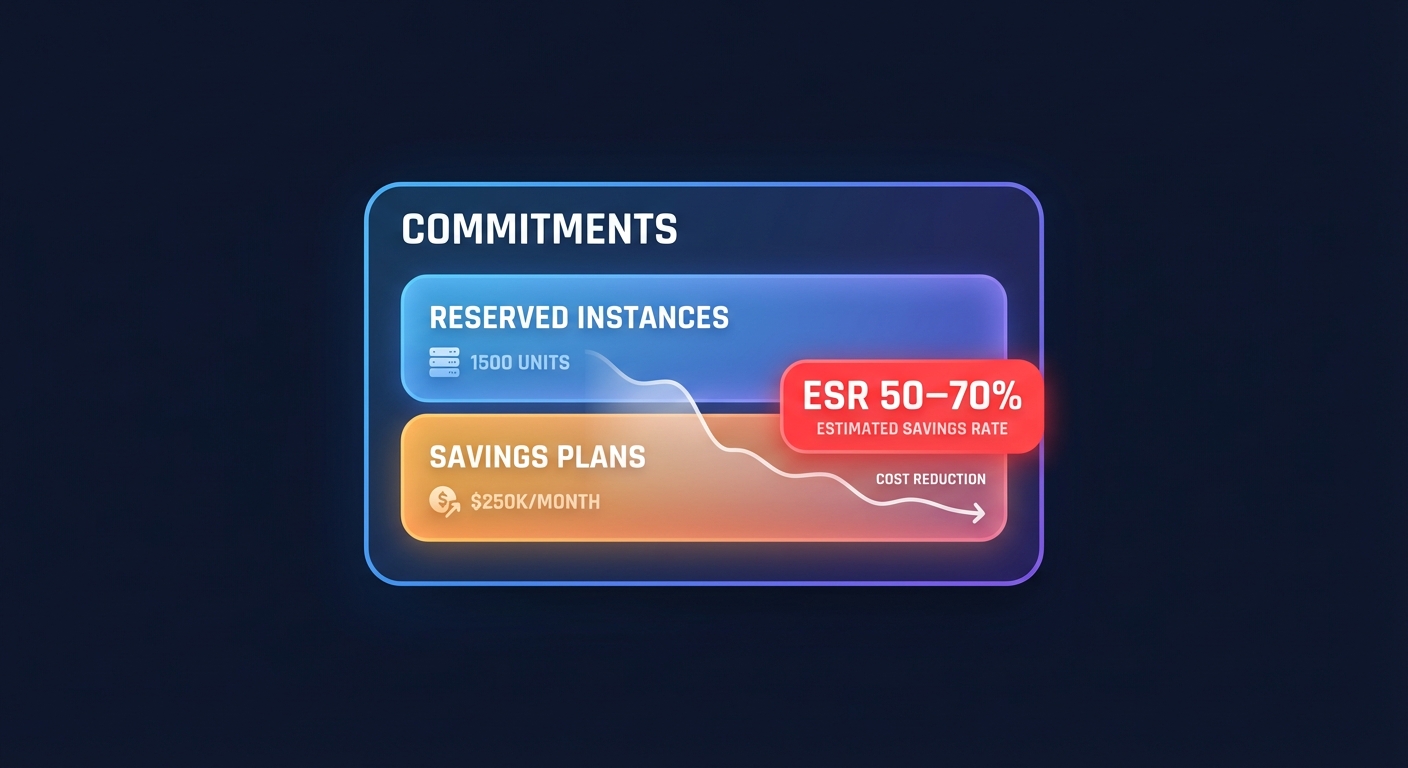
Consider Hykell’s automated rate optimization for commitment management. Manual RI and Savings Plan purchasing often results in overcommitment (paying for unused capacity) or undercommitment (leaving savings on the table). Automated platforms use AI to forecast usage, purchase optimal blends of commitments, and actively manage the portfolio as workloads shift, often achieving Effective Savings Rates of 50–70%+.
For databases, apply RDS Reserved Instances after confirming instance sizes are rightsized. RDS RIs provide up to 72% discounts for 3-year commitments and can be exchanged within the same database engine family.
Monitor commitment utilization continuously. AWS recommends targeting above 80% RI utilization for optimal savings. If utilization drops below 75%, you’re paying for capacity you’re not using. If you’re consistently at 100%, you’re leaving money on the table by not covering more baseline capacity.
Review and adjust commitments quarterly. As your architecture evolves – migrating to containers, adopting serverless, or changing instance families – your commitment strategy must adapt. Organizations that treat commitments as “set and forget” typically waste 15–25% of potential savings.
Automate for continuous optimization
Manual optimization is inherently unsustainable. By the time you implement one round of changes, your environment has evolved and new inefficiencies have emerged. Automation is what transforms optimization from a project into a discipline.
Implement automated scheduling for non-production resources using AWS Instance Scheduler or Lambda-based solutions. Shutting down development, test, and staging environments during off-hours (nights and weekends) can reduce non-production costs by up to 70%. One retail company reduced their monthly cloud bill by 43% through automated responses to usage patterns.
Set up AWS Cost Anomaly Detection to catch spending spikes before they become month-end surprises. Cost Anomaly Detection uses machine learning to identify unexpected spending deviations and alert you within 24 hours. A logistics company found a 30% monthly bill spike within 24 hours, identified the runaway resource, and prevented approximately $60,000 in annual waste.
Build automated cost dashboards that provide real-time visibility into spending, utilization, and optimization opportunities. Use AWS QuickSight with the Cost Intelligence Dashboard template or tools like Grafana for customizable views. One security solutions company reduced EC2 spend by $20,000 monthly after hourly compute visualizations exposed unused off-hours instances.
Integrate cost tracking into your CI/CD pipeline. Tag resources automatically at deployment with owner, project, environment, and cost center information. Enforce tagging through Service Control Policies – resources without proper tags should fail deployment. This prevents the “orphaned resource” problem where no one knows what something is or whether it can be terminated.
Use AWS Lambda and Step Functions to automate remediation workflows. For example, when Cost Anomaly Detection identifies a spending spike, a Lambda function can analyze the anomaly, determine if it’s expected (legitimate scale-out) or wasteful (misconfigured Auto Scaling), and either notify stakeholders or automatically apply remediation policies.
Configure Auto Scaling with target tracking policies that adjust capacity based on actual demand metrics – CPU utilization, request count per target, or custom application metrics. Combine with predictive scaling for workloads with regular daily or weekly patterns, allowing Auto Scaling to add capacity proactively before demand spikes.
Consider automated optimization platforms for comprehensive, hands-off optimization. Hykell’s automated platform continuously monitors your environment, implements optimizations (rightsizing, commitment purchases, Graviton migration, storage optimization), and validates changes without manual intervention. Organizations achieve up to 40% AWS cost reduction with zero ongoing engineering effort using automation platforms.
Automated platforms typically operate on a pay-for-savings model: you pay a percentage of actual savings achieved. This aligns incentives – the platform only succeeds when you save money – and provides immediate ROI without upfront investment. For teams without dedicated FinOps resources, automation platforms deliver better results than manual optimization while reclaiming engineering time.
Set up automated reporting that delivers weekly or monthly optimization summaries to stakeholders. Include key metrics: total AWS spend, month-over-month change, savings from optimization initiatives, commitment coverage percentage, and average resource utilization. Tie these technical metrics to business outcomes – cost per customer, cost per transaction – to demonstrate optimization’s business impact.
Implement lifecycle policies for S3 and EBS snapshots to automatically transition infrequently accessed data to cheaper storage tiers. S3 Intelligent-Tiering automatically analyzes and moves objects between tiers based on access patterns without performance impact or manual intervention.
Measuring success: KPIs for optimization programs
Optimization without measurement is guesswork. Establish clear KPIs that track both cost efficiency and operational health to ensure optimization delivers sustained business value.
Cost metrics form the foundation of any optimization program. Track total AWS spend (month-over-month and year-over-year), cost per major service (EC2, EBS, RDS, data transfer), and savings attributed to specific optimization initiatives. Calculate unit economics like cost per transaction or cost per user to demonstrate that optimization is improving efficiency, not just cutting costs.
Commitment coverage indicates how much of your compute spend is covered by discounted pricing. Target 70–85% coverage with Reserved Instances or Savings Plans. Track your Effective Savings Rate (ESR) – the actual discount achieved compared to On-Demand pricing after applying all commitments. Organizations with $500K–$10M annual compute usage achieved a median ESR of 23% in 2024, but well-optimized environments reach 50–70%+.
Resource utilization measures how efficiently you’re using provisioned capacity. AWS recommends aiming for 60–80% instance utilization for production workloads. Monitor average CPU and memory utilization across your EC2 fleet, percentage of idle resources (below 10% utilization), and storage utilization (ratio of used to provisioned capacity).
Operational metrics ensure optimization doesn’t compromise reliability or team productivity. Track engineering time spent on cost optimization, time-to-implement recommendations, number of performance incidents post-optimization, and percentage of resources with proper cost allocation tags. One SaaS provider reclaimed 15 engineering hours per week by automating cost management.
Cost Efficiency metric from AWS Cost Optimization Hub divides aggregated estimated monthly savings by optimizable spend, providing a single number that tracks optimization progress over time. A rising Cost Efficiency score indicates you’re capturing more of the available savings opportunities.
Report these KPIs in context. A 30% cost reduction is meaningless if it’s accompanied by degraded performance or increased downtime. Balance cost metrics with performance indicators: application response times, error rates, customer satisfaction scores, and uptime percentage.
Create role-specific dashboards that present relevant KPIs to different stakeholders. CFOs need high-level spend trends and ROI metrics. FinOps teams need commitment coverage, utilization rates, and waste percentages. Engineering needs service-level cost attribution and anomaly alerts. Hykell’s observability platform provides role-based views tailored to each stakeholder’s needs.
Conduct quarterly business reviews (QBRs) that compare actual savings to targets, review the effectiveness of optimization initiatives, and adjust strategy based on changing business needs. Use these reviews to refine your optimization playbook, capturing lessons learned and codifying successful approaches.
Common implementation pitfalls and how to avoid them
Even well-intentioned optimization efforts can stall or backfire. Understanding common pitfalls helps you avoid them and maintain momentum.
Over-aggressive rightsizing focuses on average utilization instead of peak requirements, leading to performance degradation during traffic spikes. Always use p95 or p99 metrics when rightsizing and maintain headroom for variability. One company restored instances to their original size after customers experienced slow response times, wasting the time invested in the change.
Optimizing before rightsizing applies commitments to oversized resources, locking in waste. Always rightsize first, then apply Reserved Instances or Savings Plans to the optimized footprint. Organizations that sequence properly achieve 40%+ cost reduction by compounding savings from rightsizing and commitment discounts.
Ignoring application architecture treats infrastructure as the only source of waste. Inefficient queries, excessive API calls, or poor caching can make even rightsized infrastructure expensive. Before downsizing databases, optimize queries. Before reducing Lambda memory, profile code efficiency. Application improvements often deliver higher ROI than infrastructure changes.
Skipping testing and validation implements changes directly in production without staging validation. Always test outside production first, even for “simple” changes like instance type switches. Use incremental rollouts with rollback plans and monitor performance metrics for 24–48 hours before declaring success.
Focusing only on compute neglects storage and networking, which can represent 40–50% of total costs. Review EBS volumes, S3 buckets, snapshots, and data transfer patterns systematically. Storage cleanup and optimization often yields faster time-to-value than complex compute rightsizing projects.
Poor tagging discipline prevents accurate cost allocation and makes it impossible to tie costs to business units, projects, or teams. Without tags, you can’t confidently purchase Reserved Instances, can’t implement chargeback, and can’t identify which optimizations deliver ROI. Enforce tagging through Service Control Policies from day one.
Treating optimization as a project rather than an ongoing discipline leads to boom-and-bust cycles: costs creep up, someone runs an optimization sprint, costs drop temporarily, then creep up again. Optimization must be continuous, automated, and embedded in your operational processes to sustain savings long-term.
Manual commitment management results in overcommitment (paying for unused capacity) or undercommitment (leaving savings uncaptured). The optimal blend of commitment types, terms, and coverage changes as your workload evolves. Automated commitment management platforms adjust continuously, capturing opportunities that manual quarterly reviews miss.
Your 90-day implementation roadmap
A practical, phased approach accelerates time-to-value while minimizing risk. This 90-day roadmap has been validated across dozens of implementations.

Week 1: Audit and baseline. Enable AWS Cost Explorer, Compute Optimizer, and Cost Anomaly Detection. Export 60–90 days of historical spending. Document your top five cost drivers by service and the top 20 most expensive resources. Set up basic CloudWatch dashboards tracking compute utilization, storage capacity, and monthly spend by service. This foundation provides the data for all subsequent optimization.
Weeks 2–3: Quick wins. Terminate stopped EC2 instances that have been idle for more than 30 days. Delete orphaned EBS volumes and snapshots older than your retention policy. Implement instance scheduling for non-production environments – shutting them down during off-hours can cut non-production costs by 65%. These changes deliver immediate savings with minimal risk.
Weeks 4–6: Storage optimization. Migrate gp2 EBS volumes to gp3 for 20–30% savings with better performance. Implement S3 lifecycle policies to transition infrequently accessed data to cheaper tiers. Clean up old snapshots and AMIs. Right-size EBS volumes that are consistently using less than 50% of provisioned capacity. Storage optimization typically delivers 15–25% savings with straightforward implementation.
Weeks 7–9: Compute rightsizing (non-production). Use Compute Optimizer recommendations to rightsize instances in development and staging environments. Focus on instances showing consistent low utilization over 30 days. Implement changes incrementally with performance monitoring. Document lessons learned about testing procedures, monitoring requirements, and rollback processes. This phase builds confidence and process before touching production.
Month 3: Production rightsizing and commitment optimization. Apply the rightsizing playbook to production workloads, focusing first on the highest-cost instances with clear utilization data. Migrate to newer instance generations where appropriate – newer generations typically deliver 15–25% better performance per vCPU at similar or lower cost. After rightsizing, analyze your baseline capacity and purchase Savings Plans or Reserved Instances to cover 70–80% of stable workloads.
Month 3+: Automation and governance. Implement automated scheduling, cost anomaly detection, and continuous monitoring. Set up quarterly optimization reviews to track KPIs, identify new opportunities, and refine your optimization playbook. Consider automated optimization platforms if your team lacks bandwidth for continuous manual optimization.
Organizations following this roadmap typically achieve 25–35% cost reduction in the first 90 days and reach 40%+ savings within six months as automation and commitment strategies mature.
Building a cost-aware culture
Technical optimization is necessary but insufficient for sustained cost efficiency. Long-term success requires embedding cost awareness into your engineering culture and decision-making processes.
Implement showback or chargeback mechanisms that attribute cloud costs to teams, projects, or business units. When teams see the cost impact of their architectural decisions, they naturally optimize. Use tagging strategies to track spending by owner, project, and cost center, and provide teams with dashboards showing their allocated costs.
Include cost considerations in architectural reviews and sprint planning. When evaluating design alternatives, calculate the monthly run cost of each option using the AWS Pricing Calculator. A slightly more expensive architecture that scales efficiently may deliver lower total cost than a “cheap” design that requires constant manual intervention.
Celebrate optimization wins publicly. When a team reduces costs through better architecture, rightsizing, or adopting managed services, share the results broadly. Recognition creates positive reinforcement and encourages other teams to pursue similar improvements.
Provide ongoing education on cloud cost management. AWS regularly introduces new services, instance types, and pricing options that create optimization opportunities. Monthly lunch-and-learns or quarterly FinOps training sessions keep teams current on best practices and new cost-saving mechanisms.
Establish cloud cost as a key performance indicator alongside traditional engineering metrics like uptime, response time, and deployment frequency. Organizations that track cost per transaction or cost per user alongside technical metrics make better trade-off decisions and catch cost regressions before they compound.
Create guardrails, not gates. Rather than requiring approval for every resource, set sensible defaults (no instances larger than 2xlarge without justification, auto-schedule non-production by default) and budget alerts that trigger review when exceeded. This approach preserves engineering velocity while preventing runaway costs.
Implementation support: When to build versus buy
Every organization faces the build-versus-buy decision when implementing cloud optimization. The right answer depends on your team’s capacity, expertise, and strategic priorities.
Build internally when you have dedicated FinOps or Cloud Cost Management resources with the time and expertise to analyze recommendations, validate changes, track commitments, and maintain continuous optimization workflows. Native AWS tools (Cost Explorer, Compute Optimizer, Cost Optimization Hub) provide the data and recommendations; you provide the analysis and implementation.
Consider automation platforms when you lack dedicated optimization resources, need results faster than manual implementation allows, want to minimize ongoing operational overhead, or prefer to pay based on results rather than upfront investment. Platforms like Hykell execute optimizations automatically, validate changes, and operate on a pay-for-savings model where you pay only a percentage of actual savings achieved.
The economic calculation is straightforward: if an automation platform reduces your AWS bill by 35% and charges 20% of savings, your net savings is 28% – achieved without engineering time. If manual optimization would require 20 hours per month of a senior engineer’s time (at $100/hour, that’s $2,000 monthly), the platform delivers better economics at scale.
Hybrid approaches often work well: use automation for continuous rightsizing, commitment management, and anomaly detection while keeping strategic architectural decisions internal. This balances hands-off optimization for recurring tasks with retained control over major infrastructure decisions.
Moving from reactive to proactive optimization
The difference between organizations that achieve 20% savings and those that reach 40%+ is moving from reactive firefighting to proactive, systematic optimization.
Hykell’s automated platform continuously monitors your AWS environment, identifies optimization opportunities, implements changes safely, and validates results – delivering up to 40% cost reduction without ongoing engineering effort. The platform handles rightsizing, commitment optimization, Graviton migration, storage optimization, and Kubernetes efficiency across your entire AWS footprint.
With real-time observability tailored to your role – whether you’re a CFO tracking KPIs, a DevOps lead monitoring compute anomalies, or a FinOps manager balancing savings and coverage – you gain the visibility needed to make smarter AWS decisions. See real results from companies that have doubled their savings and reclaimed hundreds of engineering hours through automated optimization.
Ready to see what 40% savings looks like for your environment? Explore Hykell’s comprehensive AWS optimization solutions and discover how automated intelligence can reduce your cloud costs while eliminating manual optimization tasks.