
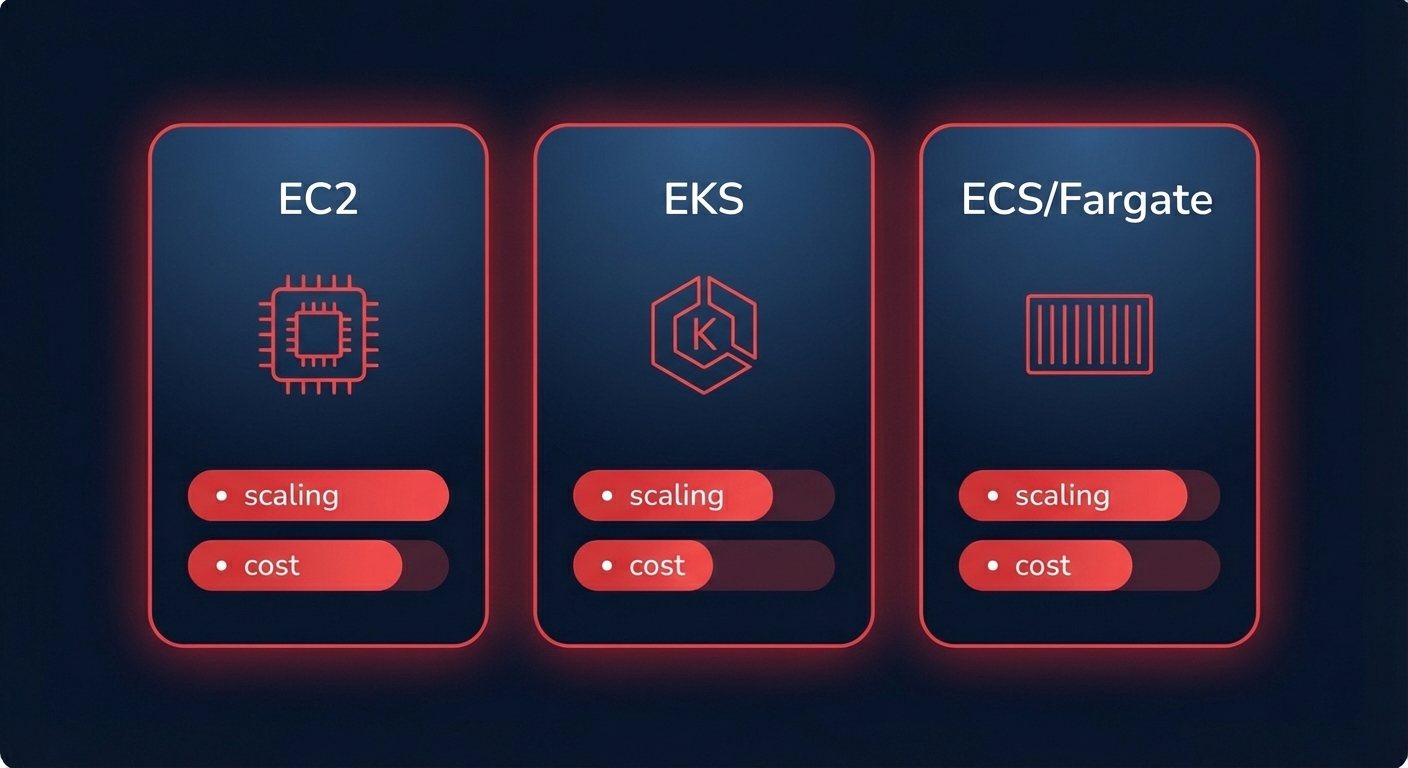
Are you actually scaling for efficiency, or is your “elastic” infrastructure just a glorified safety net for over-provisioning? Most teams lose 20–40% of their compute budget to scaling lag and conservative thresholds that prioritize peace of mind over profitability.
The architecture of cost-efficient elasticity
Effective auto-scaling is not a singular setting but a coordinated effort between three core components: Launch Templates, Auto Scaling Groups (ASGs), and Scaling Policies. The Launch Template acts as the blueprint, defining the instance type, AMI, and networking. The ASG manages the pool of resources, while the Scaling Policy dictates exactly when and how that capacity should shift.
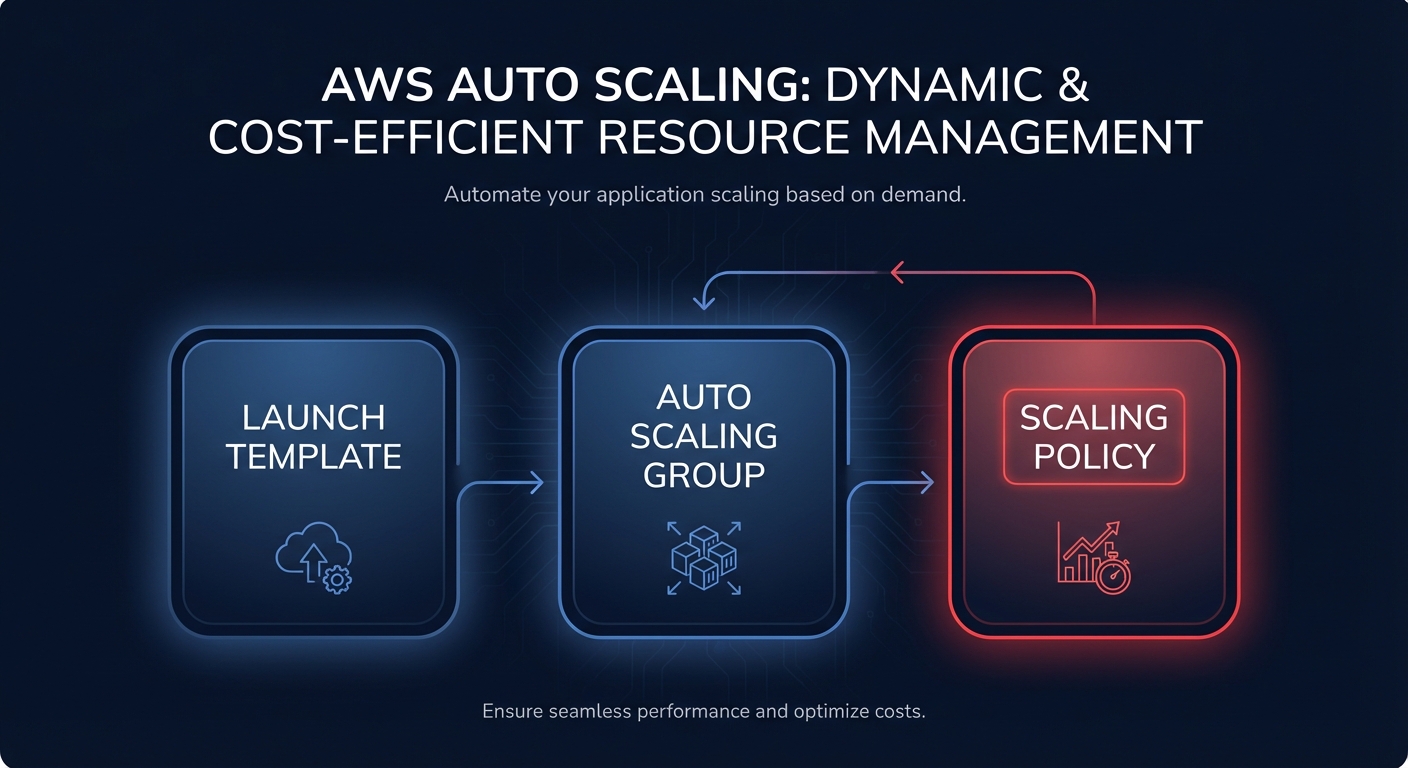
For the majority of web and API services, target tracking scaling serves as the industry standard. This mechanism operates like a smart thermostat, automatically adjusting capacity to maintain a specific metric. Implementing automatic cloud resource scaling via target tracking has been shown to reduce over-provisioning by up to 40% by matching capacity to real-time demand more precisely than manual adjustments.
Tuning reactive vs. predictive scaling policies
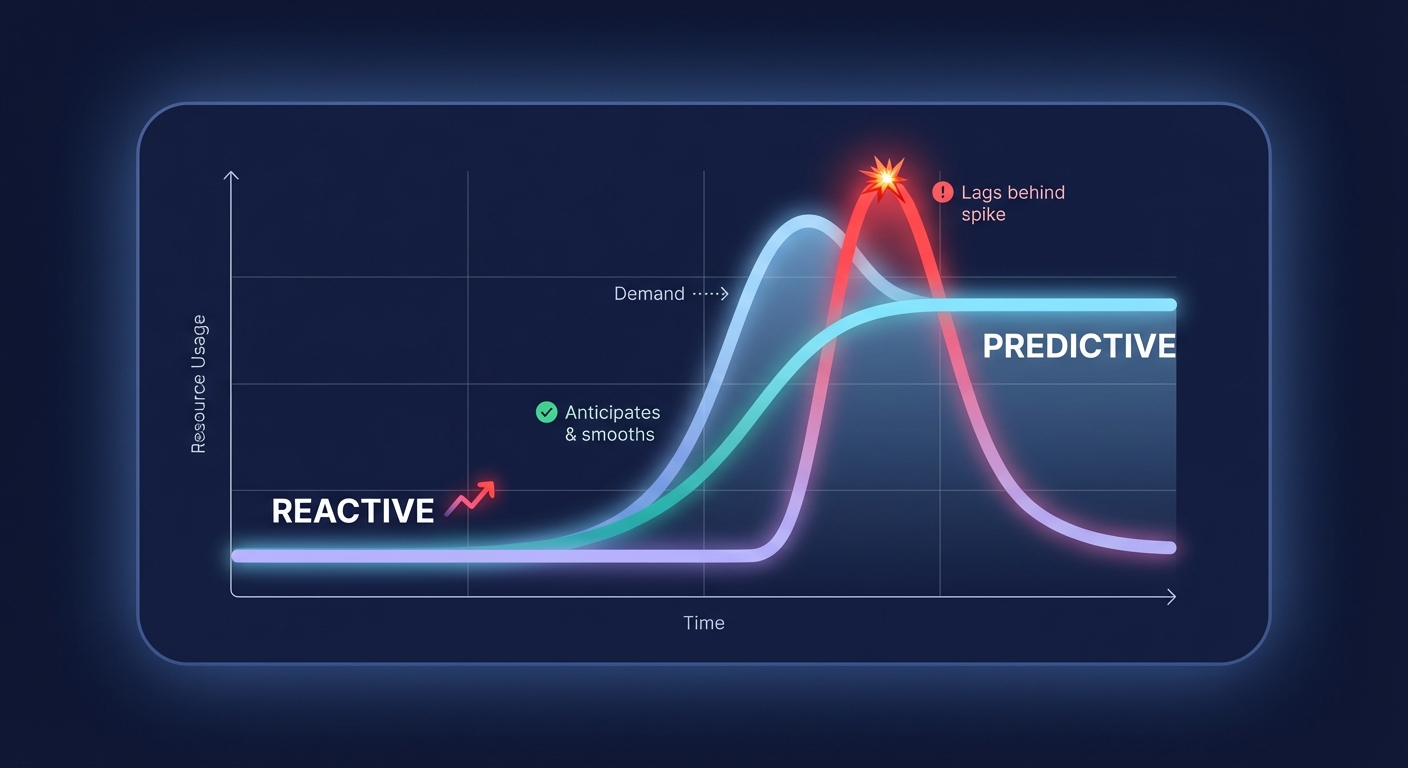
The choice between reactive and predictive scaling depends heavily on how predictable your traffic patterns are. Reactive scaling, which includes target tracking and step scaling, is your necessary baseline. This approach responds to immediate changes in load. A typical production configuration for web services might involve a 70% CPU threshold for scale-out events and a 40% threshold for scale-in.
While reactive scaling handles unexpected surges, predictive scaling uses machine learning to analyze historical data and forecast future demand. This allows the system to provision capacity before a spike occurs, effectively eliminating the “cold start” latency often associated with heavy application stacks. To ensure stability in both models, you must implement a cooldown period. A standard starting point of 300 seconds allows new instances to fully initialize and begin absorbing traffic before the system makes further scaling decisions, preventing the wasteful cycle of rapid instance addition and removal known as thrashing.
Platform-specific configurations for ECS, EKS, and EC2
Different AWS services require specific scaling logic to avoid paying for idle “zombie” resources while maintaining high availability.
EC2 and Graviton optimization
In EC2 environments, selecting the right processor architecture is one of the most effective levers for reducing spend. Migrating to AWS Graviton instances can deliver up to 40% better price-performance compared to traditional x86 alternatives. When configuring these in an ASG, you should utilize a mixed instances policy. This strategy allows you to prioritize high-efficiency ARM-based capacity while maintaining x86 instances as a fallback, ensuring your application remains available even if specific instance types face temporary capacity constraints.
Kubernetes (EKS) scaling
Scaling Kubernetes effectively requires a two-layer strategy: the Horizontal Pod Autoscaler (HPA) for application pods and a robust node provisioner for the underlying infrastructure. Traditional Cluster Autoscalers often introduce significant delays because they rely on fixed node groups. Modern teams are increasingly adopting Karpenter for AWS Kubernetes scaling because it provisions the exact instance sizes needed for pending pods in seconds. This dynamic approach bypasses the limitations of rigid node groups and aligns compute resources directly with pod requirements.
ECS and Fargate
When choosing between ECS and EKS, consider that the launch type – Fargate versus EC2 – significantly impacts your scaling economics. Fargate is highly effective for bursty or small-scale workloads where you want to offload infrastructure management. However, EC2 launch types often provide deeper discounts through commitment-based pricing for steady-state baselines. For ECS services, a target tracking policy of 50–60% CPU utilization generally provides a healthy balance between cost savings and performance headroom.
Advanced strategies for reliability and cost-efficiency
- Implement warm pools: For applications with long initialization times, such as large Java-based microservices, warm pools maintain a fleet of pre-initialized instances in a “Stopped” state. These can join the active group in seconds, reducing the need to keep expensive, over-provisioned capacity running “just in case.”
- Diversify spot instances: For stateless workers or batch processing, mastering AWS spot fleet management can yield savings of up to 90%. To mitigate the risk of interruptions, always diversify your fleet across at least 10 different instance types and multiple availability zones.
- Use scheduled scaling: If your workload has known peaks, such as a daily marketing blast or month-end processing, do not wait for reactive metrics to trigger. Use scheduled scaling to increase minimum capacity 30 minutes before the event to ensure a seamless transition.
Put your AWS savings on autopilot
Manually tuning scaling thresholds and monitoring CloudWatch alarms is an intensive task that often distracts high-value engineers from core product development. Hykell removes this operational burden through automated AWS cost optimization that right-sizes your infrastructure and manages scaling policies in real time.
By aligning your commitments with actual usage and automatically leveraging high-efficiency resources like Graviton and Spot instances, Hykell helps teams reduce their total AWS spend by up to 40% without compromising application performance. Because we operate on a performance-based model, you only pay a portion of the actual savings we generate for your organization. To see how much of your cloud budget you can reclaim, book a free cost audit with Hykell today and start optimizing your platform for peak efficiency.

